
DriverPack Solution Online is a free, automated driver update and management tool for Windows operating systems. Designed to simplify the often-complex process of keeping your system’s drivers up-to-date, it aims to resolve performance issues and system instability stemming from outdated or corrupted drivers. This review will delve into its functionalities, advantages, disadvantages, and ultimately, determine its suitability for various user types.
Streamlined Driver Management for All Skill Levels
At its core, DriverPack Solution Online offers a user-friendly interface, making it accessible to even novice computer users. Its automated approach simplifies the driver update process, eliminating the need for manual searching, downloading, and installation of individual drivers. This automated functionality is a significant advantage, particularly for users who lack technical expertise or simply prefer a hassle-free solution. The software intelligently scans your system, identifies outdated or missing drivers, and then downloads and installs the necessary updates, all with minimal user intervention.
However, this automation isn’t without its potential drawbacks. While convenient for beginners, experienced users might find the lack of granular control over the driver selection process limiting. The program makes recommendations, and while generally accurate, it doesn’t offer the detailed information about individual drivers that more sophisticated tools provide. This lack of detailed information could be a disadvantage for users who want to meticulously select specific driver versions or understand the nuances of each update.
Extensive Driver Database: A Key Strength
One of DriverPack Solution Online’s most compelling features is its extensive driver database, boasting over a million drivers covering a broad range of hardware components and Windows versions. This comprehensive database significantly increases the likelihood that the software will find the necessary drivers for your specific system configuration, even for less common or older hardware. This broad compatibility across various Windows versions, from older systems like Windows 7 to the latest iterations, is a major selling point, making it a versatile tool for managing drivers across different PCs.
The vastness of the database, however, also contributes to a potential downside: the initial download size. The sheer volume of data contained within the installation package can lead to relatively slow download times, particularly for users with slower internet connections. This initial download time is a significant factor to consider, especially if you’re working with limited bandwidth or are impatient for immediate results. The large size also impacts storage space on your hard drive.
Beyond Driver Updates: Additional Utilities
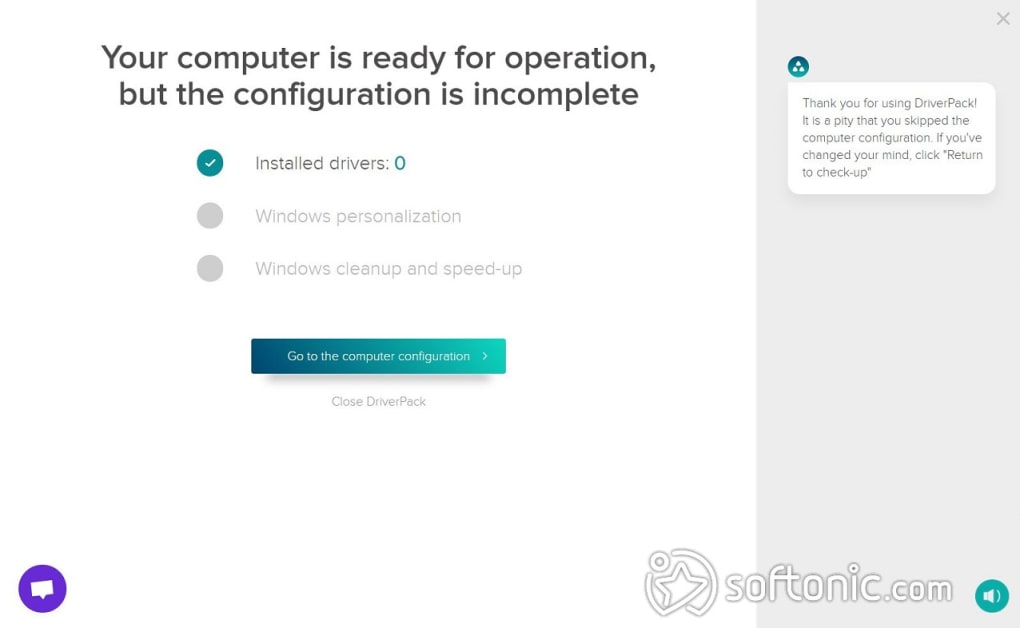
DriverPack Solution Online goes beyond mere driver updates, offering additional utilities that enhance its overall value. These extra features include system cleanup tools and disk defragmentation capabilities. System cleanup helps to remove temporary files and other unnecessary data from your system, potentially freeing up valuable disk space and improving performance. Disk defragmentation reorganizes fragmented files on your hard drive, leading to faster access times and potentially boosting overall system speed.
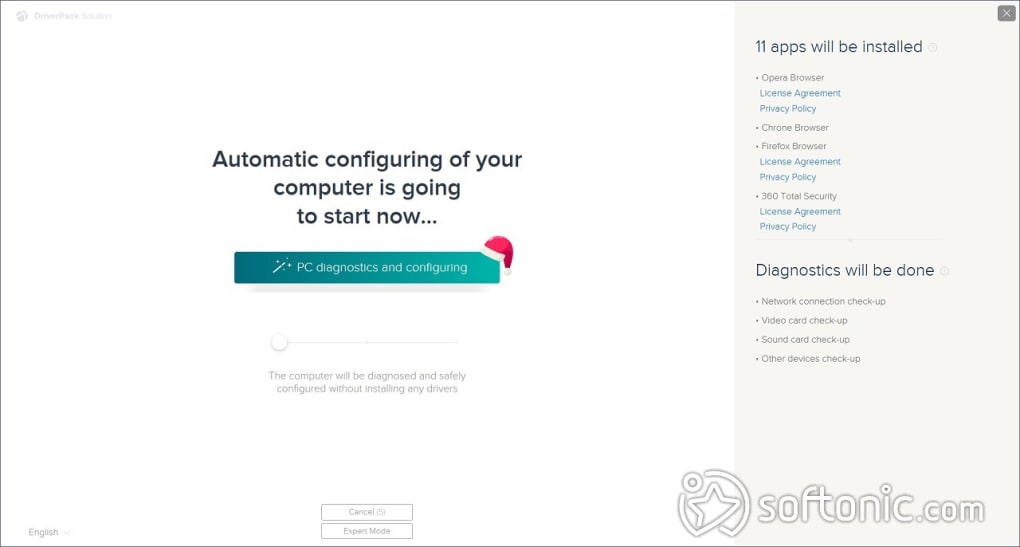
While these additional utilities are convenient and can be beneficial, their inclusion also raises a potential concern. The software sometimes bundles these extra utilities with the driver updates, and if you’re not careful during installation, you might inadvertently install unwanted software. The ability to opt out of installing these additional programs is crucial; users need to pay close attention to the installation prompts and actively deselect any bundled software they don’t want. This is a point where careful and informed user engagement is essential.
Compatibility and System Requirements
The software boasts impressive compatibility with a wide range of Windows versions and hardware configurations. Its broad support for various hardware components is a major advantage, ensuring that even less common devices are likely to have compatible drivers within the database. This expansive compatibility is a crucial aspect for users who need a reliable solution that works with older systems or less mainstream hardware.
However, despite the broad compatibility, there are still potential issues to consider. Some users have reported occasional compatibility problems with specific hardware or driver versions. While uncommon, such inconsistencies highlight the need for caution and possibly manual intervention in some instances. For optimal performance and to avoid potential conflicts, ensuring you have a stable internet connection throughout the installation process is advisable.
Security Considerations: A Necessary Caution
One notable aspect to address is the software’s recommendation to temporarily disable your antivirus program during the installation process. This recommendation raises valid security concerns. While the developers claim this is necessary for the smooth installation of the drivers, it opens the system to potential vulnerabilities, particularly if malware is inadvertently introduced during the installation.
This is a crucial point for users to understand and carefully weigh. Disabling antivirus software, even temporarily, introduces a significant security risk. Users must carefully assess this risk against the convenience of the automated installation process. While the software is generally considered safe, the temporary disabling of antivirus software should be approached with caution and only undertaken with a thorough understanding of the potential consequences. If you choose to disable your antivirus, it’s imperative to re-enable it immediately after the installation is complete.
User Experience and Interface
DriverPack Solution Online presents a relatively intuitive and user-friendly interface. The software’s design is straightforward and avoids unnecessary complexity, making it easy for users of all technical skill levels to navigate and utilize its features. This ease of use is a significant factor in its popularity, as it minimizes the learning curve and ensures a straightforward experience.
However, the interface, while user-friendly, might not be as visually appealing or modern as some competing driver update tools. While functionality is prioritized over aesthetics, some users might find the interface slightly outdated or less visually engaging compared to newer, more polished alternatives.
Alternative Solutions
While DriverPack Solution Online provides a functional and relatively user-friendly solution, it’s essential to consider alternative options. Several competing driver update utilities offer similar functionality, often with improved features or a different approach. Examples include Snappy Driver Installer, Driver Easy, and Driver Booster. These alternatives often incorporate more advanced features, improved user interfaces, or enhanced security measures. Comparing DriverPack Solution Online to these alternatives can help users make an informed decision based on their specific needs and preferences. These alternatives might offer features like scheduled scans, more detailed driver information, or a more secure installation process.
Conclusion: Weighing the Pros and Cons
DriverPack Solution Online offers a free, automated solution for managing Windows drivers, with the considerable advantage of a vast and comprehensive driver database. Its ease of use and additional system utilities are appealing to many users. However, the slow initial download, the need for full reinstallation for updates, and the temporary antivirus disabling requirement are significant drawbacks.
Ultimately, whether DriverPack Solution Online is the right choice depends on your individual needs and technical comfort level. If you prioritize ease of use and a broad driver database and are comfortable accepting the mentioned drawbacks, it’s a viable option. However, users seeking advanced features, a more secure installation process, or a more polished user interface might find alternative driver update utilities better suited to their requirements. A thorough comparison with other options is strongly recommended before making a decision.
File Information
- License: “Free”
- Latest update: “July 15, 2025”
- Platform: “Windows”
- OS: “Windows 8.1”
- Language: “English”
- Downloads: “3.8M”
- Size: “4.62 KB”


