
DuckDuckGo for Windows 10 offers a unique approach to internet searching and news consumption, prioritizing user privacy above all else. Unlike many search engines and news aggregators, DuckDuckGo doesn’t track your searches or build a profile of your interests. This commitment to privacy makes it a compelling alternative for users concerned about online data collection and targeted advertising. This review delves into the features, pros, and cons of DuckDuckGo for Windows 10, exploring its functionality and its place in the crowded landscape of internet browsing tools.
A Privacy-Centric Approach to Web Searching
At its core, DuckDuckGo for Windows 10 is a search engine designed to protect user privacy. It doesn’t store your IP address, search history, or any personally identifiable information. This stark contrast to major search engines like Google, which extensively track user activity to personalize search results and target advertising, is a key selling point for privacy-conscious individuals. The application focuses on providing relevant search results without compromising user anonymity. This commitment extends beyond the search functionality itself; the app’s design minimizes data collection and avoids the inclusion of features that might inadvertently compromise user privacy.
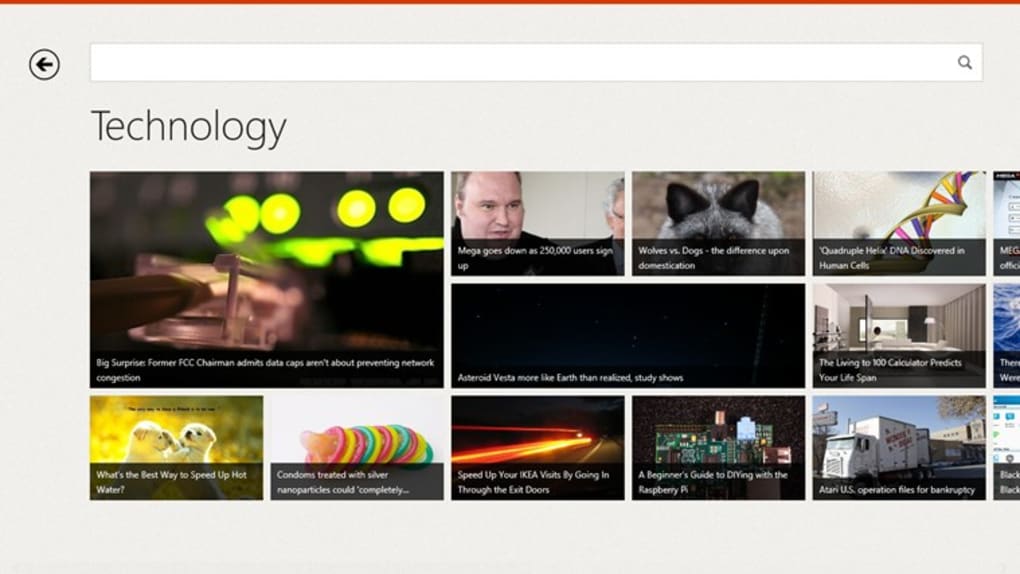
The app’s interface is clean and intuitive. Users can input search queries directly into the search bar, and results are presented in a clear, uncluttered format. The simplicity of the design reflects DuckDuckGo’s overall philosophy: to provide a functional and efficient search experience without the unnecessary complexities or intrusive features often found in other applications. This minimalist approach also contributes to a faster, more responsive user experience.
Beyond Search: A Curated News Feed
DuckDuckGo for Windows 10 goes beyond basic search functionality by incorporating a curated news feed. This feed is not simply a collection of trending articles; rather, it attempts to offer a diverse range of stories that might be of interest to the user, based on general popularity and trending topics. The algorithm behind the news feed aims to avoid the “filter bubble” effect commonly experienced with other news platforms, where users are predominantly exposed to information confirming their pre-existing biases.
The news feed’s content is updated regularly, ensuring users have access to current events and trending topics. While not as comprehensive as dedicated news aggregators, the inclusion of a news feed adds significant value to the app, allowing users to quickly access a diverse range of information without having to switch between multiple applications. The algorithm prioritizes variety and avoids repetition, offering users a more balanced perspective than often found on social media platforms or highly personalized news feeds. However, this approach also means the suggestions may appear less “personalized” than those offered by trackers and profile-based feeds.
Strengths and Weaknesses of the DuckDuckGo Windows 10 Application
DuckDuckGo for Windows 10 offers several significant advantages. Its primary strength lies in its unwavering commitment to user privacy. By avoiding the tracking and data collection practices prevalent in many other search engines and applications, it empowers users to control their online presence and reduce their digital footprint. This emphasis on privacy sets it apart from competitors and makes it an attractive option for those concerned about data security and online surveillance. Furthermore, the clean, uncluttered interface is refreshing and enhances the user experience.

However, the app also has limitations. Because it doesn’t track user behavior, the search results and news suggestions may not be as precisely tailored to individual preferences as those offered by applications that employ extensive tracking. Users might find that they occasionally need to resort to other search engines to find specific information, particularly niche topics or less widely known websites. The lack of personalized recommendations, a feature many users have come to expect from online services, is a trade-off inherent in the app’s privacy-focused design. Some users may find the news feed’s suggestions to be too general or occasionally irrelevant.
User Experience and Interface Design
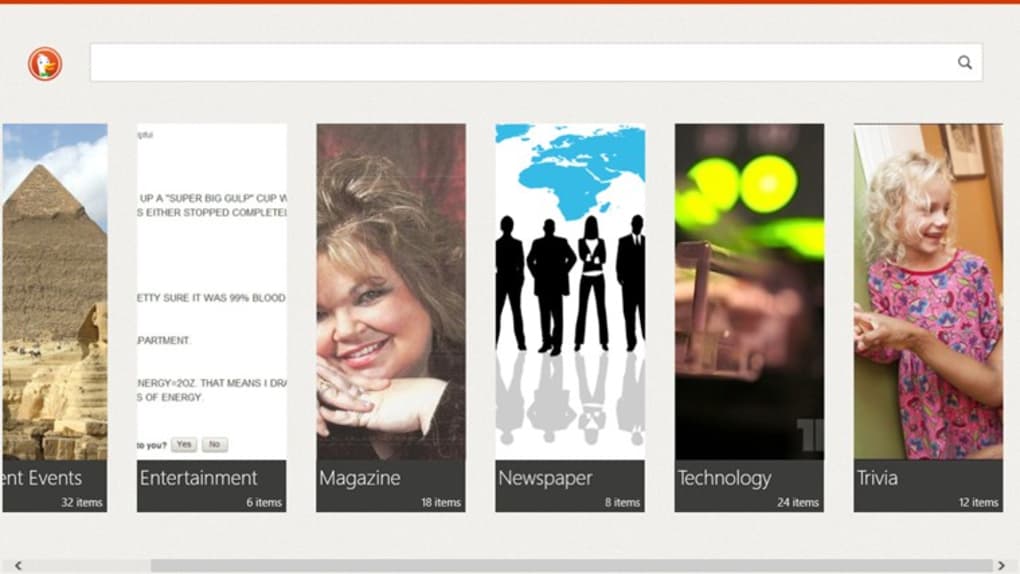
The DuckDuckGo for Windows 10 application boasts a remarkably user-friendly interface. Its simplicity is a key strength; the design is intuitive and easy to navigate, even for users with limited technical experience. The search bar is prominently displayed, and the results are presented in a clear and organized manner. There’s no clutter, no distracting ads, and no unnecessary features. This minimalist design not only enhances the user experience but also contributes to faster loading times.
The news feed is seamlessly integrated into the application, allowing users to easily switch between searching and browsing the curated news content. The visual presentation of both search results and news articles is clear and well-organized, ensuring readability and ease of navigation. Overall, the user experience is refreshingly straightforward, focusing on functionality and efficiency without compromising usability. The app avoids unnecessary complexity, providing a streamlined experience that prioritizes speed and clarity.
DuckDuckGo as a Viable Alternative: A Conclusion
DuckDuckGo for Windows 10 presents a compelling alternative to traditional search engines and news aggregators for users who prioritize online privacy. While it might lack the highly personalized features of its competitors, the trade-off is well worth it for those concerned about data tracking and targeted advertising. The app’s commitment to user privacy is unparalleled, providing a secure and anonymous browsing experience.
The inclusion of a curated news feed adds significant value, offering users a convenient way to stay informed without being subjected to the filter bubbles and biased information prevalent on many other platforms. The clean and intuitive interface further enhances the user experience, making DuckDuckGo for Windows 10 a practical and efficient tool for everyday internet browsing. For users who value privacy and want a straightforward, efficient search experience, DuckDuckGo is a strong contender. While it may not perfectly replicate the features of personalized search engines, its advantages in privacy and simplicity make it a worthwhile consideration.
File Information
- License: “Free”
- Latest update: “October 14, 2024”
- Platform: “Windows”
- OS: “Windows 8”
- Language: “English”
- Downloads: “153.7K”
- Size: “778.00 Bytes”


