
Dukto is a free, lightweight application designed for seamless file transfer within a local area network (LAN). Developed by Emanuele Colombo, this software offers a straightforward approach to sharing files between computers and devices connected to the same network, eliminating the complexities often associated with other file transfer methods. Unlike solutions requiring intricate permissions, credentials, or complex protocols, Dukto simplifies the process to a simple drag-and-drop operation. However, it’s crucial to understand that Dukto’s functionality is limited to LAN environments and only supports the transfer of documents and other standard files; it does not facilitate application sharing.
Effortless File Transfer: The Dukto Advantage
Dukto’s intuitive design is its primary strength. It bypasses the cumbersome authentication processes common to many file-sharing applications. Users needn’t grapple with user accounts, permissions, or specialized network protocols. The process is streamlined: simply drag and drop the desired files or folders into Dukto’s active window, and the transfer begins. This simplicity makes Dukto accessible to users of all technical skill levels, from novice to expert.
However, this ease of use comes with a prerequisite: all participating devices must have Dukto installed. Upon launching the application, Dukto automatically scans the local network, identifying connected PCs and other active Dukto instances. This network discovery process allows users to instantly see which devices are available for file transfers.
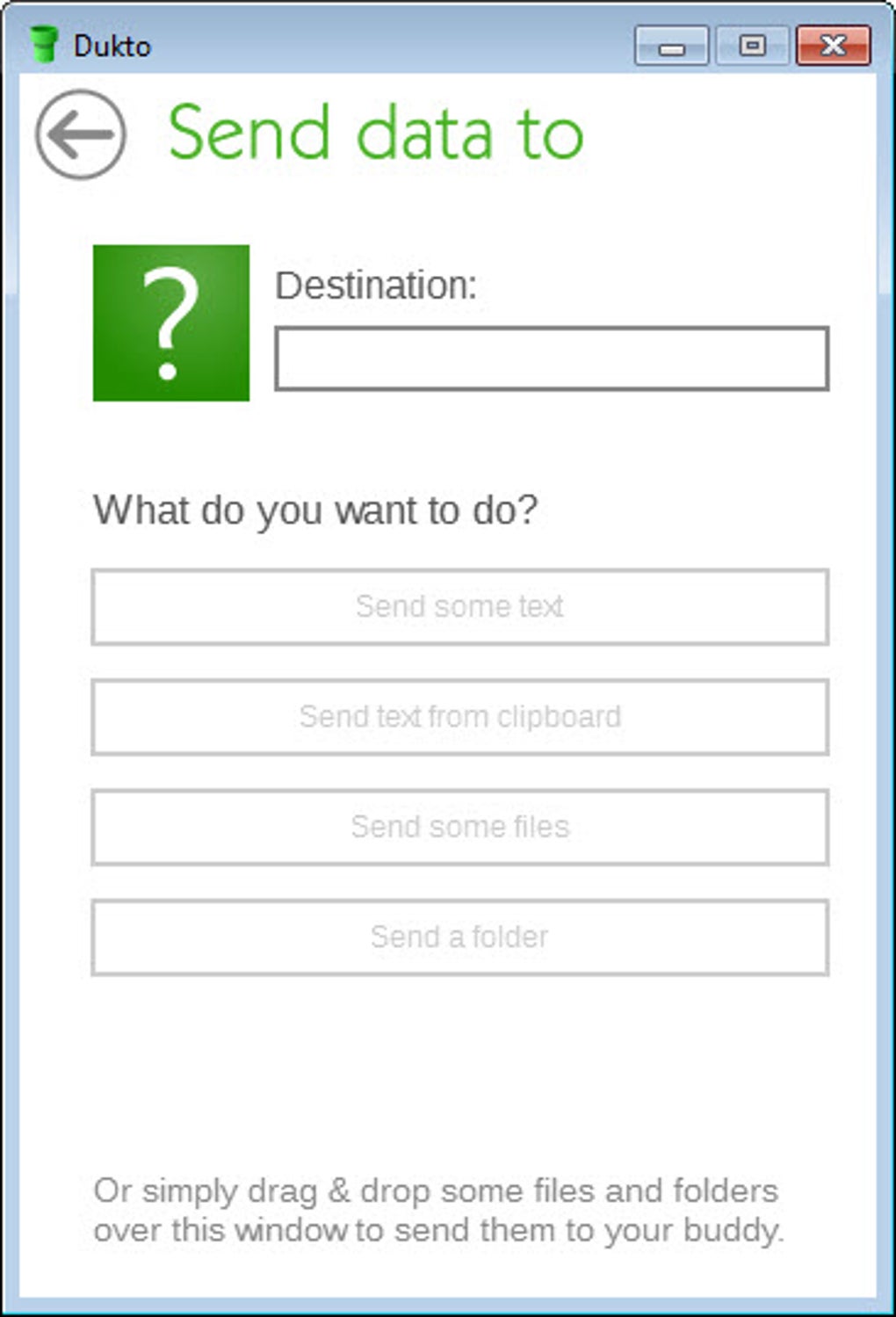
Once the network scan is complete, users can initiate file transfers to any of the detected devices. Dukto boasts impressive speed, facilitating the rapid transfer of even large files or multiple files simultaneously. The application further enhances usability with a comprehensive transfer log, providing a detailed record of all completed transmissions. Furthermore, Dukto supports full Unicode character sets, ensuring compatibility with a wide range of file names and text encodings. To confirm successful transfers, users can conveniently open the destination folders directly within the application.
Beyond simple file sharing, Dukto includes a unique feature: the ability to send text messages to other connected devices. This added functionality transforms Dukto into a rudimentary, yet effective, internal messaging system, facilitating quick communication among users on the same network. This feature proves especially useful in organizational settings where rapid, internal communication is vital.
System Requirements and User Experience
Dukto’s ease of use extends beyond its simple interface. The installation process is straightforward, requiring only a download and installation. The application’s setup is remarkably simple, making it accessible even to users with limited technical expertise. It’s noteworthy that Dukto operates entirely offline; no internet connection is required, as all data transfer occurs exclusively within the LAN.
Dukto’s compatibility extends across various Windows operating systems, supporting versions from Windows XP to the latest releases, including Windows 10 and Windows 11. This broad compatibility eliminates the need for version-specific configurations, ensuring a consistent user experience across different systems. Its small footprint—less than 10MB—further minimizes its impact on system resources, making it suitable for use on systems with limited storage capacity.
Despite its current usability, it’s important to acknowledge that Dukto is no longer actively maintained by its developer. While the application remains functional for many users, it’s crucial to understand that no further updates, bug fixes, or support will be provided. Therefore, users should be aware of the potential limitations associated with using an unsupported application.
Dukto’s Strengths and Weaknesses
Dukto offers several compelling advantages that make it a viable option for LAN file sharing:
Pros:
- Speed and Efficiency: Dukto delivers fast and efficient file transfers within a local network.
- Network Discovery: The application automatically detects devices on the LAN, simplifying the connection process.
- User-Friendly Interface: Its intuitive drag-and-drop interface is exceptionally easy to use.
- Text Messaging Capability: The integrated messaging feature adds a convenient communication tool.
- Lightweight and Resource-Efficient: Dukto’s small size and low resource consumption make it ideal for various systems.
- Cross-Platform Compatibility (Limited): While primarily for Windows, Mac versions have existed in the past, indicating potential cross-platform support in theory.
- Offline Operation: Dukto functions entirely offline, eliminating reliance on internet connectivity.
Cons:
- Lack of Ongoing Support: The most significant drawback is the discontinuation of development and support. This means that users may encounter unresolved bugs or compatibility issues without any official assistance.
- Limited Functionality: Dukto is exclusively designed for file sharing within a LAN, with no support for other network protocols or functionalities.
- No Tray Minimization: The inability to minimize to the system tray can be inconvenient for some users.
- No Auto-Startup Option: The lack of an option to launch Dukto automatically on startup may disrupt workflow for users who frequently utilize the application.
- Limited Configuration Options: The software provides few customization settings, potentially limiting flexibility for advanced users.
- File Type Limitations: Dukto is primarily suited for transferring standard files, not applications or other specialized file types.
Conclusion: Is Dukto Right for You?
Dukto provides a straightforward and efficient solution for simple file sharing within a local area network. Its ease of use and speed make it an appealing choice for users who prioritize simplicity and speed over advanced features. The ability to send short text messages adds a layer of convenience not found in similar tools. However, the absence of ongoing support and its limited functionality must be carefully considered.
While Dukto remains a functional application for many users, its unsupported status is a significant caveat. Users should weigh the advantages of its simple interface and speed against the potential risks of relying on an application without ongoing updates or support. If your needs are confined to basic LAN file sharing, and you’re comfortable with the potential limitations of an unsupported application, Dukto can be a productive tool. However, users requiring more advanced features, robust support, or the ability to share files beyond a local network should explore alternative solutions. The decision to use Dukto depends entirely on individual needs and tolerance for risk associated with using unsupported software. Alternatives that offer ongoing support, broader feature sets, and potentially cloud-based functionality should be considered if the limitations of Dukto prove prohibitive.
File Information
- License: “Free”
- Version: “R6”
- Latest update: “December 7, 2021”
- Platform: “Windows”
- OS: “Windows 10”
- Language: “English”
- Downloads: “188.7K”
- Size: “7.90 MB”


