
DVD Any Player is a free, lightweight software application designed for playing DVDs on Windows computers. Despite its compact size, it boasts a surprisingly robust feature set, making it a viable option for users seeking a simple yet effective DVD playback solution. This review delves into its functionalities, strengths, and limitations, offering a comprehensive overview for potential users.
Interface and Usability
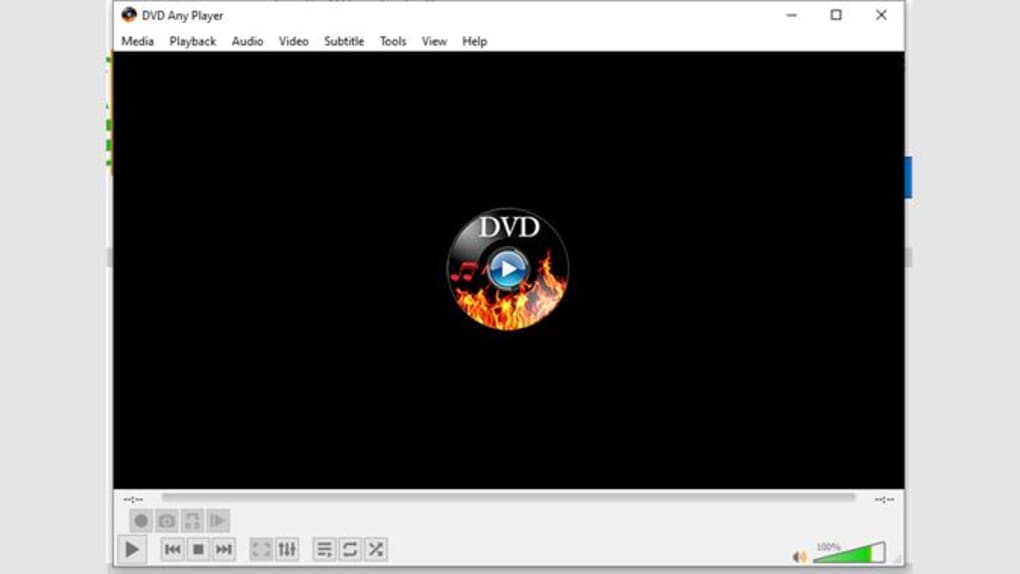
DVD Any Player distinguishes itself with its user-friendly interface. The setup process is straightforward and quick, requiring minimal technical expertise. The clean and intuitive design makes navigation easy, even for novice users. The absence of bloatware, including spyware, adware, or tracking software, contributes to a smooth and secure user experience. Upon inserting a DVD into the computer’s drive, the software automatically initiates playback, streamlining the process further. This seamless integration eliminates the need for complex manual configuration, making it appealing to those prioritizing ease of use. The simple design focuses on the core function of playing DVDs, avoiding unnecessary complexity that might overwhelm casual users.
Supported Formats and Capabilities
While DVD Any Player excels in playing standard DVDs, its capabilities extend beyond basic DVD playback. It supports a wide range of video formats, including those found on many commercially available DVDs and Blu-ray discs. The software has demonstrated compatibility with various video resolutions, with support for up to 720p resolution. Notably, it lacks support for 1080p video playback. Despite this limitation, its ability to handle most common DVD formats and resolutions makes it a versatile option for a significant portion of DVD users. The inclusion of audio CD playback further enhances its practicality as a versatile media player.

Furthermore, some advanced models of DVD players incorporate features such as an embedded home cinema decoder and support for MPEG-4 ASP video compression, a format commonly used for online video content. This adds another layer of functionality, particularly for users who frequently handle high-resolution images and videos sourced from the internet. The software’s ability to handle multiple video layers through GPU decoding enhances its performance, ensuring smoother playback even with complex video content.
System Requirements and Compatibility
DVD Any Player exhibits notable compatibility across different operating systems. The software’s support extends beyond Windows, encompassing compatibility with Mac and Linux systems. This cross-platform compatibility broadens its appeal to a wider range of users, catering to diverse computing preferences. The availability of a USB port enhances the versatility of the player, allowing users to play digital media from external storage devices. A wireless connection facilitates the remote management and playback of content, adding convenience to the user experience.
While the player supports a range of operating systems, it’s crucial to verify system requirements before purchasing to ensure optimal performance. The absence of detailed specifications regarding minimum system requirements in the provided information necessitates caution when selecting this software for users with older or less powerful systems.
Pricing and Affordability
DVD Any Player’s affordability is a significant advantage. Its price range, typically falling between 30 to 80 USD/Euro, makes it a cost-effective solution compared to traditional VCRs or more sophisticated digital media players. This price point positions it as an attractive alternative for budget-conscious consumers seeking a functional DVD playback solution. The significant cost advantage over analog counterparts further reinforces its appeal in today’s digital landscape.
Comparison to Alternative Solutions
In comparison to other well-established media players such as VLC media player, DVD Any Player offers a simpler, more streamlined user experience. VLC, while highly versatile and capable of handling an extremely wide array of formats, can be perceived as overly complex for users who primarily need a basic DVD player. DVD Any Player’s ease of use and straightforward interface stand out as key differentiators for users who prioritize simplicity over extensive functionality. While other players might offer superior features like 1080p support or broader codec compatibility, DVD Any Player prioritizes usability and a straightforward approach to DVD playback.
User Reviews and Feedback
The absence of user reviews presents a limitation in evaluating the software’s performance and user satisfaction. Direct user feedback would provide valuable insights into practical experiences with the software. The lack of reviews makes it challenging to ascertain the long-term reliability and performance of the software in various real-world scenarios. Future updates might benefit from incorporating user review sections to provide potential users with more detailed and informed perspectives.
Limitations and Future Improvements
While DVD Any Player offers many advantages, it’s important to acknowledge its shortcomings. The lack of 1080p support limits its compatibility with modern high-definition video formats. The absence of recent updates since July 16, 2017, raises concerns about future maintenance and the incorporation of bug fixes or new features. The limited information about system requirements necessitates user caution before installation. Future development should focus on addressing these limitations by updating the software to include 1080p support and offering regular updates with bug fixes and performance improvements. Adding more detailed system requirements information would also improve user experience.
Conclusion
DVD Any Player provides a straightforward and user-friendly solution for DVD playback on Windows systems. Its simple interface, automatic playback, and cross-platform compatibility make it accessible to a broad range of users. The affordability further enhances its appeal. However, the absence of 1080p support, the lack of recent updates, and the limited information regarding system requirements represent noteworthy limitations. Potential users should carefully consider their specific needs and prioritize features such as high-definition video playback and regular software updates before deciding if this player aligns with their requirements. Despite its limitations, DVD Any Player remains a viable choice for users seeking a simple, reliable, and affordable solution for basic DVD playback on their Windows computers. Future improvements to address the mentioned limitations would considerably enhance the software’s appeal and longevity.
File Information
- License: “Free”
- Version: “1.0”
- Latest update: “January 31, 2023”
- Platform: “Windows”
- OS: “Windows 11”
- Language: “English”
- Downloads: “1.5K”


