
In an era dominated by streaming services and digital downloads, the physical DVD might seem like a relic of the past. However, countless households still possess vast collections of movies, TV shows, and personal videos stored on these discs. The challenge often arises when attempting to digitize, back up, or even simply play these discs on modern systems, especially when they are protected by encryption. This is where a tool like dvd43 historically found its niche, offering a straightforward, free solution to bypass these digital barriers.
dvd43 is a lightweight, free software designed primarily for Windows operating systems, functioning as a plug-in to unblock encrypted DVD files. For avid movie enthusiasts or anyone with a significant DVD library, encountering encrypted files is a common hurdle. These encryptions, often implemented by companies and individuals alike, are intended to prevent unauthorized copying and distribution, making the content unreadable by conventional methods or standard DVD-copying software. dvd43 steps in as a critical intermediary, similar in function to more comprehensive packages like WinXDVD and DVDFab, but distinguishing itself through its remarkably small memory footprint and exceptionally user-friendly interface. It’s a testament to minimalist design, focusing on a singular, crucial task with efficiency and ease.
The core purpose of dvd43 is to enable users to access the content of their legally purchased DVDs without interference from encryption. This isn’t about promoting piracy but about empowering users to exercise their rights to fair use, such as creating personal backups, transferring content for personal archival purposes, or ensuring playback on a wider range of devices. The software’s simplicity made it a popular choice for those who needed a dependable decryption solution without the complexity or overhead of larger, feature-rich suites. Its longevity and positive user reviews, despite its age, speak volumes about its effectiveness in its heyday, particularly for 32-bit Windows environments.
Unlocking Your Media Library: The Core Functionality of dvd43
The intricate world of DVD encryption can be daunting for the average user. Most commercial DVDs employ a system known as Content Scramble System (CSS), a digital rights management (DRM) and encryption system designed to prevent unauthorized copying and playback of DVD-Video discs. Additionally, DVDs often incorporate region coding, which restricts playback to specific geographical areas, and other copy protection mechanisms that make direct copying or ripping difficult. These protections, while intended to safeguard intellectual property, often inconvenience legitimate purchasers who simply wish to preserve their media or watch it on their preferred device.
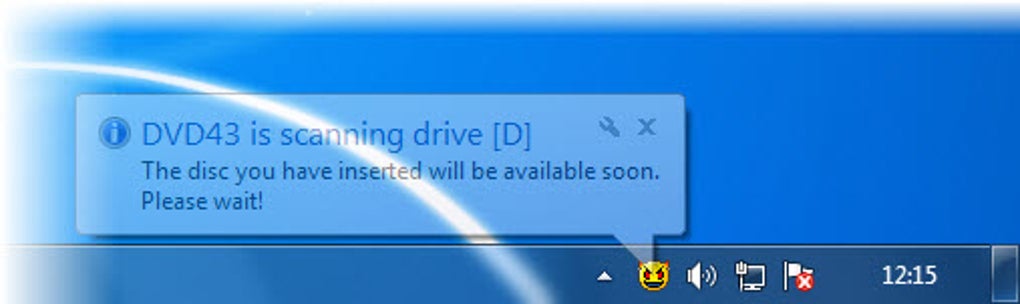
dvd43 serves as a quiet, unassuming hero in this scenario. It functions as a background plug-in, specifically designed for 64-bit operating systems (though its greatest compatibility was often noted with earlier 32-bit versions of Windows). The beauty of dvd43 lies in its largely automatic operation. After a quick initial setup, the user simply launches their preferred DVD-copying or ripping software, which they would have already installed. dvd43 then seamlessly integrates, working silently in the background to decrypt the DVD’s contents on the fly. In the vast majority of cases, this process is instantaneous and transparent: the encrypted information is unlocked, and the DVD’s data becomes immediately accessible to the user’s copying software, allowing them to view or copy the content without further hassle.
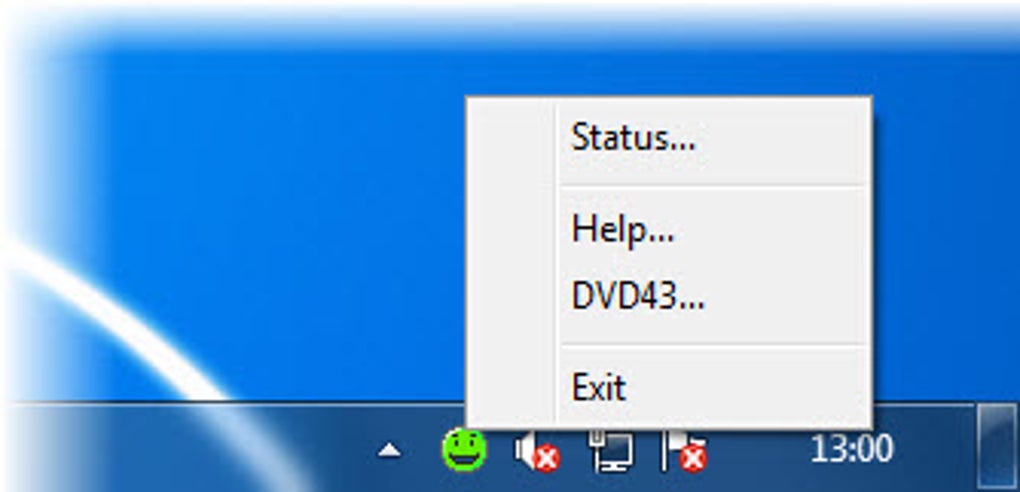
This “set it and forget it” approach is a significant part of dvd43’s appeal. Unlike some more involved decryption tools that require specific settings or complex configurations, dvd43 aims for absolute simplicity. It removes the technical barrier, allowing users to focus on what they want to do – watch or back up their movies – rather than understanding the nuances of encryption algorithms. Compared to its peers like WinXDVD or DVDFab, which often come as standalone applications offering a wide array of conversion and burning features, dvd43’s dedicated focus solely on decryption made it an incredibly lightweight and resource-efficient option. Its user-friendly interface, often characterized by a small, intuitive indicator like a “green smiley face” to signify successful decryption, further cemented its reputation as an accessible tool for everyday media management.
Understanding the “Why”: The Purpose Behind DVD Decryption
The drive to decrypt DVDs stems from a variety of legitimate and practical needs for consumers. Foremost among these is the imperative of personal backup. Physical DVDs, despite their robust appearance, are susceptible to wear and tear, scratches, heat damage, and general degradation over time. A beloved film or an irreplaceable home video recorded on a DVD can easily become unplayable due, for instance, to a child’s careless handling or an accidental spill. Just as users are constantly encouraged to back up their hard drives and digital files, the same logic applies to cherished physical media. Tools like dvd43 allow individuals to create digital copies of their legally owned discs, providing a safeguard against the inevitable damage that can befall physical media. This proactive approach ensures that valuable content remains accessible for years to come, even if the original disc becomes unreadable.
Another significant motivation is archiving for longevity. Digital files offer a flexibility that physical discs cannot match. Once decrypted and copied, DVD content can be stored on hard drives, network-attached storage (NAS) devices, or even cloud storage, making it much easier to manage, categorize, and access. This digital archive is not only more resilient to physical damage but also more convenient. Users can stream their movies to various devices around the home, integrate them into personal media servers, or convert them into formats suitable for smartphones and tablets, all without the need to physically insert a disc every time.
Furthermore, dvd43 addresses the challenge of enabling playback on various devices where physical discs might be inconvenient or incompatible. Modern laptops often lack optical drives, and many smart TVs or media players are designed for digital files. By decrypting a DVD, its content can be liberated from the disc format and made playable across a broader ecosystem of devices, aligning with contemporary media consumption habits. This also extends to addressing issues with scratched or damaged original discs. While dvd43 cannot perform data recovery on severely damaged discs (as noted in its limitations), it often provides a window of opportunity to access content from discs with minor wear that might otherwise be unplayable through standard software, serving as a last resort before a disc is completely lost. While the legal landscape around such tools can be complex and varies by region, the emphasis for tools like dvd43 has always been on empowering personal use and legitimate backup, not on facilitating copyright infringement.
Multimedia: Enhancing Your Digital Content Experience
The realm of multimedia is constantly evolving, with a relentless drive towards convenience, accessibility, and high-quality content. For many years, DVDs were the cornerstone of home entertainment, offering a superior visual and audio experience compared to VHS tapes. However, as technology progressed, the static nature of physical discs began to clash with the dynamic needs of digital consumers. Tools like dvd43 played a pivotal role in bridging this gap, allowing users to transition their physical media libraries into flexible digital assets, thereby enhancing their overall digital content experience.
Movies & TV
The primary allure of DVDs was, and to some extent still is, the vast library of movies and TV shows they contain. For collectors and casual viewers alike, having a physical copy of a favorite film offered a sense of ownership and assurance. However, the move towards digital consumption—streaming services, digital storefronts, and media servers—highlighted the limitations of disc-based viewing. dvd43 enabled individuals to unlock the content of their purchased movies and TV shows, making them amenable to integration into a personal digital library. This meant that a user’s entire collection, once a stack of physical discs, could become a meticulously organized and searchable database on a hard drive.
This transition from physical to digital not only decluttered living spaces but also revolutionized how home entertainment systems could be configured. Decrypted movie files could be ingested by media server software like Plex or Kodi, offering a Netflix-like experience with one’s own content. This provided benefits such as instant access without disc swapping, the ability to resume playback seamlessly across multiple devices, and the peace of mind that comes from having a digital backup of a cherished film that might otherwise be lost to disc damage or obsolescence. dvd43 was therefore an unsung hero in personal media management, ensuring that investment in physical media continued to yield entertainment value in the digital age.
Video
Beyond merely playing a movie, the decrypted content from a DVD opens up a world of possibilities for further video processing and enjoyment. While dvd43 itself does not perform video conversion or editing, its fundamental role in providing an unencrypted video stream is the crucial first step. Once the content is accessible, users can then employ other PhanMemFree applications to convert these video files into various formats – MP4, MKV, AVI, etc. – each suited for different devices or playback environments. This flexibility allows users to optimize their media for storage space, device compatibility, or even quality, creating versions suitable for archival, mobile viewing, or high-definition streaming on a home theater system.
The ability to manipulate the video further means users aren’t locked into the DVD’s specific resolutions or aspect ratios. While DVDs are inherently standard definition, converting them can prepare them for upscaling technologies or simply ensure they play back smoothly on devices that don’t natively support DVD codecs. This level of control over one’s video content is invaluable, transforming a static disc into a dynamic file that can adapt to changing technological landscapes and personal preferences.
Burning
The concept of “burning” refers to the act of writing data onto an optical disc, typically for creating copies or archives. In the context of dvd43, burning plays a crucial role in completing the backup cycle. While many users today might prefer purely digital archives, there remains a significant demand for creating physical copies, either as a direct duplicate of an original DVD or as a copy of a newly compiled video project. After dvd43 has successfully decrypted a DVD, the content becomes available to DVD-copying software. This software can then take the decrypted video stream and “burn” it onto a blank DVD-R or DVD+R disc.
This process is vital for creating redundant backups, ensuring that even if a digital hard drive fails, a physical copy still exists. It also allows users to make copies for family members (within fair use guidelines) or to create simpler, unencrypted versions of discs for playback on older or less sophisticated DVD players that might struggle with certain copy protections. dvd43, by removing the initial encryption barrier, directly facilitates this burning process, making it possible for standard burning utilities to create functional copies of commercial DVDs. The importance of having multiple forms of backup for valuable content, whether digital or physical, cannot be overstated, and dvd43 empowers users to achieve this with their DVD collections.
Utilities & Tools: Essential Functions for Data Management
The broad category of “Utilities & Tools” on platforms like PhanMemFree encompasses a diverse range of software designed to enhance, maintain, and optimize a computer system’s functionality. From system cleaners to file managers, these applications aim to make computing tasks easier, more efficient, or simply possible. dvd43 fits squarely into this category, acting as a specialized utility that unlocks a specific type of digital asset, thereby enabling further data management and preservation activities. Its utility lies not in its standalone features, but in its ability to facilitate other critical processes, much like a specialized wrench in a larger toolbox.
Data Preservation & Management
In an age where data loss can be catastrophic, tools that aid in data preservation and management are invaluable. dvd43 contributes significantly to this by providing a means to back up physical media, which is inherently fragile and has a limited lifespan. User reviews often highlight the pain points of damaged original discs, lamenting lost content due to accidental scratches or degradation. One reviewer succinctly put it, “Without it I would have been up the creek several times because of accidental damage to originals.” This sentiment underscores dvd43’s role as a shield against such losses. By allowing users to create digital archives of their DVDs, it effectively immortalizes content that might otherwise be transient.
Once the DVD content is decrypted, it can then be handled by various file managers. These tools, also found within the Utilities & Tools category, allow users to organize their newly accessible video files, rename them, categorize them into folders, and transfer them to long-term storage solutions. This creates a cohesive digital library that is far easier to navigate and maintain than a physical collection. While dvd43 does not directly recover data from severely damaged sectors – a limitation it explicitly states – its ability to bypass encryption on otherwise readable discs can often provide a last chance for older, slightly worn discs before they become entirely unreadable. Thus, dvd43 acts as an enabler for comprehensive data preservation strategies, ensuring that personal media libraries are secure and accessible for years to come.
The broader context of system utilities highlights dvd43’s minimalist yet impactful design. Many utilities are developed to solve a very specific problem with precision and efficiency. dvd43 exemplifies this philosophy: it doesn’t aim to be an all-in-one media suite but rather a focused tool that performs one crucial task exceptionally well. Its lightweight nature ensures it doesn’t burden system resources, allowing it to run seamlessly in the background. This contrasts with more feature-rich suites that might offer a multitude of functions but come with a heavier system footprint. dvd43’s utility lies in its unobtrusive efficiency, making it an indispensable part of a user’s digital toolkit for managing their DVD collection.
Installation and User Experience: Simplicity Personified
One of the most lauded aspects of dvd43, frequently highlighted in user testimonials, is its remarkable ease of installation and intuitive user experience. In a landscape often cluttered with complex software and bewildering menus, dvd43 stands out for its commitment to simplicity, making advanced decryption technology accessible to even the most novice computer users.
The installation process is streamlined and guided by a straightforward setup wizard. This means users don’t need to possess advanced technical knowledge to get the software up and running. Typically, it involves downloading the small installer file (weighing in at just under 600 KB), executing it, and following a few simple on-screen prompts. This usually takes only a few moments to complete, a stark contrast to larger software packages that might require extensive configuration or installation times. Once installed, dvd43 operates as a plug-in, requiring no direct user interaction to launch or manage.
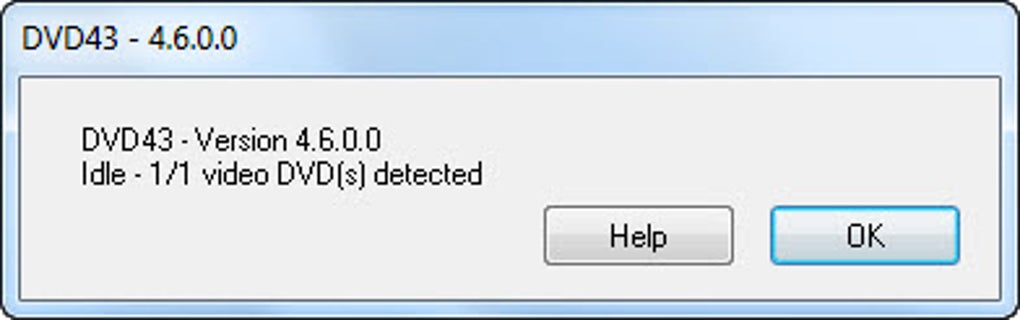
The user interface, while minimalist, is highly effective. The main window provides clear indications of the software’s status. Perhaps the most iconic and beloved feature mentioned by users is the “little green smiley face.” This visual cue instantly communicates that dvd43 is active, detecting a DVD, and successfully decrypting its contents, signifying that the disc is “ready to copy.” This level of intuitive feedback removes any guesswork and reassures the user that the software is performing its intended function without intervention.
Furthermore, the design philosophy of dvd43 embraces a direct, no-fuss approach. While the original description mentions “drop and drag an existing file,” this primarily refers to how the DVD-copying software might interact with the now-unlocked DVD, rather than a direct drag-and-drop onto dvd43 itself, which functions passively. The overall streamlined platform and lightweight footprint contribute significantly to this perception of ease. It integrates seamlessly into the background of the operating system, consuming minimal resources, and quietly performing its task without interrupting other user activities. This effortless integration and clear, reassuring indicators are what made dvd43 a favorite among users seeking a reliable, hassle-free solution for DVD decryption.
Security & Privacy: Understanding Digital Protections and Their Bypassing
The concepts of security and privacy are central to the digital world, influencing everything from personal data protection to content distribution. In the context of DVDs, these concepts manifest primarily through encryption and access control mechanisms, which are designed to protect content from unauthorized copying and distribution. dvd43, as a decryption tool, directly engages with these mechanisms, not to compromise user privacy or security in a malicious sense, but to enable legitimate access for personal use.
Encryption
At the heart of DVD copy protection lies encryption, specifically the Content Scramble System (CSS). Introduced in 1996, CSS was designed to prevent the direct digital copying of commercial DVDs and to enforce region coding. It scrambles the video and audio data on a DVD, making it unreadable without the correct decryption key. This key is typically stored on the disc itself and accessed by licensed DVD players. From the content creators’ perspective, CSS served as a basic form of digital rights management (DRM), aiming to control how their intellectual property was consumed and distributed. It was a technological barrier intended to deter piracy and protect revenue streams.
dvd43’s function is precisely to bypass this CSS encryption. It acts as an “on-the-fly” decryptor, intercepting the encrypted data stream from the DVD drive and decrypting it before it reaches the DVD-copying software. This process essentially “unscrambles” the content, presenting it as raw, readable data to other applications. While this involves bypassing a security measure, it’s crucial to understand the context: dvd43 is typically used by individuals to access content they have legally purchased, primarily for personal backup purposes, which falls into a legal gray area often termed “fair use” or “space shifting.” It doesn’t facilitate widespread distribution of copyrighted material but rather empowers individual consumers to manage their own media.
Access Control
Encryption, in the context of DVDs, effectively acts as an access control mechanism. It dictates who can view, copy, or distribute the content by controlling access to the underlying data. Beyond CSS, DVDs also employ region coding, which is another form of access control designed to segment global markets and control release schedules. A DVD bought in Europe (Region 2) might be unplayable on a DVD player sold in the US (Region 1) due to this control.
dvd43 functions as a tool to overcome these specific digital access control measures for personal use. By stripping away the encryption, it removes the technical barrier that prevents legitimate owners from backing up their purchased discs or playing them on region-free players. It’s not a tool for illicit access to secure systems, but rather a utility for gaining control over one’s own purchased media assets. The ethical and legal implications surrounding such tools are complex and subject to ongoing debate, particularly concerning the Digital Millennium Copyright Act (DMCA) in the United States and similar legislation elsewhere. However, for many users, dvd43 represented a way to exercise personal freedom over their purchased content, ensuring its longevity and accessibility within the confines of their own home. It highlighted the tension between content creators’ desire for stringent control and consumers’ rights to use their property as they see fit for non-commercial purposes.
Challenges and Considerations: The Limitations of dvd43
Despite its widely praised simplicity and effectiveness, dvd43 is not without its limitations, which are important for users to understand, particularly in a rapidly evolving technological landscape. These limitations often dictate its applicability and the scenarios in which it can be most effective.
One notable drawback, highlighted in the official “Cons” list, is its inability to convert DVDs with bad sectors. A bad sector on a DVD is a damaged or unreadable area of the disc, often caused by scratches, manufacturing defects, or general wear. When dvd43 encounters such sectors, it cannot extract the data, rendering the decryption incomplete or entirely unsuccessful. This means that while dvd43 can bypass encryption, it cannot magically restore data that is physically lost or corrupted on the disc. For discs with significant physical damage, specialized data recovery services or software (which dvd43 is not) would be required, and even then, success is not guaranteed. This limitation underscores that dvd43 is a software solution for logical encryption problems, not a physical media repair tool.
Another challenge mentioned is that your DVD copy software may not recognize dvd43 as a valid program and therefore it will not be permitted to function. This speaks to interoperability issues, where the background plug-in nature of dvd43 sometimes clashes with the internal validation mechanisms of certain DVD copying or ripping applications. While dvd43 was designed to integrate seamlessly, the vast and fragmented ecosystem of software means that perfect compatibility is rarely achievable. Developers of commercial DVD copying software might also implement measures to detect and block known decryption plug-ins, further complicating this dynamic.
Crucially, a recurring theme in user reviews, particularly concerning later Windows versions, is the compatibility issue with 64-bit operating systems. Many users expressed frustration that while dvd43 performed flawlessly on older 32-bit Windows XP, Vista, or Windows 7 systems, it struggled or outright refused to work on 64-bit versions of Windows 7 and subsequent iterations. One user lamented, “I need it to work on 64bit windows…I used to love this program when i had older windows, I need it to work now with the newer versions,” and another stated, “Won’t work on Windows 7 64 Bit.” This is a significant limitation, as 64-bit systems became the standard for modern computing. The inability of dvd43 (version 4.6.0, last updated in 2022 but with core components likely much older) to reliably function on these newer architectures effectively renders it obsolete for a large segment of contemporary users. This forced some dedicated users to maintain older 32-bit desktop systems specifically for the purpose of using dvd43, illustrating its enduring value but also its technological stagnation.
The implication of an older, potentially unsupported tool in a modern OS environment is profound. Operating systems constantly evolve, introducing new security features, driver models, and architectural changes that can break the functionality of older software not designed with these changes in mind. While dvd43 offered a powerful and free solution for its time, its lack of continuous updates to address 64-bit compatibility and other modern system requirements ultimately limited its long-term viability for the mainstream user. For those still running older 32-bit Windows machines, dvd43 might still be a viable option, but for anyone on a modern 64-bit Windows system, alternative, more contemporary solutions would likely be necessary.
Conclusion
dvd43 holds a distinct place in the history of personal computing utilities, particularly for those who navigated the complexities of physical media in the digital age. As a free, lightweight plug-in, it offered a remarkably simple and effective solution to the pervasive challenge of encrypted DVD content. Its core strength lay in its ability to transparently bypass copy protections like CSS, thereby empowering users to create personal backups of their legally purchased DVDs, archive their media for longevity, and transition their physical collections into more versatile digital formats for modern playback devices.
Praised for its ease of installation and the reassuring simplicity of its user interface—epitomized by the iconic “green smiley face”—dvd43 democratized DVD decryption. It allowed everyday users, without requiring technical expertise, to manage their multimedia libraries effectively, mitigating the risks of physical disc damage and adapting to evolving consumption habits. Throughout its active lifespan, it served as a crucial bridge between the static world of physical media and the dynamic realm of digital content.
However, like many technologies, dvd43 faced limitations, most notably its struggles with DVDs containing bad sectors and, more significantly, its waning compatibility with newer 64-bit Windows operating systems. These factors ultimately marked its transition from a widely applicable tool to one with a more niche, legacy appeal. Yet, for those who still operate older 32-bit systems or those who reflect on its historical impact, dvd43 remains a testament to focused utility software: a simple, free tool that profoundly simplified a complex task for countless users, helping them unlock and preserve their cherished multimedia collections.
File Information
- License: “Free”
- Version: “4.6.0”
- Latest update: “January 18, 2022”
- Platform: “Windows”
- OS: “Windows 7”
- Language: “English”
- Downloads: “135.7K”
- Size: “568.90 KB”


