
EA Desktop is Electronic Arts’ (EA) new PC game launcher, designed to replace its predecessor, Origin. This free utility tool offers a streamlined approach to accessing and managing EA’s extensive library of video games. While still in beta, EA Desktop actively solicits user feedback to continually improve its functionality and user experience. This review delves into the features, benefits, and drawbacks of this next-generation gaming platform.
A Modern Replacement for Origin
EA Desktop serves as the updated successor to Origin, EA’s long-standing digital distribution platform. Similar to other popular launchers like Steam and Ubisoft Connect, Origin provided a centralized hub for purchasing, downloading, and playing EA games, along with social features like friend lists, messaging, and profile customization. It also integrated with EA Play, EA’s subscription service offering access to a catalog of games. EA Desktop builds upon this foundation, refining and enhancing its predecessor’s core functionalities.
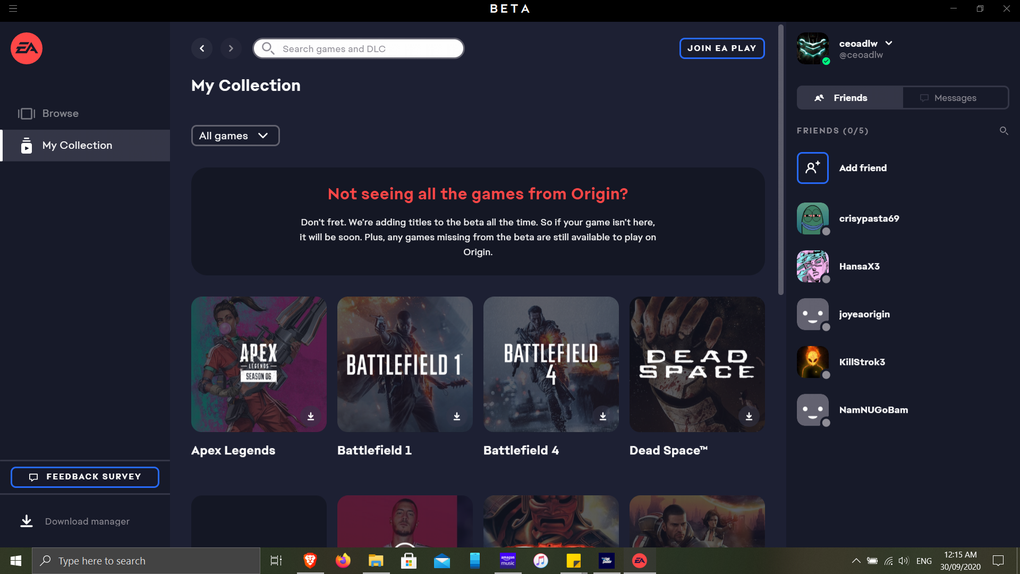
The transition from Origin to EA Desktop is designed to be seamless. Users can easily switch between the two platforms, with their EA accounts automatically syncing across both. Game libraries are tied to the account, not the specific launcher, ensuring continued access to purchased titles after switching to EA Desktop. While some games might not be immediately available on the new platform, EA is actively working on bringing its entire library to the EA Desktop app. The transition is further simplified by the fact that installation of EA Desktop does not require the removal of Origin, allowing for simultaneous usage. This approach minimizes disruption for users already familiar with the Origin platform.
Enhanced Features and Improved Performance
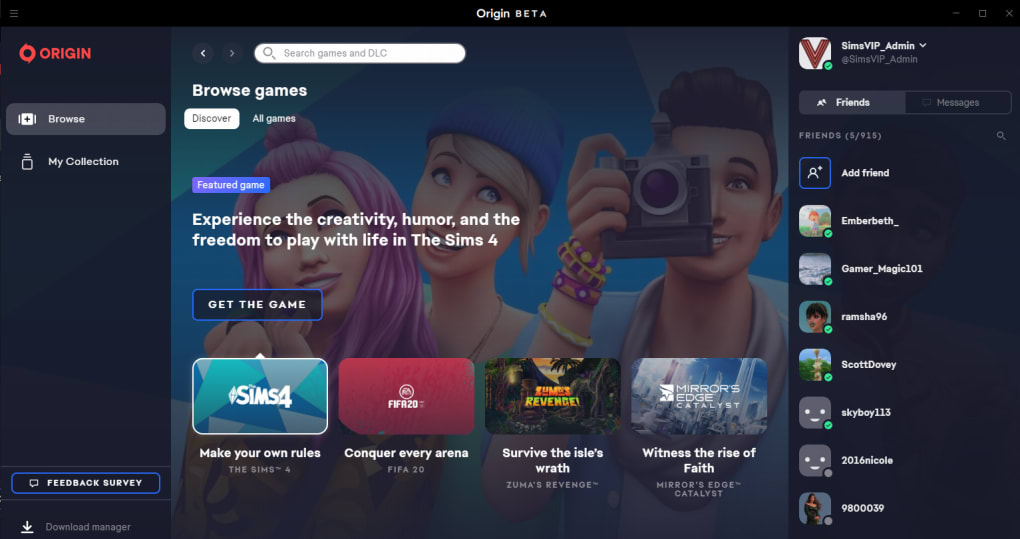
EA Desktop boasts a number of improvements over its predecessor, many of which directly address user feedback and requests. One of the most noticeable changes is the enhanced user interface. Navigation is more intuitive, providing easier access to game libraries, friends lists, and settings. The overall design is cleaner and more visually appealing, resulting in a more enjoyable user experience.
Beyond the improved interface, EA Desktop prioritizes performance. Downloading and updating games is reportedly faster than on Origin. The app’s architecture is optimized for smoother operation, reducing the likelihood of crashes and freezes. EA has also implemented several behind-the-scenes improvements designed to enhance stability and reduce resource consumption.
The integration of EA Play is seamlessly integrated, making it easier to access the subscription service’s benefits. This includes immediate access to a vast library of games, exclusive content, and early trials of new releases. This strengthens the overall value proposition for users, especially those who frequently subscribe to EA Play.
Social Features and Cross-Platform Play
EA Desktop maintains the social aspects of Origin while adding significant enhancements. The in-game overlay allows users to access the social features without leaving the game, including friend lists, messaging, and profile viewing. This minimizes interruptions to gameplay while maintaining the connection with friends.
Furthermore, EA Desktop is actively expanding its cross-platform play functionality. This allows users to play with their friends regardless of their platform (PC, console, etc.), fostering a more inclusive and interconnected gaming experience. While the full extent of cross-platform capabilities is still under development, EA has made it a clear priority.
Addressing User Feedback and Future Development
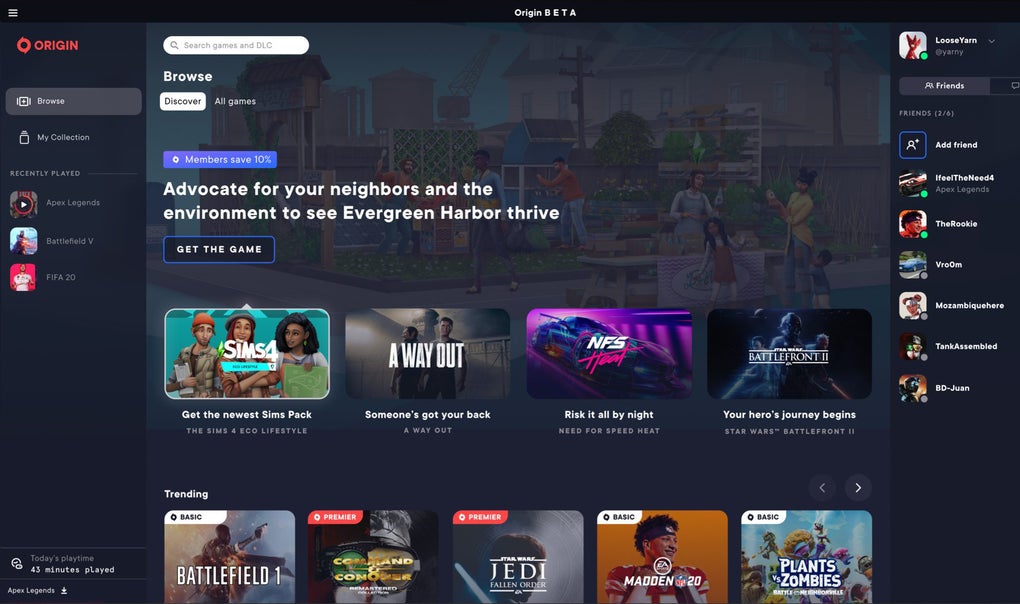
EA Desktop’s development is strongly influenced by user feedback, a critical aspect of its success. Regular updates address bugs, implement requested features, and refine existing functionalities based on user input. This iterative approach allows the platform to adapt to user needs and expectations, resulting in a constantly evolving and improving gaming experience. The active pursuit of user feedback sets EA Desktop apart from some other game launchers and reflects EA’s commitment to building a platform that users find both efficient and enjoyable.
Comparing EA Desktop to Origin: A Side-by-Side Analysis
| Feature | Origin | EA Desktop |
|---|---|---|
| Interface | Older, less intuitive | Modern, streamlined, and user-friendly |
| Performance | Can be slow, prone to crashes | Faster downloads, improved stability |
| Social Features | Basic friend list, messaging | In-game overlay, enhanced friend list |
| Cross-play | Limited | Expanding capabilities |
| EA Play | Integrated, but less accessible | Seamless integration |
| Updates | Infrequent, often disruptive | Regular, smaller updates |
| Overall | Functional, but showing its age | Significant improvement over Origin |
While Origin continues to function, EA’s intention is clearly to transition users fully to the EA Desktop app. The inclusion of improved performance, a better interface, and enhanced social features suggests that the effort has been worthwhile.
User Experience and Feedback
Initial user reviews have been largely positive, with many praising the improved performance and modern interface. The seamless account synchronization between Origin and EA Desktop is a frequently cited advantage, minimizing disruption during the transition. However, some users have expressed frustration over the fact that EA Desktop is a completely separate application from Origin, requiring a separate installation. This also means there is a period of potential overlap, which some may find inconvenient.
A common concern highlighted in user reviews relates to the installation location of games. Some users have experienced issues due to changes in the default installation directory after updates. This can be especially problematic for users who employ external storage devices for their games. Addressing this concern through more flexible installation options would significantly enhance the overall user experience.
Despite these minor drawbacks, the overall consensus is that EA Desktop represents a substantial improvement over Origin. EA’s commitment to addressing user feedback and consistently updating the platform suggests a bright future for this game launcher.
Conclusion
EA Desktop is a significant upgrade over its predecessor, Origin. The focus on performance, a modern user interface, and enhanced social features creates a more intuitive and enjoyable gaming experience. While some minor issues remain, such as installation location flexibility, the overall improvements and the commitment to user feedback make EA Desktop a worthwhile upgrade for any EA gamer. The seamless transition between Origin and EA Desktop ensures minimal disruption for existing users, further solidifying its position as a viable and competitive platform in the gaming landscape. It’s recommended that all EA gamers make the switch and contribute to its ongoing improvement.
File Information
- License: “Free”
- Latest update: “June 12, 2025”
- Platform: “Windows”
- OS: “Windows 11”
- Language: “English”
- Downloads: “52K”


