
Earth3D, a free Windows application released in 2009, offered users a unique opportunity to explore a three-dimensional representation of the Earth. While not on the scale or detail of modern applications like Google Earth, Earth3D provided a compelling, if somewhat limited, virtual globe experience, directly accessing and displaying spatial imagery from renowned sources such as NASA, USGS, and the CIA. This article delves into the features, strengths, weaknesses, and overall impact of this pioneering piece of software.
Exploring Earth3D’s Interface and Functionality
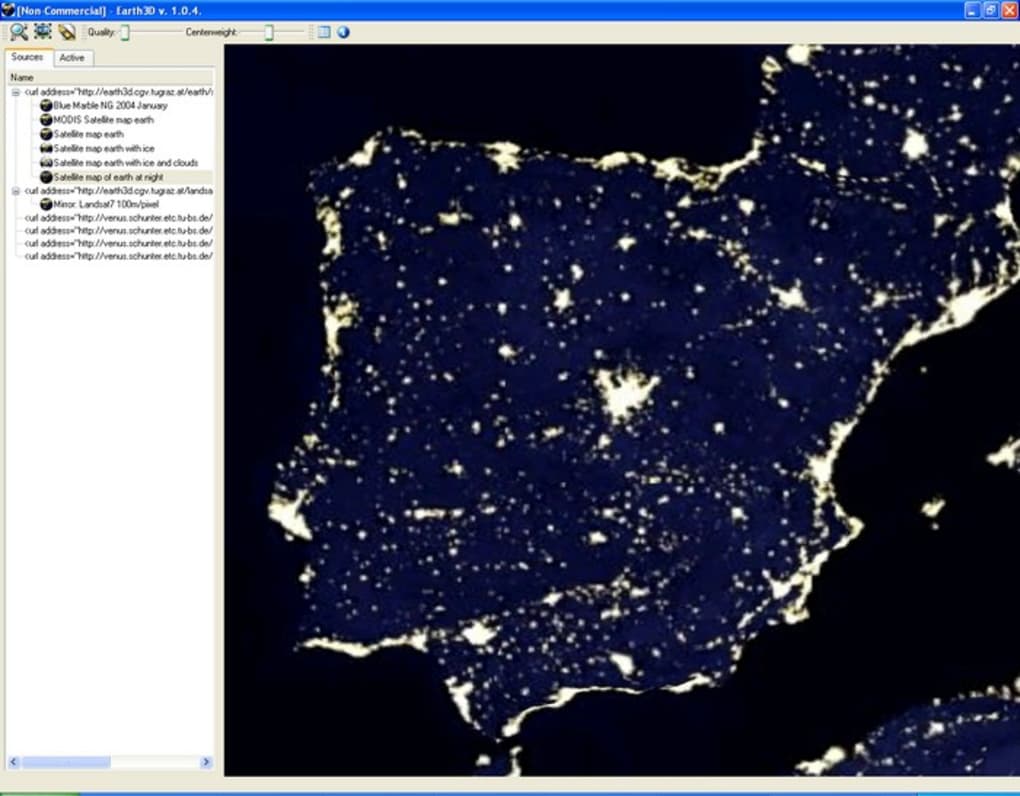
The application’s design was straightforward and intuitive. Users interacted with a simple interface, featuring a categorized list on the left-hand side that allowed for easy navigation and selection of various locations and perspectives. The right-hand side of the interface displayed the corresponding high-resolution 3D imagery. This user-friendly layout ensured accessibility, allowing users of varying technical expertise to easily explore the virtual globe. The program didn’t require installation, a significant advantage, enabling users to run it directly from a copied file on their hard drive. This portability added to its appeal.
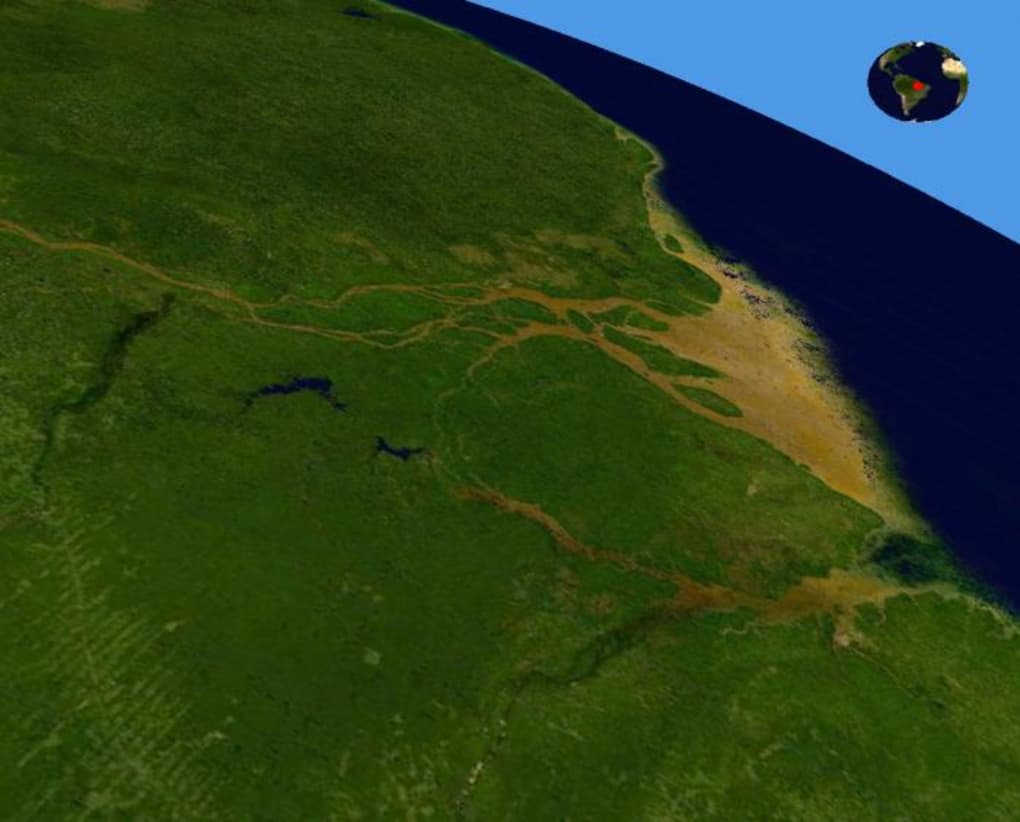
While Earth3D lacked the interactive mapping features and detailed street views of its contemporary counterparts, it nonetheless provided a visually impressive experience. Users could effortlessly zoom in and out, rotate the globe, and explore different regions. The program leveraged high-quality imagery, offering a relatively realistic 3D representation of the Earth’s surface.
One of Earth3D’s notable features was its ability to capture screenshots and record short videos of the virtual journey. This function allowed users to document their explorations, creating personalized visual records of their virtual travels across the globe. This feature, albeit simple, enhanced the user engagement and provided a unique way to share the Earth3D experience with others.
Performance and Limitations: The Speed Hurdle
Despite its intriguing features, Earth3D’s primary drawback was its slow loading time. The process of loading images was considerably lengthy, significantly impacting the user experience. This slowness was a major criticism, preventing the application from reaching its full potential. The lengthy loading times often interrupted the smooth flow of exploration, hindering the overall enjoyment of the software.
The lack of detailed mapping data was another limitation. Unlike modern virtual globes, Earth3D didn’t offer street-level views or highly detailed representations of urban areas. While the global imagery was visually appealing, the lack of finer details restricted its usefulness for specific purposes, such as detailed city exploration or precise location identification. The resolution, while adequate for its time, pales in comparison to modern high-resolution satellite imagery available today.
Earth3D’s Strengths: Accessibility and Ease of Use
Despite its performance limitations, Earth3D had some significant advantages. The primary strength of the application was its ease of use and accessibility. Its simple interface, coupled with the lack of installation requirements, meant that virtually anyone could use the software, regardless of their technical expertise. This low barrier to entry was a significant factor in its popularity.
The absence of installation also contributed to the portability of the application. Users could easily copy the application to various devices or share it readily with friends and colleagues. This portability made Earth3D a convenient tool for educational purposes or casual exploration. In an era before widespread cloud storage and online application dominance, this was a significant benefit.
Furthermore, the inclusion of imagery from reputable sources like NASA, USGS, and the CIA added a level of credibility and authenticity to the program. This reinforced the educational value of the application, providing users with a visual representation of data obtained from established scientific and governmental sources.
Comparing Earth3D to Contemporary Virtual Globes
In comparison to modern virtual globe applications like Google Earth, Earth3D’s capabilities were quite limited. Google Earth, for example, boasts incredibly high-resolution imagery, street-level views, interactive 3D models of buildings and landmarks, and comprehensive mapping data. It also offers a vast array of additional features, such as historical imagery, weather overlays, and the ability to explore other celestial bodies.
The difference in capabilities stems from the technological advancements in satellite imagery, computing power, and data processing that have occurred since Earth3D’s release. Earth3D represents a snapshot of the technology available at the time, showcasing a relatively basic virtual globe implementation compared to the sophisticated, feature-rich applications that are readily available today.
The key difference lies in the data processing and rendering capabilities. Modern applications leverage far more advanced algorithms and hardware to render high-resolution images and process vast amounts of data smoothly and quickly. Earth3D, constrained by the technology of its era, struggled to achieve the same level of performance and visual detail.
Earth3D’s Legacy and Impact
Despite its limitations, Earth3D holds a place in the history of virtual globe applications. It represented an early attempt at providing users with an accessible and engaging way to explore the planet from a 3D perspective. Its simplicity and portability contributed to its appeal, making it a suitable tool for casual exploration and educational purposes.
While its performance issues and lack of detail prevent it from being directly compared to modern applications, Earth3D serves as a valuable reminder of the evolution of virtual globe technology. It demonstrates the progress made in terms of image resolution, processing speed, and the overall richness of features available in today’s virtual globe applications.
The user reviews, though few, highlight the program’s mixed reception. While some appreciated the educational value and visually appealing imagery, others were frustrated by the slow loading times and lack of detail. These reviews reflect the inherent trade-offs between accessibility, simplicity, and performance that software developers face.
In conclusion, Earth3D, while outdated by modern standards, represents a significant milestone in the development of virtual globe software. Its simplicity, portability, and educational value made it a compelling application for its time. However, its performance limitations highlight the immense advancements in technology that have shaped the virtual globe landscape in the years since its release. Its legacy is not one of technical dominance but rather of a pioneering effort that paved the way for the sophisticated virtual globe experiences we enjoy today.
File Information
- License: “Free”
- Version: “1.0.5”
- Latest update: “November 13, 2009”
- Platform: “Windows”
- OS: “Windows 2000”
- Language: “English”
- Downloads: “1.3M”
- Size: “3.30 MB”


