
EaseUS Disk Copy is a free utility designed for backing up, cloning, and upgrading hard drives. It offers a straightforward approach to protecting your data, whether you’re facing potential data loss, upgrading to a larger drive, or simply need a complete hard drive copy. This review delves into the features, performance, and overall usability of EaseUS Disk Copy, comparing it to other similar applications available in the market.
EaseUS Disk Copy: Functionality and Features
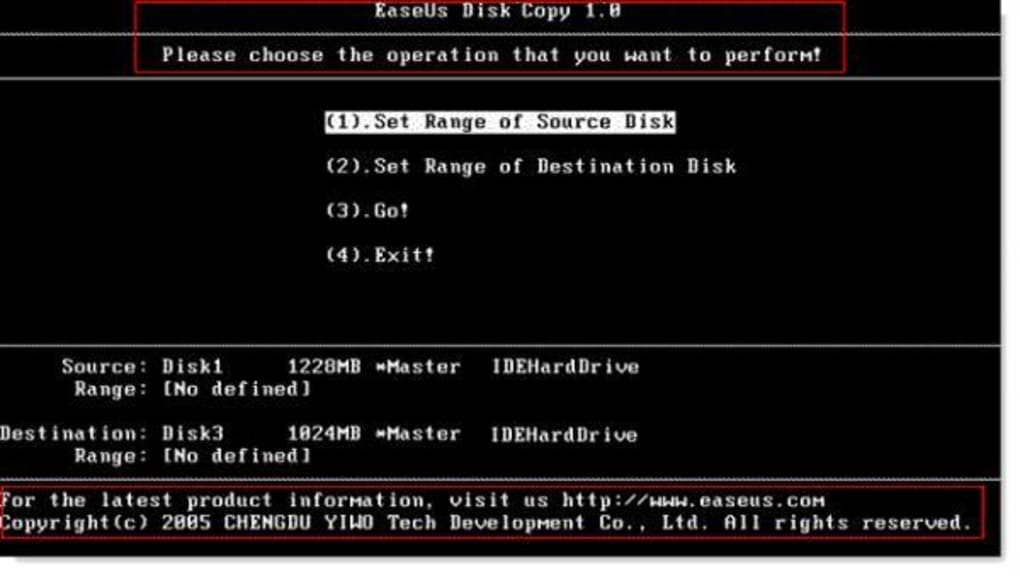
EaseUS Disk Copy provides a user-friendly interface for creating complete or partial copies of hard drives. Its primary function is creating a mirror image of your existing disk, including the operating system, applications, user settings, and all your data. This makes it invaluable for system migration, backups, and creating bootable clones. The software supports a wide range of hard drive interfaces and types, including IDE, SATA I/II, SCSI, Firewire (IEEE1394), and USB drives. Furthermore, it’s compatible with dynamic disks, enhancing its versatility and addressing the needs of users with varied storage configurations.
The software’s strength lies in its ability to handle large hard drives effectively. The copying process involves a detailed scan of the source drive to identify potential read errors. While this thorough scanning process contributes to the accuracy and reliability of the copy, it also means that the copying process can take a considerable amount of time, often requiring several hours or even an overnight run for large drives. The program proactively alerts users to any detected read errors that could potentially compromise the stability or functionality of the Windows operating system in the long run, emphasizing its commitment to data integrity and system health.
Users can choose from several copy options, allowing for flexibility depending on their needs:
- Full Hard Drive Copy: This option creates a complete replica of the entire source hard drive, including all partitions and data. This is ideal for complete system backups or migrating to a new hard drive.
-
Partition Clone: This option allows users to copy only a specific partition from the source drive. This is useful when you need to back up or migrate individual partitions, such as the one containing your operating system or user data, without copying the entire hard drive. This saves time and storage space compared to a full drive copy.
-
Sector-by-Sector Copy: This method creates a bit-for-bit copy of the source drive, ensuring an exact replica of every sector, regardless of whether the sectors contain data or are empty. This level of detail is particularly useful when dealing with damaged drives or when absolute data integrity is paramount.
EaseUS Disk Copy’s ability to identify and warn about potential read errors is a significant advantage. This feature assists in preventing data loss and ensures the integrity of the copied data. The software helps users avoid potential problems that could arise from copying damaged sectors, which can lead to system instability or failures.
EaseUS Disk Copy: User Interface and Usability
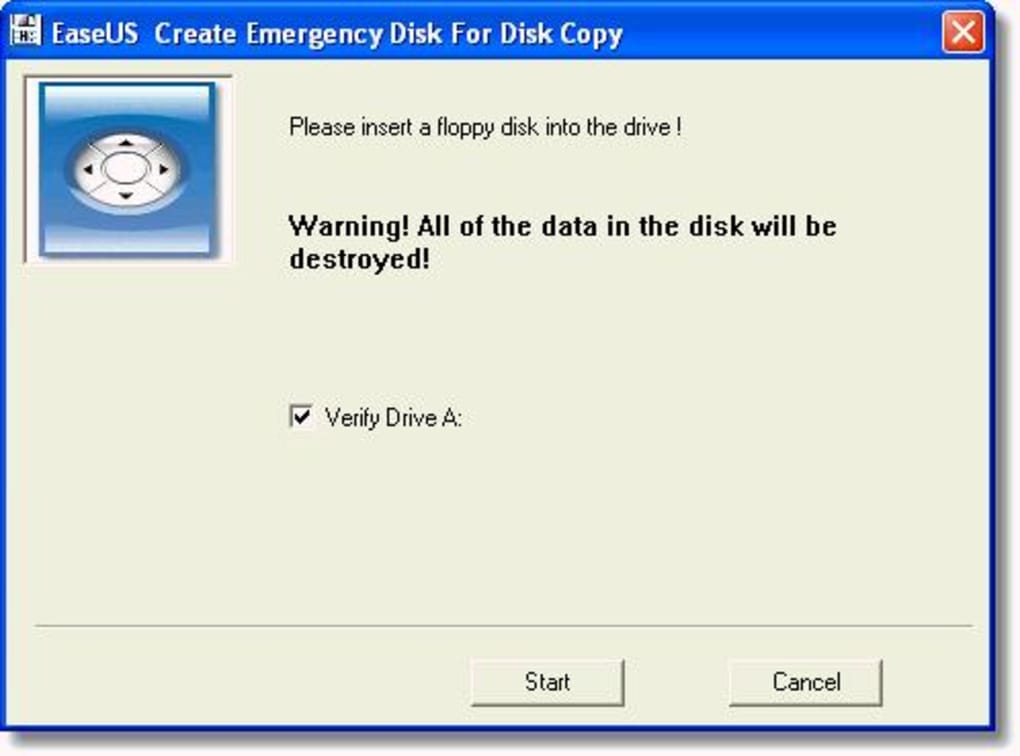
EaseUS Disk Copy boasts a user-friendly graphical user interface (GUI). Even users with limited technical expertise should find the program intuitive and straightforward to use. The clear layout and simple navigation make selecting the appropriate copy option and managing the copy process remarkably easy. The step-by-step instructions provided throughout the process further enhance usability and assist users in successfully completing the copying tasks.
While the simplicity of the interface is commendable, it’s essential to acknowledge that the thorough scanning process can be a limiting factor regarding speed. Although the thorough scan ensures data accuracy, the wait time can be a drawback for users who need a quick solution. The software could benefit from additional options to balance speed and thoroughness, perhaps offering faster copy modes that sacrifice some level of error checking for increased speed.
EaseUS Disk Copy: Performance and Speed
As mentioned earlier, EaseUS Disk Copy’s comprehensive scanning process directly impacts its copying speed. The program meticulously scans the source drive, leading to significantly longer copying times than some competitors. The time required varies greatly depending on the size of the drive and the speed of the source and destination drives. For users with large hard drives, this can mean waiting several hours or even overnight for the process to complete.
While the prioritization of accuracy over speed is understandable, particularly given the sensitivity of the data involved, the extended wait times might be a deterrent for users prioritizing speed above all else. The developers could explore incorporating options to adjust the scanning intensity, allowing users to select between a faster, less thorough scan and a slower, more comprehensive one, offering users more control over the process.
EaseUS Disk Copy: Comparison with Alternatives
EaseUS Disk Copy faces competition from several other disk cloning and imaging utilities. While it offers a user-friendly interface and thorough scanning, its speed can be a drawback compared to alternatives. Some competitors prioritize speed, offering faster copying times at the potential cost of less thorough error detection. Others might offer additional features, such as incremental backups or more sophisticated scheduling options, that EaseUS Disk Copy currently lacks.
Ultimately, the choice between EaseUS Disk Copy and alternative programs often depends on individual needs and priorities. Users who value speed above all else might consider a faster alternative, while users prioritizing accuracy and comprehensive error checking might find EaseUS Disk Copy’s meticulous approach more appealing. A comparative analysis of various programs, highlighting their strengths and weaknesses in terms of speed, accuracy, and feature set, would greatly benefit potential users.
EaseUS Disk Copy: Conclusion
EaseUS Disk Copy provides a reliable and user-friendly solution for backing up, cloning, and upgrading hard drives. Its straightforward interface and comprehensive scanning process ensure data integrity and help prevent data loss. However, the significant time investment required for larger drives remains a noticeable constraint. The program would benefit from incorporating user-configurable scanning options, allowing users to balance speed and accuracy according to their individual needs. While not the fastest option available, EaseUS Disk Copy’s strong emphasis on data integrity and its user-friendly approach makes it a worthwhile consideration for users seeking a robust and dependable disk imaging and cloning utility, particularly those who prioritize data safety over speed. The software’s free availability further enhances its appeal, making it an accessible option for a wide range of users.
File Information
- License: “Free”
- Latest update: “August 31, 2024”
- Platform: “Windows”
- OS: “Windows Vista”
- Language: “English”
- Downloads: “17.2K”


