
In an increasingly digital world, the importance of safeguarding personal and critical data cannot be overstated. From cherished family photos and vital work documents to financial records and creative projects, our digital lives are built upon a foundation of data. Yet, this foundation is perpetually vulnerable to a myriad of threats, including system crashes, hardware failures, accidental deletions, and malicious software. This is where a reliable backup solution becomes not just a convenience, but an absolute necessity. Easy Backup, a completely free computer utility from Emjysoft, emerges as a robust and user-friendly answer to this modern dilemma, providing an automated and secure method to protect your most important files and folders. Designed with simplicity and efficiency in mind, Easy Backup transforms the often-dreaded task of data protection into a seamless, background operation, ensuring peace of mind for every user.
The Imperative of Data Backup in the Digital Age
Before delving into the specifics of Easy Backup, it’s crucial to understand why data backup is a non-negotiable aspect of digital hygiene. Imagine dedicating countless hours to a project, only for a sudden hard drive failure to wipe it all away. Or picture the heartbreak of losing years of family memories due to a corrupted memory stick or a ransomware attack. These aren’t hypothetical scenarios; they are daily realities for countless individuals and businesses worldwide.
Traditional methods of backup, such as manually copying files, are often time-consuming, prone to human error, and easily forgotten amidst busy schedules. The sheer volume of data we generate makes manual management impractical. Furthermore, simply copying files to another location isn’t always enough; data needs to be recoverable, often in different versions, and sometimes even encrypted for sensitive information. A truly effective backup strategy requires automation, flexibility, and robust security – principles that are central to Easy Backup’s design philosophy.
Whether it’s a catastrophic operating system failure, a malicious virus encrypting your files, or simply an accidental click of the delete button, having a current, off-site, and secure backup can be the difference between a minor inconvenience and an insurmountable disaster. Easy Backup by Emjysoft addresses these concerns head-on, offering a pragmatic solution for individuals seeking to fortify their digital assets without breaking the bank or navigating overly complex interfaces.
Easy Backup’s Core Features and Functionality
Easy Backup distinguishes itself through a suite of features engineered for efficiency, security, and user-friendliness. From its intuitive setup process to its flexible backup modes and integrated security options, the utility covers all bases for comprehensive data protection.
Streamlined Session Creation and Guided Setup
The journey to secure data with Easy Backup begins with creating a new session, a process designed to be remarkably straightforward. Upon launching the application, users are prompted to configure their first backup. Emjysoft understands that not all users possess the same technical acumen, which is why Easy Backup offers two distinct pathways for session creation: an “easy” mode and an “advanced” mode. Irrespective of the technique chosen, a comprehensive tutorial wizard stands ready to guide users through each step. This wizard demystifies the setup process, ensuring that even novices can confidently establish their backup routines without confusion or frustration.
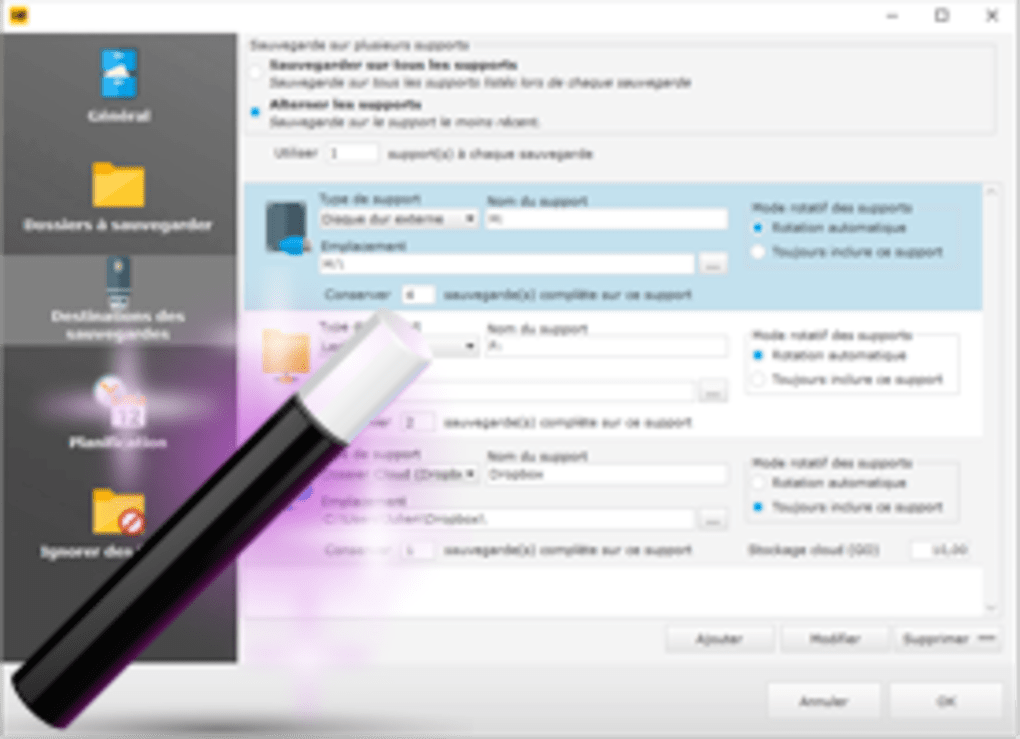
Within a session, the app intelligently prompts the user to define essential parameters: a name for the backup, the source directories (where the original files reside), the destination (where the backups will be stored), and the planning or schedule for the backup to occur. This structured approach ensures that all critical aspects of a backup task are considered and configured accurately, laying a solid foundation for reliable data preservation. The clear, step-by-step guidance provided by the tutorial wizard is a testament to Emjysoft’s commitment to accessibility, making powerful data protection tools available to everyone.
Diverse Backup Modes: Full and Intelligent
One of Easy Backup’s most powerful features is its provision of two distinct backup modes: Full and Intelligent. Each mode caters to different backup strategies and needs, offering users flexibility and efficiency.
The Full backup mode, as its name suggests, is designed to copy every selected file and folder within your system during each execution. This method provides the most comprehensive snapshot of your data at a given point in time. It is particularly useful for initial backups, ensuring that a complete baseline of all your important files is securely stored. While a full backup consumes more storage space and takes a longer time to complete compared to other methods, it simplifies the restoration process, as all data is contained within a single backup set. This mode is ideal for users who prioritize absolute completeness and straightforward recovery, especially after significant system changes or when establishing a new backup regimen.
In contrast, the Intelligent backup mode is engineered for efficiency and smart data management. After an initial full backup, the intelligent mode primarily focuses on replicating only brand-new files that have been added since the last backup. Crucially, it also has the capability to keep deleted items accessible for a specified period, offering a form of version control or “undelete” functionality. This incremental approach significantly reduces backup times and minimizes storage space requirements, as it avoids re-copying files that have not changed. The Intelligent mode is perfect for daily or frequent backups, allowing users to maintain an up-to-date copy of their evolving data without overburdening their system resources or storage. It intelligently identifies changes, additions, and deletions, making it an excellent choice for dynamic data environments where files are regularly updated or created. Choosing between these two modes allows users to tailor their backup strategy precisely to their data’s nature and their operational priorities.
Robust Automation and Background Operation
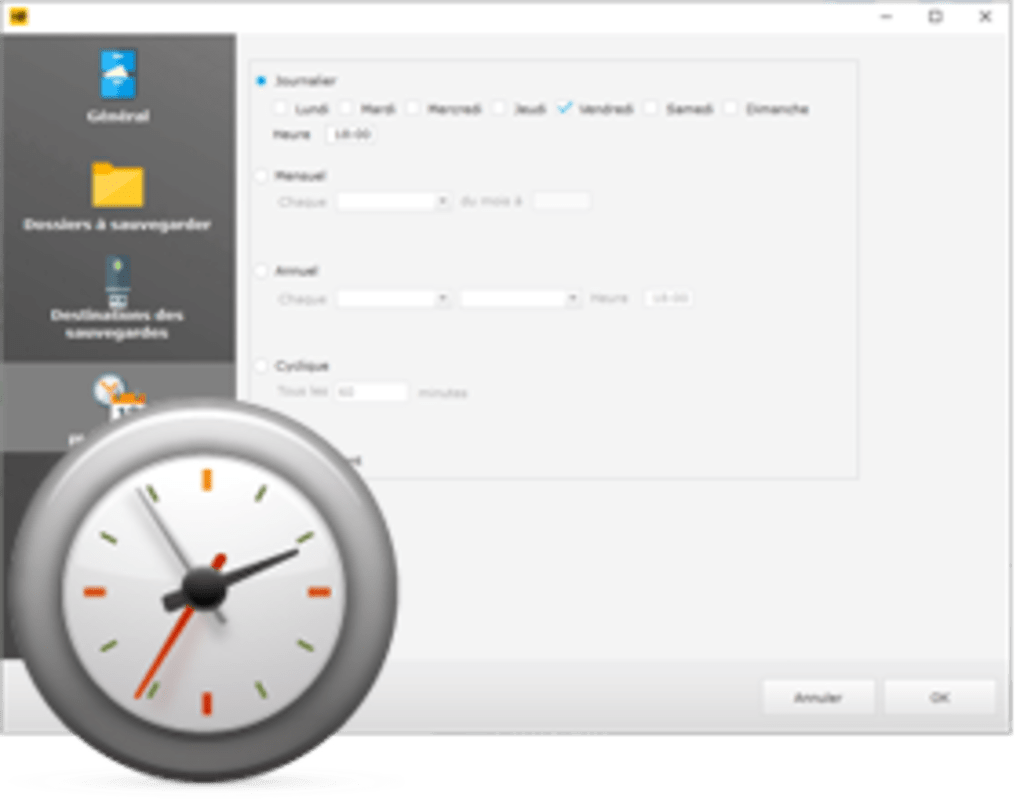
The true power of Easy Backup lies in its ability to automate the entire backup process. Manual backups are often neglected, making them ineffective. Easy Backup eliminates this risk by allowing users to set up designated schedules for when backup procedures should take place. The app offers a comprehensive range of scheduling options, including daily, monthly, yearly, or cyclical backups, and even allows for custom timings. This means users can organize their backup sessions to start whenever they wish without the need for manual activation, ensuring that data protection is consistently maintained without direct intervention.
Beyond scheduling, Easy Backup is designed to operate unobtrusively. It performs its critical tasks quietly in the background, ensuring that it won’t interrupt or bother your current activities. This “set it and forget it” convenience is invaluable, allowing users to continue with their work, browsing, or entertainment without experiencing slowdowns or annoying pop-ups. The app’s silent operation is a significant advantage, particularly for those who require continuous system availability and an uninterrupted workflow. This seamless background execution underscores Emjysoft’s commitment to a user-centric design that prioritizes both security and usability.
Enhanced Security Through Encryption Integration
While making copies of files is the primary function of a backup utility, protecting the confidentiality and integrity of that data is equally important, especially for sensitive information. Easy Backup addresses this critical concern by offering the option to encrypt your documents. This layer of security is vital when backing up data to external drives, removable media like USB sticks, or cloud storage, where it might be accessible to unauthorized individuals if compromised.
To provide robust encryption, Easy Backup partners with industry-standard tools like BitLocker and TrueCrypt. BitLocker, a full volume encryption feature included with certain versions of Microsoft Windows, allows users to encrypt entire drives. TrueCrypt, a free open-source disk encryption software (though development has ceased, it’s still widely recognized for its strong encryption capabilities), provides an additional layer of security for specific partitions or containers. By leveraging these established encryption technologies, Easy Backup empowers users to secure their data effectively. This integration means that even if a backup drive falls into the wrong hands, the encrypted files remain protected, inaccessible without the correct decryption key. This commitment to security elevates Easy Backup beyond a simple copying tool, transforming it into a comprehensive data protection solution.
User Experience, Performance, and System Reinforcement
A powerful backup utility is only as good as its user experience and its ability to deliver on its promise of system reinforcement. Easy Backup excels in both these areas, offering an intuitive interface and acting as a crucial safety net against data loss.
Intuitive Interface and Accessibility
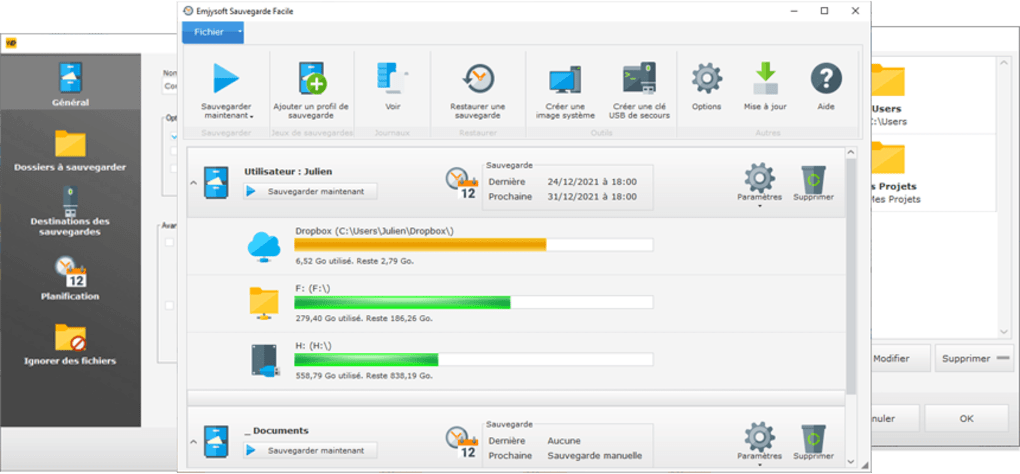
One of Easy Backup’s most commendable attributes is its simple and intuitive user interface. Far too often, powerful software comes with a steep learning curve, making it inaccessible to average users. Emjysoft has deliberately designed Easy Backup to be user-friendly, ensuring that individuals of all technical aptitudes can perform backup tasks with ease. The clear layout, straightforward navigation, and self-explanatory options minimize confusion and allow users to quickly understand and configure their backup sessions.
The emphasis on simplicity extends to every aspect of the application, from the initial setup wizard to the management of ongoing backup tasks. This focus on accessibility means that users don’t need to be IT experts to protect their data effectively. The interface presents critical information clearly and offers logical pathways for configuration, empowering users to take control of their data security without feeling overwhelmed. This approachable design is a significant advantage, making essential data protection available to a wider audience.
Performance and System Impact (Pros & Cons)
No software is without its trade-offs, and Easy Backup is no exception, though its advantages significantly outweigh its minor drawbacks.
Pros:
- Set Automatic Backups: The ability to schedule backups automatically is its cornerstone, ensuring continuous data protection without manual intervention.
- Backup Mode Options: The choice between Full and Intelligent backup modes provides flexibility and efficiency, allowing users to tailor their strategy to their specific needs.
- Highly Customizable: Users can configure virtually every aspect of a backup session, from sources and destinations to schedules and encryption, offering granular control.
- Perfectly Works in the Background: Its unobtrusive operation ensures that backups don’t interfere with daily computer usage, maintaining system performance for other tasks.
Cons:
- Program files consumes quite huge part of your storage space: While Easy Backup is designed to be efficient with backup data, the application’s core program files themselves can occupy a noticeable amount of disk space (37.01 MB, according to the specs). While not exorbitant for modern systems, it’s a factor to consider for users with extremely limited drive space. This is a common characteristic of feature-rich software applications and is a small price to pay for the significant data protection benefits it offers. It’s important to distinguish this from the storage space consumed by the backups themselves, which Easy Backup’s intelligent mode helps to optimize.
Overall, Easy Backup offers a strong performance profile, particularly in its ability to execute tasks efficiently and quietly in the background, a critical feature for any utility intended for continuous operation.
The Ultimate Safety Net: Protecting Against Data Loss
At its core, Easy Backup is an excellent reinforcement, acting as a crucial safety net, especially when your system suddenly crashes adversely, causing you to lose all your data. With it, you can set your computer to conduct automatic backups and ensure that none of your crucial and sensitive files are in danger of completely vanishing.
The detailed guides and intuitive interface instruct users best in making appropriate backup modes for each of their files, ensuring that whether it’s a full system image or an incremental update of project files, the data is secured. In scenarios ranging from hardware failure and accidental file deletion to ransomware attacks that encrypt your entire system, having an up-to-date backup created by Easy Backup means that recovery is not just a possibility, but a certainty. This capability translates into invaluable peace of mind, knowing that your digital assets are protected against the unpredictable pitfalls of computing.
Comparison with Alternatives and Why Choose Easy Backup
The market for backup solutions is vast, ranging from integrated operating system tools to dedicated third-party applications and cloud-based services. Easy Backup exists in this ecosystem alongside alternatives such as Free USB Flash Drive Data Recovery, GFI Backup, EASEUS Todo Backup, TeraBox, Cobian Backup, and Google Drive for Desktop, among many others. Each has its strengths, whether it’s specialized data recovery, comprehensive syncing, or massive cloud storage.
However, Easy Backup carves out its niche by offering a compelling combination of features:
- Completely Free: Unlike many professional backup tools, Easy Backup offers its full suite of features without a subscription fee or one-time purchase. This makes it an incredibly attractive option for budget-conscious users or those who prefer to keep their software costs low.
- Local and Cloud Flexibility: It supports various backup destinations, including local partitions, removable drives, and generic cloud spaces, providing versatile storage options.
- Strong Automation: Its sophisticated scheduling capabilities set it apart from simple file copy utilities, ensuring that backups happen reliably and without user intervention.
- Integrated Encryption: The partnership with BitLocker and TrueCrypt adds a critical layer of security that many basic free backup tools omit, protecting sensitive data.
- User-Friendly Design: Its intuitive interface and guided setup make it accessible to a wide range of users, reducing the learning curve often associated with data protection software.
While cloud-based solutions like Google Drive or TeraBox offer convenient off-site storage, they often come with limitations on free storage or privacy concerns. Other dedicated backup tools might offer more advanced features (like bare-metal recovery or disk cloning), but often at a significant cost or with a steeper learning curve. Easy Backup strikes an excellent balance, providing robust, automated, and secure local backup capabilities that are easy to use and completely free. For users primarily looking for a straightforward, automated, and secure way to protect their files on various local and network destinations, Easy Backup stands out as a highly effective and cost-efficient choice.
Getting Started with Easy Backup
Embarking on your data protection journey with Easy Backup is a straightforward process. The first step involves downloading the application from a reliable source like PhanMemFree. Once the lightweight installer (37.01 MB) is acquired, the installation process is typical for Windows applications – a few clicks and you’re ready to go.
After installation, launching Easy Backup will guide you through the initial setup.
- Create a New Session: You’ll be prompted to create your first backup session. Choose between the “Easy” or “Advanced” setup, depending on your comfort level. The tutorial wizard will be your companion regardless.
- Configure Basics: Give your backup session a descriptive name. This helps in managing multiple backup tasks later.
- Select Source and Destination: Carefully choose the files and folders you wish to back up (the source) and the location where you want these backups to be stored (the destination). This could be an external hard drive, a separate partition, a network drive, or a cloud synchronized folder.
- Choose Backup Mode: Decide whether a “Full” backup (for comprehensive initial copies) or an “Intelligent” backup (for efficient, incremental updates) is more suitable for your current task.
- Set Your Schedule: This is where automation comes to life. Configure how often you want the backup to run – daily, weekly, monthly, or a custom cyclical schedule. Once set, Easy Backup will take care of the rest, quietly working in the background.
- Consider Encryption: For sensitive data, explore the option to integrate with BitLocker or TrueCrypt to add an extra layer of security.
With these steps completed, Easy Backup will begin safeguarding your data according to your specified parameters. Regular checks of your backup logs and occasional test restores are always recommended to ensure the integrity of your backup strategy.
Conclusion
In an era where digital data is both invaluable and vulnerable, a dependable backup solution is no longer a luxury but an absolute necessity. Easy Backup by Emjysoft offers a compelling answer to this critical need. As a completely free utility, it democratizes access to robust data protection, delivering automated, customizable, and secure backup capabilities without any financial burden.
From its intuitive, wizard-guided setup to its flexible Full and Intelligent backup modes, and its seamless integration with encryption technologies like BitLocker and TrueCrypt, Easy Backup is meticulously designed for both efficiency and peace of mind. Its ability to operate quietly in the background ensures that your precious files are continually safeguarded without interrupting your workflow. While it consumes a modest amount of storage space for its program files, the benefits of preventing data loss far outweigh this minor consideration.
Easy Backup serves as an indispensable digital safety net, reinforcing your system against the unpredictable nature of hardware failures, accidental deletions, and malicious attacks. By embracing Easy Backup, users can effectively future-proof their digital lives, knowing that their crucial files and cherished memories are perpetually protected. For anyone seeking a powerful, free, and user-friendly tool to ensure their digital assets are secure, Easy Backup by Emjysoft stands out as an exemplary choice, making comprehensive data protection accessible to all. Download it from PhanMemFree today and take the definitive step towards safeguarding your digital world.
File Information
- License: “Free”
- Version: “2022”
- Latest update: “February 8, 2022”
- Platform: “Windows”
- OS: “Windows 8”
- Language: “English”
- Downloads: “331”
- Size: “37.01 MB”


