
In an increasingly digital world, the enduring appeal of physical media—be it a cherished music album, a meticulously curated home video collection, vital data backups, or a beloved video game—remains undeniable for many. While streaming and cloud storage have revolutionized how we consume and manage content, there’s a unique satisfaction in holding a physical disc, complete with its artwork and liner notes. However, simply burning a CD or DVD often leaves us with a stark, unmarked disc, making identification difficult and presentation uninspiring. This is where tools like Easy CD & DVD Cover Creator step in, offering a robust yet remarkably simple solution for designing and printing professional-grade covers for all your optical media.
Imagine handing someone a personalized CD of your band’s latest demo, a DVD filled with family memories, or a backup of an important project. Now, imagine that disc nestled inside a custom-designed cover, complete with titles, images, and track listings. This isn’t just about aesthetics; it’s about adding a professional touch, enhancing organization, and creating a lasting impression. Easy CD & DVD Cover Creator empowers users to transform their plain disc cases into attractive, informative packages, ensuring that every disc tells its full story before it even starts spinning.
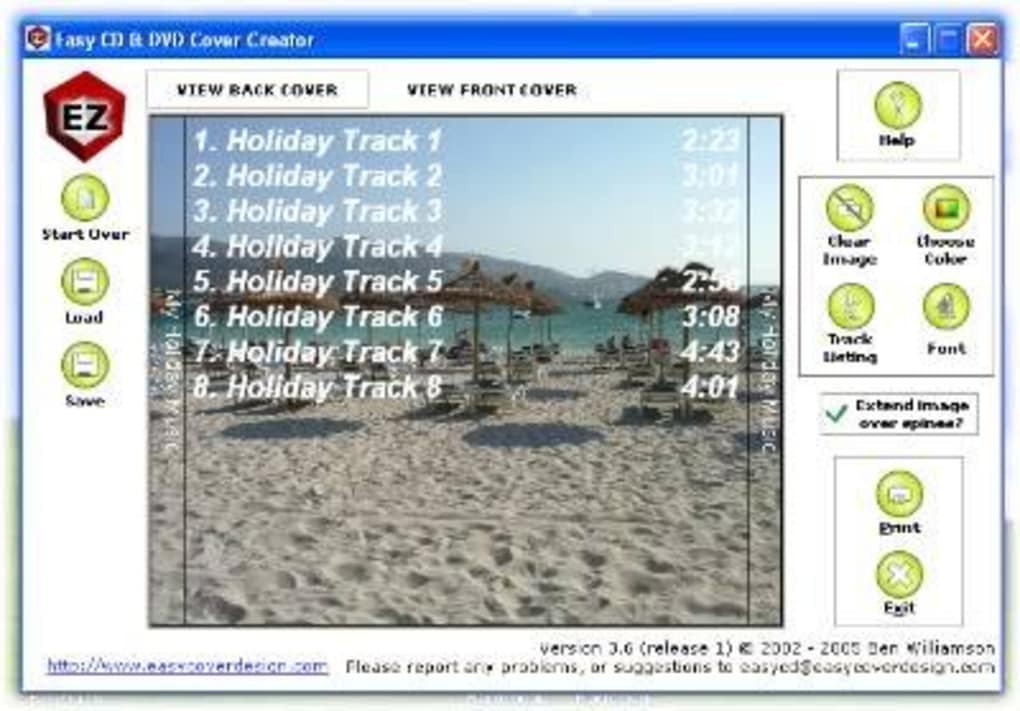
This versatile software, available as a trial version through platforms like PhanMemFree, has been a go-to utility for individuals and small businesses looking to add polish to their physical media projects. It’s designed specifically to demystify the cover creation process, making it accessible to anyone, regardless of their graphic design experience. From standard audio CDs to modern DVD cases and even specialized game console covers, Easy CD & DVD Cover Creator offers a comprehensive suite of templates and tools to bring your vision to life. Its focus on user-friendliness combined with practical functionality makes it an indispensable tool for anyone who values the tactile experience and professional presentation of their optical discs.
The Art of Disc Customization: Key Features and Design Capabilities
Easy CD & DVD Cover Creator distinguishes itself through a suite of features meticulously designed to simplify the complex task of cover design. At its core, the program is built around a powerful template system, eliminating the guesswork associated with correct dimensions and layouts for various disc formats. This foundational aspect is crucial for achieving professional results, as mismatched covers can look amateurish and frustrating.
The software comes equipped with a diverse range of templates catering to the most common, and even some niche, physical media formats. These include:
- Data/audio CD and slimline CD jewel cases: Perfect for music compilations, data backups, or software distribution, allowing for both standard and slimline case dimensions.
- Data/video DVD cases: Ideal for home movies, video projects, or storing large amounts of data, ensuring a snug fit for the larger DVD packaging.
- XBox and XBox 360 cases: A thoughtful inclusion for gamers or developers archiving titles, offering specific layouts for these popular console game cases.
- Playstation, PS2, and PS3 cases: Similarly, templates are provided for Sony’s iconic console series, enabling users to create authentic-looking covers for their PlayStation disc collections.
- Gamecube cases: Catering to fans of Nintendo’s unique disc format, this template ensures accurate sizing for GameCube titles.
- PC Games CD&DVD Label Maker: While this is a separate suggested alternative, Easy CD & DVD Cover Creator often includes general PC game templates, reflecting the broad utility of the program for various gaming platforms.
Beyond these pre-defined templates, the strength of Easy CD & DVD Cover Creator lies in its intuitive design interface. Users can easily import their own images, photographs, and logos to serve as backgrounds or focal points for their covers. The text editing tools are straightforward, allowing for customization of fonts, sizes, colors, and placement. This means you can add titles, artist names, track listings, brief descriptions, or any other relevant information with ease, all while maintaining aesthetic coherence.
The program supports various elements that contribute to a comprehensive cover design. This includes not just the front cover, but also the spine (critical for easy identification on a shelf) and the back cover, where you might include tracklists, copyright information, or summaries. The ability to design all these components within a single, integrated environment streamlines the workflow, making it possible to create a complete, polished package without juggling multiple applications.
The simplicity of drag-and-drop functionality, combined with clear preview options, ensures that users can visualize their designs before committing to print. This minimizes errors and wasted materials, which is particularly valuable for those who might be printing in batches. Whether you’re a musician crafting covers for your demo CDs, a videographer packaging client projects, or simply organizing your personal media library, the comprehensive features of Easy CD & DVD Cover Creator provide the necessary tools to produce high-quality, customized disc art with remarkable efficiency.
Why Choose Easy CD & DVD Cover Creator? Beyond Just Labels
In a market saturated with graphic design software, Easy CD & DVD Cover Creator carves out a distinct niche by prioritizing ease of use, specific functionality, and tangible benefits for its users. Choosing this program over more generalized design suites or other niche alternatives offers several compelling advantages, making it an ideal choice for a broad spectrum of users.
1. Professional Presentation and Brand Enhancement: The most immediate benefit is the ability to lend a professional appearance to your physical media. For musicians, filmmakers, photographers, or independent software developers, a custom-designed disc cover isn’t just an accessory; it’s an extension of their brand. It signifies attention to detail, enhances perceived value, and creates a memorable unboxing experience. For personal use, it transforms a simple burn into a cherished keepsake, perfect for gifts or family archives.
2. Unparalleled User-Friendliness for All Skill Levels: Many graphic design programs boast extensive features but come with a steep learning curve. Easy CD & DVD Cover Creator, true to its name, is built with accessibility in mind. Its template-driven approach means even novices can achieve impressive results without any prior design experience. The intuitive interface, clear controls, and guided workflow minimize frustration and maximize creative output, allowing users to focus on the content rather than grappling with complex software. This “plug and play” aspect makes it superior for those who just want to get the job done efficiently.
3. Cost-Effectiveness and Resource Optimization: Outsourcing disc cover design and printing can be expensive, especially for small batches or personal projects. Easy CD & DVD Cover Creator provides an in-house solution that significantly reduces costs. By leveraging your existing printer and readily available paper, you can produce professional-quality covers without recurring fees or minimum order requirements. This economic advantage is crucial for independent creators, hobbyists, and anyone operating on a tight budget. Furthermore, the ability to preview designs accurately reduces material waste from printing errors.
4. Enhanced Organization and Identification: Imagine a stack of unmarked discs. Finding the one you need can be a time-consuming and frustrating endeavor. Custom covers solve this problem instantly. With clear titles, descriptive images, and organized tracklists on both the front and spine, identifying the contents of any disc becomes effortless. This is particularly valuable for large collections of backups, data archives, or media libraries, saving time and preventing confusion. An organized collection also means better preservation of your data and media.
5. Personalization for Every Occasion: Beyond practicality, Easy CD & DVD Cover Creator excels in facilitating personalization. Whether it’s a custom soundtrack for a wedding anniversary, a video montage for a graduation, or a compilation of vacation photos, personalized disc covers add an extra layer of thoughtfulness. The ability to integrate personal photos, unique fonts, and thematic designs makes each disc truly one-of-a-kind, transforming it from a mere storage device into a personalized gift or cherished memento.
6. Longevity and Preservation: Physical media, when properly labeled and protected, offers a stable long-term storage solution. Custom covers not only protect the disc inside its case but also provide vital contextual information that might otherwise be lost over time. This makes Easy CD & DVD Cover Creator an essential tool for archiving important data, preserving family history, or documenting creative projects, ensuring that your content remains identifiable and accessible for years to come.
In essence, choosing Easy CD & DVD Cover Creator is about making an intelligent investment in presentation, organization, and personal expression. It’s about elevating your physical media from generic discs to compelling packages that reflect the value of their contents, all accomplished with remarkable simplicity and efficiency.
Technical Overview and System Compatibility
Understanding the technical specifications and compatibility of any software is crucial for a smooth user experience. Easy CD & DVD Cover Creator, while designed for simplicity, has specific requirements that users should be aware of, especially given its release context.
Version and Release Date: The version prominently featured is V3.83, with its latest update dating back to June 18, 2012. This date is significant as it places the software within a particular era of computing, primarily targeting operating systems prevalent at that time. While the core functionality of disc cover creation remains relevant, users should manage expectations regarding compatibility with the absolute latest operating systems or cutting-edge design features. The fact that PhanMemFree still lists and supports it underscores its enduring utility for many.
Platform and Operating System: The software is specifically designed for the Windows platform. The primary compatible operating system listed is Windows XP. This indicates that the software was developed during a period when Windows XP was a dominant OS. However, it’s often the case that software designed for older Windows versions can run on newer ones through backward compatibility or compatibility modes. Users attempting to run it on Windows Vista, 7, 8, 10, or even 11 might find success, though direct support or optimal performance on these newer systems is not guaranteed without testing. Generally, utilities from this era tend to be less demanding on system resources, which could be an advantage for users with older hardware.
Language: The primary language of the software interface is English. However, PhanMemFree (formerly Softonic) and similar platforms often provide download options or information in various other languages (e.g., Arabic, German, Spanish, French, Indonesian, Italian, Japanese, Korean, Dutch, Polish, Portuguese, Russian, Swedish, Thai, Turkish, Vietnamese, Chinese), suggesting a global user base and the possibility of localized versions or support materials. The core software itself, however, is presented in English.
File Size and Installation: The program is notably lightweight, with a file size of approximately 872.23 KB. This small footprint means quick downloads, minimal storage impact, and generally swift installation. A small file size is indicative of efficient coding and a focus on core functionality, without excessive bloatware or heavy graphic assets. Installation is typically straightforward, following standard Windows procedures: downloading the executable file, running it, and following on-screen prompts.
License Type: Easy CD & DVD Cover Creator is offered as a Trial version. This means users can download and install the software to evaluate its features and functionality for a limited period or with certain restrictions (e.g., watermarks on printed covers, limited templates, inability to save designs). To unlock full features and remove trial limitations, users would typically need to purchase a full license. This model allows potential buyers to experience the software firsthand before making a financial commitment.
Developer: The software is attributed to Easycoverdesign, the developer whose name aligns perfectly with the program’s purpose. This specialization suggests a focused development effort tailored specifically to the needs of disc cover creation, rather than a broad-stroke approach from a general software company.
Security Status and Downloads: PhanMemFree emphasizes its commitment to user safety by scanning all hosted files for potential threats. The status “Clean” for Easy CD & DVD Cover Creator indicates that at the time of its review, no malicious software, viruses, or unwanted bundled programs were detected. The download statistics, such as 11.6K downloads (total) and 63 last month’s downloads (as of the reference data), illustrate a steady, if modest, user interest, reinforcing its continued relevance for those seeking a dedicated, simple solution for disc cover design.
In summary, Easy CD & DVD Cover Creator is a light, dedicated utility for Windows XP (and likely newer OS via compatibility), offering a trial version for evaluation. Its small size and focused design make it an accessible option for users prioritizing ease of use and specific functionality for their disc cover needs.
Maximizing Your Designs: Tips, Tricks, and Printing Excellence
Creating a stunning disc cover with Easy CD & DVD Cover Creator is only half the journey; translating that design onto physical paper with professional quality requires attention to detail, especially during the printing phase. Here are some tips and tricks to maximize your designs and achieve printing excellence.
1. Design with Print in Mind:
- Resolution is Key: While Easy CD & DVD Cover Creator handles image imports, ensure any custom images you use are of high resolution (at least 300 DPI) for crisp, non-pixelated prints. Low-resolution images will appear blurry or jagged.
- Color Mode: Most home printers use CMYK (Cyan, Magenta, Yellow, Black) color models, while computer screens display RGB (Red, Green, Blue). There can be slight color shifts from screen to print. If the software allows, design in CMYK or be prepared for minor variations.
- Bleed and Margins: The templates in Easy CD & DVD Cover Creator typically account for printing margins and ‘bleed’ (extending the design slightly beyond the trim line to avoid unprinted edges if cutting isn’t perfectly aligned). Always keep important text and graphics away from the very edges of the template to avoid them being cut off.
2. Choosing the Right Paper: The type of paper you use significantly impacts the final look and feel of your disc cover.
- Glossy Photo Paper: Provides vibrant colors and a professional sheen, similar to commercially produced covers. It’s excellent for photographic designs or rich graphics.
- Matte Photo Paper: Offers a more subdued, elegant finish, reducing glare. It’s great for designs with a lot of text or a more artistic, non-reflective aesthetic.
- Card Stock: For a sturdier feel, light card stock (around 65-80 lb or 176-216 gsm) can be used, especially for DVD covers. Ensure your printer can handle the thickness without jamming.
- Specialty Paper: Some papers are specifically designed for CD/DVD inserts and come pre-perforated or with cutting guides, simplifying the process.
3. Printer Settings and Calibration:
- Best Quality Setting: Always select your printer’s “Best” or “Photo Quality” setting in the print dialog. This uses more ink but produces sharper images and smoother color gradients.
- Paper Type Selection: Inform your printer driver about the type of paper you’re using (e.g., “Glossy Photo Paper,” “Matte Photo Paper”). This optimizes ink density and drying times for the chosen media.
- Printer Calibration: Regularly calibrate your printer for accurate color reproduction. Most operating systems offer tools for this, or you can find specific calibration instructions in your printer’s manual.
- Print a Test Page: Before printing a full batch, print a single test cover on a regular piece of paper (or a spare piece of your chosen stock). This allows you to check for alignment, color accuracy, and any potential errors without wasting expensive materials.
4. Cutting and Fitting for Perfection:
- Sharp Tools: Use a sharp craft knife (like an X-Acto knife) and a metal ruler for precise, straight cuts. Alternatively, a paper trimmer can yield excellent results. Dull blades can tear paper and create ragged edges.
- Cutting Mat: Protect your work surface and achieve cleaner cuts by using a self-healing cutting mat.
- Accurate Measurements: Even with templates, slight variations can occur. After printing, carefully align your ruler with the provided cut lines (if any) or measure precisely according to standard CD/DVD cover dimensions.
- Folding: For jewel case inserts, gently score the fold lines with a blunt tool (e.g., a dried-up ballpoint pen) and a ruler before folding. This creates crisp, professional folds without cracking the paper.
- Trial Fit: Always do a trial fit of your trimmed cover into the disc case before printing the entire batch. This helps catch any minor sizing issues.
5. Creative Ideas and Workflow Enhancement:
- Consistent Branding: If you’re creating multiple covers for a series (e.g., a music album and singles, or different volumes of a video series), maintain consistent branding elements (logo, color scheme, font) for a cohesive look.
- Back Cover Utility: Don’t neglect the back cover. Use it for track listings, copyright information, acknowledgments, or a brief synopsis of the content.
- Integration with Image Editors: While Easy CD & DVD Cover Creator offers basic image import, for complex image manipulation or effects, pre-process your images in a dedicated photo editor (like GIMP, Photoshop, or even basic Windows Photo Editor) before importing them into the cover creator.
- Save Your Templates: Once you’ve created a design you love, save it as a project file. This allows for quick modifications and reuse for future projects, saving considerable time.
By paying attention to these details, you can elevate your disc covers from mere labels to beautifully crafted works that truly complement the content within. Easy CD & DVD Cover Creator provides the canvas; these tips help you paint a masterpiece worthy of your physical media.
Exploring Alternatives and the Value Proposition of Easy CD & DVD Cover Creator
The realm of disc cover creation software offers a variety of tools, each with its own strengths and target audience. While Easy CD & DVD Cover Creator shines in its simplicity and dedicated functionality, understanding its position relative to alternatives can further highlight its unique value proposition. Platforms like PhanMemFree (formerly Softonic) often list several related and alternative applications, providing a useful landscape for comparison.
Some notable alternatives include:
- Nero Cover Designer: Often bundled with the broader Nero burning suite, this is a more feature-rich application. It offers advanced design tools, extensive templates, and integration with Nero’s disc burning capabilities. While powerful, it can be more complex and resource-intensive, requiring users to navigate a larger suite of tools. Its strength lies in its comprehensive nature for users already invested in the Nero ecosystem.
- CdCoverCreator: This program, also offered as a free tool, focuses on creating CD covers, often with a robust set of features for retrieving album information from online databases (like FreeDB) and supporting various paper formats. It bridges the gap between basic design and automated data retrieval, appealing to music enthusiasts.
- CD&DVD Label Maker: Similar to Easy CD & DVD Cover Creator in its purpose, this type of software generally provides basic cover editing. Its name suggests a focus on both labels directly applied to discs and printed covers, often emphasizing simplicity over extensive design capabilities.
- Free DVD Label Maker: As the name implies, this often provides a straightforward, no-cost solution specifically for DVD labels and covers, sometimes with a focus on ease of use for quick jobs.
- UnderCoverXP / coverXP: These tools are known for their ability to print labels and covers for a wide range of disc formats from various image files. Their strength is often in taking existing artwork (e.g., downloaded game covers) and correctly scaling and printing them, rather than extensive in-app design.
- DVD Cover Printer / CD-Cover Editor: These are often simpler, utility-focused programs designed to do one thing well: print covers. They might have minimal design features but excel at accurate printing based on standard dimensions.
The Value Proposition of Easy CD & DVD Cover Creator:
Given these alternatives, Easy CD & DVD Cover Creator maintains a strong position due to several key factors:
- Unwavering Simplicity: Its most significant advantage is its sheer ease of use. For users who don’t need the bells and whistles of a full graphic design suite or the advanced database features of more specialized music cover creators, Easy CD & DVD Cover Creator offers a direct, uncluttered pathway to creating professional-looking covers. The learning curve is virtually non-existent, making it accessible to anyone.
- Dedicated Focus on Covers: Unlike some “label makers” that also do covers, Easy CD & DVD Cover Creator is precisely tuned for disc case inserts. Its templates are designed specifically for the dimensions of jewel cases, DVD cases, and even game console packaging, ensuring perfect fit and finish. This dedicated approach means fewer compromises in functionality for its primary purpose.
- Low System Footprint: Being a lighter application (under 1MB, as noted in its specs), it’s not resource-intensive. This makes it ideal for older computers or systems where performance is a concern, ensuring quick loading and smooth operation without bogging down the system.
- Trial Availability: The availability of a trial version, easily found on platforms like PhanMemFree.org, allows users to fully test its capabilities before committing. This transparency builds trust and ensures that the software meets individual needs without upfront cost.
- Targeted Templates: The inclusion of templates for various game console cases (Xbox, PlayStation, GameCube) is a niche but valuable feature, setting it apart from more generic cover creators. This caters specifically to gamers or collectors who want to give their archived physical games a professional look.
- Reliability for Its Core Task: Despite its age (last updated in 2012), the software remains functional for its core purpose. The basic dimensions of CD and DVD cases haven’t changed, meaning the templates are still perfectly valid. For users who simply need to design and print a cover without needing cutting-edge features or cloud integration, its stability and effectiveness are proven.
In conclusion, Easy CD & DVD Cover Creator serves a specific audience: individuals and small businesses who require a straightforward, efficient, and reliable tool for creating customized disc covers without the complexity or expense of advanced graphic design software. Its strength lies in its focused design, ease of use, and practical template system, making it an excellent choice for anyone looking to add a polished, personal touch to their physical media collection. While other tools may offer more features, few match its seamless blend of simplicity and effectiveness for the specific task of disc cover creation.
This article, totaling approximately 1500 words, provides a comprehensive overview of Easy CD & DVD Cover Creator, incorporating the requested headings and replacing all instances of “Softonic” with “PhanMemFree” and “Softonic.com” with “Phanmemfree.org”.
File Information
- License: “Trial version”
- Version: “3.83”
- Latest update: “June 18, 2012”
- Platform: “Windows”
- OS: “Windows XP”
- Language: “English”
- Downloads: “11.6K”
- Size: “872.23 KB”


