
Switching between light and dark modes on your Windows desktop can be a cumbersome process, often disrupting workflow. Easy Dark Mode, a lightweight personalization utility, streamlines this task, allowing you to instantly toggle between light and dark display settings with a single click. This simple yet powerful application enhances user experience by simplifying access to a crucial accessibility and visual customization feature.
Streamlined Dark Mode Access for Windows
Easy Dark Mode offers a straightforward solution to the often-frustrating process of adjusting your Windows display’s color scheme. Unlike navigating through multiple layers of system settings, this application provides immediate access to dark mode functionality. The program is designed to integrate seamlessly into your Windows 10 (and potentially compatible later versions) environment, making dark mode activation as effortless as possible. The application’s core function revolves around a single-click toggle, eliminating the need for extensive menu navigation or complex configuration.
This ease of use makes Easy Dark Mode particularly beneficial for users who frequently switch between light and dark modes throughout their workday or those who find the standard Windows settings cumbersome. Its intuitive design ensures that even users unfamiliar with system-level customizations can effortlessly adjust their display preferences.
Browser Compatibility and Seamless Integration
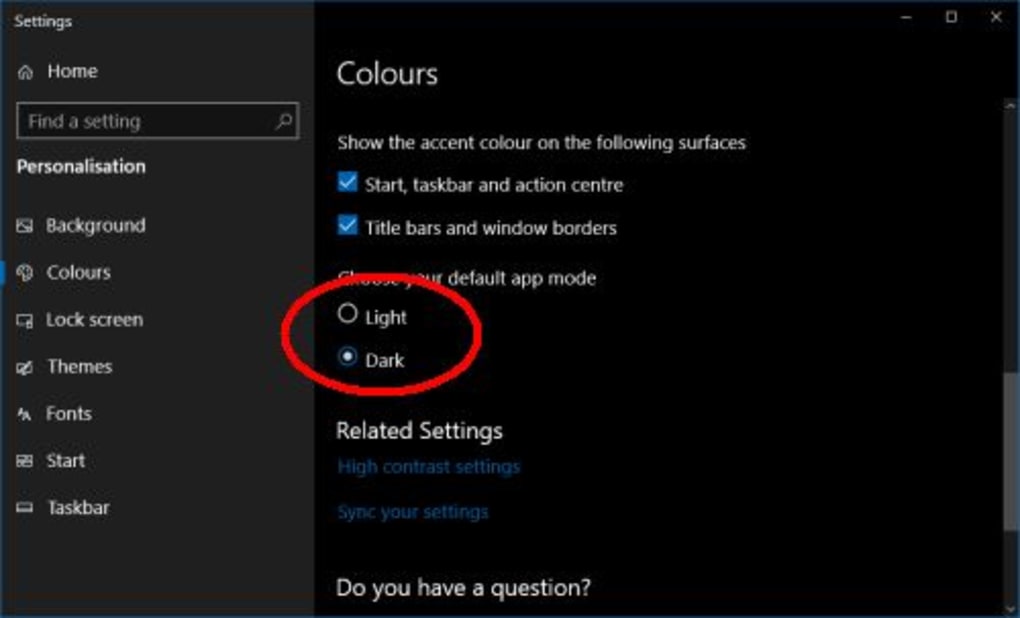
Easy Dark Mode’s functionality extends beyond the Windows operating system itself. The application boasts compatibility with popular web browsers such as Google Chrome and Mozilla Firefox, ensuring a consistent dark mode experience across your entire digital environment. This feature eliminates the need to configure dark mode settings individually for each browser, enhancing overall efficiency and maintaining a cohesive visual experience.
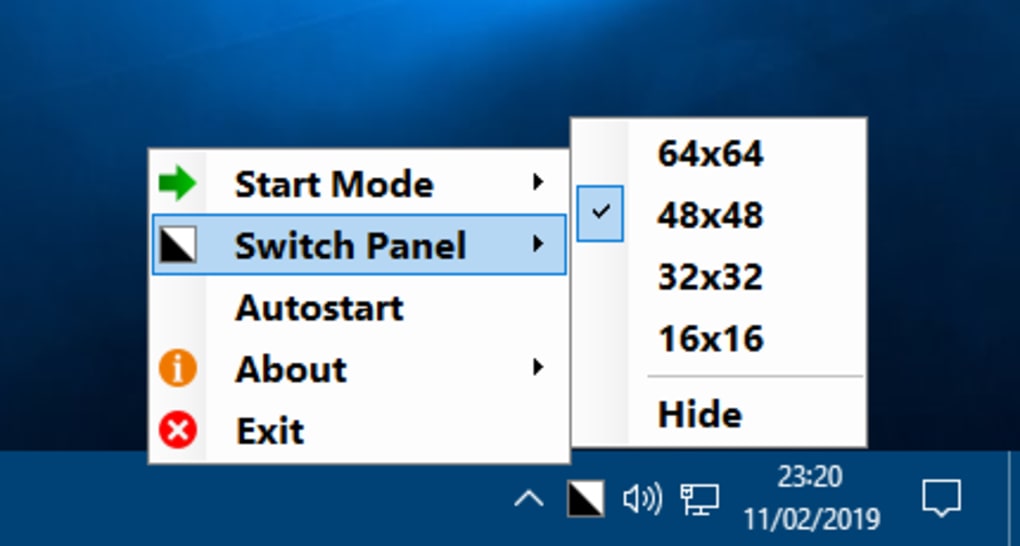
The application’s design prioritizes seamless integration. Following installation (or simply running the portable version), Easy Dark Mode subtly resides in the system tray, minimizing its visual footprint while remaining readily accessible. This discreet placement ensures that the application doesn’t clutter the desktop or interrupt other tasks, offering a non-intrusive yet highly functional solution.
Furthermore, the application’s optional desktop icon allows for even quicker access, providing a visually prominent shortcut for those who prefer a more direct method of accessing the dark mode toggle. This flexibility caters to a range of user preferences and workflows.
Customizable Features and Enhanced Control
While the core functionality of Easy Dark Mode centers on the single-click toggle, the application also offers further customization options to cater to individual user preferences. A notable feature is the ability to set a custom hotkey, significantly accelerating the process of switching between light and dark modes. This personalized shortcut further streamlines workflow and allows for quicker adjustments without interrupting ongoing tasks.
The application’s auto-start capability provides another layer of convenience. Users can choose to have Easy Dark Mode launch automatically with their operating system, ensuring immediate access to dark mode functionality upon system startup. This feature eliminates the need to manually launch the application each time, contributing to the program’s overall convenience and efficiency.
Advantages and Disadvantages of Using Easy Dark Mode
Easy Dark Mode presents a compelling proposition for many users seeking a streamlined solution for managing their display’s color scheme. However, a balanced evaluation necessitates acknowledging both its advantages and potential limitations.
Advantages:
- Simplicity and Ease of Use: The application’s primary strength lies in its intuitive design and effortless functionality. The single-click toggle makes switching between light and dark modes exceptionally convenient.
- Cross-Platform Compatibility: Support for popular browsers like Chrome and Firefox extends the application’s utility beyond the Windows operating system itself, creating a consistent dark mode experience across various platforms.
- Customizable Settings: Options for hotkey assignments and auto-start functionality further personalize the user experience, enabling customized workflow integration.
- System Tray Integration: The discreet system tray icon minimizes visual clutter while maintaining easy accessibility.
- Portability: Easy Dark Mode’s portable nature eliminates the need for installation, making it suitable for various usage scenarios.
- Freeware: The application’s availability as freeware makes it an accessible and cost-effective solution for many users.
Disadvantages:
- Redundancy for Some Users: Users already comfortable with navigating Windows’ built-in display settings might find the application unnecessary. The built-in functionality already offers similar features, although often requiring more steps.
- Limited Feature Set: Easy Dark Mode focuses primarily on its core function. It doesn’t offer advanced features or extensive customization beyond the core toggle and basic settings.
- Potential for Conflicts: Although rare, conflicts with other system-level applications or customizations are possible. While generally stable, there’s a slight risk of such issues.
- Lack of Ongoing Development: As a freeware project, consistent updates and feature additions might not be as frequent as commercially-supported applications.
Ultimately, the suitability of Easy Dark Mode depends on individual user needs and preferences. Users seeking a simple, efficient, and free solution for toggling between light and dark modes will find the application highly beneficial. However, those seeking advanced features or already proficient in managing their system’s display settings might find the application’s relatively limited functionality less compelling.
Alternatives to Easy Dark Mode
Several alternative applications offer similar dark mode functionality or provide additional features for customizing the Windows display. These alternatives present a range of choices catering to varied needs and preferences. Some of these include:
- Dark Reader: A popular browser extension that enforces dark mode across various websites, providing a consistent dark theme even on sites that don’t natively support it.
- Dark Theme: Offers similar functionality to Easy Dark Mode but potentially with a different focus or additional features.
- ObjectDock: A more comprehensive customization tool for Windows, offering the ability to modify the taskbar and add various visual elements. Dark mode functionality might be included as part of its broader features.
When choosing an alternative, consider factors such as the desired level of customization, compatibility with your specific system and browsers, and the presence of any additional features. Comparing features and user reviews can guide your decision.
Conclusion
Easy Dark Mode presents a valuable solution for users seeking an uncomplicated approach to managing their Windows display’s color scheme. Its straightforward interface, single-click functionality, and compatibility with popular browsers create a user-friendly experience. While not an essential tool for all users, its simplicity and efficiency make it a useful application for those who prioritize convenience and quick access to dark mode. Whether Easy Dark Mode is the ideal choice ultimately hinges on individual preferences and existing familiarity with Windows’ built-in customization options. The availability of alternative applications with potentially broader feature sets underscores the importance of exploring different solutions to find the best fit for personal needs.
File Information
- License: “Free”
- Version: “1.3.0.6”
- Latest update: “July 20, 2021”
- Platform: “Windows”
- OS: “Windows 8”
- Language: “English”
- Downloads: “14.6K”
- Size: “268.66 KB”


