
Easy Macro Recorder is a user-friendly utility designed to streamline your workflow by automating repetitive keyboard and mouse actions. Developed by GoldSolution Software, Inc., this tool simplifies complex tasks, saving you valuable time and effort. Whether you’re a seasoned computer user or a complete novice, Easy Macro Recorder’s intuitive interface makes it accessible to everyone, regardless of programming experience. Its core functionality revolves around recording and playing back sequences of actions, allowing you to automate anything from simple data entry to intricate application workflows.
Effortless Automation: Recording and Playback
The core strength of Easy Macro Recorder lies in its straightforward recording and playback capabilities. The process is remarkably simple:
-
Record: Click the “Record” button to begin capturing your actions. Every keystroke, mouse click, and mouse movement is meticulously recorded, creating a detailed script of your workflow. This allows for the precise replication of even the most nuanced tasks.
-
Playback: Once the recording is complete, simply click the “Playback” button to execute the recorded macro. Easy Macro Recorder will flawlessly replicate your actions, performing the task automatically with speed and accuracy. This eliminates the need for manual repetition, freeing up your time for more productive endeavors.
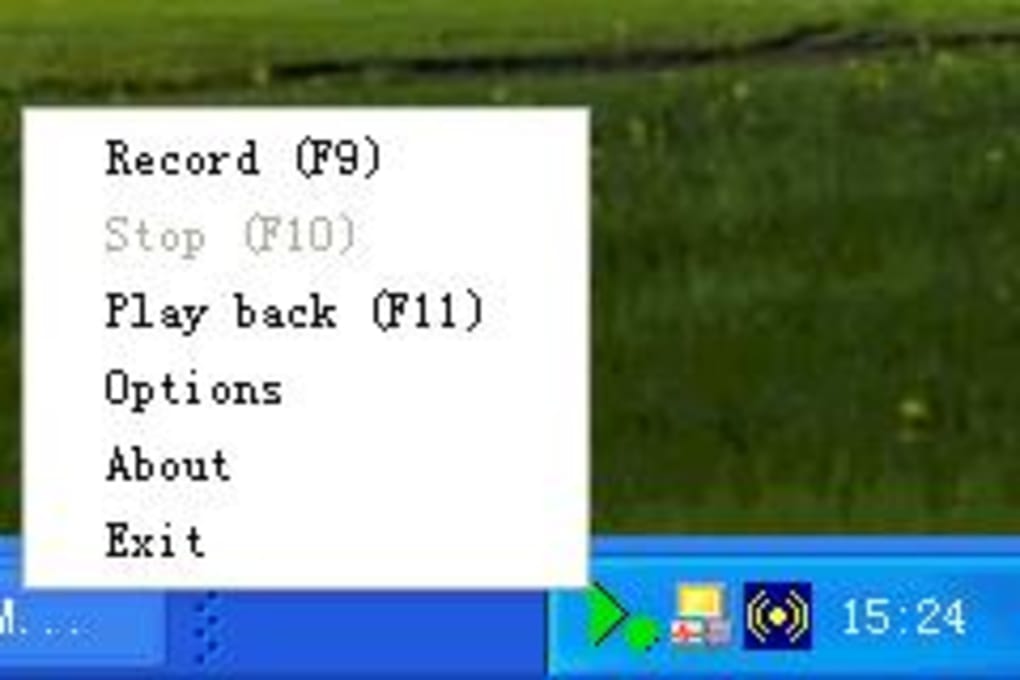
This simplicity is a key differentiator, making it exceptionally user-friendly compared to more complex automation tools that often require programming knowledge. The software seamlessly integrates into your existing workflow, sitting unobtrusively in your system tray until needed.
Advanced Features: Customization and Hotkeys
Beyond its basic recording and playback functions, Easy Macro Recorder offers several advanced features to enhance its versatility and usability:
-
Macro Editor: This built-in editor allows for granular control over your recorded macros. You can view the generated script, add, modify, or delete individual commands. This allows for fine-tuning and optimization of your automated tasks. You can insert specific keystrokes, mouse events, and precise delays, giving you complete control over the execution timing. This level of customization ensures that your automated tasks run precisely as intended.
-
Macro Hotkeys: The software empowers you to assign custom hotkey combinations to launch your recorded macros. This enables quick and efficient access to frequently used automation sequences. No more tedious clicking; a simple keyboard shortcut can trigger your desired workflow. This feature significantly accelerates your work process, allowing for instantaneous execution of your automated tasks.
-
Scheduling and Looping: Easy Macro Recorder also allows you to define the number of times a macro should repeat, enabling batch processing of tasks. This repetitive execution significantly enhances productivity for tasks requiring multiple iterations. Furthermore, the ability to schedule macros empowers you to automate tasks at specific times, ensuring unattended execution.
A Comparative Look at Easy Macro Recorder’s Strengths
Compared to other macro recorders, Easy Macro Recorder shines in its balance of simplicity and functionality. While some alternatives may boast more advanced features, they often come with steeper learning curves. Easy Macro Recorder offers a sweet spot: powerful automation capabilities wrapped in a user-friendly interface. This makes it an ideal choice for users who need automation without the need for extensive technical expertise.
One noticeable difference is its approach to handling mouse scroll wheel actions. Unlike some competitors, Easy Macro Recorder does not currently support recording mouse scroll wheel events. This is a limitation to consider, particularly for tasks involving extensive scrolling. However, for many everyday tasks, this limitation is often negligible.
The availability of a free edition is another significant advantage. While a paid version unlocks additional features and removes usage restrictions, the free version provides a fully functional introduction to the software, allowing users to assess its suitability before committing to a purchase. This risk-free approach helps users determine if the software effectively meets their automation needs before incurring any cost.
Easy Macro Recorder: A Powerful Tool for Productivity Enhancement
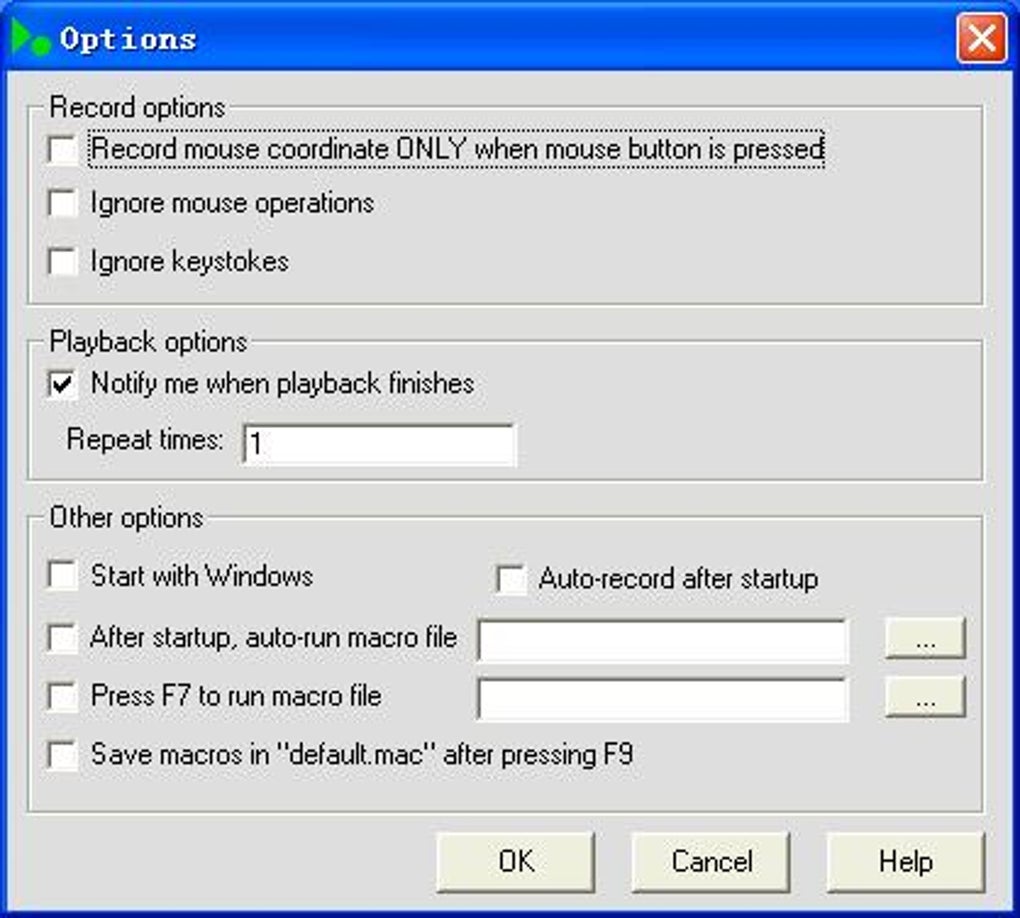
Easy Macro Recorder’s intuitive design makes it a valuable asset for both home users and professionals. Its ability to automate repetitive tasks dramatically boosts productivity across a wide range of activities. From simplifying data entry and file management to automating complex application workflows, this tool significantly reduces manual effort, resulting in substantial time savings.
The software’s unobtrusive nature ensures it won’t interfere with your regular workflow. It operates silently in the background, ready to execute your macros on demand. The seamless integration with various Windows applications makes it exceptionally versatile, capable of automating tasks across different software environments.
Easy Macro Recorder’s free version is a compelling option for users wanting to experiment with automation without any financial commitment. This allows for a hands-on experience, enabling users to thoroughly test the software’s capabilities before upgrading to a licensed version to access advanced features.
While it’s not without its limitations (e.g., the lack of mouse scroll wheel recording), Easy Macro Recorder’s ease of use, robust functionality, and the availability of a free version makes it a compelling choice for those seeking a straightforward yet powerful solution for automating desktop tasks. Its intuitive interface and readily accessible features empower users of all skill levels to improve their efficiency and reclaim valuable time spent on repetitive actions. In a world where time is a precious commodity, Easy Macro Recorder stands as a highly efficient tool for maximizing productivity.
File Information
- License: “Trial version”
- Version: “4.1”
- Latest update: “July 15, 2022”
- Platform: “Windows”
- OS: “Windows 2000”
- Language: “English”
- Downloads: “38.1K”
- Size: “1.76 MB”


