
EasyCut - Video Editor Maker is a free mobile video editing application developed by Great Talent Video Inc. This feature-rich program allows users to create and edit video clips using a diverse range of tools and effects, catering to both casual users and those seeking more professional-grade capabilities. While offering a robust suite of editing features, it’s important to note that the app is ad-supported and adds watermarks to exported videos. This review will delve into the strengths and weaknesses of EasyCut, exploring its functionality, user experience, and overall value proposition.
A User-Friendly Interface Packed with Features
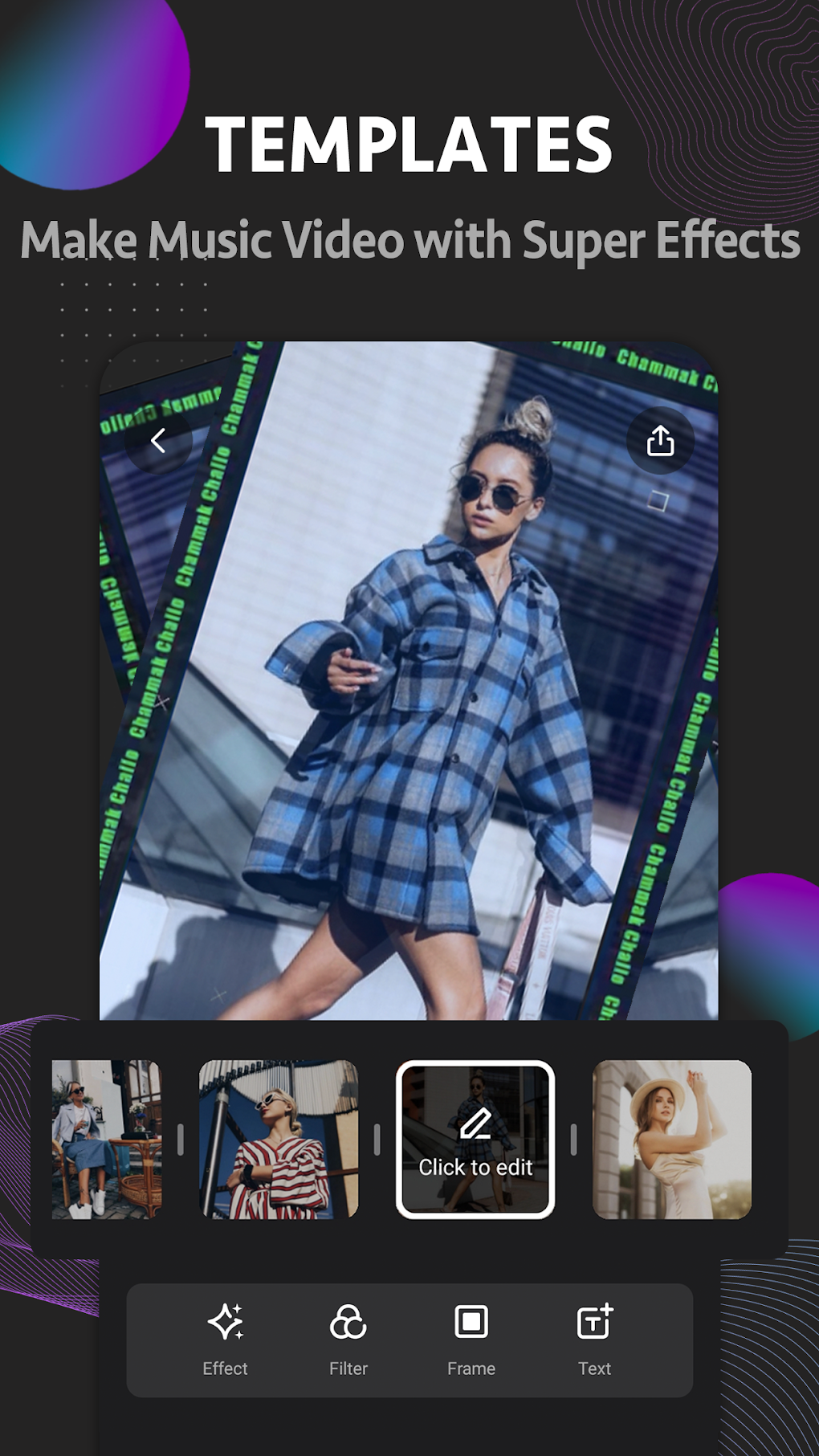
EasyCut boasts an intuitive interface designed for ease of use, making it accessible to users of all skill levels. The app’s layout is clean and uncluttered, allowing users to quickly locate and utilize the various editing tools. The core functionality revolves around a simple video timeline situated at the bottom of the screen. This timeline enables precise control over individual clips, allowing for accurate trimming and placement within the project. This ease of navigation, combined with a straightforward workflow, makes the editing process efficient and enjoyable, even for beginners. Adding text overlays, music, and various effects and filters is remarkably simple, with intuitive controls and a wide array of options available at a user’s fingertips. The ability to create short video collages using up to nine images adds another layer of creativity to the app’s capabilities.
Professional-Grade Editing Tools on Mobile
Beyond its basic features, EasyCut incorporates several advanced tools that are typically found in more professional desktop video editing software. This unexpected level of sophistication sets it apart from many competing mobile video editors. Notably, the inclusion of advanced color grading and correction tools provides users with a high degree of control over the visual aspects of their videos. This functionality allows for precise adjustments to brightness, contrast, saturation, and other color parameters, enabling users to achieve a polished and professional aesthetic.
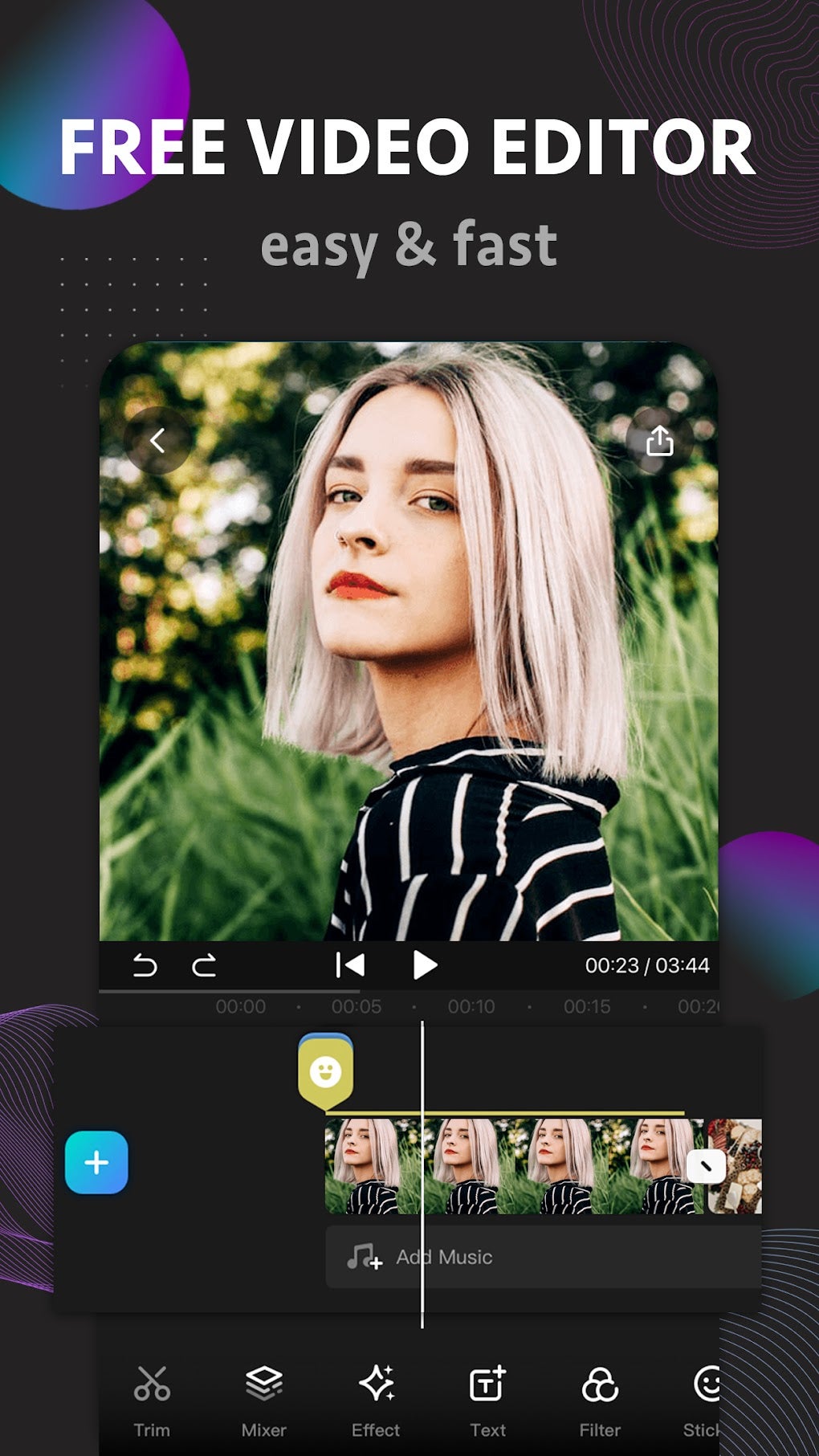
Furthermore, EasyCut offers granular playback speed controls, allowing users to slow down or speed up specific sections of their videos for creative effects or to enhance specific moments. This granular control over speed manipulation is usually a hallmark of high-end video editing programs, and its presence in EasyCut demonstrates a commitment to offering a powerful and versatile editing experience.
The app also employs intelligent compression techniques to reduce file sizes without significantly compromising video quality. This is a crucial feature, especially for users with limited storage space on their mobile devices. By efficiently compressing videos without sacrificing visual fidelity, EasyCut helps users manage their storage needs while ensuring their creations maintain high standards of quality. This attention to detail highlights the developer’s understanding of the practical challenges faced by mobile users.
Addressing the Limitations: Watermarks and Ads
While EasyCut offers a wealth of features, it’s important to acknowledge its limitations. The most significant drawback is the inclusion of watermarks on exported videos. While the app is free, this watermark serves as a visual reminder of the free version. This can be detrimental for users creating videos for professional or public use, where a clean, watermark-free output is often required. The presence of ads throughout the app is another limitation that can interrupt the user experience. Although free software often incorporates ads to generate revenue, the frequency and intrusiveness of these ads in EasyCut could be improved.
These limitations, however, are not necessarily deal-breakers. For casual users creating personal videos for social media or personal archiving, the presence of watermarks and ads might be acceptable trade-offs given the extensive feature set. The value proposition rests on a user’s needs and priorities. If a clean, watermark-free export is crucial, alternative paid options might be necessary. However, if the rich set of features outweighs the need for a pristine, watermark-free final product, EasyCut’s functionality might outweigh these issues.
EasyCut Compared to Competitors
EasyCut occupies a unique space in the competitive landscape of mobile video editing applications. Compared to more minimalist apps, EasyCut provides an extensive set of professional-grade tools, going beyond basic trimming and filtering capabilities. However, apps such as VN - Video Editor & Maker offer watermark-free exports in their free versions, potentially making them more attractive to users prioritizing a clean final product. While CapCut and FilmoraGo also offer powerful features, EasyCut holds its own with its user-friendly interface and unique combination of advanced tools.
The decision to choose EasyCut depends on a user’s individual priorities. If the range of professional features and relatively intuitive interface outweighs the watermarks and ads, EasyCut becomes a strong contender. However, if a clean, watermark-free export is paramount, other applications might be more suitable.
Conclusion: A Powerful Tool with Trade-offs
EasyCut - Video Editor Maker presents a compelling offering for mobile video editing. Its intuitive interface, combined with its surprisingly comprehensive set of professional-grade tools, provides a robust editing experience that’s accessible to a wide range of users. The ability to perform advanced color grading, utilize granular speed controls, and create video collages significantly elevates its functionality beyond many competitors in the same category. However, the presence of watermarks and ads, while common in free applications, represents a significant trade-off that users must consider. Ultimately, the decision to use EasyCut hinges on whether its powerful features outweigh its limitations. For many, particularly those seeking an easy-to-use app with extensive capabilities for personal projects, EasyCut might prove to be a valuable and surprisingly capable mobile video editor.
File Information
- License: “Free”
- Latest update: “February 13, 2025”
- Platform: “Android”
- OS: “Android 13.0”
- Language: “English”
- Downloads: “88.4K”
- Download Options: “Google Play”


