
Spotlight, macOS’s built-in search function, is undeniably convenient for quickly finding files and applications. However, its limitations can become frustrating when searching for specific files hidden within nested folders, dealing with corrupted indices, or needing advanced search criteria. This is where EasyFind steps in, offering a robust and flexible alternative that excels where Spotlight falls short. This comprehensive review will delve into the capabilities, strengths, and weaknesses of EasyFind, ultimately determining its value as a crucial addition to any Mac user’s toolkit.
EasyFind for Mac: A Deep Dive into Functionality
EasyFind is a free, powerful search utility designed for macOS. Its core strength lies in its ability to perform deep, comprehensive searches across your entire hard drive without the need for pre-indexing. This eliminates the time-consuming indexing process required by some search tools, allowing you to begin searching immediately after installation. While this immediate access is a significant advantage, it does mean that searches can take longer than Spotlight’s indexed searches, particularly on large drives containing millions of files. However, this trade-off is often worthwhile for the enhanced search capabilities EasyFind provides.
One of EasyFind’s key advantages over Spotlight is its support for Boolean operators (AND, OR, NOT) and wildcard characters (*, ?). These advanced search options empower users to construct highly specific search queries, enabling them to pinpoint files based on complex criteria. For instance, you could search for all documents containing the words “project proposal” AND “Q3” AND NOT “draft,” ensuring that only relevant, finalized documents are returned. This level of precision is unmatched by Spotlight’s simpler search syntax.
Beyond Boolean operators and wildcards, EasyFind offers several other noteworthy features:
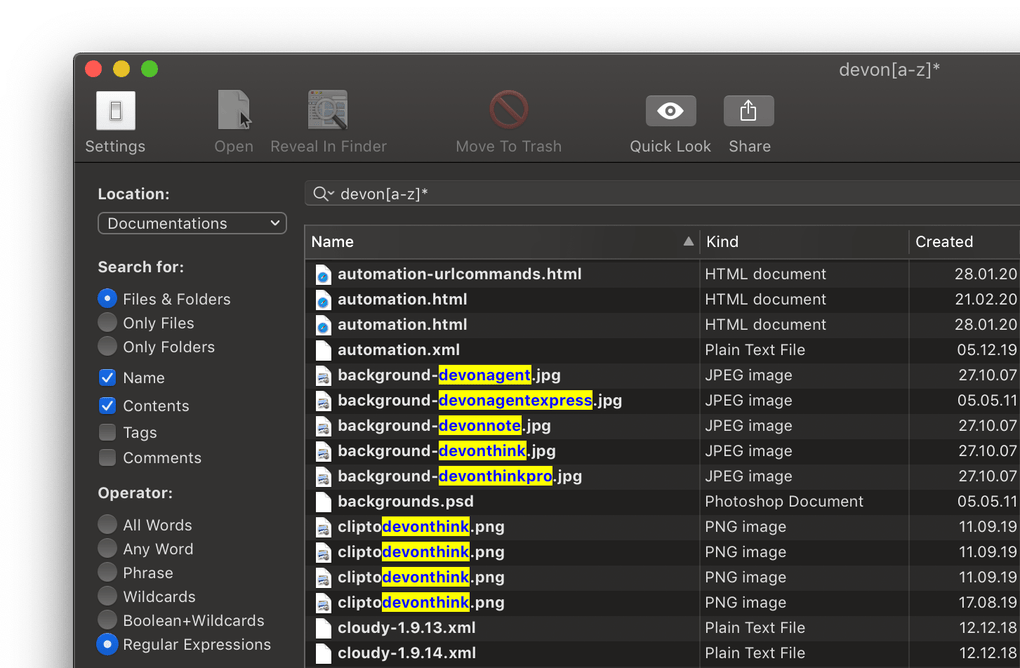
- Searches Invisible Files: EasyFind can locate files that are hidden from the standard Finder view, including files within packages (
.appbundles, for example). This capability is invaluable for tracking down files that might be otherwise inaccessible using Spotlight.
-
Case-Sensitive Searching: Users can fine-tune their searches to be case-sensitive, ensuring that only files matching the exact capitalization of their search terms are returned. This level of control is especially useful when dealing with files whose names might differ only in capitalization.
-
Customizable File Extensions: EasyFind allows users to specify the file extensions it should search within. This lets users focus their searches on specific file types, dramatically reducing the search time and refining the results. This is particularly beneficial when dealing with large numbers of mixed file types. The customizable preferences allow for a streamlined search experience, focusing only on relevant file types.
-
Intuitive Interface: The application boasts a clean and simple interface. The search field provides helpful descriptions of search syntax, making it easy even for beginners to master the advanced search features.
EasyFind: Strengths and Weaknesses
Despite its numerous advantages, EasyFind is not without its shortcomings. While its deep searching capabilities are a significant strength, the manner in which it presents search results is its most significant drawback. Unlike Spotlight, which organizes its results in a clear, hierarchical manner, EasyFind displays a somewhat chaotic list of files and folders. The highlighted matches within the returned results are helpful, but the overall lack of organization makes navigating and finding the desired file within a large result set a time-consuming process. This can be particularly frustrating when dealing with a large number of files matching the search criteria.
Here’s a summary of EasyFind’s strengths and weaknesses:
Pros:
- Comprehensive Search Capabilities: EasyFind’s deep searching surpasses Spotlight, locating files that Spotlight often misses, including hidden files and files within packages.
- Advanced Search Syntax: The support for Boolean operators and wildcards allows for highly precise searches.
- No Indexing Required: Instant searching without the need for lengthy indexing makes it incredibly convenient for immediate use.
- Easy-to-Use Interface: The intuitive design and clear explanations of the search syntax make it accessible to users of all levels.
- Customizable File Extensions: Allows users to filter their searches based on specific file types.
- Case-Sensitive Search: Provides granular control over the search criteria, ensuring exact matches.
Cons:
- Poor Result Organization: The unorganized presentation of search results makes navigating large result sets difficult and time-consuming.
- Slower Search Times (for large datasets): While convenient for immediate searching, the lack of indexing means longer search times compared to Spotlight when dealing with very large drives or datasets.
EasyFind vs. Spotlight: A Comparative Analysis
EasyFind and Spotlight cater to different needs. Spotlight serves as a fast, convenient tool for everyday searches, while EasyFind shines when dealing with complex search scenarios or when Spotlight’s limitations become apparent. Spotlight’s strength lies in its speed and integration within the operating system, making it incredibly user-friendly for basic searches. EasyFind, on the other hand, provides the power and flexibility needed to tackle more challenging searches. It excels at finding hidden or otherwise elusive files, using advanced search operators, and customizing searches based on file type. The optimal approach is often to use both tools in tandem – leveraging Spotlight for quick, simple searches and resorting to EasyFind when more advanced search capabilities are required.
EasyFind: A Valuable Tool in a Mac User’s Arsenal?
Ultimately, EasyFind’s value depends on individual needs and search habits. While its less-than-ideal result presentation may be a deterrent for some, its powerful search capabilities are undeniable. Users who frequently grapple with finding hidden files, need advanced search operators, or deal with corrupted Spotlight indices will undoubtedly find EasyFind to be a valuable addition to their Mac toolkit. Its ability to find files that Spotlight cannot locate alone makes it a powerful complementary tool. While it may not replace Spotlight entirely for casual users, its strengths in advanced searches make it a highly useful tool for users who need more advanced searching capabilities. The free nature of the software only enhances its attractiveness to users.
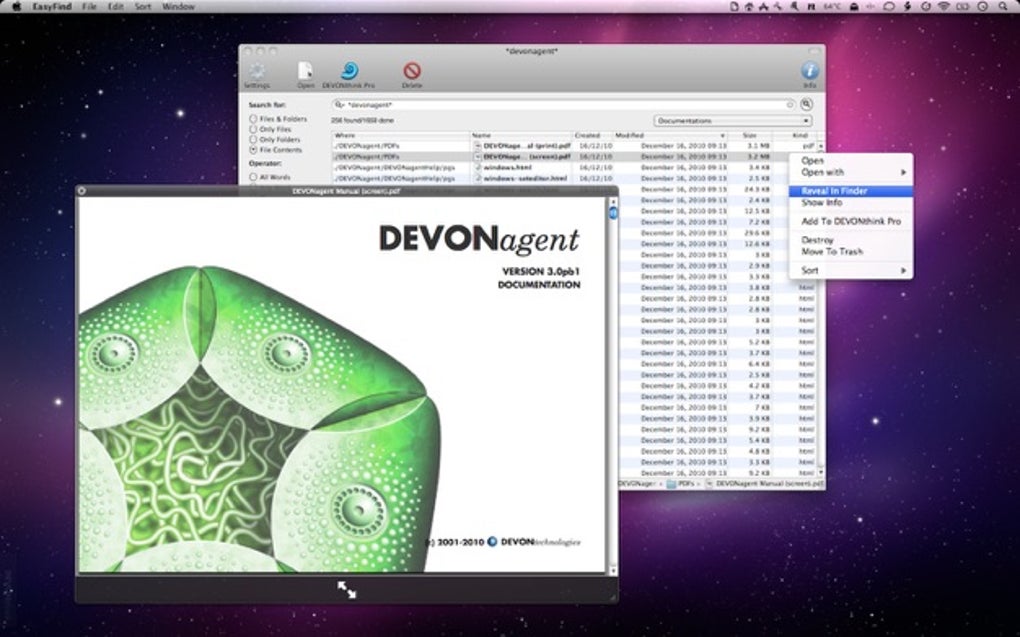
The decision of whether to use EasyFind rests on a user’s prioritization of speed versus depth and the frequency with which they encounter the limitations of Spotlight. For users who value the speed of Spotlight for everyday searches but need the additional power and flexibility for more complex tasks, EasyFind proves to be a valuable companion application. While its lack of organized search results remains a significant drawback, its functionality in dealing with difficult search situations makes it a worthy addition to any power user’s arsenal.
File Information
- License: “Free”
- Latest update: “July 11, 2023”
- Platform: “Mac”
- OS: “Mac OS X”
- Language: “English”
- Downloads: “58.9K”
- Size: “5.06 MB”


