
EasyMail for Gmail is a free email client designed to provide quick and convenient access to your Gmail account. It aims to streamline the email experience, offering a familiar interface and essential features without the need to constantly keep a web browser open. This review delves into its functionality, advantages, disadvantages, and its place in the broader landscape of email clients for Windows.
Ease of Use and Interface Design
One of EasyMail for Gmail’s strongest selling points is its user-friendly interface. The developers have strived to replicate the look and feel of the standard Gmail web portal, minimizing the learning curve for existing Gmail users. This means that transitioning from the web-based version to the EasyMail application should be seamless and intuitive. Familiar features and navigation are largely preserved, ensuring a comfortable user experience. This focus on simplicity makes it an ideal choice for individuals seeking a straightforward email client without complex configurations or settings. The intuitive design allows users to quickly send and receive emails, manage attachments, and access other core Gmail functionalities with minimal effort. This is especially beneficial for users who are less tech-savvy or prefer a clean, uncluttered interface.

Features and Functionality
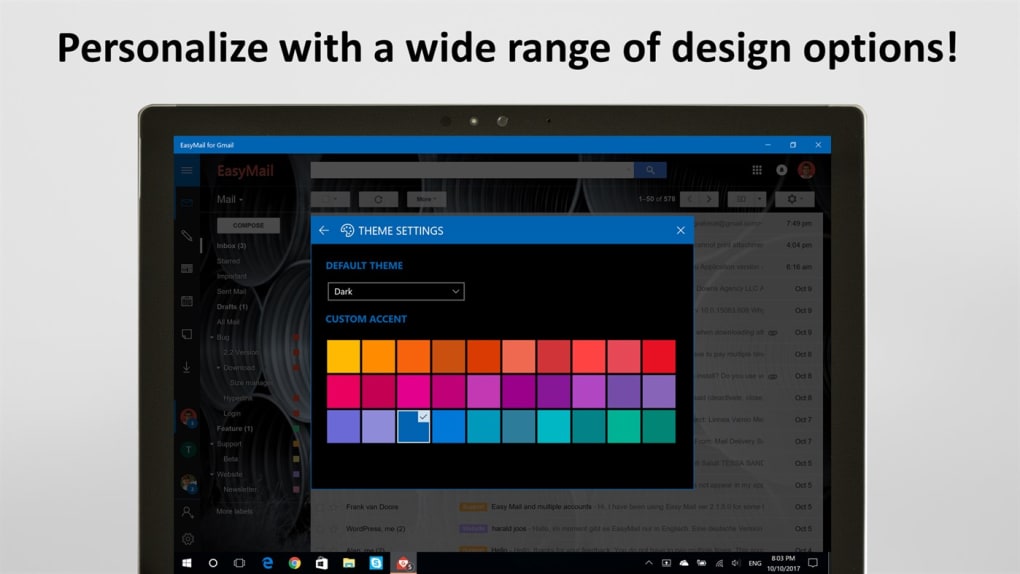
EasyMail for Gmail provides a comprehensive set of features designed to enhance the email management experience. Beyond the core functionalities of sending and receiving emails, the application offers several additional options. Users can effortlessly send attachments with a single click, a feature that simplifies the process of sharing files and documents. Customization options, such as the ability to change skins, allow users to personalize their email client and tailor it to their individual preferences. This adds a degree of visual appeal and allows users to create a unique profile that reflects their personal style.
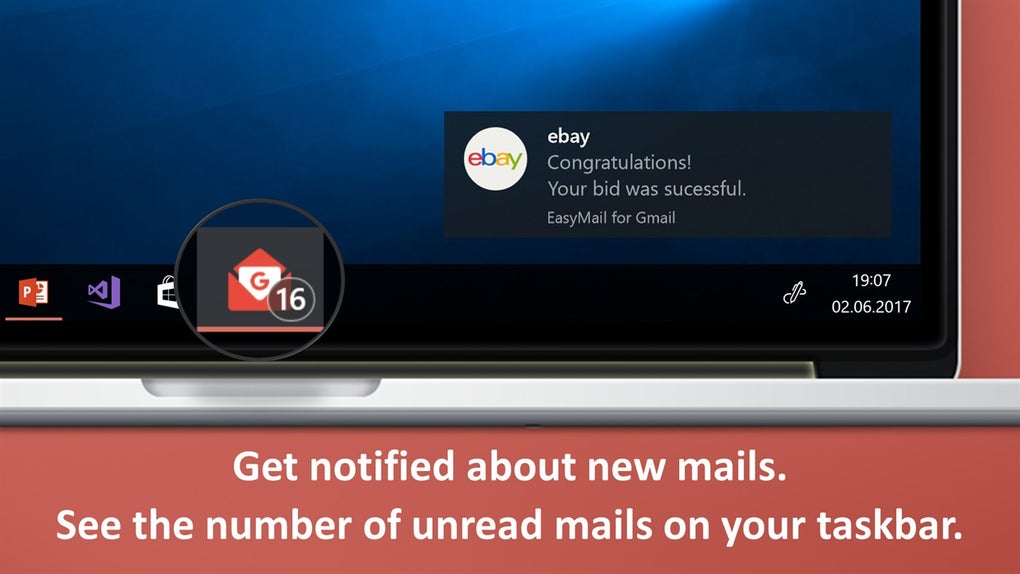
The integration with the Windows action center is a significant advantage, particularly for mobile users. This allows quick access to notifications and email updates without needing to open the application. Furthermore, the application supports multiple email accounts, making it a practical solution for managing various professional and personal accounts in one place. The support of multiple accounts makes it a versatile choice for both individual and business users.
A notable feature is the substantial storage space offered—up to 15 gigabytes—at no cost. This is a generous amount of storage, especially considering that it’s included within the free version of the application. This sizable storage capacity eliminates concerns about running out of space for emails, attachments, or other related data.
Advantages and Disadvantages
EasyMail for Gmail presents several key advantages, primarily its ease of use and the absence of any download cost. The application is free to download and install, making it accessible to a broad range of users regardless of their budget. The generous 15 GB of storage space included is another significant benefit, providing ample capacity for emails and attachments. The familiar Gmail-like interface and smooth integration with Windows’ Action Center further enhance its usability. The support of multiple email accounts is a crucial advantage, especially for business users and those managing multiple accounts.
However, some users have reported minor drawbacks. The presence of banner advertisements, while a common monetization strategy for free applications, can be considered a disadvantage by some users who prefer an ad-free experience. The incompatibility with older operating systems is another limitation; users with older systems might find that EasyMail for Gmail is not compatible with their setup. This lack of backward compatibility could restrict the application’s potential user base.
Comparison with Alternative Email Clients
EasyMail for Gmail competes with a wide range of email clients available for Windows. Popular alternatives include Microsoft Outlook, Mozilla Thunderbird, and the Gmail web application itself. While Microsoft Outlook offers a powerful and feature-rich experience, it often comes with a price tag, unlike EasyMail’s free offering. Mozilla Thunderbird, while free and open-source, may have a steeper learning curve for some users compared to EasyMail’s intuitive Gmail-like interface. The Gmail web application, although free, lacks the convenience of a dedicated desktop application, requiring users to keep a browser open at all times.
EasyMail for Gmail positions itself as a middle ground, offering a streamlined experience with a familiar interface and essential features, while remaining free of charge. Its key differentiator is the simplicity and convenience of access, making it an excellent option for users who prioritize ease of use above highly advanced features.
EasyMail for Gmail in the Context of Business Use
For business users, EasyMail for Gmail offers several compelling features. The ability to manage multiple email accounts is particularly valuable for businesses with separate accounts for different departments, clients, or projects. The familiar Gmail interface ensures that employees can transition easily from the web-based version to the desktop application, minimizing any disruption to their workflow. The included storage space alleviates concerns about running out of space for important business communications and documents. Furthermore, the integration with the Windows action center allows for prompt notifications, ensuring that important emails are not missed. The application’s simplicity and ease of use also contributes to increased productivity by reducing the time spent managing emails. However, the presence of banner advertisements might not be ideal in professional environments where a clean and uninterrupted experience is prioritized.
Conclusion
EasyMail for Gmail provides a simple yet effective way to access your Gmail account on a Windows PC. Its strength lies in its intuitive design and familiar interface, making it easy for Gmail users to transition to a desktop application without a steep learning curve. The inclusion of multiple account support and substantial storage space enhances its appeal for both personal and business use. While the presence of banner advertisements and incompatibility with older systems are minor drawbacks, the overall convenience and accessibility of EasyMail for Gmail make it a viable and worthy alternative to other email clients. For users seeking a free, easy-to-use email client with a focus on simplicity and direct access to their Gmail inbox, EasyMail for Gmail is a strong contender. Its straightforward approach makes it an ideal choice for users who want a seamless and efficient email experience without the complexities of more feature-rich alternatives.
File Information
- License: “Free”
- Version: “3.5.6.0”
- Latest update: “July 11, 2023”
- Platform: “Windows”
- OS: “Windows 11”
- Language: “English”
- Downloads: “179.1K”


