
EasyOffice, also known as “EasyOffice – Free Suite for Office files,” is a free business and productivity software application designed for easy viewing and editing of various document types. Developed by Tim Grabinat, this robust office suite provides a comprehensive set of tools comparable to commercial options, yet without the price tag. Built upon the foundation of LibreOffice (itself derived from OpenOffice.org), EasyOffice offers a powerful and versatile solution for all your document processing needs. Its full compatibility with Microsoft Office file formats makes transitioning between the two seamless, providing a compelling cost-effective alternative.
A Feature-Rich Free Alternative
Unlike some third-party software previously associated with Microsoft and bearing a similar name, EasyOffice – Free Suite for Office files stands out with its ad-free experience and a generous suite of integrated applications. The package includes six core programs: Writer (word processor), Calc (spreadsheet), Impress (presentation), Draw (vector graphics editor), Base (database management), and Math (formula editor). While it may not encompass the entire breadth of features found in some premium office suites like Microsoft Office 365, the included applications offer a substantial level of functionality for most users. The absence of certain advanced features is more than compensated for by the software’s accessibility and user-friendly interface.
One minor point to note is that the installation process doesn’t automatically create a desktop shortcut. Users will need to locate the program through their operating system’s search function. Once launched, users can access the entire suite or individually select specific applications. The intuitive interface displays all programs in a left-side panel for quick and easy access. Further enhancing usability, EasyOffice provides immediate access to frequently used features, including the ability to open files, access remote files, view recent documents, and utilize readily available templates.
Beyond the Core Applications: Expanding Functionality
EasyOffice extends its functionality beyond its six core applications with additional, separately downloadable programs, such as EasyMail (likely an email client) and EasyPDF (suggesting PDF editing capabilities). These supplementary applications add further value to the suite, providing a more complete productivity ecosystem. This modular approach allows users to customize their experience by selecting only the components they need, avoiding bloatware often found in larger, more comprehensive suites.
Broad File Format Compatibility and Seamless Collaboration
A significant advantage of EasyOffice lies in its extensive compatibility with popular file formats. It seamlessly handles formats commonly used by Microsoft Office and OpenOffice, including DOCX (Word documents), XLS (Excel spreadsheets), PPTX (PowerPoint presentations), and even PSD (Photoshop files). This broad support extends to web-based applications as well, with compatibility with Google Docs, Google Sheets, and Google Slides. This interoperability ensures effortless file sharing and collaboration with individuals using diverse office suites and platforms. This cross-platform compatibility is crucial in today’s interconnected world, fostering efficient teamwork and streamlining workflows.
Strengths and Limitations: A Balanced Perspective
EasyOffice presents a compelling combination of strengths and limitations. Its greatest strengths lie in its affordability (being completely free), absence of intrusive advertisements, user-friendly interface, and impressive compatibility with a wide range of file formats, allowing seamless integration with other popular productivity tools. The inclusion of six core applications covers most standard office tasks, making it a viable alternative to more expensive software. The modular design, allowing the user to choose specific components, further enhances its appeal.
However, EasyOffice isn’t without limitations. The lack of an automatically installed desktop shortcut requires users to search for the application manually, adding a small hurdle to the initial user experience. While the included applications are comprehensive enough for many, they may not offer the same depth of features as their counterparts in more established commercial suites. This is a trade-off inherent in using free software, where compromises are sometimes made to keep the package free and accessible.
EasyOffice: A Worthy Contender in the Free Office Suite Arena
In summary, EasyOffice stands as a formidable contender in the world of free office suites. It presents a compelling alternative to both LibreOffice and OpenOffice, catering to users who value simplicity, functionality, and compatibility without the hefty price tag of commercial solutions. The suite’s broad file format support, coupled with its ease of use and ad-free experience, makes it an attractive option for both home users and small businesses seeking a robust and reliable productivity tool. While lacking some of the niche features found in more expansive, paid suites, EasyOffice effectively delivers on its core promise: providing a comprehensive free solution for everyday office tasks. The modular design empowers users to select and install only the necessary components, creating a customized and efficient workflow experience.
A Closer Look at the Individual Applications
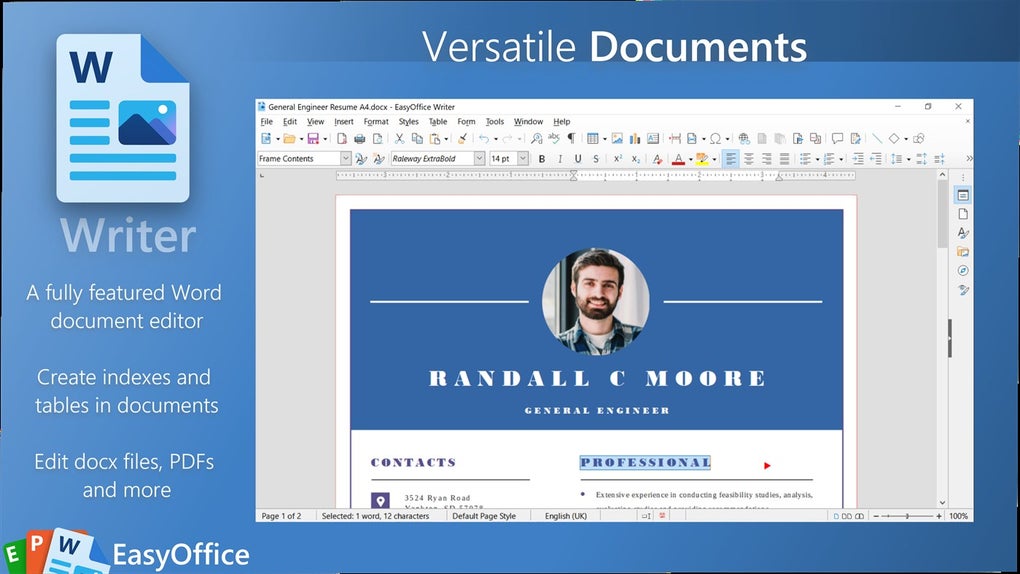
Writer: The word processing component, Writer, offers a user-friendly interface for creating and editing text documents. It supports various formatting options, including different fonts, styles, tables, and images. While it may not boast every advanced feature of a premium word processor, Writer effectively handles the common tasks required for most document creation needs.
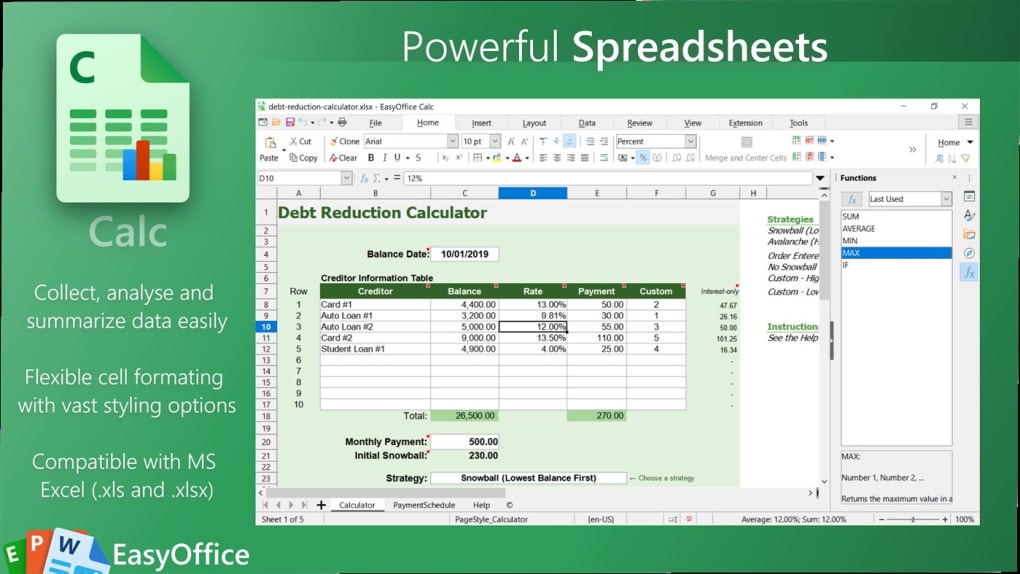
Calc: EasyOffice’s spreadsheet program, Calc, provides a functional environment for managing numerical data. Users can create spreadsheets, input data, utilize formulas, and generate charts and graphs. The interface is intuitive, making it suitable for both beginners and experienced spreadsheet users.
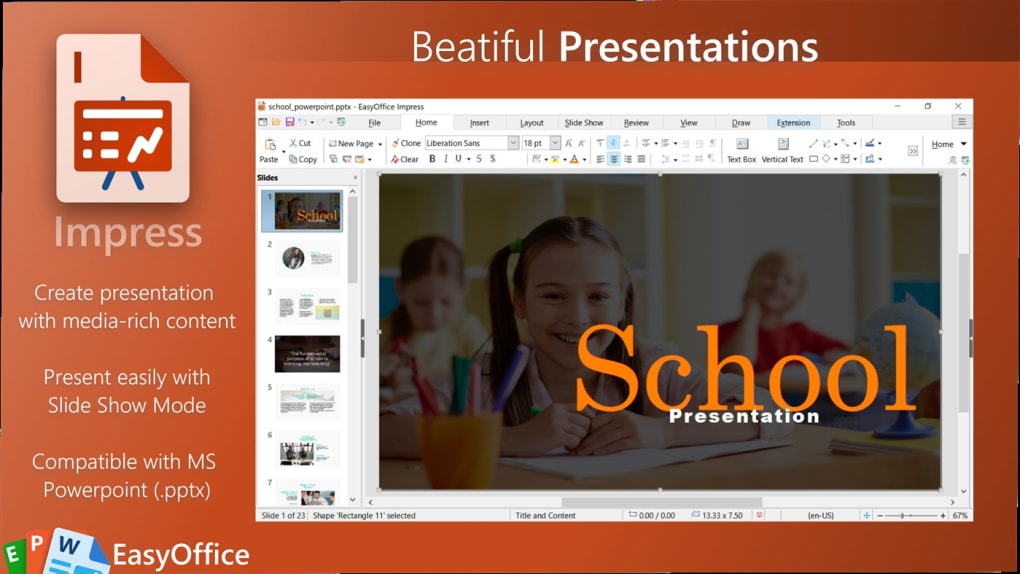
Impress: Impress is the presentation software component, allowing users to create visually appealing slideshows. It offers various templates, transition effects, and animation options. Users can embed images, audio, and video to enhance their presentations.
Draw: The vector graphics editor, Draw, provides tools for creating and editing vector-based images. This allows for scalability without loss of quality, making it ideal for producing high-resolution graphics for various applications.
Base: Base is the database management system within the suite. It facilitates the creation and management of databases, allowing users to organize and retrieve information efficiently.
Math: Math offers a dedicated interface for creating and editing mathematical formulas and equations. This is particularly useful for academic or scientific applications requiring precise formula representation.
While each application may not match the full feature set of their commercial counterparts, the combined functionality of these six programs provides a comprehensive office solution capable of handling the majority of typical productivity needs. The free and ad-free nature of EasyOffice further strengthens its position as a strong alternative for budget-conscious users.
File Information
- License: “Free”
- Version: “1.0.4”
- Latest update: “March 10, 2022”
- Platform: “Windows”
- OS: “Windows 11”
- Language: “English”
- Downloads: “16.6K”


