
eBook Converter is a versatile and user-friendly software application designed to simplify the process of converting e-books between various formats. Whether you’re a casual reader or a prolific book enthusiast, this tool empowers you to access your digital library across a wider range of devices and e-readers, eliminating compatibility issues and ensuring seamless reading experiences. This comprehensive guide delves into the functionalities, features, pros, cons, and user reviews of eBook Converter, providing a thorough understanding of its capabilities and limitations.
Core Functionalities and Usability: Effortless E-book Conversions
At its core, eBook Converter functions as a multi-format e-book conversion tool, bridging the gap between different file formats and ensuring compatibility across diverse devices. It’s designed to be a “one-size-fits-all” solution, addressing the frequent issue of e-book incompatibility between different e-readers and applications. The software’s strength lies in its ability to accurately convert e-books without compromising the integrity of the content. This means you can confidently convert your files knowing that the text, formatting, and structure will remain consistent.
The supported formats are comprehensive, covering some of the most popular e-book extensions including Kindle’s AZW and MOBI, the widely used EPUB, and the ever-present PDF. Beyond these, the software handles other formats such as PRC and ADW3, showcasing its versatility and broad applicability. A particularly notable feature is the lack of any file quantity limitations. Whether you need to convert a single file or a large collection of e-books, eBook Converter efficiently handles the task without imposing restrictions.
Further enhancing its user-friendliness, the software automatically adjusts the text size to optimally fit the screen resolution of the target device. This intelligent resizing eliminates the need for manual adjustments, ensuring a comfortable reading experience regardless of the device’s screen size. The developers boast conversion speeds up to five times faster than comparable applications, contributing to a significant improvement in workflow efficiency. This speed enhancement is a considerable advantage, especially when dealing with large files or numerous conversions.
User Interface and Additional Features: Simplicity Meets Functionality
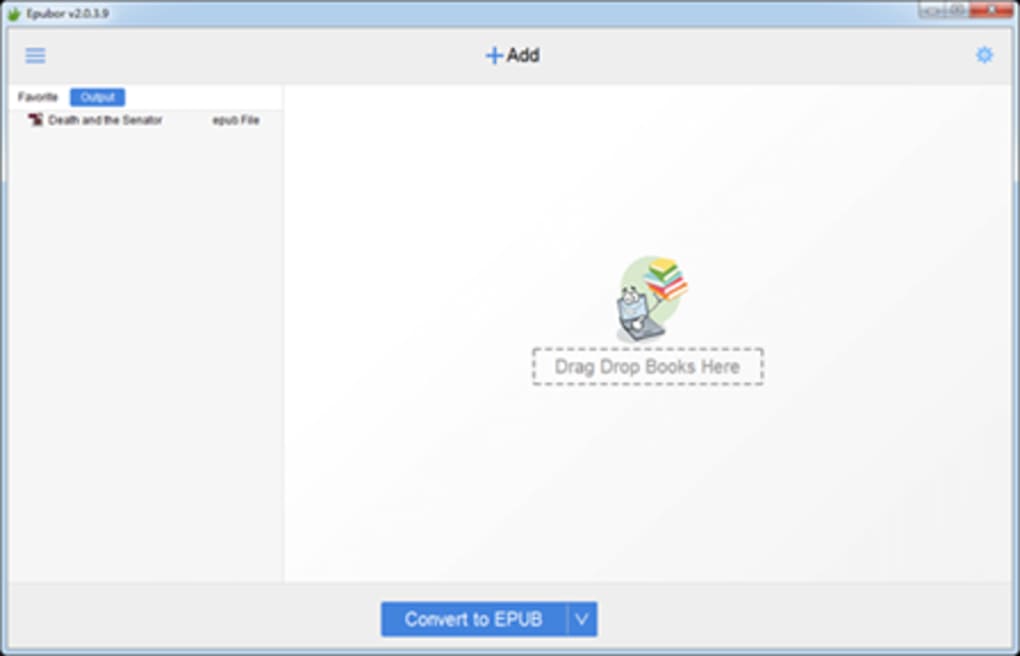
eBook Converter’s intuitive user interface is a significant contributor to its ease of use. Designed with simplicity in mind, the interface ensures that even novice users can navigate the application and perform conversions without difficulty. The clear layout and straightforward functionality make the conversion process quick and efficient, minimizing the learning curve often associated with similar software.
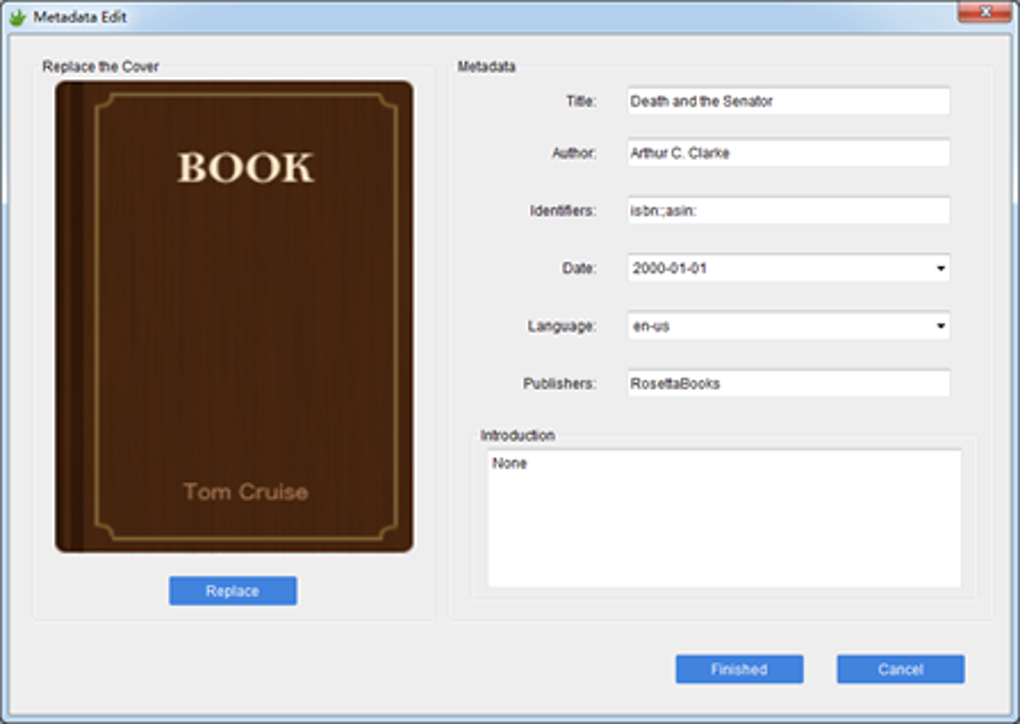
Beyond basic conversion, eBook Converter offers metadata editing capabilities. Users can modify essential metadata like titles, headings, and chapters, allowing for greater control over the final e-book output. This feature is particularly useful for maintaining consistent information across different e-book versions or for correcting errors in existing metadata.
The application’s relatively small file size (just over 52 megabytes) is another advantage. This minimizes the storage space required on the user’s computer, making it a lightweight and convenient addition to any software suite.
Advantages and Disadvantages: A Balanced Perspective
While eBook Converter offers numerous benefits, a balanced perspective requires acknowledging its limitations.
Pros:
- Automatic Text Resizing: The software’s intelligent text resizing ensures optimal readability across various screen sizes.
- Metadata Editing: Users can modify metadata, improving the organization and accuracy of their e-book files.
- Multi-Format Support: The software supports a wide array of e-book formats, catering to diverse needs and preferences.
- High Conversion Speed: The developers claim significantly faster conversion speeds compared to competitor applications.
- User-Friendly Interface: The intuitive interface makes the software easy to use for users of all skill levels.
- No File Limits: Convert as many e-books as needed without restrictions.
Cons:
- Potential Issues with High-Resolution Images: The software might not consistently handle embedded high-definition images effectively, potentially resulting in reduced image quality or display problems.
- Windows-Only Compatibility: Currently, the software is only compatible with Windows operating systems, limiting its accessibility to users of other operating systems.
- DRM Limitations: Based on user reviews, the software might not work effectively with DRM (Digital Rights Management) protected e-books. This limitation significantly impacts users who own e-books protected by DRM technology.
User Reviews: Real-World Experiences
User reviews offer valuable insights into the real-world performance and usability of eBook Converter. While generally positive, some reviews highlight both the strengths and weaknesses of the application. Many users praise the software’s ease of use, speed, and support for various file formats. They frequently mention the intuitive interface and the overall effectiveness in converting e-books between popular formats. However, some negative feedback centers on the lack of support for DRM-protected books and the limited compatibility with operating systems beyond Windows.
The mixed feedback highlights the importance of understanding the software’s limitations before using it. Users expecting to convert DRM-protected content should explore alternative solutions. Similarly, users on macOS, Linux, or other non-Windows operating systems will need to seek out compatible alternatives.
Conclusion: A Powerful Tool with Limitations
eBook Converter presents a compelling solution for users needing a simple and efficient method for converting e-books between a broad range of formats. Its intuitive interface, fast conversion speeds, and wide format support make it an attractive choice for many. However, the lack of support for DRM-protected books and the Windows-only compatibility significantly restrict its overall accessibility and functionality. Users should carefully consider their needs and limitations before choosing eBook Converter. Weighing the pros and cons, and understanding the limitations regarding DRM and operating system compatibility, will help users determine if this e-book converter is the right tool for their specific requirements.
File Information
- License: “Free”
- Latest update: “January 24, 2023”
- Platform: “Windows”
- OS: “Windows 7”
- Language: “English”
- Downloads: “106.5K”
- Size: “52.89 MB”


