
Epubor Ultimate is a versatile eBook converter designed to streamline the process of converting eBooks between various formats and removing digital rights management (DRM) restrictions. This comprehensive review delves into its features, ease of use, performance, limitations, and overall value for users seeking a robust solution for managing their digital library.
A Deep Dive into Epubor Ultimate’s Functionality
Epubor Ultimate acts as a multifaceted tool for eBook enthusiasts and professionals alike. Its core functionality centers around two key aspects: eBook conversion and DRM removal. The software boasts compatibility with a wide range of input formats, including popular choices such as EPUB, PDF, AZW (various versions including AZW1, AZW3, and AZW4), Mobi, PRC, TPZ, Topaz, TXT, and HTML. This broad support allows users to import eBooks from diverse sources and formats without significant limitations.
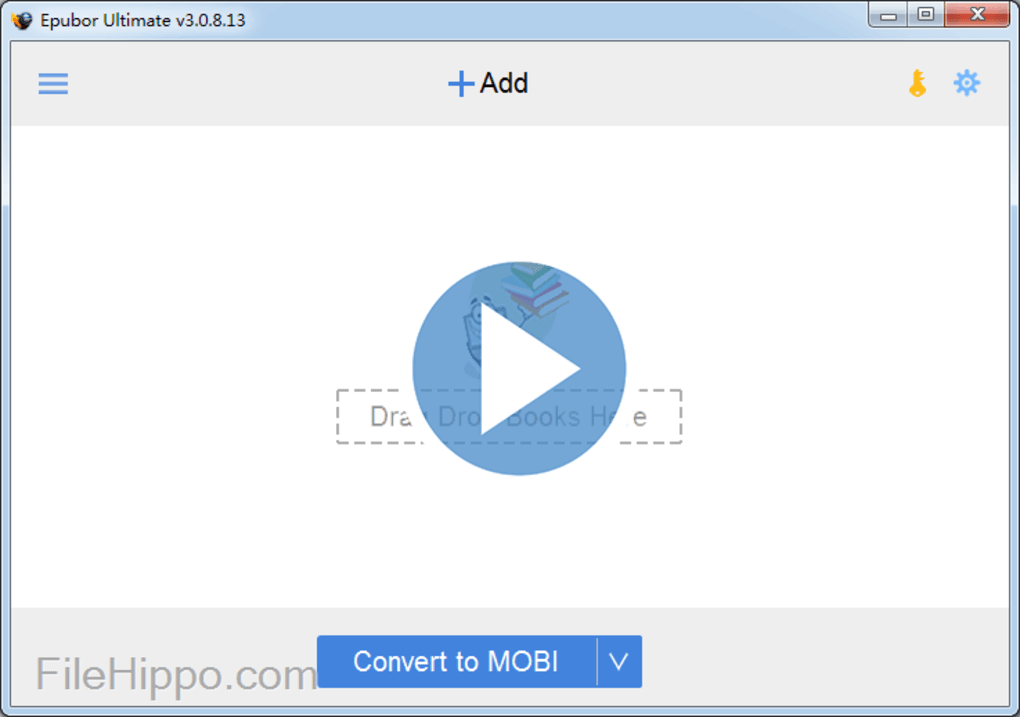
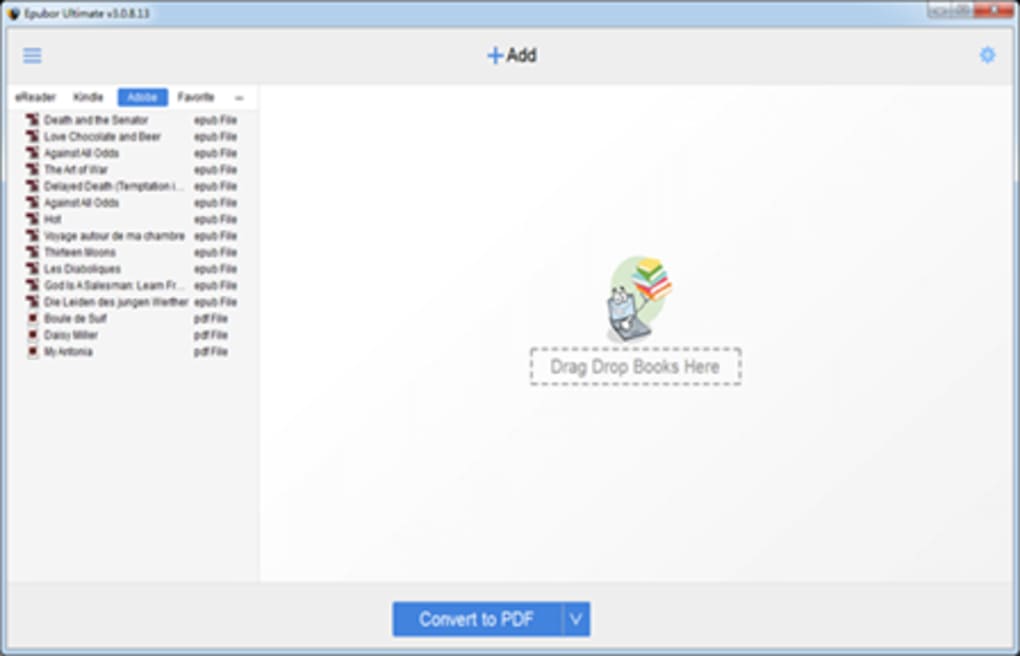
The conversion process itself is remarkably straightforward. The intuitive interface presents a drag-and-drop functionality, enabling users to simply drag their desired eBook files into the designated area. Alternatively, a dedicated “+Add” button provides an equally convenient method for adding files. Once the files are added, users can select their preferred output format from a dropdown menu. The supported output formats include EPUB, Mobi, AZW3, TXT, and PDF. This variety ensures that converted eBooks can be seamlessly enjoyed across a range of e-readers and platforms.
Beyond simple format conversion, Epubor Ultimate tackles the often-frustrating issue of DRM. Many eBooks purchased online or obtained through subscription services are protected by DRM, restricting their use to specific devices or software. Epubor Ultimate effectively removes these DRM restrictions, freeing users to access their eBooks on any compatible device, regardless of the original restrictions. This is a significant advantage for users who desire flexibility in their reading experience.
User Experience and Interface Design
The program’s strength lies in its user-friendly interface. The design is clean, uncluttered, and highly intuitive, even for users with limited technical experience. The drag-and-drop functionality significantly simplifies the file-adding process, removing the need for complex navigation or file selection menus. The clear layout of the main interface instantly displays the conversion area, making it easy for users to initiate the conversion process. The simple and uncluttered design focuses the user’s attention on the essential functions, making the software very accessible.
The dropdown menu for selecting output formats is equally straightforward and uncluttered. The available options are clearly listed, eliminating the need to navigate through complex submenus. This simple design makes the software very user-friendly, even for users with limited technical experience. The clear interface design and intuitive controls contribute to a seamless and efficient conversion process, which reduces any potential confusion for users, promoting a straightforward and productive user experience.
Furthermore, Epubor Ultimate includes an integrated EPUB fixer tool. This additional feature allows users to repair and correct any potential errors or inconsistencies within EPUB files before conversion, further enhancing the software’s utility and ensuring a smoother reading experience after conversion. This attention to detail underscores the developers’ commitment to providing a comprehensive and reliable eBook management solution.
Performance and Conversion Speed
Epubor Ultimate excels in its conversion speed and efficiency. The software processes files quickly, even with larger eBooks or batches of files, without causing noticeable system slowdowns. The rapid processing time enhances productivity, particularly for users who need to convert numerous eBooks frequently. This speed is essential for ensuring a streamlined workflow for users with large digital libraries, making it a valuable asset for managing collections efficiently. The software’s performance is a testament to its optimized code and effective algorithm design.
Limitations and Considerations
While Epubor Ultimate offers numerous advantages, it is not without limitations. The most notable limitation is the discrepancy between the number of input and output formats supported. While the software supports a wide array of input formats, the number of output formats is somewhat more restricted. This restriction may limit flexibility for users with specific output format requirements.
Another point to consider is the pricing model. The free version offers a limited functionality, converting and decrypting only 20% of each eBook. To unlock the full functionality, users must purchase a premium license. This premium license is offered in three tiers: one PC for one year, one PC for a lifetime, and a family license covering 2-5 PCs. Users requiring licenses for more than five PCs must contact the developers directly. While this tiered system offers some flexibility, the lack of a readily available multi-user license for larger teams or families might be a deterrent to some potential users.
Finally, while the software effectively handles most DRM-protected eBooks, there are instances where it might not be fully compatible with every DRM implementation. While compatibility is high with commonly used DRM, users should be aware that certain complex or unique DRM schemes might pose challenges for the software’s decryption capabilities. Therefore, it’s crucial to test its compatibility before committing to a large-scale conversion project involving uncommon DRM protection schemes.
Conclusion: Is Epubor Ultimate the Right eBook Converter for You?
Epubor Ultimate provides a powerful and user-friendly solution for converting eBooks and removing DRM restrictions. Its intuitive interface, fast conversion speeds, and wide range of supported input formats make it an excellent choice for many users. The integrated EPUB fixer tool adds further value, ensuring a high-quality reading experience.
However, the limited number of output formats, the necessity of a paid license for full functionality, and the potential compatibility issues with certain DRM schemes should be weighed against the software’s advantages. The cost-benefit analysis depends heavily on individual needs and usage patterns. If you frequently handle multiple eBook formats, require DRM removal capabilities, and value a streamlined workflow, the investment in a premium license might prove worthwhile. However, if your needs are less extensive, the free version might suffice, although its limitations should be clearly understood. Overall, Epubor Ultimate holds a strong position in the market for eBook conversion software, offering a robust and convenient tool for managing and enjoying your digital library.
File Information
- License: “Trial version”
- Latest update: “June 17, 2025”
- Platform: “Windows”
- OS: “Windows 8”
- Language: “English”
- Downloads: “28K”
- Size: “122.21 MB”


