
EditPlus is a long-standing text editor and utility tool primarily designed for Windows users. While it might not boast the advanced features of a full-fledged Integrated Development Environment (IDE), it carves a niche for itself with its lightweight design, robust customization options, and extensive support for various programming and markup languages. This review delves into its strengths and weaknesses, exploring its suitability for different user profiles, from casual users seeking a Notepad replacement to experienced web developers and programmers.
Core Features and Functionality: A Powerful Yet Familiar Interface
At its heart, EditPlus functions as a highly customizable text editor. Its strength lies in its adaptability and the sheer number of features it packs into a relatively small footprint. Unlike many modern editors that prioritize a minimalist, distraction-free approach, EditPlus embraces a more traditional interface, offering a wealth of options directly accessible through menus and toolbars. This approach, while potentially daunting to newcomers, proves incredibly efficient for users who appreciate direct control and readily available functionalities.
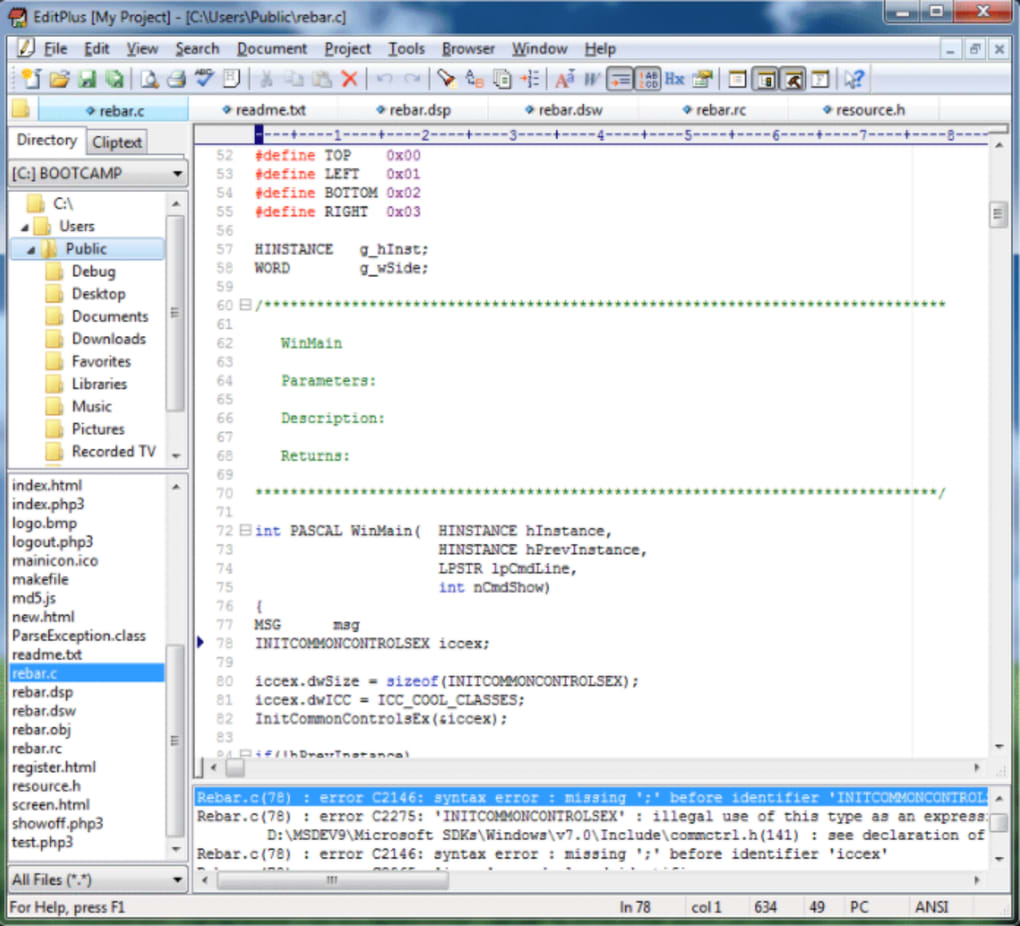
One of EditPlus’s standout features is its comprehensive syntax highlighting. Supporting a wide range of programming languages, including HTML, CSS, PHP, ASP, Perl, C/C++, Java, JavaScript, VBScript, and many more, it allows developers to easily identify different code elements, improving readability and reducing errors. The syntax highlighting is not merely cosmetic; it’s customizable, allowing users to fine-tune the color schemes and styles to match their preferences and coding environments. This level of personalization is a significant advantage, catering to individual workflows and visual comfort.
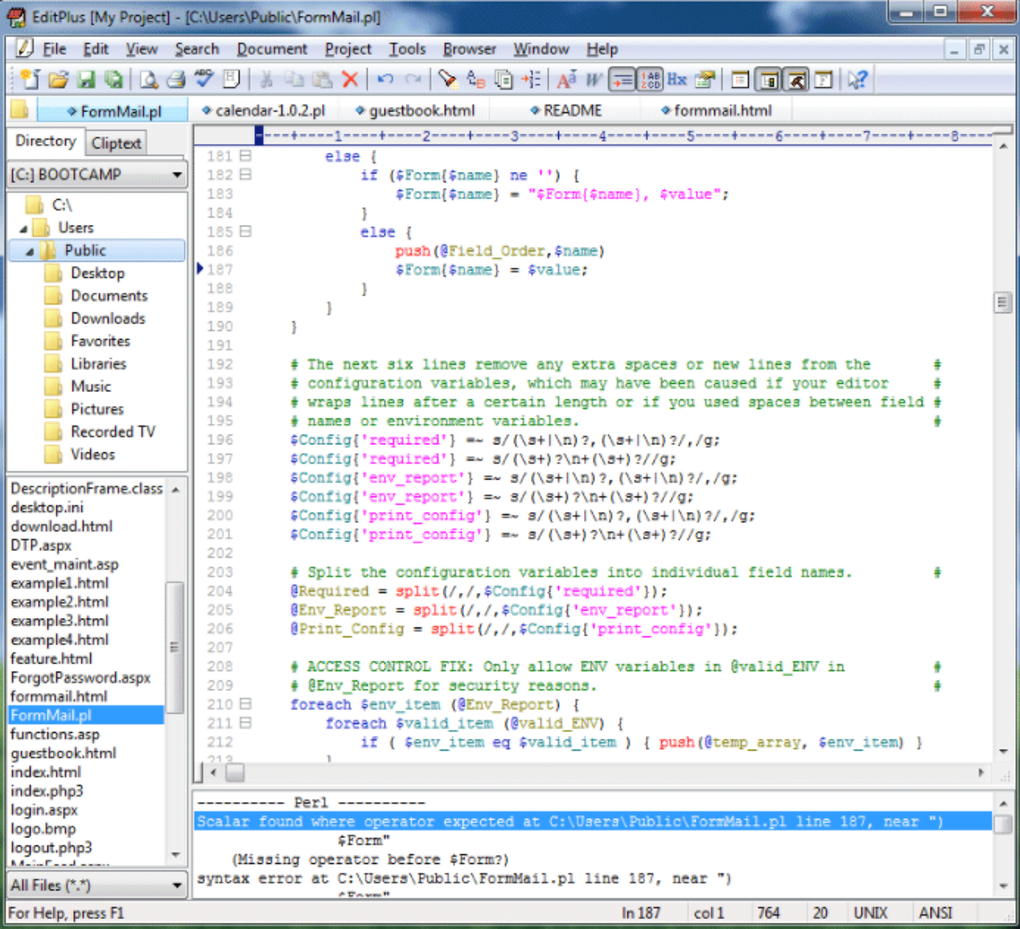
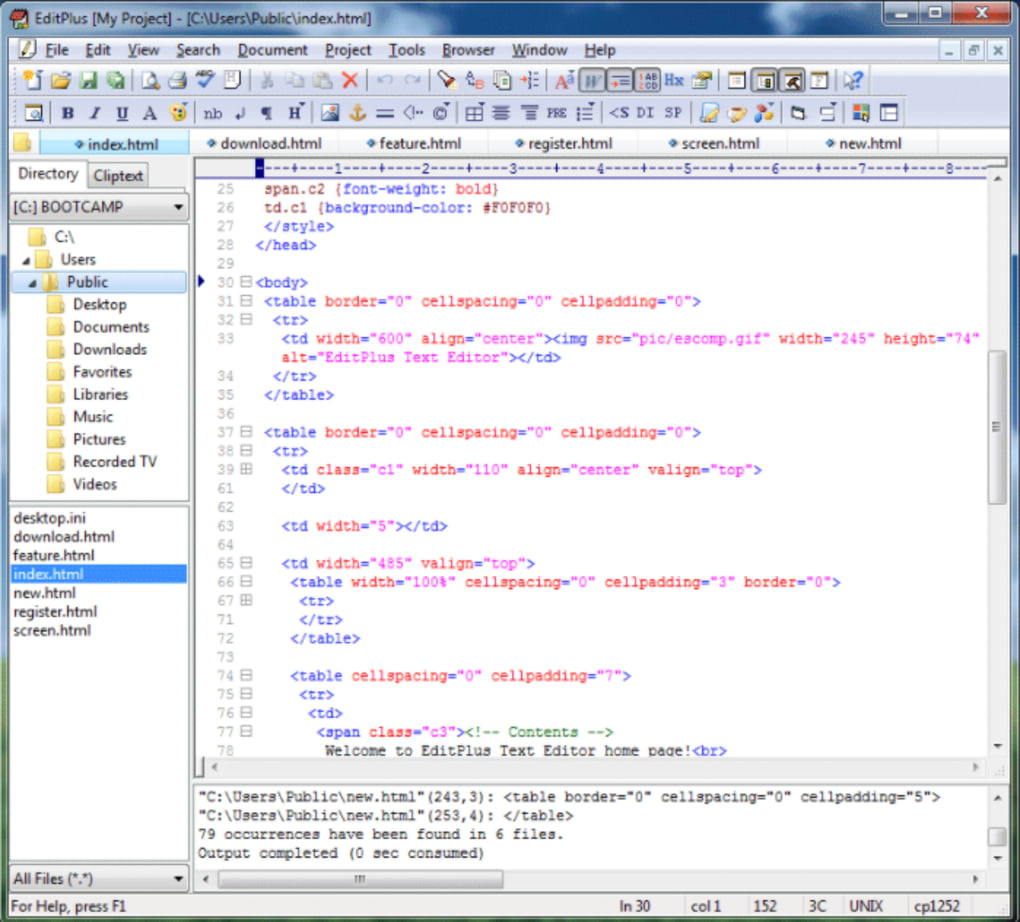
Beyond syntax highlighting, EditPlus offers an array of practical tools directly integrated into its interface. A built-in FTP client simplifies the process of uploading files to remote servers, streamlining web development workflows. Similarly, the integrated web browser allows users to preview HTML pages directly within the editor, minimizing the need to switch between applications. Although the browser relies on older rendering engines, it remains functional for basic HTML previewing. The Hex viewer allows for direct manipulation of binary files. These integrated tools, while not as sophisticated as standalone applications, provide significant convenience for everyday tasks.
Further enhancing productivity, EditPlus includes features such as:
- Auto-completion: Suggests code completions based on the current context, accelerating coding speed and minimizing typing errors.
- Multiple Undo/Redo: Allows for easy correction of mistakes, providing a safety net for complex editing tasks.
- Powerful Search and Replace: Offers extensive search options, including regular expressions, for efficient code manipulation and text processing.
- Column Selection: Enables users to select and edit multiple columns simultaneously, useful for tasks such as aligning code or manipulating tabular data.
- Macros: Allows users to automate repetitive tasks by recording and replaying sequences of keystrokes and commands.
- User Tools: Allows users to define and execute custom external tools, seamlessly integrating EditPlus with other development utilities.
- Spell Checker: Helps users maintain accuracy in their written content, improving the quality of documentation and comments.
- Customizable Shortcuts: Users can assign their own keyboard shortcuts for frequently used commands, enhancing their efficiency.
These features contribute to a rich and versatile editing experience, making EditPlus a powerful tool for managing and manipulating diverse types of text and code.
Limitations and Considerations: Where EditPlus Falls Short
Despite its numerous strengths, EditPlus is not without its shortcomings. One significant limitation is its exclusive availability for Windows. Users of macOS, Linux, or other operating systems cannot leverage its functionality. This platform restriction significantly limits its broader appeal, particularly in a development landscape increasingly embracing cross-platform tools.
Another drawback is the lack of advanced IDE features commonly found in more comprehensive development environments. EditPlus lacks integrated debugging capabilities, making the identification and resolution of complex code errors more challenging. Similarly, it lacks sophisticated project management tools typically integrated into IDEs. For larger, more complex projects, this absence might hinder overall development workflow. These limitations may not be critical for small-scale projects or individual developers working on simpler tasks, but they become more significant when working with substantial codebases or collaborative teams.
The integrated web browser, while convenient for basic previewing, suffers from its reliance on older rendering engines. This can lead to inaccurate rendering of modern web pages with advanced CSS or JavaScript features. This limitation should be considered by web developers who need accurate previewing capabilities for their projects, necessitating the use of a dedicated and up-to-date browser for thorough testing and verification.
Comparing EditPlus to Alternatives: Finding the Right Tool for the Job
The market offers a plethora of text editors and IDEs, each catering to specific needs and preferences. Comparing EditPlus to its competitors reveals both its strengths and weaknesses in the larger context.
Compared to lightweight editors such as Notepad++, EditPlus offers a more feature-rich experience with its integrated FTP client and web browser. However, Notepad++ boasts broader platform support and a vibrant community, providing extensive support and plugin options. Sublime Text, a commercially licensed editor, offers superior performance and a more polished user experience, but comes at a cost. IDEs such as Visual Studio Code or Eclipse provide much more extensive functionality, including debugging and project management capabilities, but are considerably more resource-intensive.
The choice between EditPlus and these alternatives ultimately depends on the specific requirements of the user. For users who need a powerful yet lightweight Windows-based editor with extensive customization options, EditPlus could be an excellent choice. However, those requiring advanced debugging, cross-platform compatibility, or superior performance might find more suitable options in competing alternatives.
Conclusion: A Solid Choice for Specific Use Cases
EditPlus remains a relevant and valuable tool for a specific segment of users. Its combination of features, customizability, and lightweight nature make it a strong contender for users needing a robust text and code editor primarily for Windows systems. Its strengths lie in its versatile syntax highlighting, integrated FTP client and web browser, and broad feature set. However, its lack of advanced IDE functionalities, absence of cross-platform support, and limitations in its integrated browser should be carefully considered before selection. Ultimately, EditPlus’s value hinges on the user’s specific requirements and expectations; for the right users, it remains a solid, reliable, and productive choice.
File Information
- License: “Trial version”
- Latest update: “June 23, 2025”
- Platform: “Windows”
- OS: “Windows 10”
- Language: “English”
- Downloads: “293.1K”
- Size: “2.90 MB”


