
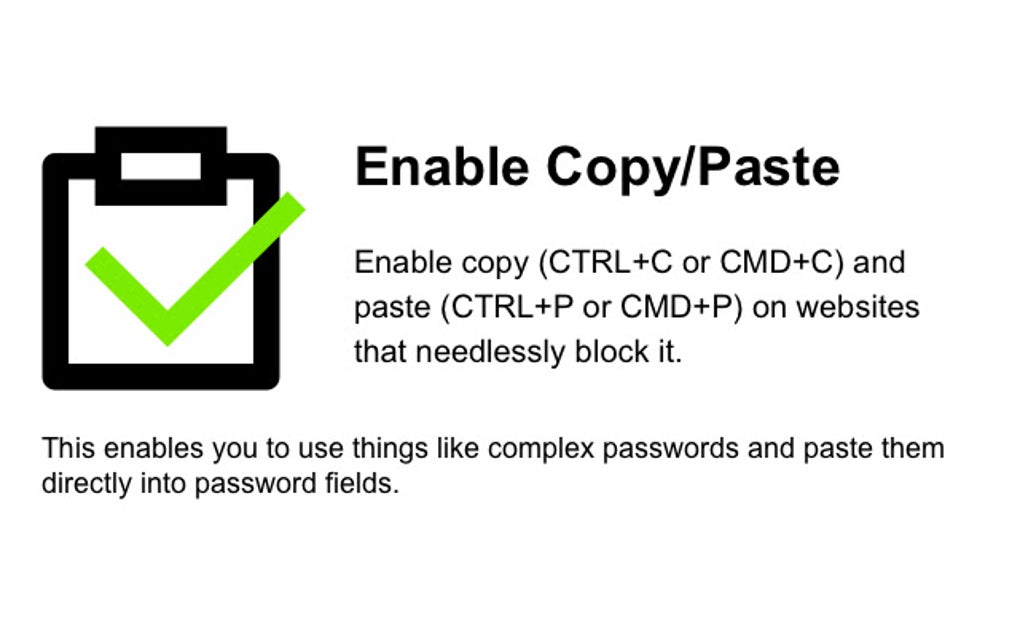
In today’s digital world, the ability to copy and paste text is fundamental to efficient online interaction. However, some websites, for various reasons, restrict this essential functionality, hindering productivity and user experience. Enable Copy/Paste, a free Chrome extension developed by dominicfallows, provides a simple yet powerful solution to this problem, allowing users to bypass these restrictions and seamlessly copy and paste text as intended. This extension effectively empowers users to regain control over their online experience, eliminating the frustration of encountering websites that unnecessarily block this basic functionality.
Apps, Games, and Beyond: Where Enable Copy/Paste Shines
While primarily designed as a browser extension for Google Chrome, the impact of Enable Copy/Paste extends beyond simple text manipulation. Its usefulness permeates various digital activities, significantly improving the user experience across a wide range of applications.
Imagine navigating a complex online game, needing to quickly reference a strategy guide or forum post. With restrictive websites blocking copy and paste, this simple task becomes tedious and time-consuming. Enable Copy/Paste seamlessly removes this obstacle, allowing for effortless access and application of external resources, enriching the gaming experience and potentially enhancing performance.
Similarly, in the realm of productivity apps and software, Enable Copy/Paste provides crucial assistance. Many applications involve transferring data between various platforms, and the restriction of copy-paste functions can severely impede this process. This extension ensures a smooth workflow by enabling quick and easy data transfer, increasing efficiency and saving valuable time.
The implications of Enable Copy/Paste are especially noticeable in research-heavy activities. Researchers often need to gather information from numerous websites, and the inability to copy and paste text can dramatically slow down the research process. With this extension, researchers can gather and organize data far more effectively, significantly improving productivity and speeding up the entire research lifecycle.
Even in seemingly unrelated areas like e-commerce, the benefits of Enable Copy/Paste become apparent. Imagine needing to compare prices from different websites. The inability to copy and paste product specifications or details can make this process incredibly cumbersome. Enable Copy/Paste eliminates this hassle, allowing for quick and accurate price and product comparison.
News and Information: Unlocking Seamless Access
Accessing and processing information is paramount in today’s fast-paced world. News websites, academic journals, and informational portals often contain valuable data that users need to access and utilize. However, many websites implement copy-paste restrictions, limiting users’ ability to save, share, or analyze the information they find.
Enable Copy/Paste elegantly solves this problem by restoring the basic functionality of copy and pasting. This enables users to seamlessly collect information from various sources, compile research materials, or simply share interesting articles with others. The ease and speed enabled by the extension greatly contribute to efficient information gathering and dissemination.
The impact of Enable Copy/Paste on news consumption is particularly noteworthy. Users can now effortlessly collect specific information from different news articles, compare viewpoints, or save relevant pieces of information for later review. This ability to freely manage and organize information enhances the entire news consumption experience, making it more efficient and enriching.
For Business: Boosting Productivity and Security
In a business context, the ability to copy and paste information is crucial for numerous tasks, ranging from data entry and report compilation to research and communication. Website restrictions on copy-paste functionality can significantly impede workflow and reduce overall productivity.
Enable Copy/Paste is a valuable asset for businesses of all sizes. It streamlines data entry, facilitating the quick transfer of information between various systems and platforms. This results in time savings and a reduction in errors associated with manual data entry.
Furthermore, Enable Copy/Paste enhances security by facilitating the use of complex passwords. Many websites restrict pasting into password fields, forcing users to manually type in lengthy and intricate passwords, increasing the risk of errors and potentially compromising security. Enable Copy/Paste overcomes this limitation, allowing users to paste complex passwords safely and efficiently, thus enhancing security protocols without compromising convenience. This is especially important for businesses handling sensitive information.
The ability to quickly share and transfer crucial data between colleagues is also significantly improved with Enable Copy/Paste. This ensures seamless collaboration and facilitates efficient communication, both internally within the organization and externally with clients and partners. The enhanced workflow contributes to a more efficient and productive work environment.
Browsers and Google Chrome: A Seamless Integration
Enable Copy/Paste is specifically designed as a Google Chrome extension, offering seamless integration with the widely popular browser. Its simple installation and intuitive interface ensure a user-friendly experience, requiring no technical expertise or complex configuration. The extension works unobtrusively in the background, seamlessly enabling copy and paste functionality on any website that restricts it, without interfering with other browser functions or extensions.
The extension’s effectiveness lies in its simplicity. It doesn’t require any complicated settings or configurations. Users can install it and immediately begin enjoying the restored copy-paste functionality, making it an accessible tool for both novice and experienced users. This ease of use contributes to its widespread applicability and user-friendliness.
Its compatibility with Google Chrome, the dominant browser for many users, broadens its reach and impact. This ensures that a large user base can benefit from its functionality, addressing a common frustration across a wide range of online activities.
Google Chrome Specifics and User Experience
The Enable Copy/Paste Chrome extension boasts a 4.1-star rating (based on the provided information) indicating a generally positive user experience. While user reviews are absent in the provided text, the high rating suggests that the extension consistently delivers on its promise of restoring copy-paste functionality effectively and without introducing significant complications.
The extension’s free availability further enhances its accessibility and appeal to a wider user base. The lack of any cost barrier removes a potential obstacle to adoption, making it a practical solution for users seeking to overcome website restrictions on copy-paste functionality. This free access contributes to its overall value proposition and makes it a worthwhile addition for any Chrome user.
The extension’s small size and minimal resource consumption ensure that it doesn’t negatively impact browser performance. This allows users to utilize the extension without experiencing any noticeable slowdown or performance degradation in their browsing experience. This efficient design contributes to its overall user-friendliness and widespread adoption.
In conclusion, Enable Copy/Paste is a valuable tool for anyone frustrated by websites that restrict copy-paste functionality. Its simple design, effective functionality, and free availability make it a highly recommended extension for enhancing the online experience across a vast range of applications, from gaming and research to business and casual browsing. The extension restores a basic yet crucial function, significantly improving productivity, security, and overall user satisfaction.
File Information
- License: “Free”
- Version: “1.0”
- Latest update: “March 8, 2024”
- Platform: “chrome”
- Downloads: “5.7K”


