
Episode Downloader, a Windows-based application, promises to simplify the process of finding and downloading TV episodes from the internet. However, its functionality and effectiveness are far more nuanced than its initial marketing suggests. While it offers a range of features, from basic search capabilities to media conversion tools, its practical application is hampered by several key limitations. This review will delve into its strengths and weaknesses, offering a balanced perspective on its overall utility.
Searching and Downloading Episodes: A Hit-and-Miss Affair
The core function of Episode Downloader revolves around its search engine. Users input keywords related to their desired TV show, and the software searches across various online sources. This initial search process is relatively quick, a definite advantage over manual searches. However, the quality and legality of the results are a significant concern. A considerable portion of the search results consist of fan-made videos, low-quality recordings, or, in many cases, pirated content. This significantly diminishes the software’s usefulness for users seeking legitimate, high-quality episodes. The chances of locating a full, high-definition episode of a popular television show are slim. The search algorithm itself lacks sophistication; there’s no advanced filtering, sorting, or organization of results based on quality, resolution, or source reliability. This makes the search process tedious and frustrating, often requiring multiple searches and evaluations of questionable sources.
The ability to download multiple videos concurrently is a positive feature, enhancing efficiency for users who successfully identify multiple suitable download sources. However, this benefit is significantly undermined by the overall low quality of the search results. Downloading multiple low-quality, possibly illegal videos hardly mitigates the core problem.
Beyond Basic Downloads: Media Conversion and Editing Tools
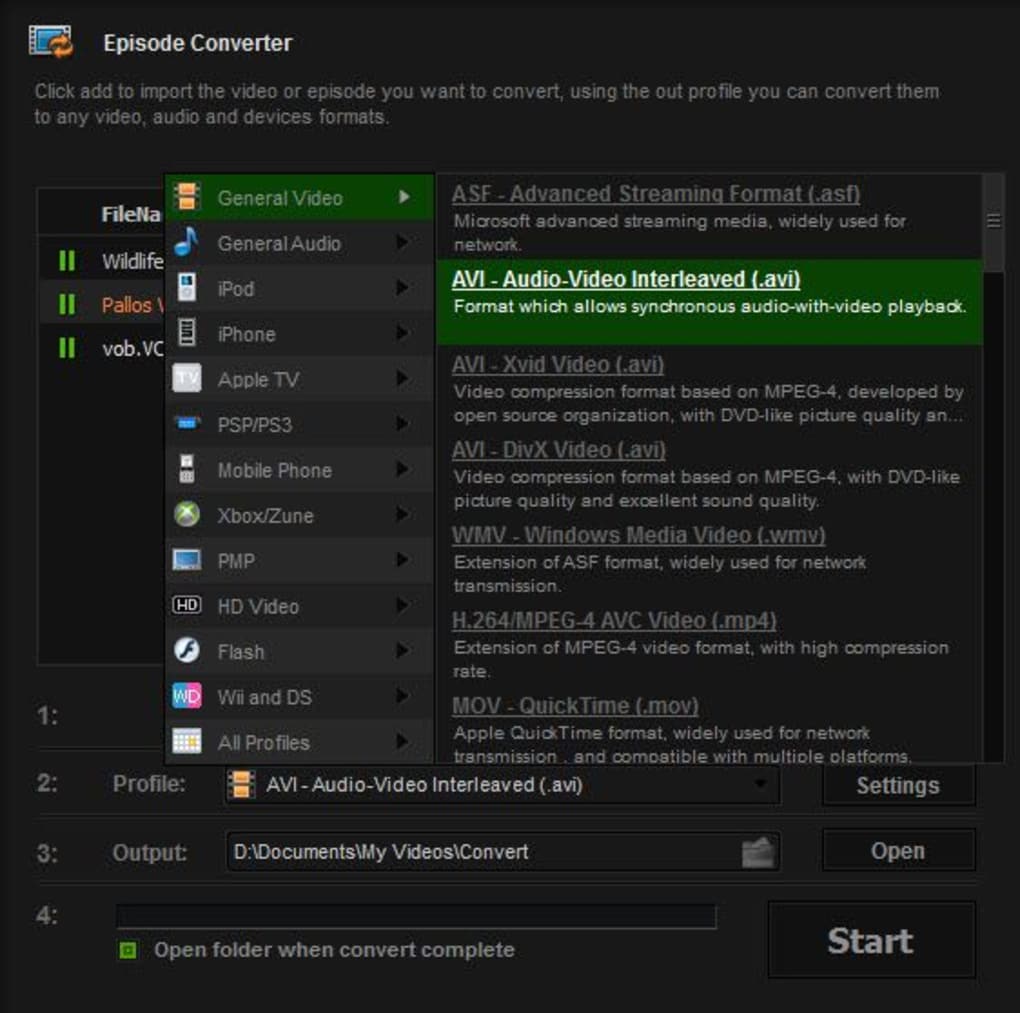
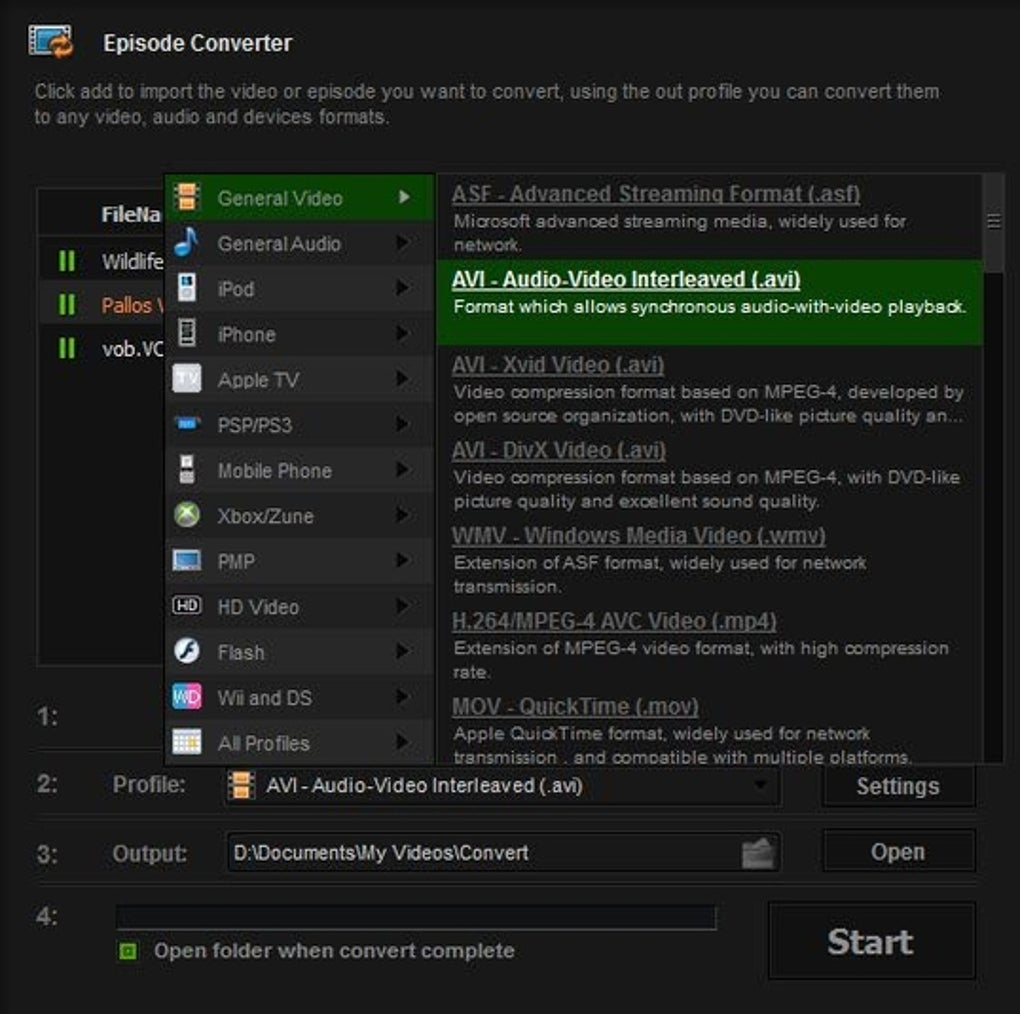
Episode Downloader extends beyond simply downloading videos; it incorporates a media converter that enables users to transform video files into various formats compatible with different devices. This is particularly useful for users who have downloaded videos that are incompatible with their preferred playback devices (e.g., smartphones, tablets, older media players). The conversion process is generally straightforward, though the speed depends on the size of the file and the chosen output format.
The program also includes rudimentary video editing capabilities, such as trimming and cropping. These tools are basic but functional, allowing for minor adjustments to downloaded videos. These editing functions, however, are unlikely to meet the demands of serious video editors, as they lack the advanced features found in professional software.
Live TV Recording: A Premium Feature with Limitations
One of the more intriguing features is the ability to record live TV streams. This capability allows users to download videos streaming live from various websites. However, access to this feature is restricted to the full, paid version of the software. This limits its appeal to users unwilling to pay for a feature that might only work with a limited range of streaming platforms and might be unreliable due to DRM (Digital Rights Management) restrictions on some sites.
The success rate of live streaming recordings is another critical factor to consider. The software’s ability to successfully capture and download streams is dependent on various factors, including the streaming website’s structure, the presence of DRM, and the internet connection’s stability. A stable high-speed connection is crucial; interruptions can lead to incomplete recordings or corrupted files.
User Experience and Interface: Room for Improvement
The user interface (UI) of Episode Downloader is relatively simple and straightforward, which is an advantage for users unfamiliar with complex video download and editing tools. The interface is intuitive, allowing for relatively easy navigation and access to the various functionalities. However, it lacks some of the polish and refined design found in more established media management software. The visual appeal is not particularly noteworthy, and some elements of the interface could benefit from a redesign to improve overall usability and user experience.
The lack of sophisticated search filtering and sorting capabilities, as discussed earlier, detracts significantly from the overall user experience. Finding specific episodes within the results requires considerable manual effort, negating the convenience the software promises. More advanced features, like scheduling downloads or automatically converting videos to specific formats, would significantly enhance the user experience and overall functionality.
Legal and Ethical Concerns: A Significant Drawback
The significant reliance on potentially illegal sources for video content raises significant legal and ethical concerns. Many of the search results lead to websites hosting pirated content, which is a violation of copyright laws in most countries. Users should be extremely cautious when using this software and should always ensure that the content they download is legally obtained. Downloading and distributing copyrighted material without permission carries potential legal ramifications, including substantial fines and legal action. Users need to understand and respect copyright laws to avoid legal trouble.
Comparison with Alternative Software
Episode Downloader occupies a niche in the market; however, several alternative applications offer similar functionalities with potentially fewer drawbacks. Some free and open-source media players and download managers provide more reliable and legal access to online video content. Furthermore, specialized video editing software offers more comprehensive tools for video conversion and editing. Comparing Episode Downloader to these alternatives often reveals its limitations in terms of search capabilities, content quality, and overall user experience.
Conclusion: A Mixed Bag
Episode Downloader presents a mixed bag. Its capacity for quick searches and multiple downloads is attractive, and its inclusion of media conversion and basic editing features adds to its versatility. However, the significant drawback of relying heavily on potentially illegal sources and the low quality of many of the results severely limits its practical application for most users. The lack of sophisticated search tools and the restriction of the live TV recording feature to the paid version further diminish its overall appeal. While Episode Downloader might appeal to users with specific, limited needs and a tolerance for unreliable results, the risks associated with downloading pirated content, coupled with its other shortcomings, make it a less appealing option compared to more robust, reliable, and legally sound alternatives. Users should carefully weigh the potential risks and benefits before employing this software and prioritize the use of legitimate and legal video sources.
File Information
- License: “Trial version”
- Version: “3.1.4”
- Latest update: “December 23, 2015”
- Platform: “Windows”
- OS: “Windows 8”
- Language: “English”
- Downloads: “39K”
- Size: “26.50 MB”


