
ePUB Reader for Windows is a free ebook reader designed for Windows operating systems. While offering a basic yet functional approach to reading ePUB files, it also includes a handy ePUB to PDF conversion feature, setting it apart from many other simple e-reader applications. This review delves into the software’s strengths and weaknesses, examining its user interface, functionality, and overall performance.
User Interface and Ease of Use
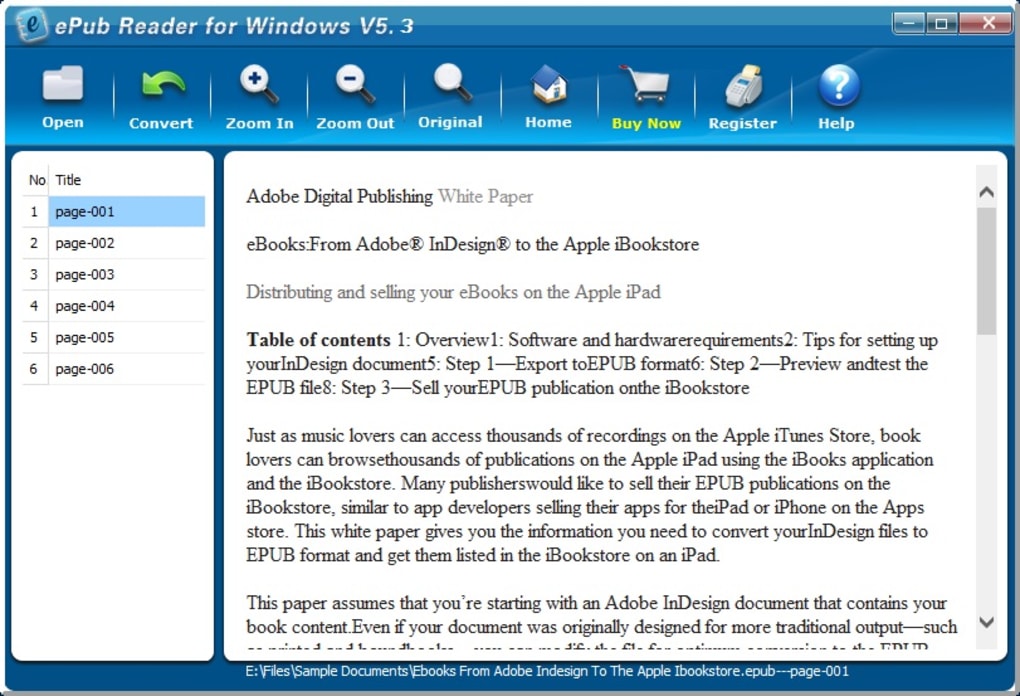
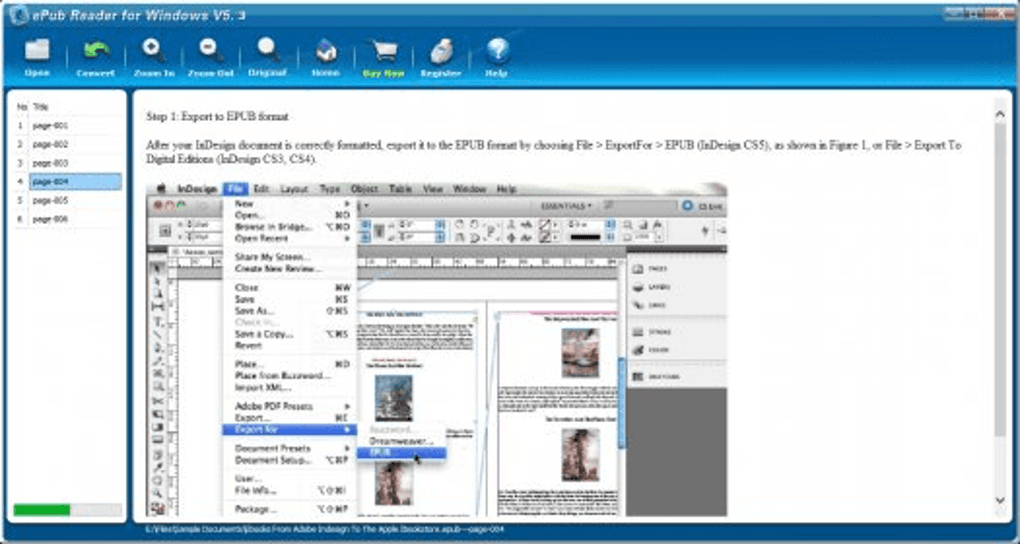
The ePUB Reader for Windows boasts a simple and clean interface, a significant advantage for users seeking straightforward functionality. The layout is intuitive, with clearly labeled buttons and a logical organization of tools. Upon opening an ePUB file, the navigation tools are neatly displayed on the left-hand side of the screen, while the book content dominates the larger right-hand pane. This arrangement maximizes screen real estate for reading, a thoughtful design choice for enhancing the reading experience.
The program’s simplicity extends to its usability. After installation, users can quickly open ePUB files with a simple double-click, eliminating the need for complex configuration or setup. The program instantly displays the content, making it incredibly accessible to users of all technical skill levels. The ability to adjust the size of the content window allows for customization based on individual preferences and screen sizes, further enhancing its accessibility.
Core Functionality: Reading and Converting ePUB Files
The primary function of ePUB Reader for Windows is, as its name suggests, reading ePUB files. The software handles this task competently, providing a smooth and responsive reading experience. Page scrolling is generally seamless, although, as noted later, the sensitivity of the scrolling mechanism could be refined. The quick load times and 400% zoom feature further contribute to the positive user experience, enabling users to easily adjust the text size for optimal readability. A well-organized table of contents, displayed prominently on the left-hand side, allows for easy navigation through chapters and sections, particularly beneficial in longer ebooks. This functionality greatly enhances the user’s ability to locate specific parts of the book quickly and efficiently.
Beyond simple reading, a key feature differentiating ePUB Reader from many competitors is its built-in ePUB to PDF conversion capability. This function allows users to convert their ePUB ebooks into PDF format with a single button click, simplifying the sharing of documents via email or other methods. While the conversion process is quick and straightforward, it’s important to note a limitation: the converted PDFs may exhibit lower quality, often appearing blurry with jagged edges. This reduction in visual fidelity is a trade-off for the convenience of having this feature built-in. Most ebook readers do not offer this functionality, making it a notable addition despite the quality compromise.
The EPUB format itself is a crucial element in understanding the software’s capabilities. EPUB, or Electronic Publication, is an open standard designed for reflowable content. This means the text adapts to different screen sizes and resolutions, ensuring optimal readability across various devices. The ePUB Reader for Windows leverages this inherent adaptability, offering a flexible reading experience across different screen configurations.
Navigation and Potential Improvements
While the ePUB Reader for Windows offers a user-friendly experience, several aspects of its navigation could benefit from improvement. The current method of page selection, relying solely on clicking individual entries in the table of contents, can prove tedious for longer ebooks. The lack of a search function limits the ability to quickly find specific text within the book. A simple search bar would significantly enhance navigation, especially for users who need to locate specific information within lengthy documents.
Furthermore, the sensitivity of the scroll function is a point of contention for some users. While smooth scrolling is generally positive, the sensitivity might be perceived as excessive, requiring more precise control. Adjusting the scroll speed or implementing different scrolling modes (e.g., page-by-page versus continuous scrolling) would provide users with more control and personalization options.
Comparison with Alternative ePUB Readers
The market is saturated with ePUB readers, both free and paid, each with its own strengths and weaknesses. ePUB Reader for Windows distinguishes itself with its simplicity and integrated PDF conversion feature. However, dedicated e-reader software often offers more advanced features such as annotation tools, dictionary integration, adjustable font styles and sizes beyond a simple zoom function, and more sophisticated navigation options. For instance, popular alternatives like Kindle, Adobe Digital Editions, or Calibre provide a wider array of features, but often at the expense of a more streamlined, user-friendly interface. The choice depends on individual needs and priorities. If the primary need is simply to read ePUBs and convert them to PDF occasionally, the ePUB Reader for Windows might be sufficient. However, if advanced features and a rich reading experience are prioritized, dedicated and feature-rich alternatives would be a better choice.
Conclusion: An Acceptable, If Limited, ePUB Reader
ePUB Reader for Windows is a competent ePUB reader that fulfills its core function efficiently. Its straightforward interface and ease of use are undeniable advantages. The integrated PDF conversion, though resulting in lower-quality outputs, is a valuable addition for users who frequently need to share their ebooks in PDF format. The software’s simplicity and quick loading times make it a good choice for casual users who prioritize ease of use over extensive features.
However, the limitations in navigation, particularly the absence of a search function and the occasionally overly sensitive scrolling, detract from the overall experience. These shortcomings could be addressed through future updates, enhancing its usability and appeal to a wider range of users. For users needing advanced features or a more polished navigation system, more feature-rich alternatives should be considered. Ultimately, the effectiveness of ePUB Reader for Windows hinges on the user’s priorities. If simplicity and basic functionality are prioritized, this free reader provides a satisfactory experience.
File Information
- License: “Trial version”
- Latest update: “July 11, 2023”
- Platform: “Windows”
- OS: “Windows 2000”
- Language: “English”
- Downloads: “1.6M”
- Size: “1.12 MB”


