
Equalify is a standalone application designed to augment the popular music streaming service, Spotify, by adding a much-requested feature: a 10-band equalizer. For users who crave greater control over their audio experience, Equalify provides a seamless and intuitive way to fine-tune their sound, transforming their Spotify listening sessions. This detailed review will explore Equalify’s functionality, ease of use, pros and cons, and its overall value proposition for Spotify users.
Seamless Integration and Intuitive Design
Equalify’s strength lies in its effortless integration with Spotify. Once installed (requiring a closed Spotify instance and potentially a system restart), a new button subtly appears within the Spotify interface, typically near the search bar. This button acts as a gateway to Equalify’s core functionality. The minimalist design avoids overwhelming the user with complex settings or convoluted menus. This clean approach ensures a smooth, distraction-free user experience, allowing listeners to focus on adjusting their audio preferences without any unnecessary technical hurdles.
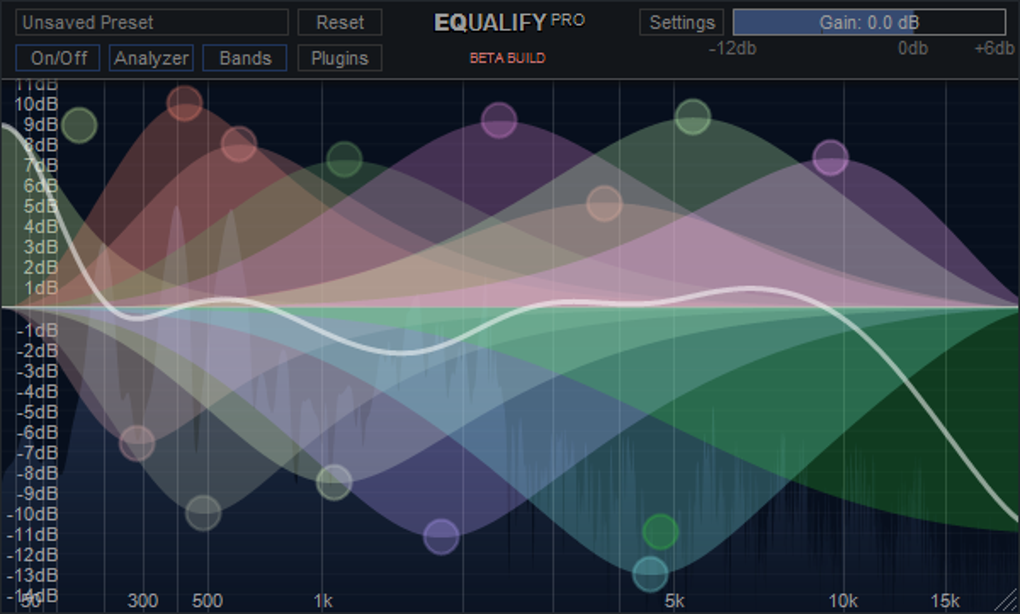
The equalizer itself features ten distinct frequency bands, offering a substantial level of granularity for precise sound adjustments. Users can manipulate each band individually, boosting or cutting frequencies to their liking. This allows for considerable customization, catering to individual preferences and diverse audio profiles. Whether you seek to emphasize bass frequencies for a richer, fuller sound, enhance mid-range clarity for vocal prominence, or brighten the treble for increased detail, Equalify provides the tools to achieve your desired sonic landscape.
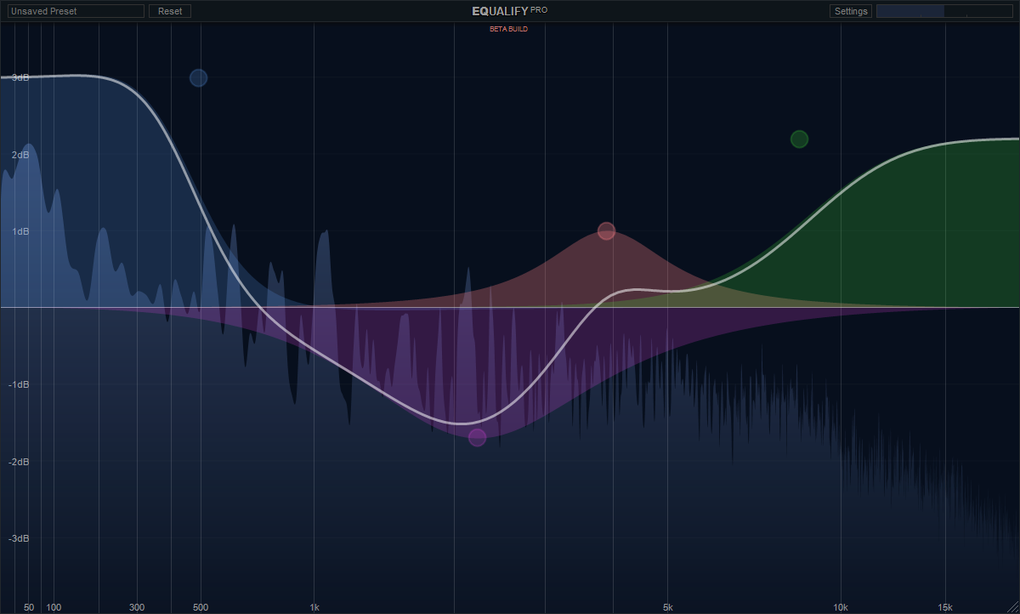
Beyond the immediate control of individual frequency bands, Equalify offers a valuable preset saving feature. Users can save their meticulously crafted equalizer settings, allowing them to quickly recall their preferred audio profiles for various musical genres, moods, or listening environments. This eliminates the need to repeatedly adjust the equalizer each time a user switches between different musical preferences.
Functionality and User Experience: A Detailed Examination
Equalify’s core functionality revolves around its ten-band equalizer. This provides a significant advantage over many other music players that either lack an equalizer entirely or offer a limited, less precise version. The ability to finely adjust individual frequency bands empowers users to shape the sound to their exact tastes. This level of control is especially beneficial for users who are sensitive to specific frequency ranges or who have particular preferences regarding the balance of their audio output.
The installation process, while requiring a closed Spotify instance, is relatively straightforward. Instructions typically recommend installing Equalify in the same directory as the Spotify application. Post-installation, the integration is nearly seamless, with the equalizer button unobtrusively situated within the Spotify interface. This integration underscores Equalify’s commitment to a non-intrusive, user-friendly experience.
While Equalify shines in its simplicity and ease of use, one minor drawback is the lack of pre-loaded presets. Users must create their own equalizer settings from scratch. While this allows for complete customization, it may be slightly inconvenient for new users who are unfamiliar with equalizer settings or who prefer a quicker method of achieving their desired sound. The absence of pre-configured settings for common genres (e.g., rock, pop, classical) could be considered a missed opportunity for enhancing the user experience, particularly for less technically inclined users.
Advantages and Disadvantages: A Balanced Perspective
Pros:
- Seamless Spotify Integration: The unobtrusive integration of Equalify into the Spotify interface enhances the overall user experience, making the equalizer accessible without cluttering the main application.
- Ten-Band Equalizer: The ten-band equalizer provides a significant level of precision, enabling fine-grained adjustments to the audio frequencies. This offers users greater control over their listening experience than systems with fewer bands.
- Preset Saving: The ability to save custom equalizer presets is a valuable feature, streamlining the process of switching between different sound profiles tailored to different music genres or listening situations.
- Easy to Use: Equalify boasts an intuitive interface, free from unnecessary complexity. This user-friendly design makes the application accessible to a wide range of users, regardless of their technical expertise.
Cons:
- Lack of Presets: The absence of pre-loaded equalizer presets may prove slightly inconvenient for new users who are unfamiliar with equalizer configurations. The need to create custom settings from scratch might deter less technically inclined individuals.
- Potential for System Restart: Although the installation process is generally straightforward, a system restart may be required in some cases, slightly increasing the overall setup time.
- Spotify Dependency: Equalify is inherently tied to Spotify. Users who don’t utilize Spotify will not find this application useful.
Comparing Equalify to Alternative Solutions
Several alternative audio enhancement tools and equalizer applications exist for Windows, many of which offer a broader range of features beyond basic equalization. However, Equalify distinguishes itself through its streamlined integration with Spotify, focusing specifically on enhancing the Spotify listening experience. Other equalizers might offer more advanced features like parametric equalization, but they often lack the seamless integration with Spotify that Equalify provides.
The choice between Equalify and alternative solutions ultimately depends on the individual user’s priorities. If seamless Spotify integration and a simple, intuitive equalizer are paramount, Equalify is a strong contender. However, users who require more advanced equalization features or who utilize other music players might find more comprehensive solutions more suitable.
Conclusion: A Valuable Addition for Spotify Users
Equalify effectively addresses a significant gap in Spotify’s functionality by providing a user-friendly, well-integrated 10-band equalizer. Its simplicity and ease of use make it accessible to both novice and experienced users, while its precision control over audio frequencies provides a satisfying level of customization. While the lack of pre-loaded presets represents a minor drawback, the overall benefits of seamless integration and precise sound control outweigh this limitation for many Spotify users. For those seeking a simple yet effective way to enhance their Spotify listening experience, Equalify presents a compelling and valuable solution.
File Information
- License: “Full”
- Latest update: “December 14, 2023”
- Platform: “Windows”
- OS: “Windows 7”
- Language: “English”
- Downloads: “130.9K”
- Size: “1.40 MB”


