
Everest Home Edition, a free system information utility, once offered a robust way to diagnose and understand your home computer’s hardware and software components. While discontinued by its developers, it remains a functional tool for those seeking a straightforward, portable solution for basic system diagnostics. This review will explore its strengths and weaknesses in the context of today’s computing landscape.
What Everest Home Edition Offers
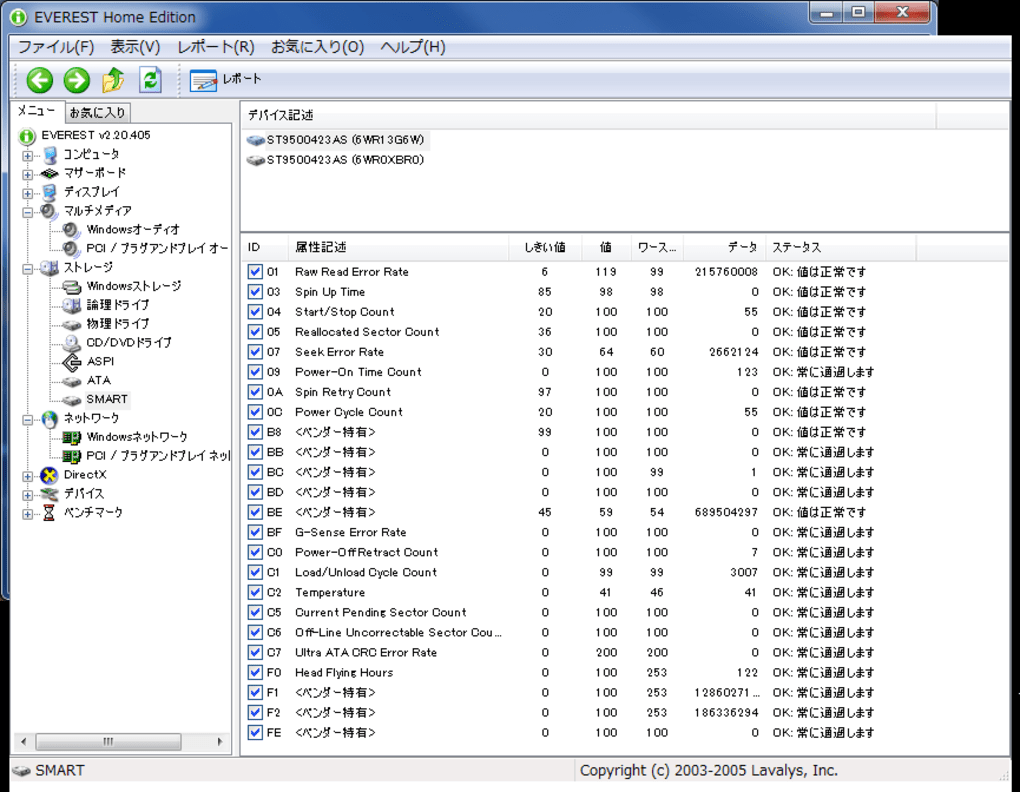
Everest Home Edition, developed by Lavalys, Inc., provided a comprehensive scan of a PC’s hardware configuration. This included detailed information about the CPU, RAM, motherboard, storage devices (HDDs and SSDs), graphics cards, network adapters, and other peripherals. Beyond hardware specifics, it also offered insights into software installations, operating system details, and even the status of connected devices. The program’s strength lay in its ability to present this vast amount of information in a clear, organized manner, easily accessible through a user-friendly interface. Users could generate customized reports, capturing their system’s specifications for record-keeping or troubleshooting purposes.
One of the key advantages of Everest Home Edition was its portability. Unlike many system information utilities requiring installation, Everest was fully portable, meaning it could run directly from a USB drive or other external storage, making it ideal for troubleshooting computers without administrative privileges or for those who preferred to keep their systems clean of installed programs. Its quick scan time was another notable feature, providing users with a rapid overview of their system’s configuration without extensive delays.
Limitations and Drawbacks of Everest Home Edition
Despite its former popularity and functionality, Everest Home Edition suffers from several significant drawbacks in the current technological climate. Firstly, the most crucial disadvantage is that it is no longer actively supported or updated by its developers. This means that it will likely fail to recognize many newer hardware components, rendering its diagnostics incomplete or inaccurate for modern PCs equipped with the latest technology. The lack of updates also eliminates the possibility of security patches or bug fixes, potentially leaving users vulnerable to unforeseen issues.
Furthermore, the absence of ongoing development prevents the addition of new features or improvements to the software. While its basic functionality remains intact, it lacks the advanced features found in contemporary system information tools. Modern utilities often include benchmarking capabilities, stress testing functions, detailed sensor monitoring, and more sophisticated reporting options – capabilities absent from Everest Home Edition. It simply doesn’t match the depth and breadth of information provided by newer alternatives.
In comparison to current alternatives, Everest Home Edition appears less detailed in its reporting. While it provided a solid overview of system components, modern tools often provide deeper levels of information, including detailed specifications, driver versions, and performance metrics that allow for more in-depth analysis and troubleshooting.
Alternatives to Everest Home Edition
Given the limitations of Everest Home Edition, several modern alternatives offer superior functionality and ongoing support. Some popular options include:
- AIDA64: A widely respected and comprehensive system information tool offering detailed hardware diagnostics, benchmark testing, sensor monitoring, and advanced reporting capabilities. AIDA64 is a paid program, but it provides an extensive feature set that justifies the cost for many users, particularly system administrators and enthusiasts.
-
HWiNFO: A free, open-source alternative providing detailed system information and sensor monitoring. While not as visually appealing as some commercial options, it offers a high level of detail and is constantly updated to support the latest hardware.
-
Speccy: A free utility from the creators of CCleaner, Speccy provides a user-friendly interface and detailed information about a system’s hardware and software configuration. It offers a clean interface and is relatively simple to use.
-
Sisoft Sandra: Another veteran system information utility, Sisoft Sandra (or simply Sandra) provides comprehensive diagnostics and benchmarking tools. It is a paid application, but it offers a wide array of tools for system analysis and benchmarking.
These alternatives offer up-to-date support, compatibility with modern hardware, advanced features, and ongoing development—all features lacking in the discontinued Everest Home Edition.
Is Everest Home Edition Still Relevant?
The question of Everest Home Edition’s relevance in today’s computing environment is complex. For users with older systems and a need for basic system information, it might still serve a purpose. Its portability and ease of use remain attractive features, and its simple approach might be preferable for individuals who don’t need advanced diagnostics or benchmarking tools. However, its lack of updates and potential incompatibility with newer hardware strongly suggest that it is not the ideal choice for most users.
The absence of manufacturer support introduces significant risks. While the program might function correctly on some systems, there’s no guarantee of compatibility, security, or accuracy with modern systems. Using a discontinued program also limits access to community support and troubleshooting resources, making it more challenging to resolve potential problems.
Conclusion: Moving On From Everest Home Edition
While Everest Home Edition served as a valuable tool in its time, its discontinuation renders it less effective and potentially risky compared to modern alternatives. The lack of updates, limited compatibility with current hardware, and absence of advanced features make it a less-than-ideal solution for most users. The potential security vulnerabilities associated with unsupported software further underscore the need to consider more current and supported system information utilities. For the vast majority of users, investing time in exploring and utilizing the modern alternatives outlined above will provide a more robust, reliable, and secure solution for understanding their system’s configuration. The benefits of ongoing support, compatibility with modern hardware, and access to a wider range of features significantly outweigh the convenience of using a discontinued program like Everest Home Edition. Moving on to a supported alternative is the recommended course of action for anyone seeking detailed and accurate system information in 2024 and beyond.
File Information
- License: “Free”
- Version: “2.20”
- Latest update: “May 24, 2023”
- Platform: “Windows”
- OS: “Windows 2003”
- Language: “English”
- Downloads: “20.8K”
- Size: “4.18 MB”


