
ExaGear Windows Emulator is a paid Android application developed by Eltechs that aims to bring the functionality of a Windows operating system to mobile devices. This emulator allows users to run select Windows applications and games on their Android smartphones or tablets, providing access to a familiar desktop environment in a portable format. However, it’s crucial to understand the limitations and capabilities of this emulator before considering its purchase. This review will explore the software’s functionality, strengths, weaknesses, and overall suitability for different users.
Functionality and User Interface
ExaGear Windows Emulator operates on a principle similar to Wine, a popular open-source compatibility layer for running Windows applications on other operating systems. However, ExaGear goes a step further by incorporating an x86 emulator into a modified version of Wine, enabling it to run x86 Windows software on ARM-based Android devices. This is a significant technical achievement, allowing users to access Windows applications that wouldn’t otherwise be compatible with the Android architecture.
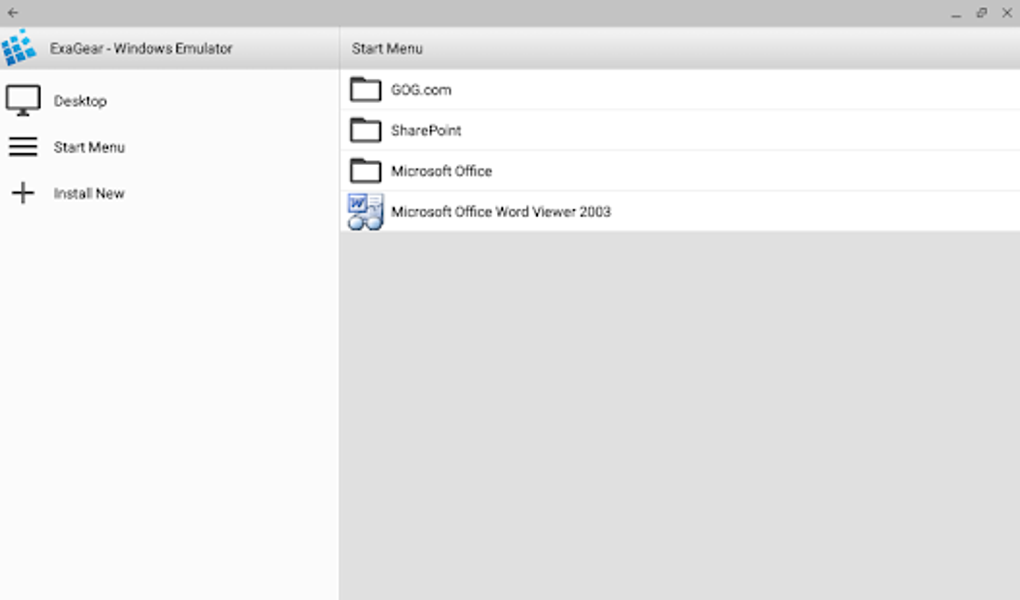
The user interface is relatively straightforward, although minimalistic. Unlike a full-fledged desktop environment, ExaGear presents a simplified interface designed for mobile usage. It merges all Start Menu items into a single, easily accessible screen, improving navigation compared to a traditional Windows experience scaled down to a smaller screen. A side menu provides shortcuts to essential functions, including the Desktop, the consolidated Start menu, the app installer, and a virtual container manager.
The virtual container manager allows users to manage individual application installations, similar to how Wine handles applications in separate virtual environments. This is important for isolating applications and preventing conflicts. Users can adjust various settings within the container manager, although the level of control is less extensive than what a full Wine configuration would offer.
Installation and Compatibility
ExaGear offers two primary methods for installing Windows applications. The first is to choose from a pre-defined list of supported applications. However, this list is notably limited and primarily features older games, including titles like Civilization III, StarCraft, and Fallout 2. This limited selection is a significant drawback, as many users will find their desired applications absent from this list.
The second method involves selecting an executable file (.EXE) from the device’s Downloads folder. This offers more flexibility but requires users to have already obtained the desired application installation files. It’s important to note that even with this approach, compatibility is not guaranteed. Most applications will likely require some degree of tweaking or configuration to function correctly within the emulator, and many applications might simply fail to run. Furthermore, users should be aware that many modern applications rely on features and system libraries not supported by this limited implementation of Wine, resulting in potential compatibility problems.
Limitations and Missing Features
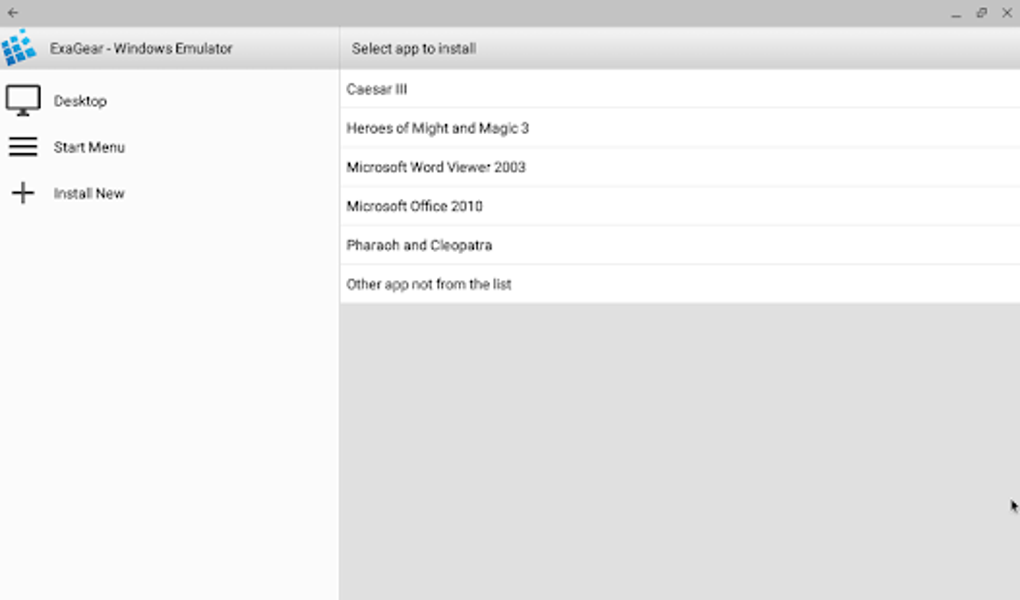
Despite its technical prowess, ExaGear suffers from several significant limitations that hinder its usability. The most prominent limitation is the extremely restricted compatibility. Beyond the small list of pre-installed games, the success of running additional applications is highly unpredictable. This makes the emulator significantly less versatile than a full-fledged Windows environment. The lack of a comprehensive list of supported applications limits its usefulness for many potential users.
Another significant drawback is the absence of crucial features found in full Windows environments. Users cannot change the emulated Windows version, a limitation that can severely restrict compatibility. Similarly, the inability to override Dynamic Link Libraries (DLLs) further reduces the range of compatible applications. The lack of options to mount ISO images as virtual D: drives prevents the installation of disc-based games, a critical omission for many classic PC game enthusiasts. The inability to install modern software restricts ExaGear’s functionality to a very narrow range of older programs.
Performance Considerations
The performance of ExaGear depends on the specifications of the Android device. Running Windows applications, even older ones, requires significant processing power and memory. Users should expect a noticeable performance decrease, especially when running resource-intensive applications or games. Lower-end devices might find that ExaGear struggles to run even less demanding applications smoothly. While ExaGear is a technically impressive achievement in running x86 Windows software on ARM devices, this is not a trivial task and the impact on performance is significant and noticeable.
Alternatives and Comparison
Several alternative solutions exist for running Windows applications on Android, each with its own set of strengths and weaknesses. Some solutions focus on cloud-based streaming, allowing users to access a remote Windows desktop via their mobile device. Other emulators, such as Bochs, offer broader compatibility but are often more complex to configure and potentially less performant. The choice of the best solution ultimately depends on the user’s specific needs and technical skills. A comparison against other emulators showcases ExaGear’s niche focus and its inherent limitations.
Should You Buy ExaGear Windows Emulator?
The decision to purchase ExaGear Windows Emulator depends entirely on the user’s needs and expectations. From a purely technical standpoint, it’s an impressive piece of software, successfully running x86 Windows applications on ARM architecture—a significant feat of engineering. However, its practical usability is severely hampered by the limited compatibility, the absence of key features, and the unpredictable performance.
Unless the user’s primary goal is to run a specific handful of older games already present on the pre-installed list, ExaGear is likely to be disappointing. The lack of widespread compatibility, the limited feature set, and the high price point make it a difficult recommendation for most users. The technical achievement doesn’t translate into a practical solution for the average user seeking broader Windows application compatibility on their Android device. Before purchasing, prospective users should carefully consider the limitations and weigh them against the limited benefits. The relatively high price coupled with the severe limitations makes this a niche product unlikely to satisfy most users’ expectations for a Windows emulator.
File Information
- License: “Full”
- Version: “3.0.1”
- Latest update: “July 11, 2023”
- Platform: “Android”
- OS: “Android 5.0”
- Language: “English”
- Downloads: “777.9K”
- Size: “242.94 MB”
- Download Options: “APK, Google Play”
- Filename: “ExaGear_Windows_Emulator_3.0.1.xapk”


