
Extreme Picture Finder is a Windows-based software application designed to simplify the process of downloading images from websites and search engines. Its primary function is to automate the bulk download of images, eliminating the need for manual saving of individual files. This feature makes it particularly useful for users who require a large number of images for various purposes, ranging from personal projects to professional endeavors. This review delves into its features, functionality, pros, cons, and alternatives.
Ease of Use and Core Functionality
Extreme Picture Finder boasts an intuitive interface designed for users of all technical skill levels. The core functionality revolves around setting specific search parameters to pinpoint desired images. Users define their search criteria, and the software efficiently locates and downloads the matching images concurrently, significantly accelerating the process compared to manual downloads. This parallel downloading capability contributes significantly to its efficiency, especially when dealing with a substantial number of images.
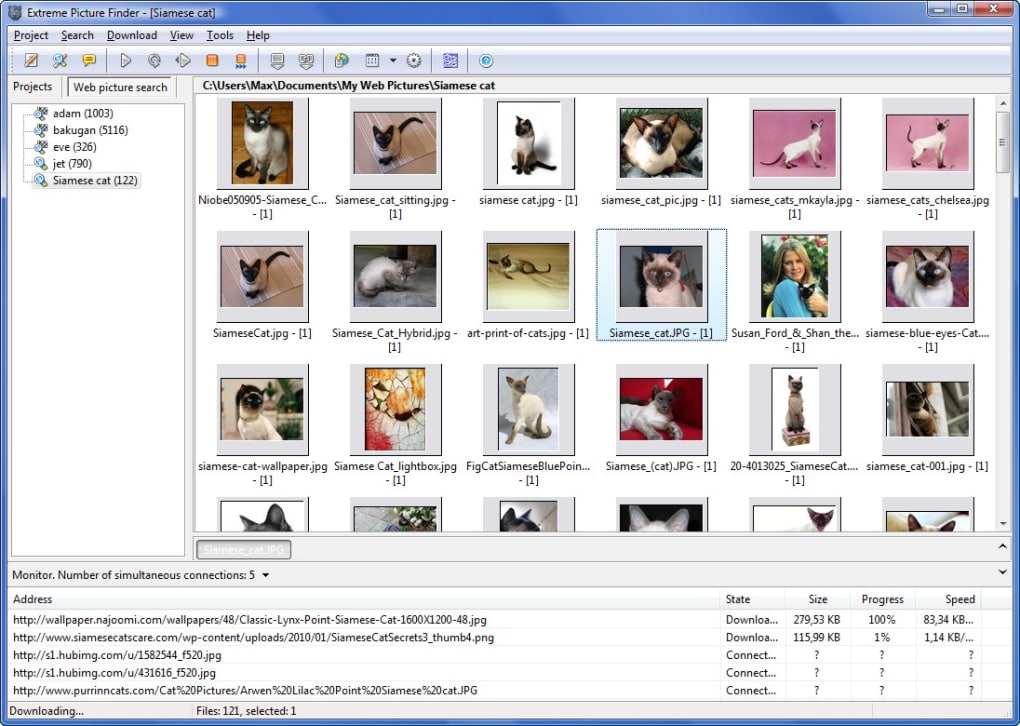
The software’s adaptability is a key strength. It caters to both casual users and professionals by offering customizable search parameters and download settings. Users can fine-tune their searches to focus on specific image types, sizes, or aspects, ensuring they obtain the precise visuals needed for their projects. This flexibility is crucial, as different users have vastly different needs and priorities when searching for and downloading images.
A notable feature is the ability to preview images during the download process. This allows users to verify the quality and relevance of the downloaded images before they are fully saved, preventing the accidental download of unsuitable or low-quality content. This real-time preview capability adds a layer of quality control, allowing users to actively manage their downloads and ensure they align with their requirements.
Advanced Features and Search Capabilities
Beyond its basic image downloading capabilities, Extreme Picture Finder offers several advanced features to enhance user experience and efficiency. These features contribute to a more comprehensive and tailored image acquisition process, providing users with greater control and flexibility.
One significant advantage is its built-in web picture search engine. This integrated tool allows users to search directly within the application, eliminating the need to navigate to external search engines. This streamlined workflow enhances efficiency by reducing the number of applications a user needs to interact with. The search engine incorporates various search modes, including options to target thumbnails, full-size images, or both. The inclusion of related image downloading further streamlines the process, by downloading images from the same webpage as the initially targeted image, saving users time and effort in navigating and selecting related content.
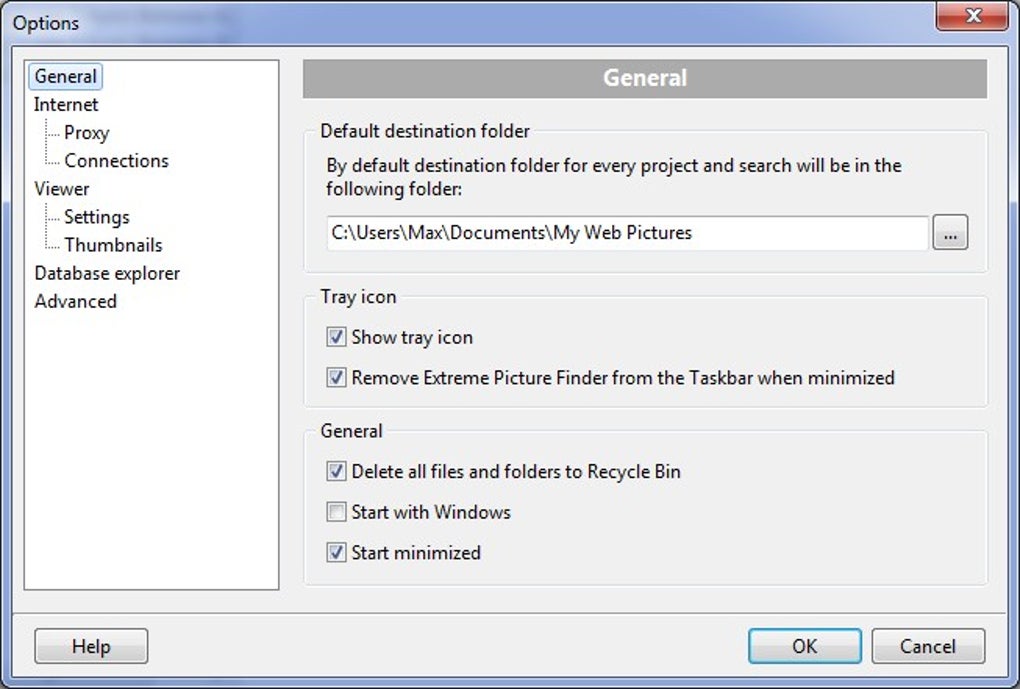
The software also provides the functionality to specify download locations and create organized directory structures, ensuring that downloaded images are saved in a well-organized and accessible manner. This feature is particularly helpful for users dealing with large quantities of images, as it prevents the creation of a disorganized and chaotic collection of files. Furthermore, users can customize file naming conventions, allowing them to maintain a consistent and descriptive naming scheme for their downloaded images.
Limitations and Potential Drawbacks
While Extreme Picture Finder offers significant advantages in automating image downloads, it also presents some limitations that users should be aware of before utilizing the software. These limitations should be carefully considered to determine if the software’s benefits outweigh its drawbacks in the context of a user’s specific needs and workflow.
The most significant limitation is the cap on the number of images that can be stored: a maximum of 20,000 images. This restriction can be a substantial constraint for users needing to manage and download significantly larger image collections. Users requiring higher storage capacity will need to explore alternative software solutions better suited to handle larger datasets.
Another potential drawback is the difficulty in conducting random searches for images. While the software facilitates targeted searches based on specific criteria, it lacks the ability to conduct more exploratory searches, limiting its versatility for certain use cases. Users looking for a tool that enables more spontaneous image discovery might find its functionality somewhat restrictive.
Alternative Software and Comparative Analysis
Several alternative applications exist that offer similar functionalities to Extreme Picture Finder, each possessing unique strengths and weaknesses. Comparing these alternatives allows users to identify the software best suited to their specific requirements and priorities.
Some popular alternatives include:
- All Picture Finder: This software shares similar functionalities to Extreme Picture Finder, focusing on downloading images from websites. A comparison of features and usability is necessary to determine which software best meets individual needs.
- Save Images: Another comparable software, Save Images offers a straightforward approach to downloading images from web pages. A direct comparison of performance, features, and user experience is vital before choosing one over the other.
- Mihov Picture Downloader: A free alternative, Mihov Picture Downloader provides a basic image download function. Its suitability depends heavily on the user’s specific requirements; its simplicity may be an advantage for some, while others might find its limited features insufficient.
- Web Gallery Downloader: This application focuses on downloading images from web galleries, providing a more specialized approach than the broader capabilities of Extreme Picture Finder. The user needs to evaluate whether the focus on galleries is a necessary or limiting factor.
Each alternative offers a slightly different set of features, performance characteristics, and pricing models. A careful analysis of these parameters is essential to selecting the software that best fits an individual user’s requirements.
Conclusion
Extreme Picture Finder provides a robust and efficient solution for automating the download of images from websites and search engines. Its ease of use, advanced search capabilities, and customizable settings make it a valuable tool for both casual and professional users. However, the 20,000-image storage limit and the difficulty in conducting random image searches present significant limitations. Users should carefully weigh these limitations against its strengths and consider the available alternatives before making a decision. The choice of software ultimately depends on individual needs, priorities, and the scale of image download tasks.
File Information
- License: “Trial version”
- Latest update: “July 11, 2023”
- Platform: “Windows”
- OS: “Windows Vista”
- Language: “English”
- Downloads: “5.8K”
- Size: “71.64 MB”


