
EZ Paint is a freeware graphics editor designed as a direct alternative to the classic Microsoft Paint. While Microsoft Paint has been a staple for decades, its discontinuation from future Windows updates left a void for users accustomed to its simplicity and functionality. EZ Paint steps in to fill this gap, offering a familiar user experience while expanding upon the original’s capabilities. This review will delve into the features, strengths, weaknesses, and overall user experience of EZ Paint, examining its suitability as a replacement for the beloved, yet outdated, MS Paint.
A Faithful Recreation and Expansion of MS Paint’s Core Functionality
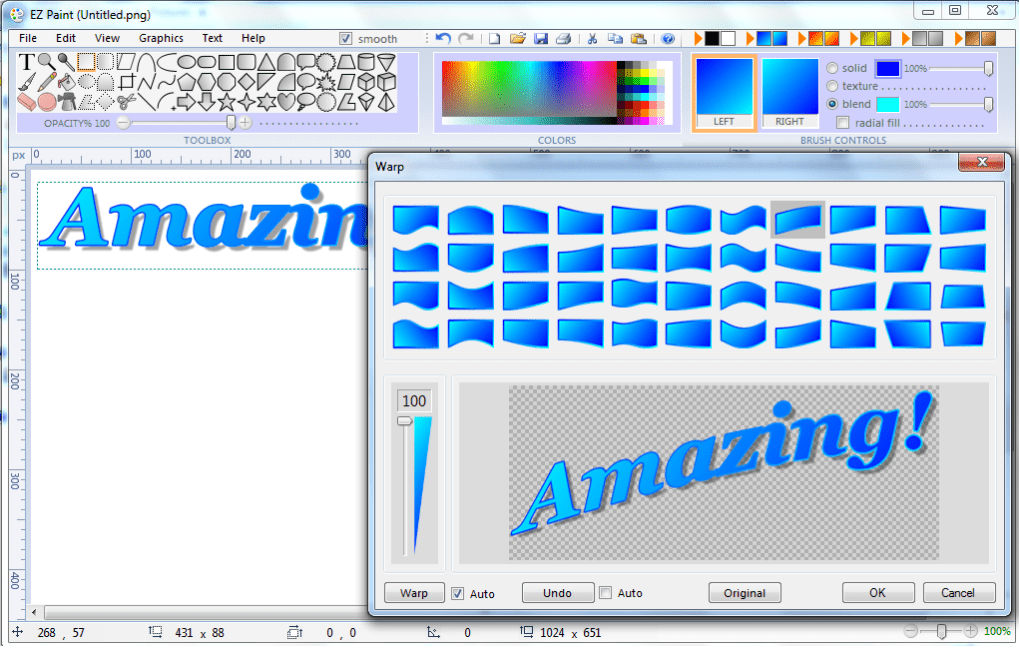
EZ Paint’s primary appeal lies in its close resemblance to MS Paint’s user interface and workflow. For users transitioning from MS Paint, the learning curve is practically nonexistent. The familiar toolbar layout, intuitive tool selection, and straightforward canvas manipulation make for an immediately comfortable experience. This ease of use is a significant advantage, particularly for casual users or those new to image editing software. The program’s creators have cleverly retained the intuitive aspects that made MS Paint so popular while significantly boosting its feature set.
Unlike MS Paint, EZ Paint is not limited to basic shapes and tools. It boasts a significantly expanded library of tools, including over 50 distinct textures, over 30 custom shapes (easily editable and savable as custom polygon or shape files), and enhanced options for lines, arcs, arches, and curves. This expansion ensures that EZ Paint caters to a broader range of users, from casual doodlers to those requiring more sophisticated design capabilities for web page creation or other projects. The inclusion of features like gradient tools and support for PNG and GIF files with transparency further enhances its versatility compared to its predecessor.
Beyond the Basics: Advanced Features and Capabilities
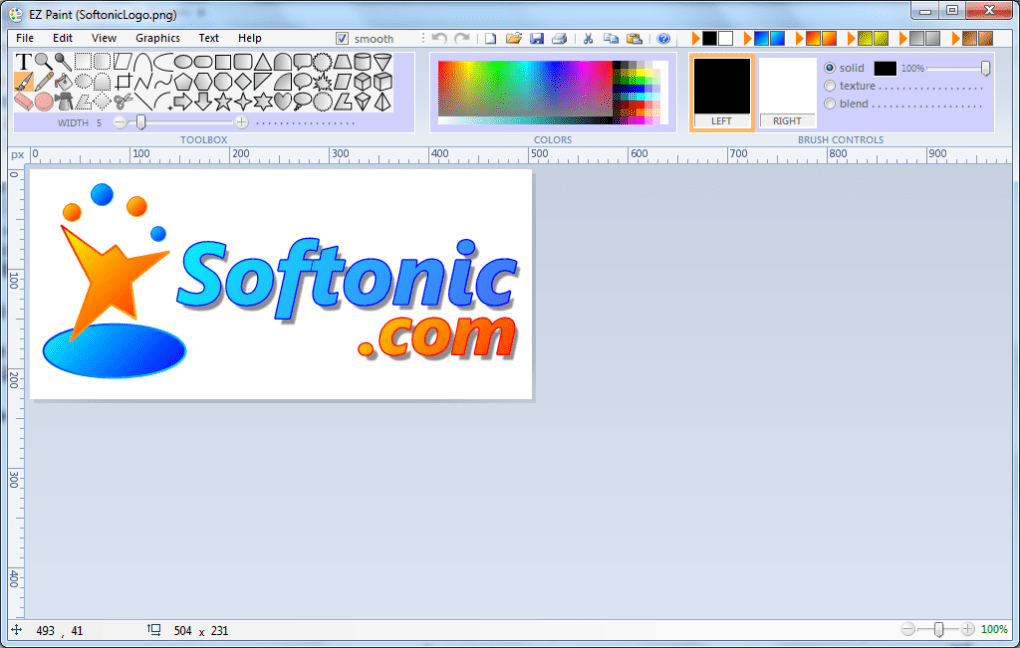
While mimicking MS Paint’s simplicity, EZ Paint goes beyond the bare minimum, offering a number of advanced features that were absent in the original. The inclusion of a vast array of textures, combined with customizable colored backgrounds, significantly broadens the creative possibilities. This aspect allows for richer, more nuanced images, moving beyond the limited palette and textures available in MS Paint. The ability to edit PNG and GIF files, including handling transparency, caters to the needs of web designers and those working with more complex image formats. This functionality significantly surpasses the capabilities of the original MS Paint, which lacked advanced support for transparent backgrounds and various file types.
The extensive toolset, encompassing 54 distinct tools according to the developer, allows for a wide variety of design and editing tasks. From basic line drawing and shape creation to more advanced features, users find a comprehensive suite of options readily available. This enhanced functionality makes EZ Paint suitable for a wider range of projects, expanding its usefulness beyond simple image creation and basic editing. The addition of 2D and 3D shapes provides additional design options, further enhancing the versatility of the program and distinguishing it from its simpler predecessor.
Ease of Use and User Experience: A Seamless Transition
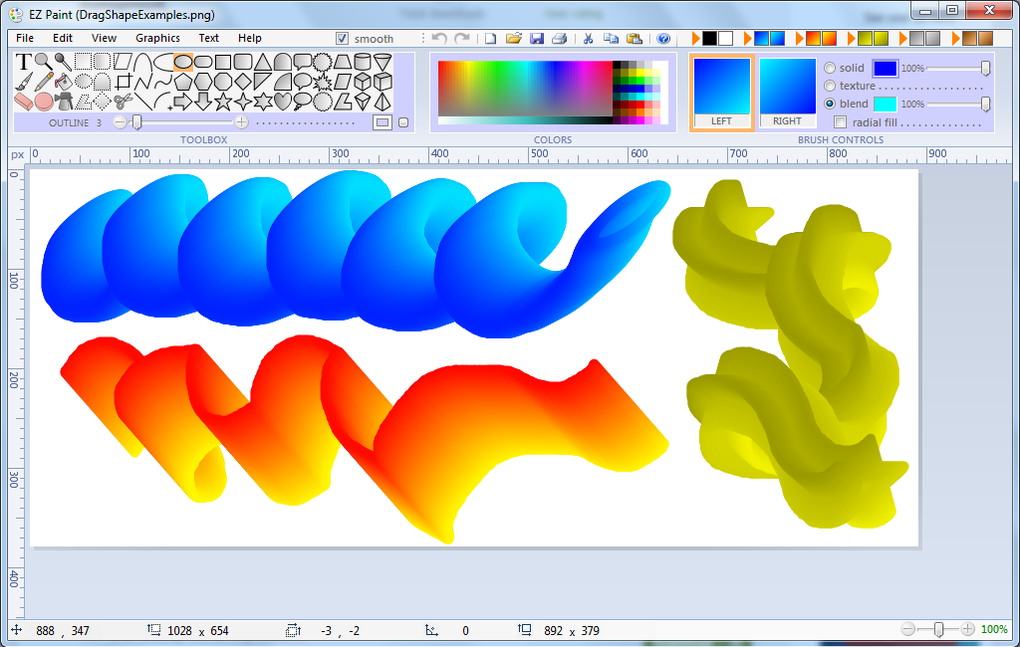
One of EZ Paint’s greatest strengths is its remarkable ease of use. The program maintains the intuitive, beginner-friendly design of MS Paint, making it accessible to users of all skill levels. The familiar interface and straightforward tool selection minimize the learning curve, allowing users to quickly and efficiently create and edit images. The program’s simplicity does not, however, compromise its functionality; advanced features are readily accessible and well-integrated into the intuitive user experience, providing a balance between ease of use and expansive capabilities. This ensures that even users unfamiliar with more advanced image editing software can quickly grasp the program’s functionality and leverage its capabilities.
The software’s design philosophy clearly prioritizes user experience. The intuitive layout minimizes the need for extensive tutorials or manuals, making it perfect for quick tasks and spontaneous creativity. The consistent visual cues and straightforward tool interactions contribute to a smooth, efficient workflow. This design prioritization translates to a positive user experience, ensuring users can focus on the creative process rather than struggling with complex software interfaces.
Limitations and Potential Drawbacks
While EZ Paint offers numerous advantages, it’s essential to acknowledge some limitations. The most significant drawback is its exclusive availability for Windows operating systems. Users with Mac or Linux systems cannot utilize EZ Paint, limiting its accessibility to a subset of the broader user base. Furthermore, the absence of EZ Paint from the official Windows app store might present a minor hurdle for some users who prefer to download and install software from centralized application marketplaces. This reliance on a direct download from the developer’s website might be less convenient for users accustomed to the ease and security of official app store downloads.
Another potential drawback, based on some user reviews, involves certain advanced editing tasks. Although the software expands upon MS Paint’s capabilities, some users have reported limitations in features such as color selection precision. Specific tasks like replacing a color with a precise match might not always function as seamlessly as expected, especially when dealing with complex or mottled images. This points to potential areas for future improvement and enhancement in subsequent updates.
Comparison to Other Free and Paid Image Editing Software
EZ Paint occupies a unique niche in the world of image editing software. It stands as a compelling alternative to the now-discontinued MS Paint, offering an enhanced feature set within a familiar and user-friendly interface. Compared to other free alternatives such as Paint.NET, EZ Paint prioritizes ease of use and a seamless transition for former MS Paint users. Paint.NET, while more feature-rich, often presents a steeper learning curve.
When compared to professional, paid image editing software like Adobe Photoshop, the differences are more pronounced. Photoshop offers significantly greater capabilities, a much wider range of tools, and advanced functionalities, but comes with a substantial price tag and a steeper learning curve. EZ Paint does not aim to compete directly with such professional software; instead, it offers a compelling middle ground—a powerful yet user-friendly freeware option that is ideal for casual users and those seeking an accessible upgrade from MS Paint.
Conclusion: A Worthy Successor to MS Paint
In conclusion, EZ Paint successfully replicates the simplicity and ease of use that made MS Paint so popular, while simultaneously expanding its functionality and catering to a broader range of users. The software excels in its user-friendly interface, intuitive toolset, and expanded feature set. While some limitations exist, such as the lack of Mac and Linux support and potential minor issues with certain advanced editing tasks, EZ Paint remains a highly compelling freeware option for those seeking a straightforward yet versatile image editor. Its strengths lie in its accessibility, ease of use, and enhanced capabilities beyond the limitations of its predecessor. For users looking for a free, user-friendly replacement for MS Paint, EZ Paint is a strong contender and a worthy addition to any Windows user’s toolkit.
File Information
- License: “Free”
- Latest update: “May 24, 2023”
- Platform: “Windows”
- OS: “Windows 8”
- Language: “English”
- Downloads: “246.3K”
- Size: “5.38 MB”


