
EZView is a free, lightweight image viewing application developed by Naughter Software. Designed for simplicity and ease of use, it provides a straightforward solution for viewing and managing various image formats, making it an ideal choice for users who need a quick and efficient way to handle their photo collections without the complexities of advanced image editing software. This comprehensive review will delve into EZView’s features, pros, cons, and overall user experience.
Core Functionality and Supported Formats
EZView excels in its core function: displaying images. Its strength lies in its support for a wide array of common image formats, ensuring compatibility with most files users are likely to encounter. The application effortlessly handles BMP/DIB, JPEG, GIF, WMF, EMF, ICO, TIFF, CUR, and PNG files. Furthermore, for Windows 10 users, EZView extends its capabilities to include support for DNG (Digital Negative), Windows Media Photo, DDS (DirectDraw Surface), Microsoft HEIF (High Efficiency Image File Format), Microsoft WebP (Web Picture), Microsoft Raw Image, and Microsoft Camera Raw Images. This broad format support minimizes the need for multiple image viewers, streamlining the workflow for users who deal with diverse image types.
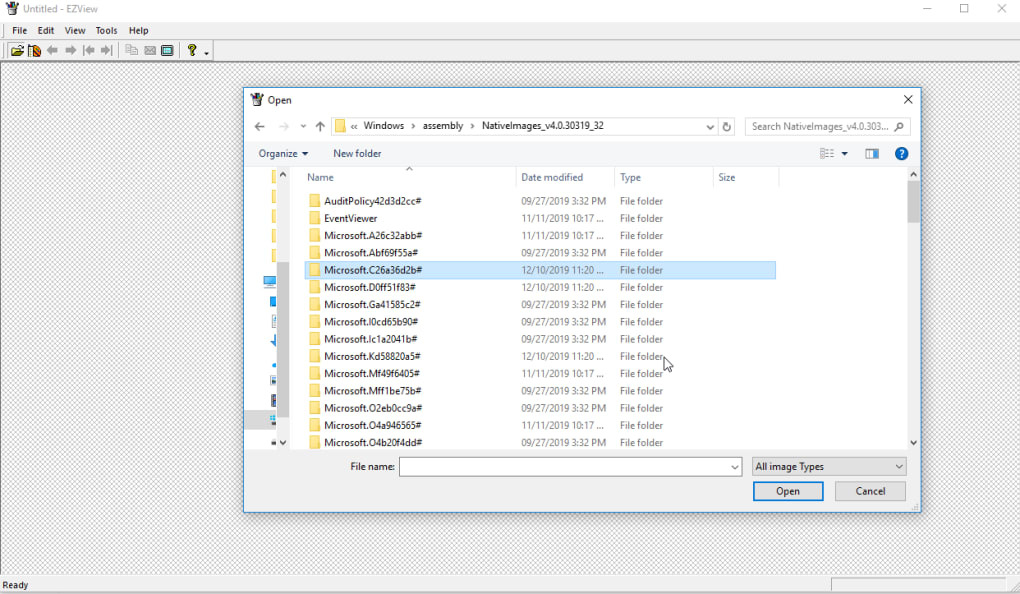
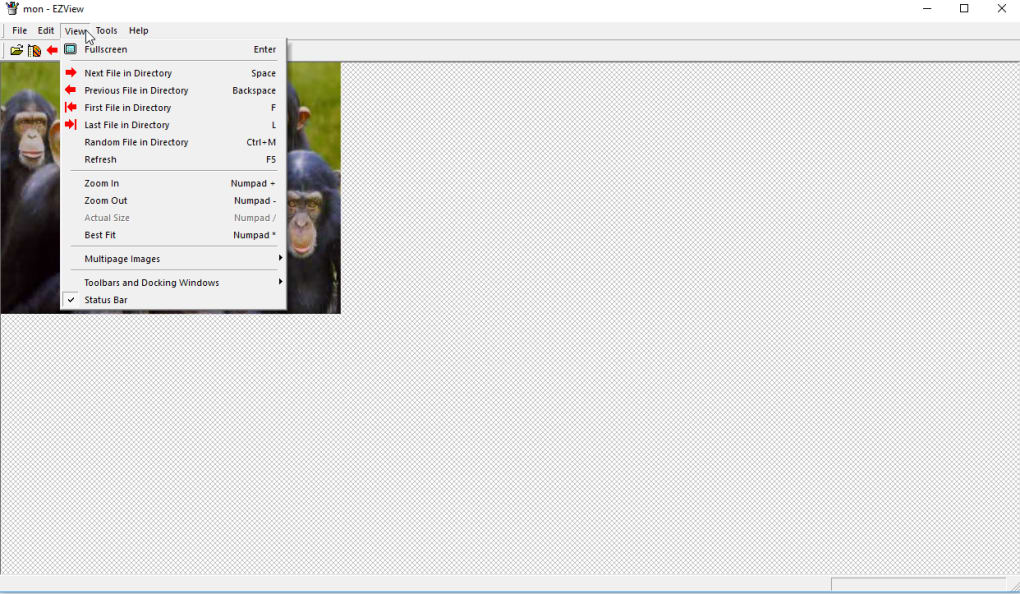
The application’s intuitive interface promotes quick and efficient image viewing. Users can navigate through images using a simple and efficient slideshow feature, complete with customizable hotkeys for seamless control. The drag-and-drop functionality allows for effortless import of images, enhancing the user experience further. EZView also provides convenient zoom functionality, allowing for detailed examination of images, and a full-screen mode for immersive viewing, eliminating distractions from other applications. Beyond simple viewing, EZView also offers the ability to copy images directly to the clipboard, making sharing images with other applications a breeze. The program also displays detailed image properties, including filename, type, and dimensions.
User-Friendliness and Ease of Use
EZView’s design prioritizes ease of use. The minimalistic interface is intuitive and uncomplicated, making it accessible even to users with limited technical expertise. The drag-and-drop functionality significantly reduces the number of steps required to open and view images, adding to the overall efficiency of the software. Furthermore, the program’s lightweight nature ensures fast loading times and minimal system resource consumption, making it suitable even for older or less powerful computers. The incorporation of preset hotkeys for slideshow navigation provides additional convenience for users who frequently use this feature. The straightforward approach to image manipulation, including auto-rotation based on EXIF/ITF orientation tags and support for animated GIFs and multi-page TIFFs, demonstrates EZView’s commitment to user-friendly design. The ability to check image properties directly within the application without requiring external tools also enhances the user experience.
Advanced Features and Limitations
While EZView shines in its simplicity and ease of use, it lacks some of the advanced features found in more comprehensive image viewers. It does not include built-in editing tools, such as cropping, resizing, or color correction. This limitation may be a significant drawback for users seeking an all-in-one solution that combines viewing and editing capabilities. The absence of advanced organizational tools, such as tagging or rating systems for image management, also restricts its functionality compared to more feature-rich alternatives. While the support for multiple formats is impressive, the absence of specialized support for niche file types may be a concern for some users dealing with less common image formats. Furthermore, the lack of options for customizing the interface beyond basic settings might be perceived as a limitation by users accustomed to more personalized software experiences.
Comparison with Other Image Viewers
Compared to more feature-rich alternatives, EZView occupies a unique niche. Software like Adobe Photoshop, GIMP, or even simpler applications like XnView offer extensive editing capabilities, advanced organizational features, and support for a broader range of image formats. However, this increased functionality comes at the cost of increased complexity and system resource usage. EZView’s strength lies in its simplicity and efficiency. It is ideal for users who prioritize speed and ease of use over advanced editing and organizational features. In scenarios requiring quick viewing and simple image manipulation, EZView’s streamlined functionality provides a significant advantage over its more feature-laden competitors. Users primarily interested in basic image viewing and slideshow functionality will find EZView’s lightweight design and quick loading times particularly attractive.
Portability and Installation
One of EZView’s most appealing features is its portability. It does not require installation, allowing users to run it directly from a USB drive or other portable storage media. This eliminates the need to install the application on multiple machines, making it particularly useful for users who frequently work on different computers. This portability characteristic makes it an ideal tool for on-the-go image viewing. The lack of installation process also reduces the risk of conflicts with other software and simplifies the overall user experience. The compact size of the application further enhances its portability, as it takes up minimal storage space.
Pros and Cons Summary
Pros:
- Lightweight and fast loading times.
- Supports a wide range of common image formats.
- Intuitive and user-friendly interface.
- Drag-and-drop functionality for easy image import.
- Includes a simple, effective slideshow feature with hotkey support.
- Full-screen mode for immersive viewing.
- Ability to copy images to the clipboard.
- Displays detailed image properties.
- Portable and requires no installation.
Cons:
- Lacks advanced image editing features.
- Limited organizational tools for image management.
- May not support all niche image formats.
- Minimal customization options for the interface.
Conclusion
EZView caters to a specific audience: users who need a simple, lightweight, and portable image viewer without the need for advanced editing capabilities. Its strength lies in its simplicity, speed, and ease of use. For users who prioritize quick image viewing, slideshow functionality, and effortless navigation, EZView offers a compelling solution. However, users requiring extensive editing tools, advanced organizational features, or support for less common image formats might find EZView’s limitations to be restrictive and may need to consider other, more feature-rich alternatives. Ultimately, EZView’s value lies in its efficient and uncluttered design, making it a practical and user-friendly choice for those seeking a straightforward image viewing experience.
File Information
- License: “Free”
- Version: “1.11”
- Latest update: “November 4, 2020”
- Platform: “Windows”
- OS: “Windows 8.1”
- Language: “English”
- Downloads: “21.9K”
- Size: “127.25 KB”


