
Facebook Lite is a free, online social networking app designed as a smaller, more efficient alternative to the standard Facebook application. Developed by Meta Platforms Inc., it boasts a significantly reduced download size (under 3 MB), making it ideal for users with low-end devices or limited internet connectivity. This lightweight approach prioritizes speed and data efficiency, ensuring a smoother experience even on 2G or 3G networks, where the full Facebook app might struggle.
Optimized for Low-Bandwidth and Low-Resource Devices
Facebook Lite’s primary advantage lies in its resource-friendly design. Unlike the standard Facebook app, which demands considerable processing power and data, Facebook Lite is meticulously optimized to function flawlessly on older devices and under less-than-ideal network conditions. This is achieved by strategically streamlining various aspects of the application. The reduced download size, for example, minimizes the initial strain on device storage. Moreover, the app’s design prioritizes essential functionalities while sacrificing less crucial aspects.
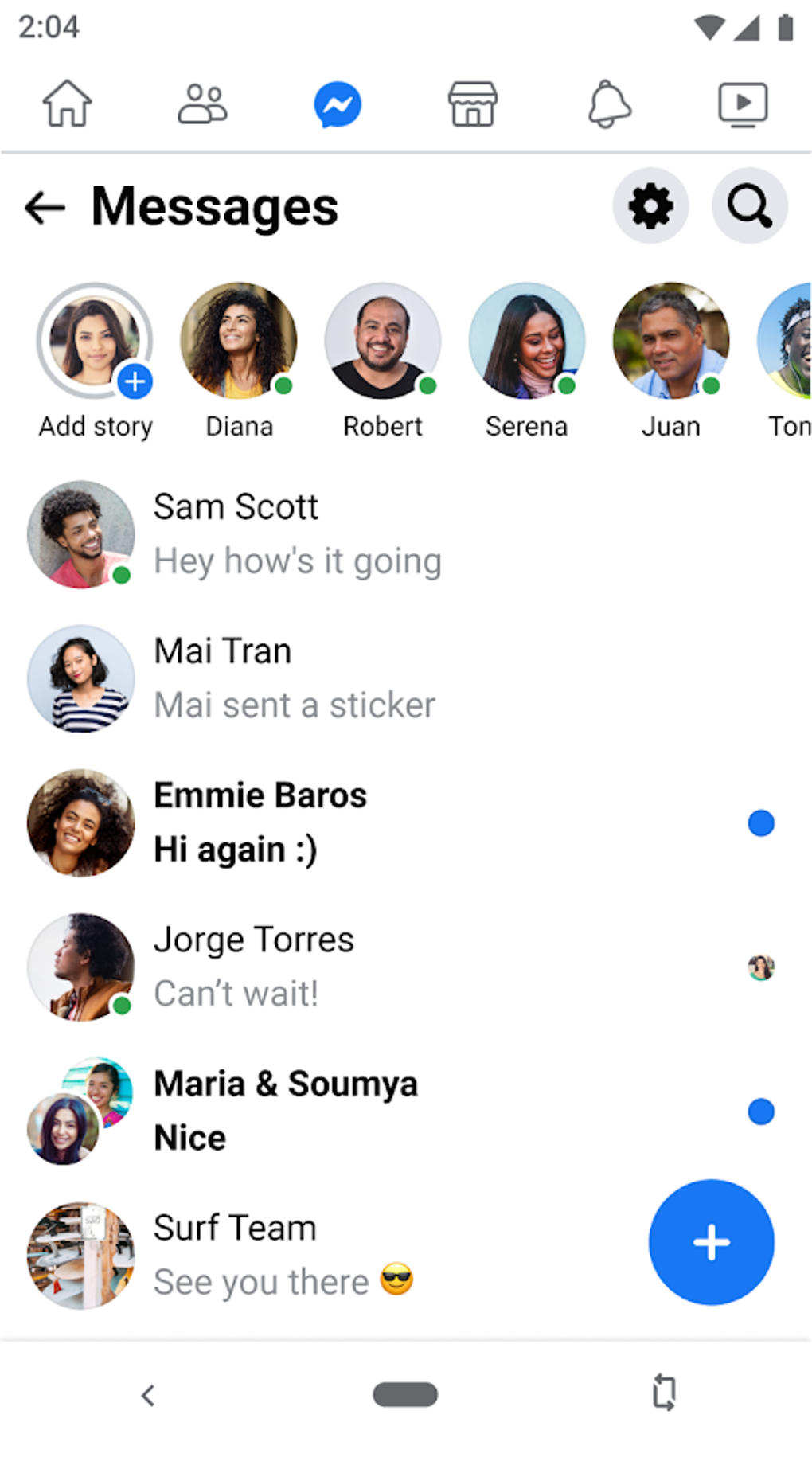
This approach extends to data usage. Facebook Lite consumes far less data than the full version, a critical feature for users in areas with limited or expensive data plans. The app intelligently manages data consumption through techniques like optimized image loading and reduced animations. This makes it a truly accessible social networking platform for a wider audience. For users in rural areas with poor internet service, or those relying on older smartphones, this efficiency translates directly to a more enjoyable and practical user experience. Facebook Lite effectively brings the core social networking experience to users who might otherwise be excluded due to technological limitations.
Core Features and Functionality
Despite its reduced size and streamlined design, Facebook Lite retains the core functionalities expected from a social networking app. Users can still:
- Browse the News Feed: Access and interact with posts, updates, and stories from friends and followed pages.
- Engage with Content: Like, comment, and share posts, photos, and updates.
- Manage Friend Requests: Send and accept friend requests to expand your network.
- Message Contacts: Directly communicate with friends and family through the app’s messaging system.
- Receive Notifications: Stay updated on friend requests, comments, and other interactions.
- Participate in Groups: Join and engage in group conversations and activities.
- Create Events: Organize and share events with friends and groups.
- Share Status Updates: Post text updates, photos, and geotagged locations on your profile.
While the app offers a robust selection of core features, there are some intentional omissions compared to the full Facebook app. These compromises are made to prioritize speed and efficiency, rather than offering a feature-rich but potentially sluggish experience.
Limitations and Trade-offs
To achieve its lightweight nature, Facebook Lite makes certain trade-offs. Some key limitations include:
- Limited Video Support: Sharing videos from external platforms like YouTube is generally not supported due to the high data consumption involved. Users wishing to share videos may need to use the full Facebook app.
- No In-App Browser: Clicking on external links will open them in the user’s default browser rather than within the app itself. This might slightly interrupt the user flow.
- Manual Content Loading: The News Feed does not automatically pre-load content. Users need to manually pull down to refresh and load new posts and photos. This method, while conserving data, differs from the standard Facebook app’s automatic loading.
- Simplified Visuals: Facebook Lite features a simplified interface with fewer animations and visual effects than the standard app. While this contributes to speed and efficiency, it results in a less visually engaging experience.
These limitations, while noticeable, are acceptable trade-offs for the speed and data efficiency Facebook Lite provides. The app’s target audience – users with limited resources or poor network connections – will likely prioritize functionality and speed over elaborate visual effects.
A Comparison with the Full Facebook App
The key difference between Facebook Lite and the full Facebook app is resource utilization. The Lite version is designed for users who require a leaner, faster application that doesn’t drain battery life or consume excessive data. While the full Facebook app offers a richer visual and functional experience, it comes at the cost of significantly higher resource demands.
The streamlining in Facebook Lite isn’t simply about reducing the app’s size. It involves several optimization techniques including:
- Reduced Animations: The absence of many animations (like bouncing icons or sliding windows) significantly reduces processing overhead. While visually less engaging, this enhances performance, especially on lower-powered devices.
- On-Demand Content Loading: Images and videos are loaded only when the user explicitly requests them, preventing unnecessary data usage and loading times.
- Simplified Interface: A cleaner and simpler user interface translates to faster rendering and less strain on the device’s processing power.
Additional Features and Accessibility
Despite its limitations, Facebook Lite includes several practical features that enhance its usability:
- Offline Access: While limited, users can still access their News Feed (though images may not load) and send/receive messages even when offline. This level of offline access is a significant advantage over many other social media applications.
- Friend Invites: Users can easily invite friends to join Facebook Lite by sharing a direct download link.
- Mobile Recharge: In some regions, Facebook Lite integrates with mobile payment services, enabling users to purchase airtime or mobile credit directly through the app. This integration simplifies the process of recharging data plans, directly addressing the needs of users who often face difficulties accessing traditional recharge methods.
Who Should Use Facebook Lite?
Facebook Lite is a compelling alternative for specific user groups:
- Users with Low-End Devices: Older smartphones or tablets with limited processing power and storage space will benefit significantly from Facebook Lite’s lightweight design.
- Users with Slow Internet Connections: Individuals in areas with poor network coverage (2G, 3G) will appreciate the app’s data-efficient nature and improved performance on unreliable connections.
- Users with Limited Data Plans: Those with limited or expensive mobile data will find that Facebook Lite’s minimized data usage significantly extends their usage time without incurring high data costs.
- Users Prioritizing Speed and Efficiency: Anyone seeking a fast and responsive social networking experience, regardless of device or network limitations, will find Facebook Lite an attractive option.
Conclusion: A Practical Solution for Diverse Users
Facebook Lite is not intended to replace the full Facebook experience; rather, it serves as a practical and efficient alternative tailored to users with specific needs and constraints. By prioritizing speed, data efficiency, and accessibility, Facebook Lite expands the reach of social networking to a wider audience that may otherwise be excluded due to technological limitations. While it sacrifices some features and visual appeal, its advantages in terms of performance and resource management make it a valuable option for many users. For those prioritizing core social networking functionality over a visually rich experience, Facebook Lite offers a reliable and accessible solution. Its regular updates ensure the app remains current with essential features while retaining its lightweight core.
File Information
- License: “Free”
- Latest update: “August 7, 2025”
- Platform: “Android”
- OS: “Android 13.0”
- Language: “English”
- Downloads: “6M”
- Size: “2.91 MB”
- Download Options: “APK, Google Play”
- Filename: “com.facebook.lite_470.1.0.9.109.apk”


