
Fake Call is a free Android application developed by Nova.Labs that allows users to schedule fake incoming calls. This seemingly simple app offers a surprisingly realistic simulation of an incoming call, complete with customizable details and convincing visual effects. While primarily intended as a prank tool, its functionality extends to providing a plausible excuse to escape unwanted situations. This review delves into the app’s features, pros, cons, and alternatives, providing a comprehensive assessment of its usefulness and potential.
Features and Functionality
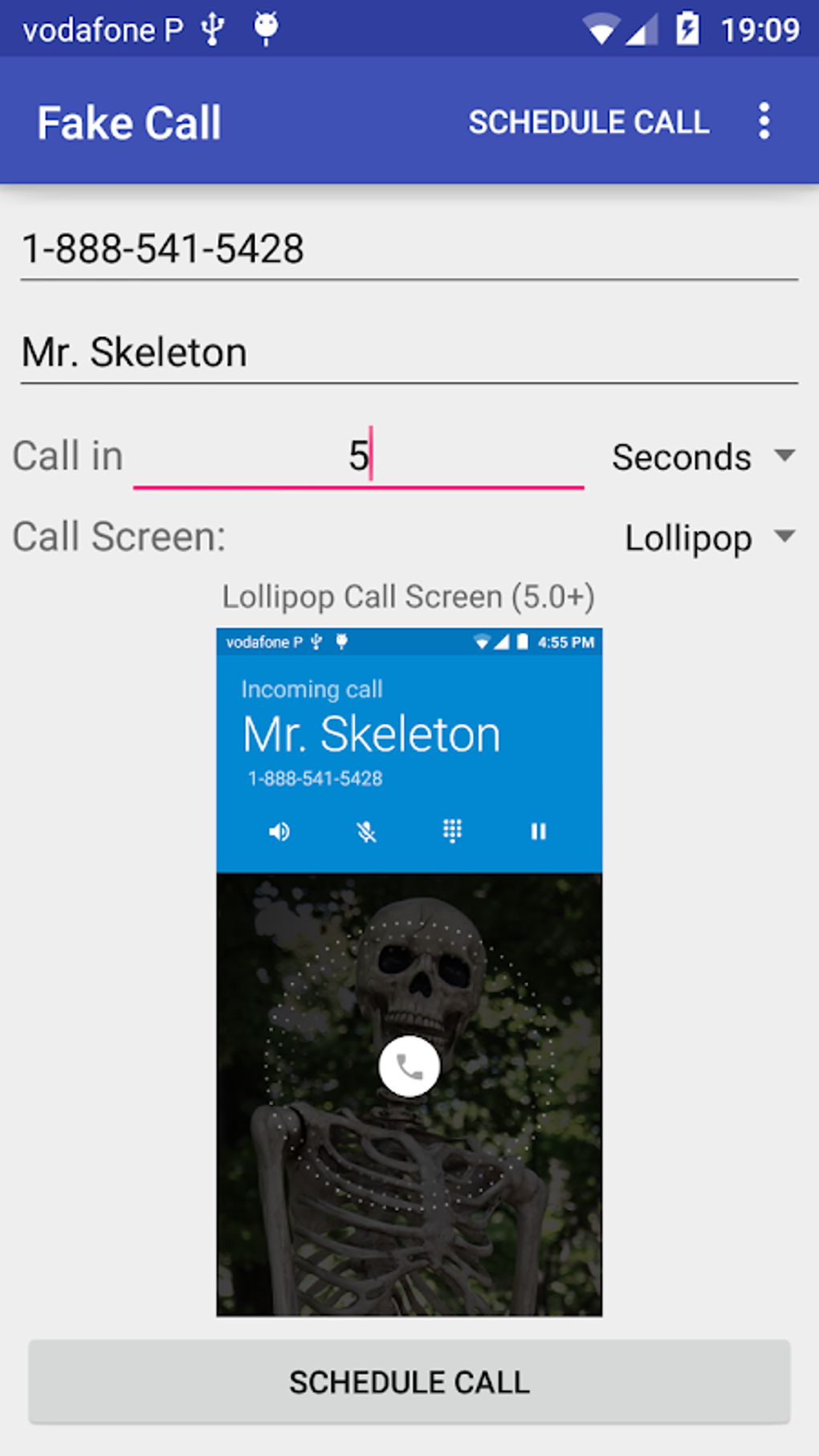
Fake Call provides users with a straightforward interface for scheduling simulated incoming calls. The core functionality revolves around setting key parameters: the caller’s name, phone number, and the time the call should initiate. This allows for precise timing and personalization of the prank. A built-in countdown timer displays the remaining time until the fake call begins, offering a clear visual representation of the scheduled event.
Upon reaching the designated time, the app simulates a genuine incoming call, mirroring the standard Android call screen experience. The user sees the pre-programmed caller’s name and number displayed, along with the typical incoming call animation and sound effects. The user then has the option to “answer” the call (which would trigger a pre-recorded message or silence), or to cancel the call.
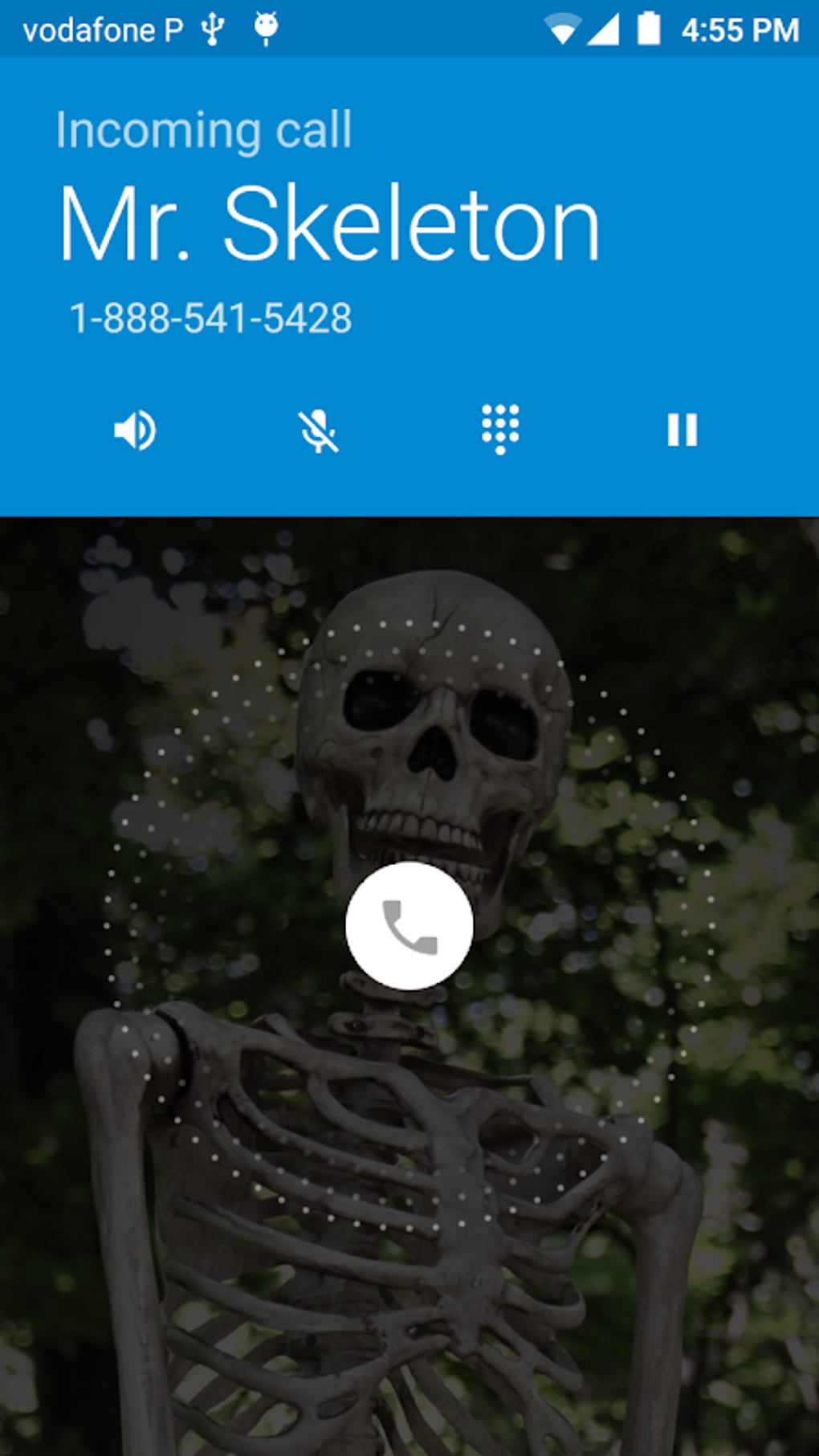
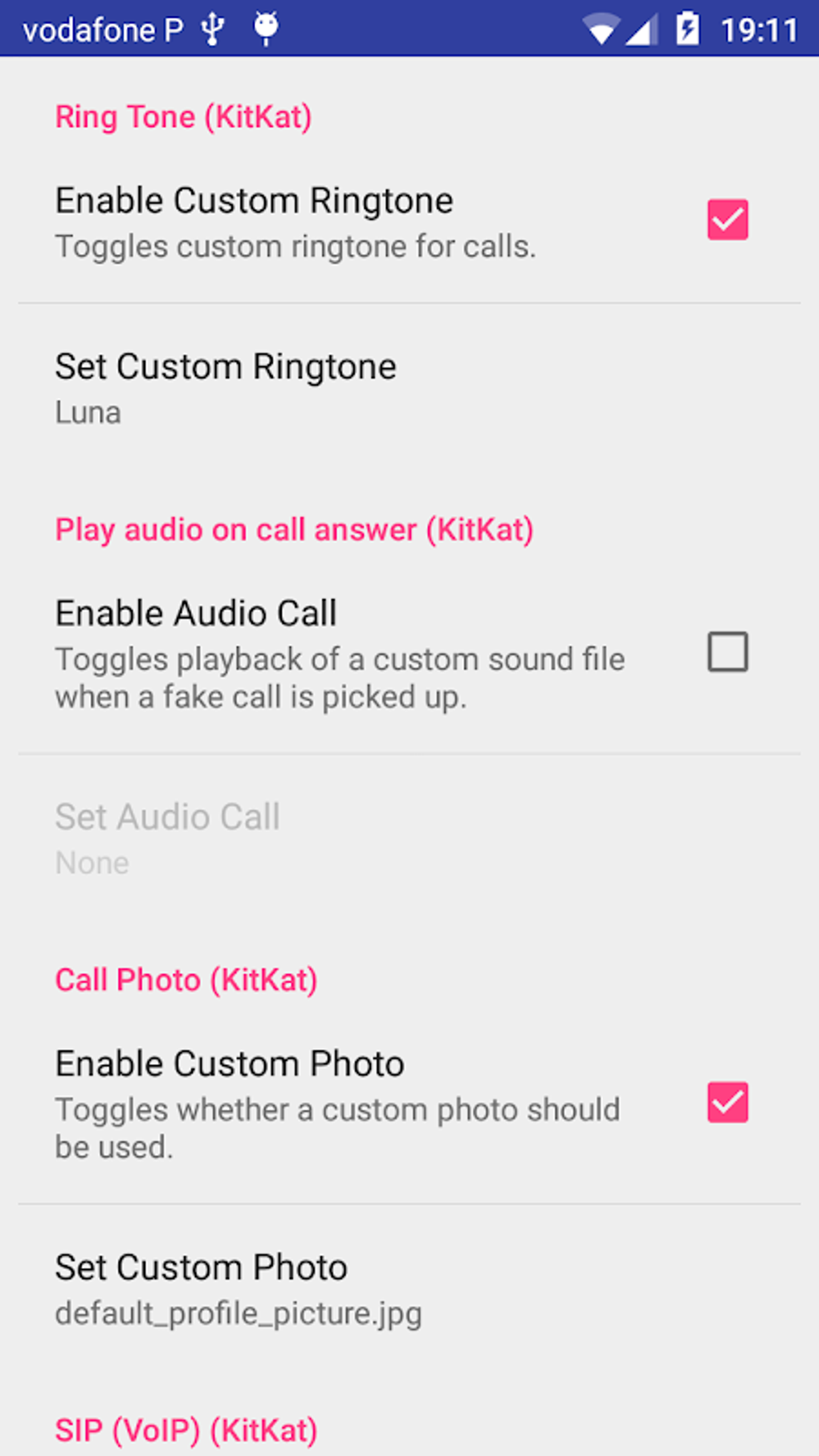
Beyond basic scheduling, Fake Call offers a degree of customization to enhance the realism. While the options are limited, users can select from a couple of pre-designed call screen appearances, allowing for a slight variation in the visual presentation. Importantly, the app functions even if the phone is locked, adding to its deceptive effectiveness.
The app’s simplicity is both a strength and a weakness. Its straightforward interface requires minimal learning curve, making it highly accessible to users of all technical skill levels. However, this simplicity limits the scope of customization and advanced features that more complex applications might offer.
User Interface and Experience
Fake Call’s user interface is minimalist and intuitive. The app displays all essential fields prominently and clearly. The layout is uncluttered, making navigation and configuration straightforward. The countdown timer is prominently displayed, providing constant feedback to the user on the time remaining until the simulated call begins.
The visual design is basic but effective. It avoids flashy elements, focusing instead on providing a clean and easy-to-understand interface. The app uses standard Android design elements, ensuring a seamless integration with the overall phone experience.
While the simplicity enhances ease of use, it could be improved. The limited customization options for call screen appearance feel restrictive. More options for customizing the visual elements (e.g., different background images, call screen themes) would improve user engagement and the app’s overall appeal. Additionally, including a simple help section would improve the user experience for those unfamiliar with scheduling functionality.
Performance and Reliability
Fake Call generally performs as advertised. The app consistently schedules and executes fake calls without noticeable delays or glitches. The call simulation is convincing, realistically mimicking the look and feel of a genuine incoming call.
In testing, the app functioned reliably across different Android versions and devices. The countdown timer accurately reflected the time remaining until the call, and the call simulation was seamless and free of errors.
Pros and Cons
Pros:
- Simple and easy to use: The app’s intuitive interface makes it accessible to a wide range of users.
- Realistic call simulation: The fake calls closely mimic the look and feel of genuine incoming calls.
- Customizable details: Users can personalize the caller’s name and number, enhancing the prank’s effectiveness.
- Scheduled calls: The ability to schedule calls in advance provides flexibility and convenience.
- Works with locked screen: The app functions even if the phone is locked, improving its deceptive nature.
Cons:
- Limited customization options: The app lacks extensive customization for the call screen appearance.
- Basic design: The minimalist design, while functional, could benefit from improvements in visual appeal.
- No additional features: The app focuses solely on fake calls, lacking any secondary features.
- Potential for misuse: The app’s ability to convincingly simulate calls could be misused for malicious purposes.
Alternatives
Several alternative applications offer similar prank calling functionality with additional features or a different approach:
- Fake Caller ID - Prank Call App: This app offers similar basic features, but may provide more customization options for call screen appearance and additional settings.
- Fake Call - prank call: This user-friendly app prioritizes ease of use, but might be lacking some customization features compared to others.
- PRANK DIAL - Prank Call App: This app focuses on the prank aspect, with potentially more fun features beyond a simple incoming call simulation. This app may include other prank functionalities beyond simply faking a call.
- Fake Call and Sms: Some alternatives combine fake calls with simulated text messages, adding further prank possibilities.
These alternatives may offer broader functionality, different user interfaces, or additional features not available in Fake Call. It’s advisable to explore these alternatives to compare features and find the app best suited to individual needs and preferences.
Legal Considerations
The legality of using prank calling apps varies significantly depending on jurisdiction and specific usage. Misusing this app to harass, deceive, or impersonate others is illegal in many places. It’s crucial to use this type of application responsibly and ethically. Before downloading and using Fake Call, or any similar application, it’s essential to understand the relevant laws in your region to avoid any legal repercussions. This review does not endorse any illegal activity.
Conclusion
Fake Call is a functional and straightforward application for scheduling fake incoming calls. Its simplicity is both a strength and a weakness. The app’s easy-to-use interface and realistic call simulation make it effective for its intended purpose. However, its limited customization options and lack of additional features may disappoint users seeking a more versatile or feature-rich prank calling app. The app’s effectiveness hinges on its ability to convincingly simulate a call without revealing its deceptive nature. While potentially useful for harmless pranks or escaping awkward situations, potential users should carefully weigh the app’s simplicity against the availability of alternative applications offering more comprehensive functionality and features. Above all, remember to use this application responsibly and ethically, and ensure your usage complies with local laws and regulations. The information provided here is for informational purposes only and should not be considered legal advice.
File Information
- License: “Free”
- Latest update: “May 10, 2025”
- Platform: “Android”
- OS: “Android 13.0”
- Language: “English”
- Downloads: “215.6K”
- Download Options: “Google Play”


