
Fallout: New Vegas, a celebrated post-apocalyptic RPG, offers a vast and immersive world ripe for exploration and customization. While the game boasts a wealth of content, even the most dedicated players often seek ways to enhance their gameplay experience. One such enhancement comes in the form of the Weapon Hotkey Icons Mod, a simple yet impactful modification that addresses a common visual frustration within the game’s interface. This mod, created by ItsMeJesusHChrist, focuses solely on improving the clarity and size of the weapon icons displayed within the game’s hotkey selection.
The Problem with Default Hotkey Icons
In the original Fallout: New Vegas, selecting weapons relies on a hotkey system. Each weapon is assigned to a specific key, and the player can quickly switch between them during combat. However, the default visual representation of these hotkeys presents a significant usability issue. The game displays a small image of the Vault Boy character holding the selected weapon. While this is a charming stylistic choice consistent with the game’s overall aesthetic, the miniature size of the image often renders the weapon itself practically indistinguishable. Details are lost in the diminutive scale, making it difficult for players to quickly identify which weapon is equipped to a particular hotkey, particularly during intense combat scenarios. This can lead to frustrating delays and tactical errors as players spend precious seconds trying to decipher the tiny images. The small size of the Vault Boy image, coupled with the weapon’s often similar coloration, creates a visual clutter that hinders the overall user experience.
The Solution: Enhanced Weapon Hotkey Icons
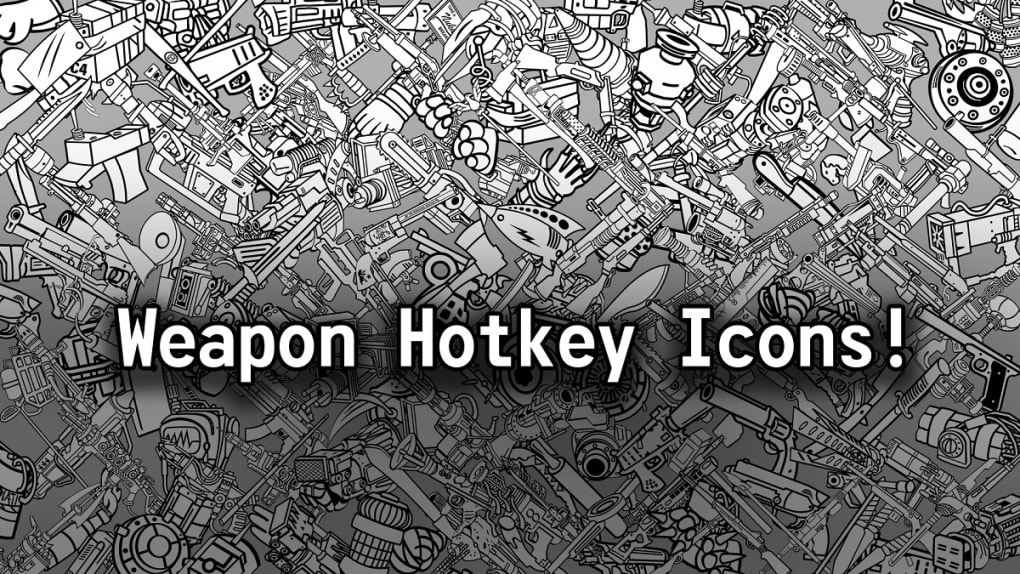
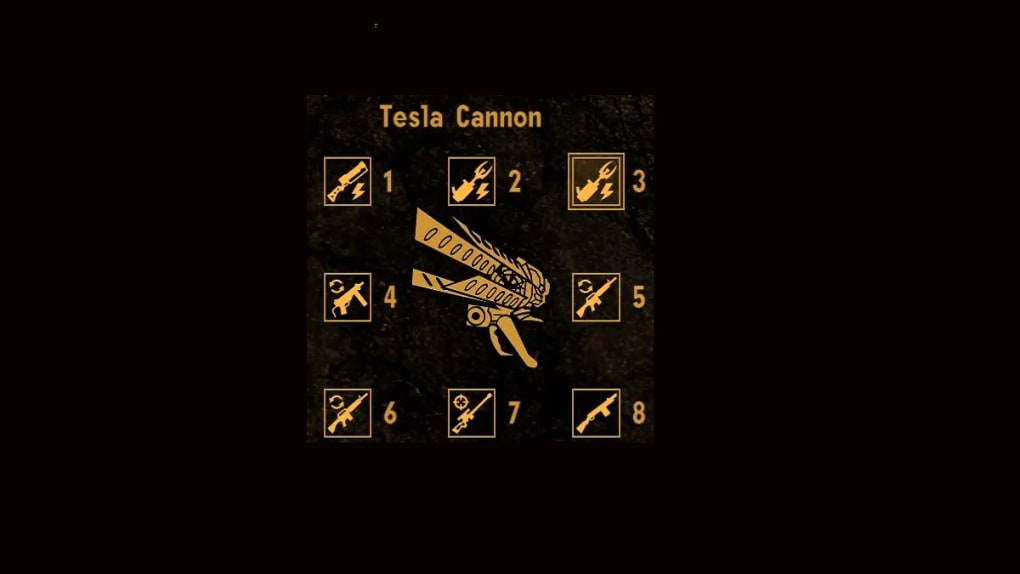
The Weapon Hotkey Icons mod elegantly solves this problem by replacing the default Vault Boy and weapon image with a much larger, clearer representation of the weapon itself. This seemingly small change significantly enhances gameplay, allowing for much faster and more intuitive weapon selection. By removing the Vault Boy entirely from the hotkey icon and enlarging the weapon to fill the space, the mod provides an immediate increase in visual clarity. The player can now instantly identify their weapons without any guesswork or the need to squint at the screen. The larger image allows for crucial details such as weapon type and modifications to be immediately visible. This streamlined visual approach streamlines gameplay and eliminates a source of potential frustration.
Installation and Usability
A key advantage of the Weapon Hotkey Icons mod is its incredibly simple installation process. Being a simple texture replacement mod, it doesn’t require complex configuration or extensive technical knowledge. The mod typically involves simply replacing a single texture file within the game’s directory. This ease of installation makes it accessible to players of all technical skill levels, allowing even novice modders to effortlessly improve their gameplay experience. This user-friendly approach fosters wider adoption and maximizes the potential reach of the modification. The simplicity of the mod is a major contributing factor to its popularity. Players appreciate its straightforward nature and the minimal effort required to implement its significant visual improvements.
Potential Compatibility Issues and Workarounds
While the mod itself is remarkably straightforward, it’s essential to acknowledge potential compatibility issues with other mods. Since the mod directly modifies game files associated with the user interface, conflicts can arise if other mods alter the same files or utilize incompatible texture formats. This risk is inherent in modding and should be considered before installing this mod, particularly for players who utilize a large number of other mods. However, the likelihood of conflicts is relatively low, especially if the other mods don’t directly modify the same texture files targeted by the Weapon Hotkey Icons mod.
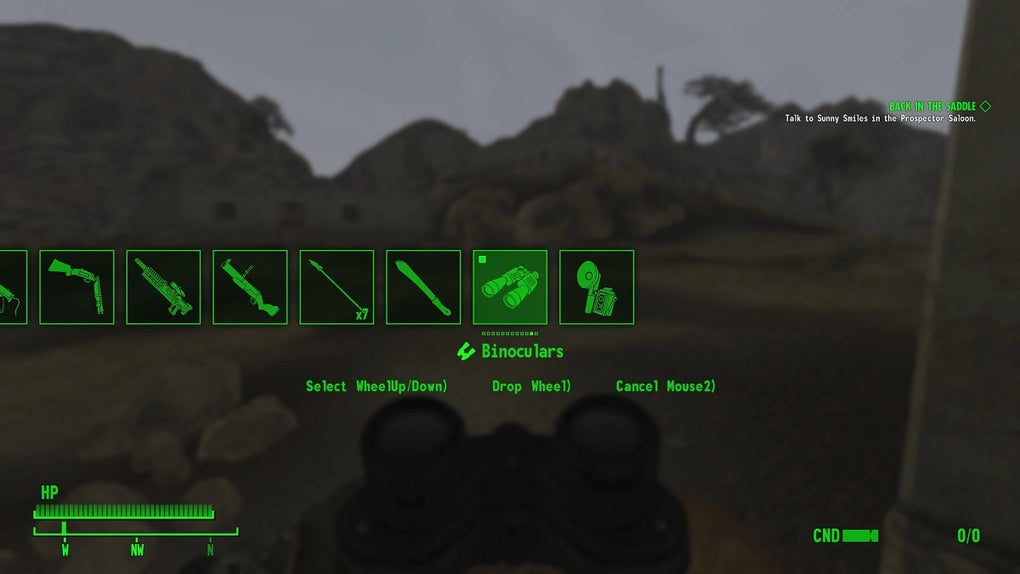
To mitigate the risk of compatibility problems, it’s recommended to install this mod after installing other, more crucial mods. It’s also advisable to back up the original game files before installation. This precautionary measure allows for the easy restoration of the default hotkey icons if compatibility problems arise. Furthermore, diligent research into the compatibility of other mods can help players avoid potential conflicts and ensure a smooth and enjoyable modding experience. While compatibility issues are possible, the benefits of the improved clarity provided by the mod often outweigh the potential drawbacks for many players.
The Overall Impact on Gameplay
The Fallout New Vegas Weapon Hotkey Icons Mod may seem like a minor modification, but its impact on the overall gameplay experience is substantial. The improved visual clarity of the weapon icons translates to a more efficient and less frustrating gameplay experience, particularly during intense firefights. The speed and ease with which players can select the correct weapon during combat translates to a considerable advantage, especially at higher difficulty levels where precise weapon selection can be critical for survival. The time saved in identifying weapons can be the difference between success and failure in combat, giving the player a competitive edge. This subtle yet significant improvement speaks to the power of thoughtful modding in enhancing the enjoyment of even the most established games.
Comparing the Mod to Alternative Solutions
While some players might resort to memorizing hotkey assignments or using external reference guides, these methods are inferior to the streamlined approach provided by the Weapon Hotkey Icons mod. Relying on memory becomes increasingly difficult as the number of weapons increases, and consulting external resources disrupts the immersion of gameplay and slows down the action. Furthermore, creating custom overlays or interface modifications can be time-consuming and require advanced technical skills. The Weapon Hotkey Icons mod offers a superior solution by directly integrating into the game’s interface without requiring any extra effort beyond a simple installation. The mod offers a far more elegant and efficient solution to the problem than alternative approaches.
Conclusion: A Must-Have for Fallout: New Vegas Players
In conclusion, the Fallout New Vegas Weapon Hotkey Icons mod stands as a compelling example of a simple yet impactful mod. Its ease of installation, significant visual improvements, and minimal risk of conflicts (with proper precautions) make it a highly recommended addition for any Fallout: New Vegas player. The enhanced clarity provided by the larger, more distinct weapon icons significantly improves the overall user experience, resulting in a more fluid and enjoyable gameplay experience. For those seeking a straightforward enhancement to their Fallout: New Vegas playthrough, this mod is a must-have. Its simplicity belies its effectiveness, underscoring the power of even small modifications to drastically improve the quality of life within a game. The ability to quickly and accurately identify weapons during combat contributes to a more immersive and engaging experience, enhancing the overall enjoyment of this classic RPG. The mod successfully addresses a prevalent usability issue, offering a highly effective solution with minimal effort and risk, making it a valuable tool for any player seeking to optimize their Fallout: New Vegas experience.
File Information
- License: “Free”
- Version: “5.04”
- Latest update: “November 15, 2023”
- Platform: “Windows”
- OS: “Windows 10”
- Language: “English”
- Downloads: “7”
- Size: “1.18 MB”


