
FarStone DriveClone is a disk cloning and data migration software designed for Windows operating systems. This powerful utility allows users to create exact copies of their hard drives, including all files, folders, applications, and system settings, making it a valuable tool for system backups, upgrades, and data recovery. This review delves into the features, performance, and user experience of FarStone DriveClone, examining its capabilities and comparing it to alternative solutions.
Key Features and Functionality
FarStone DriveClone distinguishes itself through a comprehensive suite of features tailored to streamline the disk cloning and data migration process. Its capabilities extend beyond simple file copying, offering sophisticated tools for managing complex systems and ensuring data integrity.
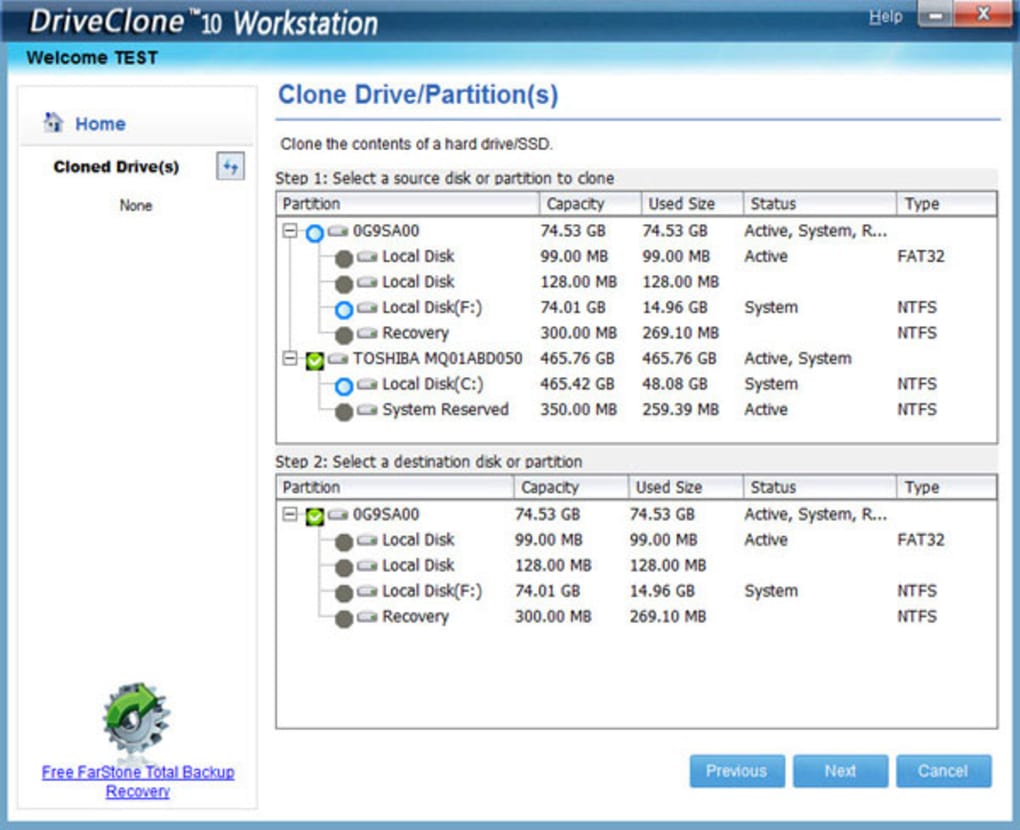
Hard Disk Cloning and SSD Migration: The core function of DriveClone is its ability to create exact, bootable copies of hard disk drives (HDDs) and solid-state drives (SSDs). This allows users to migrate their entire operating system and data to a new drive, be it an upgrade to a larger capacity drive or a replacement due to hardware failure. The process is designed to be seamless, with the cloned drive becoming immediately bootable. This is crucial for minimizing downtime and ensuring a smooth transition.
In-Windows Data Migration: Unlike some cloning utilities that require system reboots during the migration process, DriveClone performs the cloning operation directly within the Windows environment. This “hot cloning” capability minimizes disruption to the user’s workflow, allowing them to continue working while the cloning process takes place in the background. This significantly enhances the user experience and reduces the overall time investment required.
Smart Cloning and Space Optimization: One of DriveClone’s notable features is its “Smart Cloning” functionality. This intelligent algorithm analyzes the source drive and excludes unnecessary files, such as temporary files and redundant data, to reduce the size of the cloned image. This can result in significant space savings, potentially reducing cloning time and storage requirements by a substantial margin (the software claims savings of 10GB to 70GB). This optimization is particularly beneficial when working with large hard drives or when storage space is a premium.
Volume and Sector-by-Sector Cloning: DriveClone provides options for both volume-level and sector-by-sector cloning. Volume-level cloning copies only the used space on the drive, offering faster cloning times and smaller image sizes. However, sector-by-sector cloning creates a bit-for-bit replica of the entire drive, including unused space, ensuring an identical copy even for drives with complex partitioning schemes or damaged sectors. This detailed approach can be essential for forensic analysis or in situations where data integrity is paramount.
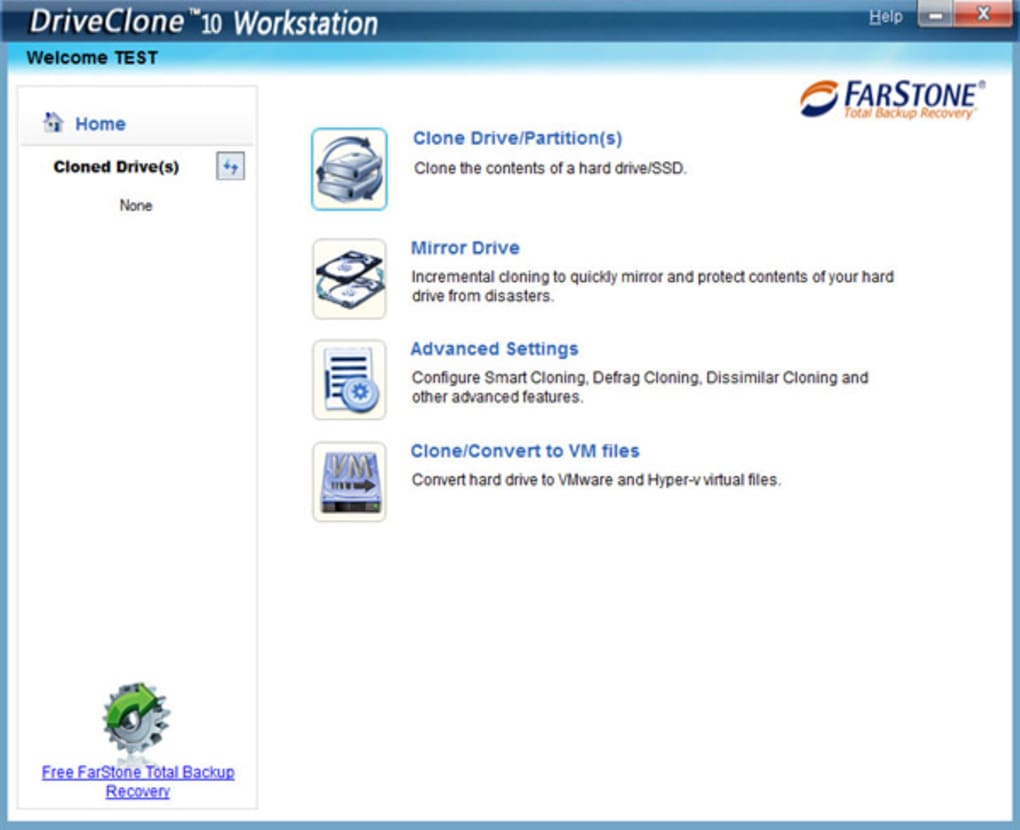
Incremental Cloning and File Versioning: DriveClone’s incremental cloning feature is a significant advantage for users who regularly back up their data. This function only copies the changes made since the last cloning operation, significantly reducing cloning time and storage usage over time. The software also incorporates a file versioning system (Mirror Drive), allowing users to maintain up to 99 versions of their files, providing a powerful data recovery and rollback capability. This feature is invaluable for minimizing data loss and facilitating quick recovery from accidental deletions or software malfunctions.
Support for Modern Hardware and Technologies: DriveClone boasts comprehensive compatibility with various hardware and technologies, including SecureBoot, GPT, UEFI, and dynamic disks. It supports a wide range of drive sizes and manufacturers (Seagate, Western Digital, Fujitsu, Hitachi, etc.), ensuring broad applicability across diverse systems. This compatibility is particularly important in light of the transition to newer technologies and drive sizes.
SSD Optimization and Performance Enhancement: Recognizing the specific needs of SSDs, DriveClone includes features designed to optimize performance and extend the lifespan of these drives. Its “Perfect Defrag” and “Smart Cloning” technologies are specifically tailored to work with SSDs, potentially improving performance by up to 20% while simultaneously extending the drive’s longevity. This is a critical consideration, as SSDs have a limited number of write cycles.
Automatic Partition Resizing: DriveClone automatically resizes partitions during the cloning process, making the transition to a drive with different capacity seamless. This eliminates the need for manual partition management, simplifying the migration process and reducing the risk of errors.
RAID Support: FarStone DriveClone supports cloning and migration from and to RAID arrays. This is a significant advantage for users with more complex storage configurations.
Virtual Machine Conversion: DriveClone uniquely offers the capability to directly convert a physical computer’s hard drive into a VMware or Hyper-V virtual machine. This functionality provides a flexible way to create virtual backups or migrate to a virtualized environment.
User Experience and Interface
While specific details on the user interface are limited in the provided text, the general impression is that the software is designed for ease of use. The ability to perform cloning within Windows, the automatic partition resizing, and the smart cloning features all contribute to a user-friendly experience. The elimination of complex manual steps and the minimization of downtime are key indicators of a well-designed user interface that focuses on usability and efficiency.
Performance and Reliability
The effectiveness of FarStone DriveClone is evident in user reviews, which highlight its ability to handle data migration tasks where other tools have failed. The success stories involving migration to SSDs, as well as the smooth performance of the cloning process, suggest high reliability and efficiency. The “hot cloning” feature allows continued work while cloning, which demonstrates effective resource management and efficient background processing. However, without extensive benchmark testing, specific performance metrics remain unquantifiable, although user experience suggests it is robust.
Pricing and Availability
FarStone DriveClone is offered as a free version for non-commercial use. This makes it an attractive option for home users and individuals who need to perform occasional disk cloning tasks. The licensing terms are clearly stated, providing transparency to users.
Alternatives to FarStone DriveClone
Several alternative disk cloning and data migration software solutions are available. These include Acronis True Image, Macrium Reflect, EaseUS Todo Backup, and Paragon Hard Disk Manager. These alternatives offer varying features and price points, providing users with a range of options to select based on their specific needs and budget. Direct comparison to these alternatives requires a more detailed analysis of their features and functionalities, which is beyond the scope of this review based on the provided information.
Conclusion
FarStone DriveClone presents itself as a robust and user-friendly disk cloning and data migration solution for Windows systems. Its extensive feature set, including smart cloning, incremental backups, and support for modern hardware and technologies, sets it apart from simpler cloning utilities. The ability to perform “hot cloning” without requiring reboots further improves its usability and efficiency. While a detailed performance comparison with competitors is needed for a comprehensive evaluation, the positive user reviews and its core functionality make FarStone DriveClone a strong contender in the disk cloning software market, especially considering its availability as a free, non-commercial version. The wide range of features, coupled with its straightforward user interface, makes it an attractive choice for users of all skill levels looking for a reliable and efficient way to manage their data and perform system migrations. The emphasis on SSD optimization and the inclusion of features like virtual machine conversion further enhance its overall value proposition.
File Information
- License: “Free”
- Latest update: “July 6, 2020”
- Platform: “Windows”
- OS: “Windows 7”
- Language: “English”
- Downloads: “5.7K”
- Size: “20.33 MB”


