
Fast Video Converter is a free software application designed for quick and easy conversion of video files into formats compatible with mobile devices, specifically Android and iOS. This review delves into its functionality, user interface, technical specifications, and overall performance, comparing it to other available options in the market.
User Interface and Ease of Use
Fast Video Converter boasts a user-friendly interface, making it accessible even to users with limited technical experience. The intuitive design minimizes the learning curve, allowing users to quickly grasp the core functionalities. The program eschews complex settings and overwhelming options, prioritizing a straightforward approach to video conversion. Users can easily navigate through the process of selecting input files, choosing output formats, and specifying output parameters like resolution.
While drag-and-drop functionality is absent, the built-in file explorer allows for simple and efficient selection of multiple files, enabling batch processing for enhanced productivity. This feature is particularly beneficial for users dealing with numerous videos that need conversion simultaneously, significantly saving time and effort. The absence of drag-and-drop might be considered a minor drawback, particularly for users accustomed to this intuitive interaction method, but the ease of file selection through the explorer adequately compensates for this omission.
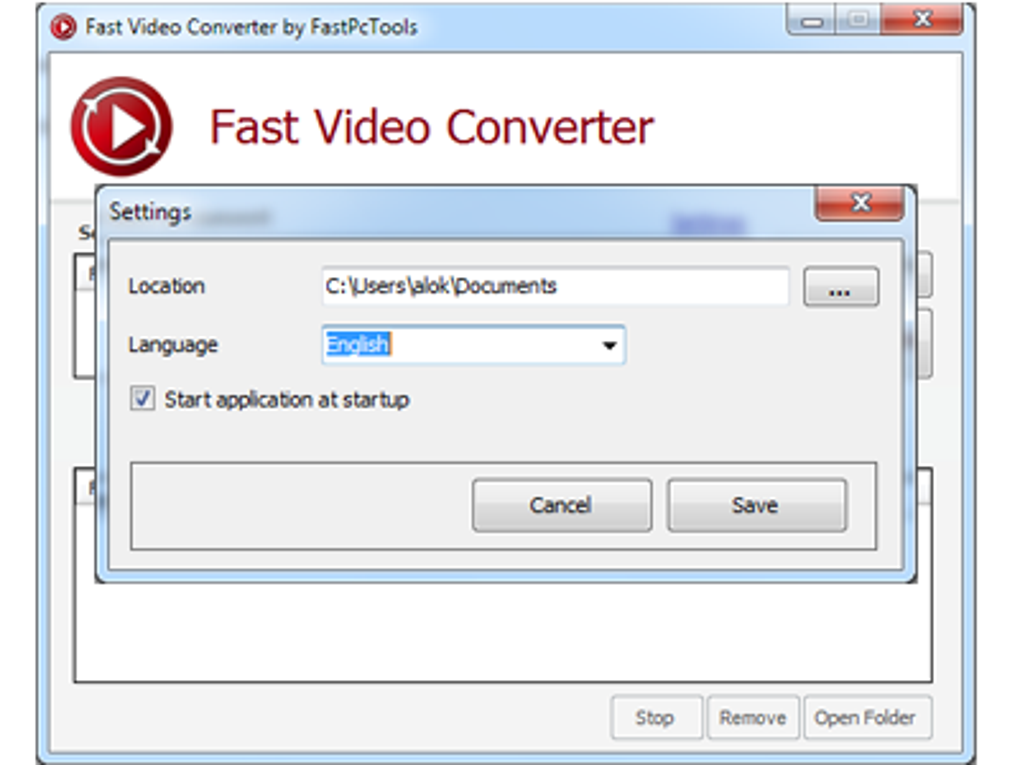
The ‘Settings’ section provides straightforward control over the output folder, ensuring that converted files are saved to the desired location. This streamlined configuration avoids unnecessary complications, streamlining the user experience. Overall, the user interface is designed with simplicity in mind, focusing on core functionalities and a hassle-free conversion process.
Supported Formats and Output Options
Fast Video Converter offers a range of supported input and output formats, catering to various user needs. While the exact number of supported formats is not explicitly stated in the provided material, the documentation mentions support for popular mobile-friendly formats such as 3GP, AVI, MP3, and formats optimized for iPhone, iPod, and iPad devices as well as Android devices. This versatility ensures compatibility with a wide array of mobile devices and media players.
The ability to adjust video resolution is a significant advantage, allowing users to optimize video size for specific mobile screens. The predefined resolution options (176x144, 320x240, 480x320, 640x480) cater to different screen sizes and resolutions commonly found in mobile devices. This feature ensures that converted videos maintain optimal viewing quality without compromising on file size, particularly important for users with storage space limitations on their devices.
The inclusion of MP3 as a supported output format indicates the program’s capacity to extract audio from video files. This feature proves useful for users who want to convert video soundtracks into audio files, expanding the program’s functionality beyond simple video format conversions.

However, the limited number of explicitly mentioned supported input formats compared to many competitor programs may present a limitation for some users. The lack of comprehensive format support might necessitate the use of additional conversion tools for less common video file types.
Performance and Conversion Speed
While the provided text doesn’t explicitly detail the conversion speed, the name “Fast Video Converter” implies a focus on efficiency. The experience of conversion speed is likely to vary depending on several factors: the processing power of the user’s computer, the size and complexity of the input video files, and the chosen output format and resolution. Larger files and higher-resolution conversions will naturally require more processing time.
The batch processing capabilities, however, indicate a design that prioritizes efficiency. Processing multiple files simultaneously reduces the overall time required for conversions, enhancing the user experience.
Further testing and user feedback would be necessary to accurately quantify the conversion speed and comprehensively assess its performance compared to alternative video conversion software. However, the emphasis on speed in the name suggests a priority on efficient conversion processes.
Comparison with Alternative Video Converters
Fast Video Converter competes with a myriad of other video conversion tools available in the market. Some popular alternatives include Speed Video Converter, Total Video Converter, and Quick Video Converter. These alternative options may offer a wider range of supported formats, advanced features like editing capabilities, or superior conversion speeds. However, Fast Video Converter’s simplicity and free availability makes it an attractive option for users who prioritize ease of use and cost-effectiveness over extensive features.
Some competitor programs offer trial versions before requiring purchase, while others are entirely commercial. The lack of a paid version for Fast Video Converter reduces the barrier to entry for many users. The free nature of the program, however, might imply compromises on certain features or performance levels in comparison to paid alternatives that often incorporate more advanced algorithms and functionalities.
A direct comparison of Fast Video Converter’s performance against its competitors would require a detailed benchmark test using various video files and configurations.
Conclusion
Fast Video Converter offers a simple, user-friendly solution for converting videos to mobile-compatible formats. Its intuitive interface and straightforward functionality make it ideal for users who require a hassle-free approach to video conversion without complex settings or advanced features. While the program may not match the breadth of functionality or advanced features provided by more comprehensive, often paid, alternatives, its free availability and ease of use make it a compelling choice for users with basic conversion needs.
The program’s limitations lie primarily in its potentially restricted format support and the absence of drag-and-drop functionality. However, its strengths, particularly its user-friendly design and batch processing capabilities, position it effectively within the market of free video conversion software. Users seeking a simple and efficient tool for converting videos to mobile-friendly formats will find Fast Video Converter a satisfactory and readily accessible solution. For users needing more advanced features or support for a wider range of video formats, exploring alternative options might be more suitable.
File Information
- License: “Free”
- Version: “1.0.0.2”
- Latest update: “February 1, 2023”
- Platform: “Windows”
- OS: “Windows 2003”
- Language: “English”
- Downloads: “89K”
- Size: “1.08 MB”


