
FastCast is a free utility application for Android devices developed by Qianhai Moka Soft Technology Company Ltd. This screencasting tool allows users to mirror and cast their smartphone or tablet screens onto smart TVs and other large-format displays that support this functionality. Acting as a bridge between mobile devices and larger screens, FastCast simplifies the process of extending your mobile viewing experience. Its ease of use and compatibility with a wide range of devices make it a compelling option for anyone seeking a seamless screen mirroring solution. However, as with any wireless technology, network stability plays a crucial role in its performance. This review will delve into the app’s features, strengths, weaknesses, and overall user experience.
Functionality and Compatibility
FastCast utilizes universal screen mirroring technologies, ensuring compatibility with a broad spectrum of devices. This includes popular streaming devices such as Amazon Firesticks and Google Chromecasts, as well as numerous smart TVs that support screen mirroring protocols. The connection process relies on your home or office Wi-Fi network, establishing a wireless link between your mobile device and the display. Once the connection is established, you can effortlessly share various media types, including photos, videos, and music, onto the larger screen.
The app’s user interface (UI) is designed with simplicity in mind. A clean and intuitive layout categorizes media by type, facilitating easy navigation and selection of the content you wish to mirror. This streamlined approach minimizes the learning curve, making the app accessible to users of all technical skill levels. The ease of use extends beyond the initial setup; navigating through your media library and selecting items for mirroring is straightforward and hassle-free.
Performance and User Experience
While FastCast offers a convenient solution for screen mirroring, user reports highlight a recurring issue: frequent disconnections. This instability underscores the importance of a robust and reliable internet connection. A slow or unstable Wi-Fi network can significantly impact the performance, leading to interruptions and a frustrating user experience. The quality of the mirroring itself is largely dependent on the stability of your network; a strong, consistent connection will generally result in a smooth, lag-free mirroring experience.
The app’s performance is inextricably linked to network conditions. FastCast relies heavily on a stable Wi-Fi connection to maintain a continuous stream of data between the mobile device and the display. Users experiencing frequent disconnections should investigate their network infrastructure – checking for interference, signal strength, and network congestion. Optimizing your home network to ensure a strong, consistent Wi-Fi signal is vital for achieving optimal performance with FastCast.
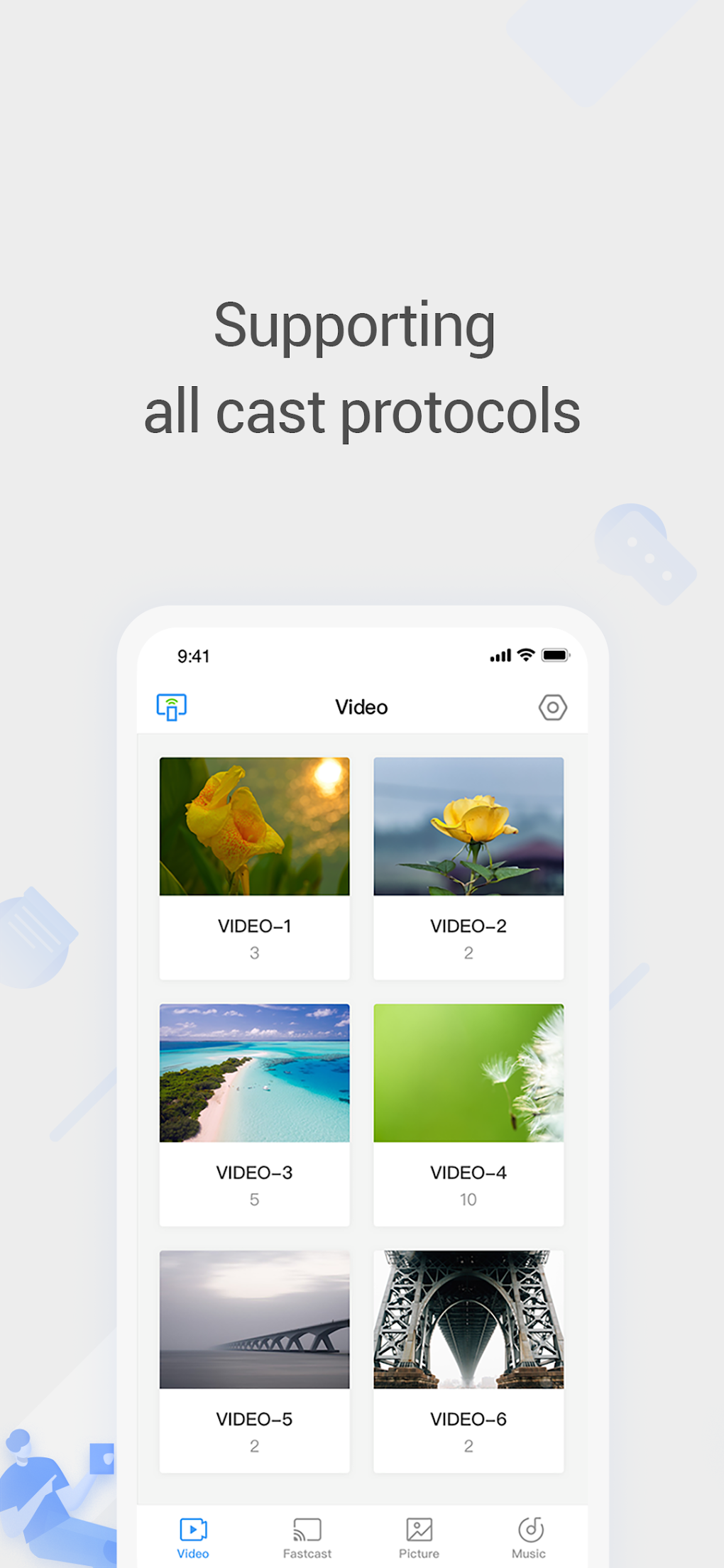
The app’s simple UI is a key strength, making it accessible to a wide range of users. However, some users might desire more advanced features, such as adjustable mirroring resolution or settings to optimize performance for different network conditions. While the app’s core functionality is effective, enhancements to address the reported disconnection issues and provide more granular control over the mirroring process could significantly improve the overall user experience.
Advantages and Disadvantages of Using FastCast
FastCast presents several compelling advantages:
-
Ease of use: The app’s intuitive design and straightforward interface make it incredibly user-friendly. Even individuals unfamiliar with screen mirroring technology can quickly learn to use it effectively.
-
Wide device compatibility: Its support for a wide range of devices, including Amazon Firesticks, Google Chromecasts, and numerous smart TVs, significantly broadens its appeal and utility.
-
Multiple media format support: FastCast handles various media formats, including photos, videos, and music, providing flexibility in the type of content you can share on the larger screen.
- Free to use: The application is entirely free, making it an accessible option for budget-conscious users.
Despite its strengths, FastCast also has some limitations:
-
Network dependency: The app’s performance is critically reliant on a fast and stable internet connection. Intermittent or slow Wi-Fi can cause frequent disconnections and a poor mirroring experience.
-
Potential for disconnections: User reports consistently cite frequent disconnections as a major drawback. This instability can be particularly frustrating during movie viewing or presentations.
-
Limited advanced features: Compared to some competing apps, FastCast lacks advanced features, such as customizable mirroring resolution or network optimization settings.
Comparison with Alternative Apps
FastCast operates within a competitive market of screen mirroring applications. Several alternatives offer similar functionalities, each with its own set of strengths and weaknesses. For instance, some competitor apps may offer superior stability, more advanced features, or better support for specific devices. The optimal choice depends on individual needs and priorities. A thorough comparison of FastCast with other screen mirroring apps would involve analyzing factors such as:
- Connection stability: The frequency and duration of disconnections, and the app’s resilience to network fluctuations.
- Feature set: The availability of advanced features like adjustable resolution, video quality settings, and compatibility with different screen mirroring protocols.
- User interface: The ease of navigation, intuitiveness, and overall user-friendliness of the application’s interface.
- Device compatibility: The range of smart TVs, streaming devices, and mobile platforms the app supports.
- Cost: Whether the app is free or requires a subscription.
A comprehensive analysis of these factors would aid users in choosing the screen mirroring application best suited to their specific requirements.
Conclusion
FastCast provides a simple and generally effective way to mirror your Android device’s screen onto a larger display. Its user-friendly interface and broad device compatibility are significant advantages. However, the frequent disconnections reported by users remain a major concern and underscore the importance of a stable, high-speed internet connection. While the app’s free-of-charge status is attractive, users should carefully weigh its drawbacks against the benefits offered by alternative applications before deciding if it aligns with their specific needs and tolerance for occasional connection instability. If a reliable and consistent mirroring experience is paramount, exploring alternative solutions may be advisable. However, for casual users with a strong Wi-Fi network, FastCast offers a convenient and easy-to-use solution for extending their mobile viewing pleasure to a larger screen.
File Information
- License: “Free”
- Latest update: “February 9, 2024”
- Platform: “Android”
- OS: “Android 13.0”
- Downloads: “99.9K”
- Size: “13.82 MB”
- Download Options: “APK, Google Play”
- Filename: “com-creative-fastscreen-phone-251-67045272-78496784da2047cb87b276db6bc999c6.apk”


