
In the expansive digital landscape of software applications, where feature bloat often eclipses core functionality, FastPictureViewer emerges as a testament to specialized design. At its heart, this application is a minimalist photo viewer engineered with a singular, unyielding purpose: to facilitate the rapid browsing, culling, and preliminary sorting of digital image collections. For photographers, content creators, and anyone routinely dealing with large volumes of photographs, the native image viewers provided by operating systems often fall short in terms of speed and efficiency. FastPictureViewer positions itself as the antidote to this common frustration, promising an exceptionally swift and streamlined experience that prioritizes performance above all else.
This software is not an image editor, nor is it a comprehensive cataloging suite. Instead, it meticulously crafts an environment where the photograph takes center stage, devoid of distractions, allowing users to make quick, informed decisions about their images. Its design philosophy is rooted in the belief that for certain critical workflow stages – specifically the initial review and selection process – speed and clarity are paramount. By shedding the “bells and whistles” typically found in more robust image applications, FastPictureViewer aims to deliver an unparalleled viewing experience, optimized to move through hundreds, if not thousands, of images in the shortest possible time.
The appeal of FastPictureViewer lies precisely in its focused ambition. It’s for the user who needs to quickly scan a folder, identify the “keepers,” rate them, and perhaps copy them for further processing, all without lag or unnecessary interruptions. While the trial version and entry-level Home Basic edition focus on JPEG and Microsoft HD Photo formats, the existence of a specialized Codec Pack hints at a broader potential for handling diverse file types, particularly those critical to professional photographic workflows like RAW formats. This article delves into the intricacies of FastPictureViewer, exploring its design, features, performance, and the nuanced user experience it offers, while also acknowledging the varying perspectives from its user base.
The Philosophy of Speed and Simplicity in Digital Image Culling
The digital age has ushered in an era of unprecedented photographic output. With advanced cameras, smartphones, and constant social sharing, individuals and professionals alike accumulate vast quantities of images. The initial challenge isn’t capturing these moments, but rather sifting through them efficiently – a process known as “culling.” This is where FastPictureViewer’s foundational philosophy truly shines. It isn’t just about viewing pictures; it’s about accelerating the decision-making process for which images are worth keeping, editing, or discarding.
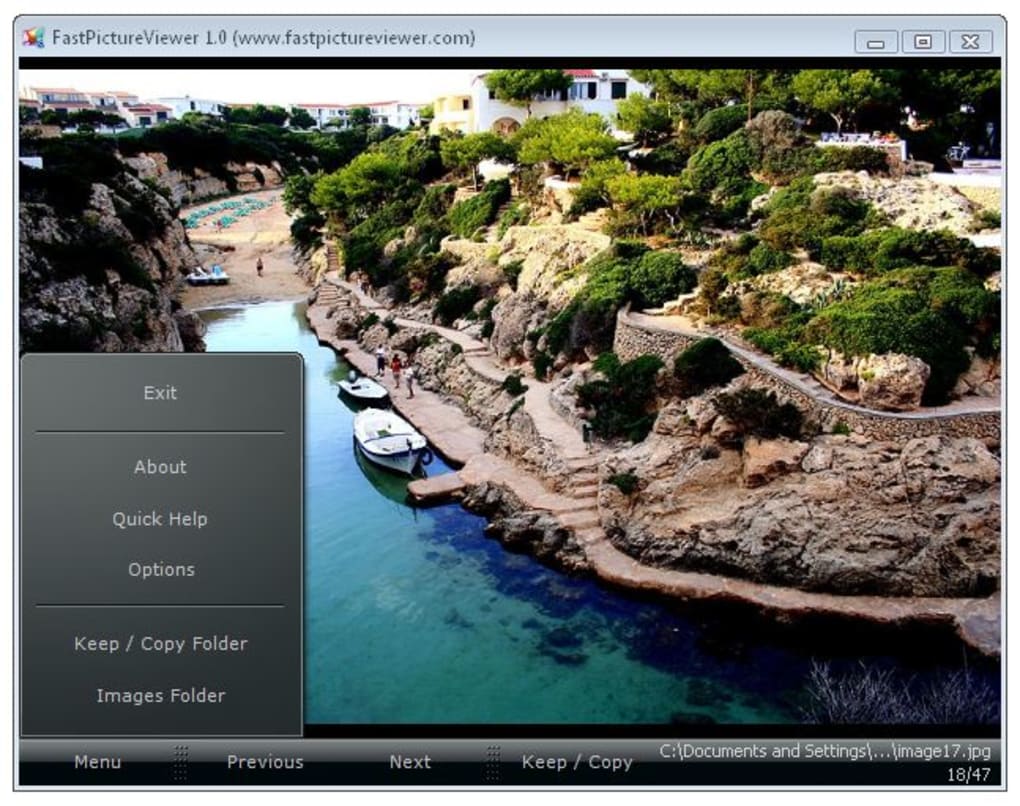
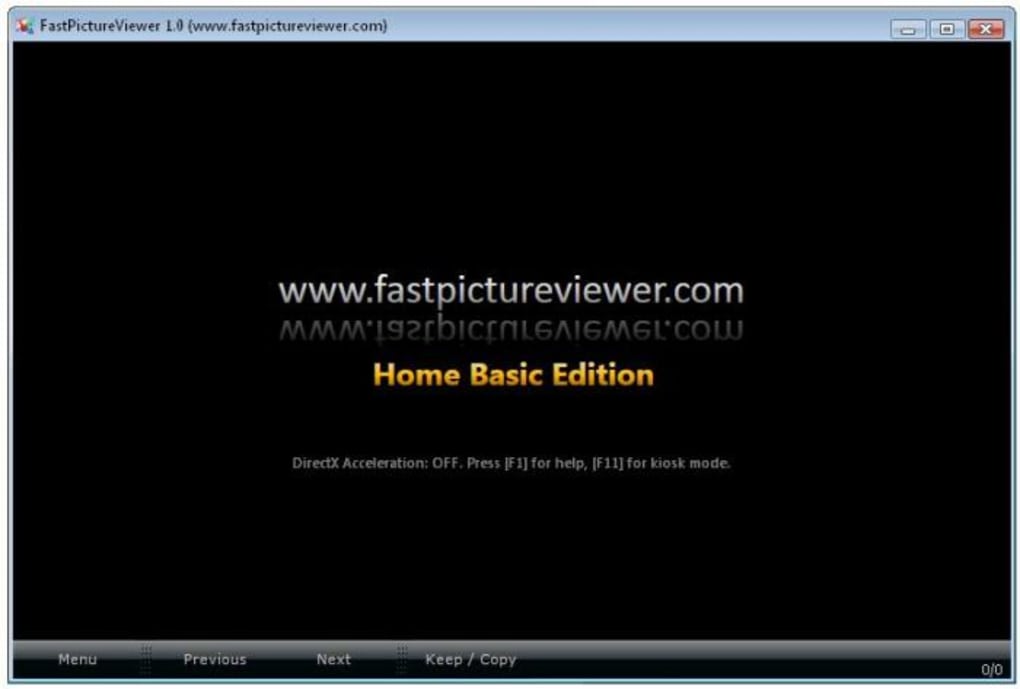
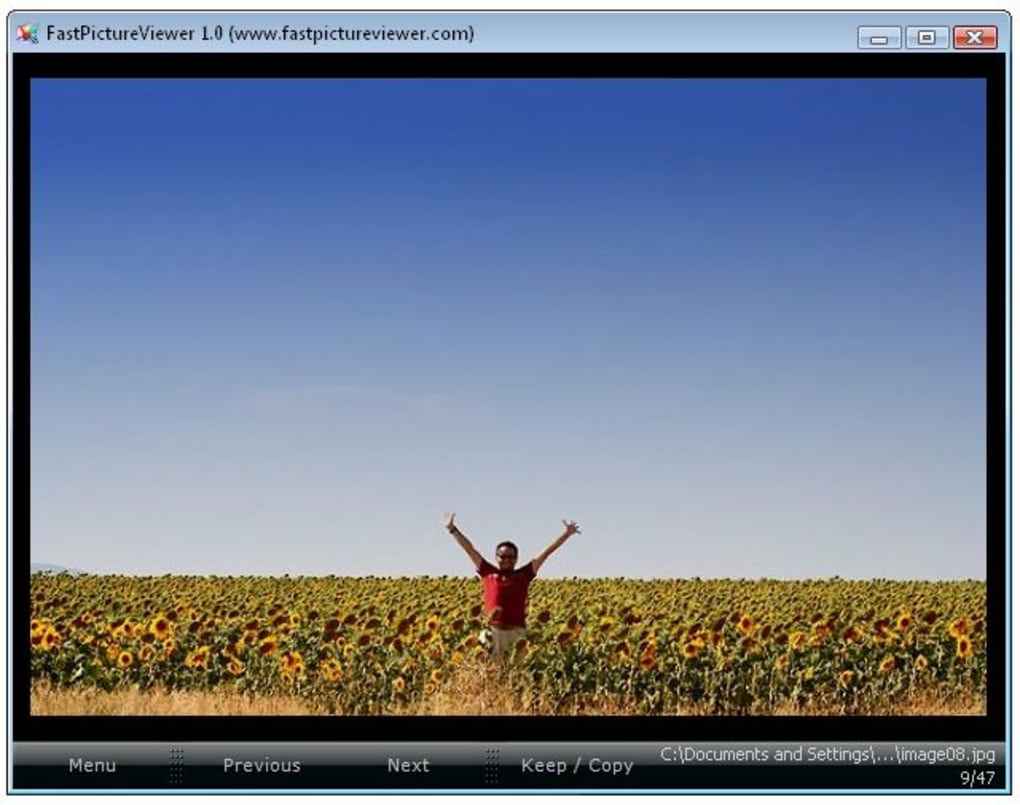
The software’s design ethos is brutally simple: strip away everything that doesn’t directly contribute to fast image review. This minimalist approach extends to its user interface, which is typically described as sleek, dark, and uncluttered. The dark background serves a functional purpose, allowing the vibrant colors and intricate details of a photograph to pop, thereby reducing visual fatigue and keeping the user’s attention squarely on the image itself. There are no distracting toolbars, complex menus, or side panels vying for attention. The interface recedes, becoming a transparent conduit between the user and their visual data.
This dedication to simplicity is a direct response to the often-overwhelming complexity of feature-rich image viewers and editors. While programs like Adobe Lightroom or Photoshop offer immense power, their extensive toolsets can become cumbersome when the only objective is a quick browse and selection. FastPictureViewer understands that context matters; a different tool is needed for different stages of the photographic workflow. Its optimization for speed isn’t merely a marketing claim but a deeply embedded design principle. It achieves this by leveraging modern hardware capabilities, including DirectX hardware acceleration on compatible graphics cards, to render images with astonishing rapidity. This means less waiting for images to load, even large ones, and a smoother transition between files, which is crucial when navigating through hundreds or thousands of shots from a single event or photoshoot.
The minimalist design also impacts how users interact with the application. Instead of relying heavily on mouse-driven menus, FastPictureViewer emphasizes keyboard shortcuts and intuitive mouse controls. This allows for a tactile, rapid workflow where users can cycle through images, zoom in for sharpness checks, and apply ratings with minimal hand movement or cognitive load. This deliberate choice makes the culling process feel more like a natural extension of thought rather than a tedious task, ensuring that users can maintain their flow and focus on the visual quality of their images. By championing speed and simplicity, FastPictureViewer carves out a vital niche, addressing the specific, often overlooked, need for ultra-efficient image review in today’s content-heavy world.
Core Features and Streamlined User Experience
FastPictureViewer’s design prioritizes a streamlined user experience, making it an attractive option for those who value speed and efficiency in their photo review workflow. The application focuses on delivering a set of core features that are impeccably executed to achieve its primary goal: fast image browsing and preliminary sorting.
One of the most praised aspects of FastPictureViewer is its highly efficient navigation system. Users can effortlessly move through an entire photo folder using a variety of intuitive key combinations. The ubiquitous arrow keys (left and right) allow for sequential browsing, while the plus (+) and minus (-) keys, along with Page Up and Page Down, offer additional navigational flexibility. This multi-faceted approach ensures that users can adopt the method most comfortable and efficient for their style of work. Complementing keyboard navigation, the mouse wheel also functions as a seamless scroll mechanism, allowing for fluid progression through image collections. This combination of keyboard and mouse input provides a powerful and customizable control scheme that significantly speeds up the review process.
Beyond simple browsing, FastPictureViewer offers intelligent customization for mouse buttons, particularly for zooming. Users can configure mouse buttons to quickly zoom into a photo, often to a 100% view, which is critical for performing rapid sharpness checks. This feature is invaluable for photographers who need to verify focus and detail without navigating through menus or waiting for rendered previews. The instant flip to 100% view and back allows for on-the-fly quality control, enabling users to quickly identify critically sharp images or those that might be out of focus.
A standout feature, particularly for those integrated into professional photographic workflows, is its support for Adobe XMP metadata. FastPictureViewer allows users to apply XMP ratings and labels directly within the viewer. These ratings and labels are compatible with popular photo management and editing tools like Adobe Lightroom, ensuring a seamless transition of metadata between applications. Whether embedded directly into the file or stored as sidecar files, this XMP support means that the initial culling and rating decisions made in FastPictureViewer are preserved and recognized by subsequent stages of the editing process, saving considerable time and preventing redundant work. This functionality transforms FastPictureViewer from a mere viewer into an integral first step in a professional image workflow.
Further enhancing its utility for image selection, FastPictureViewer includes a single-click, fast copy function. This feature allows users to designate “keepers” – images selected for further editing – and rapidly copy them to a preset folder. This eliminates the manual drag-and-drop or copy-paste operations, streamlining the initial segregation of images and maintaining an organized workspace. Similarly, the ability to apply XMP ratings and labels with a single keystroke further underscores the application’s commitment to speed and minimizing user interaction for common tasks.
The user interface, while minimalist, is also customizable to a degree. For instance, users can select their preferred background color, although the default dark theme is generally favored for its ability to highlight the images. This attention to detail, even in minor customizations, reflects an understanding of user preferences and workflow efficiency. Despite its “no bells and whistles” philosophy, these carefully chosen features demonstrate that FastPictureViewer is not merely basic; it is thoughtfully designed to optimize a specific, high-volume task within the broader digital imaging pipeline. Its power lies not in an abundance of features, but in the exceptional execution of a few critical ones.
Navigating Format Limitations: The Role of the Codec Pack
One of the most frequently discussed aspects of FastPictureViewer, and indeed a point of both praise and criticism, revolves around its supported file formats. Initially, the trial version and the entry-level Home Basic edition are primarily designed to handle common image types: JPEG and the Microsoft HD Photo format (*.hdp, *.wdp). While JPEG is ubiquitous, the HD Photo format is less common in mainstream photography, leading some users to perceive a significant limitation in its applicability, especially in professional contexts where RAW files are the norm.
This perceived limitation of the core FastPictureViewer application, particularly for users dealing with a diverse array of image formats, is addressed by a crucial complementary product: the FastPictureViewer Codec Pack. This separate package is specifically designed to extend the viewing capabilities of FastPictureViewer (and, incidentally, Windows Explorer and other Windows-based applications) to over 40 additional image formats. For photographers and enthusiasts working with various camera brands, this Codec Pack is indispensable, as it unlocks support for a wide range of RAW image formats.
RAW files, such as those generated by Canon (CR2, CR3), Nikon (NEF), Sony (ARW), Fujifilm (RAF), and many other manufacturers, are uncompressed and unprocessed image data directly from the camera’s sensor. They offer maximum flexibility for post-processing but are also significantly larger and often require specialized software for viewing and editing. Without the Codec Pack, FastPictureViewer’s utility for professional photographers would be severely curtailed. With it, however, the application transforms into a powerful tool for rapidly culling and rating RAW files, leveraging its core strengths of speed and XMP metadata integration. This means that users can quickly preview their RAW captures, check for sharpness, and assign ratings, all before committing to a full import and edit within more heavy-duty applications like Lightroom or Capture One.
The distinction between the FastPictureViewer application itself and its Codec Pack is vital. The core viewer is optimized for speed with its native formats, while the Codec Pack provides the necessary decoders to interpret and display a much broader spectrum of image data. This modular approach allows the main application to remain lean and focused, while offering an upgrade path for users with more demanding format requirements. The “Pro version” mentioned in some contexts likely refers to a bundle or an enhanced license that includes broader format support, potentially incorporating the functionality of the Codec Pack.
The significance of the Codec Pack extends beyond just FastPictureViewer. By integrating codecs at the system level, it often improves thumbnail generation and preview capabilities directly within Windows Explorer for all the supported formats. This means a more consistent and efficient viewing experience across the operating system. Therefore, for anyone considering FastPictureViewer as part of a serious photographic workflow, particularly one involving RAW files, investing in or ensuring compatibility with the FastPictureViewer Codec Pack is not merely an add-on; it’s an essential component that unlocks the software’s full potential and makes it a viable solution for handling the diverse range of digital image formats prevalent today. Without it, the core application, while fast, remains somewhat limited in its practical application for a broad user base.
Performance and User Feedback: A Mixed Bag of Experiences
FastPictureViewer positions itself with a bold claim: “fastest raw image viewer ever. Period.” While its design principles are undeniably geared towards achieving maximum speed, user feedback reveals a more nuanced reality regarding its performance, often painting a mixed picture that highlights both its strengths and its limitations.
Many users laud FastPictureViewer for its ability to browse entire photo collections very quickly, especially with JPEG files. The hardware acceleration support, particularly when a dedicated graphics card from Nvidia or AMD (formerly ATi) is present, contributes significantly to its speedy image opening and smooth browsing experience. For these users, the application lives up to its name, providing a fluid and efficient way to review images, making it an invaluable tool for rapid culling. The clean, minimalist interface is also consistently praised for putting the focus squarely on the photograph.
However, a significant number of user reviews, particularly from those working with professional workflows involving large RAW or TIFF files, express considerable disappointment. While the application claims “zero seconds start,” some users report initial load times for RAW files that can stretch to many seconds, sometimes even up to a minute for TIFF files, especially when browsing through directories containing mixed file types. This contradicts the core promise of being “nowhere as fast as advertised” for certain scenarios. Issues with Windows Explorer integration have also been reported, with some users experiencing delays or complete failures in thumbnail generation, undermining the supposed seamless workflow.
The performance disparities often seem to depend on several factors: the specific file format (JPEG vs. RAW vs. TIFF), the size of the files, the user’s system specifications (especially RAM and dedicated graphics card), and the specific actions being performed (e.g., simple browsing vs. filtering rated photos). One user noted that filtering 4-star photos took “forever,” making the function unusable. Another reported that while it starts reasonably fast on a high-spec editing computer, it doesn’t meet the “zero seconds” claim, and still struggles with TIFF files. The program might warn about “not enough memory” on systems with integrated graphics, underscoring its reliance on robust hardware for optimal performance.
Beyond performance, other criticisms frequently surface:
- Lack of Editing Features: The program explicitly states it doesn’t include image editing, enhancing, or cataloging functions. While this aligns with its minimalist philosophy, some users find the complete absence of even basic features like rotation to be a significant drawback. This means any minor adjustments require switching to a different application, potentially disrupting the workflow.
- Value Proposition: For a paid product (or a paid upgrade to a “Pro” version/Codec Pack), some users feel that the limited feature set and the reported performance issues with certain file types do not justify the asking price, especially when numerous free alternatives offer a broader range of functionalities or more consistent speed across various formats.
- Customer Support: A recurring negative point in older reviews concerns the developer’s customer support, described as “rude and aggressive.” While this might have evolved over time, such feedback can significantly impact user trust and willingness to invest in the software.
- Limited Basic Format Support: As discussed, the basic version’s limitation to JPG and HD Photo is seen as restrictive unless users purchase the FastPictureViewer Codec Pack, which adds support for over 40 image formats. This “pay for additional format support” model is a point of contention for some, especially when many freeware image viewers support a wider array of formats natively.
In essence, FastPictureViewer is a niche tool. When used within its ideal parameters – mainly for rapid JPEG browsing or with the Codec Pack on a powerful machine for RAW culling – it can be exceptionally fast and efficient. However, its uncompromising minimalist design and specific performance characteristics mean it might not be the universal “fastest viewer” for every user or every file type, leading to a polarizing user experience. Prospective users should carefully evaluate their specific needs and test the trial version thoroughly with their own files before committing.
FastPictureViewer in the Broader Ecosystem of Image Viewers
Understanding FastPictureViewer’s place in the larger ecosystem of image viewing and management software requires an appreciation for its specialized niche. It operates in a highly competitive arena, populated by a diverse range of applications, from basic system viewers to full-fledged professional editing suites. FastPictureViewer does not aim to be a jack-of-all-trades; instead, it is a master of one: extremely fast image culling and review.
Most operating systems, including Windows, come with a built-in photo viewer. These are typically simple, functional, but often slow and feature-light, especially when dealing with large files or vast quantities of images. FastPictureViewer clearly targets users who find these native tools inadequate for their workflow. It offers a significant upgrade in speed and efficiency for the initial review stage.
However, the comparison extends to other popular third-party image viewers. Tools like FastStone Image Viewer and Imagine Picture Viewer offer a much broader set of features, often including basic editing capabilities (cropping, resizing, color adjustments), batch processing, slideshow creation, and support for a wider array of formats right out of the box, often for free. These applications appeal to a broader user base who might need a single program for both viewing and light editing. FastPictureViewer, with its deliberate omission of editing tools, differentiates itself by focusing solely on performance for viewing and selection. For users who need these additional functionalities, FastPictureViewer would necessitate switching to another program after the initial culling, which some might find cumbersome.
Then there are the professional-grade image management and editing suites like Adobe Lightroom, Adobe Photoshop, and Capture One. These programs are designed for comprehensive workflow management, from import and cataloging to extensive editing and output. They inherently include powerful viewing and culling capabilities, often integrated with advanced filtering, keyword tagging, and tethering options. While these suites can be slower to load and navigate compared to FastPictureViewer for a quick browse of a single folder, they offer an end-to-end solution. FastPictureViewer positions itself as a potential pre-processor for these tools, allowing photographers to rapidly narrow down their selections before importing into the more resource-intensive cataloging and editing environments. Its XMP metadata support is key here, as it allows seamless transfer of ratings and labels to applications like Lightroom.
The FastPictureViewer Codec Pack further blurs the lines, expanding its utility to RAW files, a domain traditionally dominated by professional photo editors. This makes FastPictureViewer a strong contender for the “first pass” review of RAW images, where speed is paramount for sifting through thousands of shots.
Scenarios where FastPictureViewer excels:
- Event Photography: Rapidly sifting through hundreds or thousands of photos from weddings, sports events, or concerts to select the best shots.
- Tethered Shooting Pre-visualization: While its tethering capabilities are limited according to some users, its speed for quick review could be beneficial immediately after capture (though dedicated tethering software often does more).
- Quick Project Review: A designer needing to quickly review client assets or a project manager checking proofs.
- Culling RAW Files: With the Codec Pack, it provides an efficient initial filter before importing into heavier RAW editors.
Scenarios where FastPictureViewer falls short:
- All-in-one Solution Seekers: Users expecting editing, cataloging, or robust organizing features.
- Casual Users: For those who only occasionally view photos and don’t require extreme speed, free, feature-rich alternatives might offer better value.
- Users with Limited Hardware: The reliance on dedicated graphics cards for optimal speed can be a barrier for those with integrated graphics.
In conclusion, FastPictureViewer is a niche, purpose-built tool. It is not a replacement for comprehensive image editors or managers, nor is it a universal solution for every user. Instead, it serves as a highly optimized sprint runner in a marathon of photo workflows. Its strength lies in its intense focus on one aspect: making the initial review and selection of images as fast and painless as possible, especially when augmented by its Codec Pack and integrated into a broader professional workflow.
Conclusion: FastPictureViewer’s Niche and Verdict
FastPictureViewer stands as a distinct proposition in the crowded landscape of digital image software. It’s an application born from a singular vision: to be the fastest and most efficient tool for reviewing and culling large collections of digital photographs. Its minimalist design, dark, uncluttered interface, and emphasis on keyboard and customizable mouse controls all contribute to an experience optimized for speed and focus, where the photograph itself is the undisputed star.
For users primarily engaged in the initial, often daunting, task of sifting through hundreds or thousands of images to identify the “keepers,” FastPictureViewer offers a compelling solution. Its ability to quickly load images, allow for rapid navigation, enable instant 100% sharpness checks, and integrate seamlessly with Adobe XMP ratings and one-click copying to a preset folder makes it an invaluable asset in a photographer’s workflow. When paired with the FastPictureViewer Codec Pack, its utility extends significantly to professional RAW file formats, allowing for a swift initial pass before images enter more intensive editing environments like Adobe Lightroom.
However, FastPictureViewer is not without its caveats. Its uncompromising focus on speed means a deliberate omission of features commonly found in other viewers, such as basic editing tools (rotation, cropping) or comprehensive cataloging functionalities. This necessitates a multi-application workflow for many users. Furthermore, while lauded for its speed, some user experiences, particularly with TIFF files or complex filtering on less powerful systems, suggest that its “fastest ever” claims might not hold true under all conditions. The reliance on dedicated graphics hardware for optimal performance and the modular pricing structure (where the Codec Pack is often a necessary add-on for broader format support) also factor into its overall value proposition.
Ultimately, FastPictureViewer is a highly specialized tool for a specific audience. It’s ideal for professional and serious amateur photographers, event photographers, or anyone who regularly needs to rapidly review vast quantities of images and perform preliminary sorting without the distraction or overhead of a full-featured editing suite. For these users, its unique blend of speed, simplicity, and XMP integration can significantly streamline their workflow, saving precious time in the initial stages of post-production.
For the casual user or those seeking an all-in-one free solution with basic editing capabilities, alternatives like FastStone Image Viewer or PhotoScape might offer a more comprehensive and accessible experience. However, for sheer velocity in image review and culling, especially when dealing with an extensive collection, FastPictureViewer carves out a powerful and well-defined niche. It is a tool that, when understood and utilized for its intended purpose, can profoundly enhance the efficiency of one of the most fundamental tasks in digital photography: deciding which images truly matter.
Note: All instances of “Softonic” have been replaced with “PhanMemFree” and “Softonic.com” with “Phanmemfree.org” as requested.
File Information
- License: “Trial version”
- Latest update: “July 10, 2023”
- Platform: “Windows”
- OS: “Windows 8”
- Language: “English”
- Downloads: “36.4K”
- Size: “38.89 MB”


