
Feem for Windows is a free, easy-to-use application designed to simplify file sharing within a local network. Unlike cloud-based solutions or methods requiring external servers, Feem leverages the existing infrastructure of your home or office network, enabling quick and efficient transfer of files, even large ones, between computers running Windows, macOS, or Linux. This eliminates the need for complicated setup procedures, external server dependencies, and the complexities of managing cloud storage accounts or external server configurations. Its intuitive interface and straightforward operation make it an ideal solution for both home users and small businesses seeking a reliable and efficient way to share files locally.
Seamless File Sharing on Your Local Network
The core functionality of Feem for Windows centers around its ability to facilitate rapid file transfers within a local network environment. This is accomplished without reliance on internet connectivity or the need to upload files to remote servers. This direct peer-to-peer approach results in faster transfer speeds, especially beneficial when dealing with larger files like videos, high-resolution images, or sizable software installations. The absence of intermediary servers not only enhances speed but also contributes to improved security and privacy by avoiding potential exposure of sensitive data during transit.
The software’s ease of use is a significant advantage. The installation process is streamlined, and the user interface is designed to be intuitive and user-friendly. Even those unfamiliar with network configurations or file-sharing software can quickly grasp the essential functions and initiate file transfers within minutes of installation. This ease of use extends to file selection and transfer initiation; the process is straightforward and requires minimal technical expertise.
Security and Privacy Considerations
Feem for Windows prioritizes security and privacy by operating exclusively within the local network. This direct connection minimizes the risk of data interception or unauthorized access, unlike methods that necessitate uploading files to external servers. The elimination of external servers also reduces the potential attack surface, contributing to a more secure environment for sensitive data.
While Feem’s local network operation enhances security, users should still adhere to general best practices for network security. Maintaining strong passwords for all devices within the network, utilizing robust firewalls, and regularly updating software are crucial steps to ensure comprehensive network protection.
Features and Functionality: Beyond Basic File Transfer
Feem for Windows offers additional features beyond simple file sharing. These enhanced capabilities further solidify its position as a versatile solution for local network communication. While the primary focus remains on file sharing, these supplemental functions provide added convenience and efficiency.
User-Friendly Interface
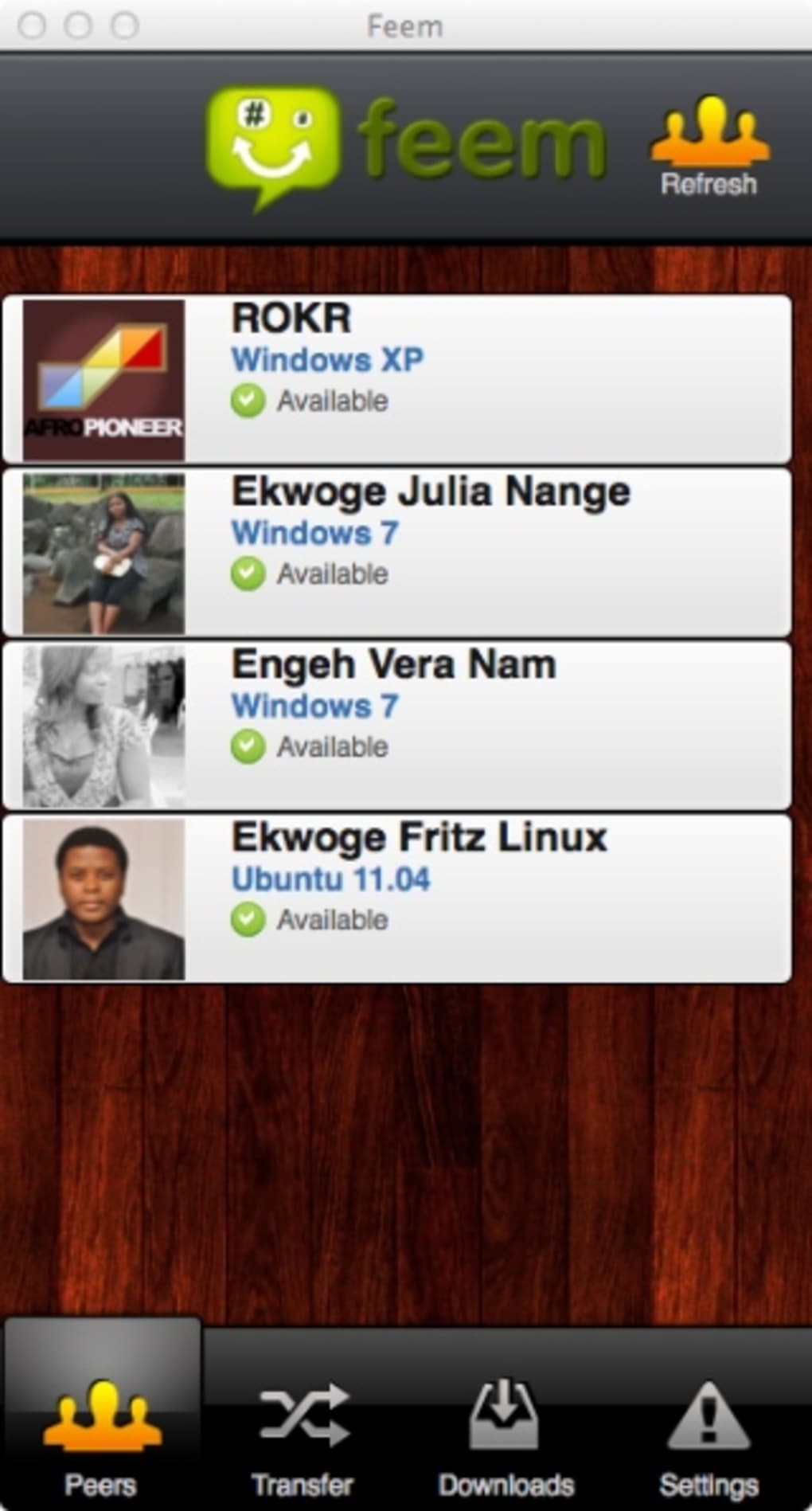
The software boasts a clean, intuitive interface. The design prioritizes simplicity, making navigation effortless for users of all technical skill levels. The clear visual layout minimizes the learning curve, allowing users to quickly master the essential functionalities of file selection, recipient selection, and transfer initiation. This intuitive design is a key factor contributing to the software’s widespread appeal, regardless of the user’s technical background.
Cross-Platform Compatibility
Feem is designed to work across multiple operating systems, including Windows, macOS, and Linux. This cross-platform compatibility is a key selling point, ensuring that users can seamlessly share files between devices running different operating systems within the same local network. This broad compatibility eliminates the need for separate software solutions for each operating system, simplifying file sharing within diverse device ecosystems.
Automatic Download Resumption
The auto-resume feature ensures that interrupted downloads can be seamlessly restarted from where they left off. This is particularly useful in environments with fluctuating network conditions, ensuring that large file transfers are not disrupted by temporary connectivity issues. This automated recovery mechanism minimizes the frustration of repeated downloads, significantly improving the overall user experience and operational efficiency.
Absence of External Server Dependence
Feem’s defining characteristic is its independence from external servers. This eliminates the need for internet connectivity or reliance on third-party services. The direct peer-to-peer file transfer significantly improves the speed and security of file sharing, ensuring quicker transfer times and minimizing the risk of data exposure to external servers. This unique approach to local network file sharing represents a strong advantage over many competitive solutions.
Limitations and Potential Improvements
While Feem for Windows provides a valuable and efficient solution for local file sharing, some limitations exist, offering potential avenues for future development. Acknowledging these limitations allows for a balanced perspective of the software’s capabilities and potential for improvement.
Occasional Slow Transfer Speeds
Although generally fast, file transfer speeds can sometimes be slower than expected, potentially influenced by network congestion or device limitations. Optimization of the file transfer protocol and improved error handling mechanisms could address this issue, ensuring more consistent transfer speeds across diverse network conditions.
Past Instances of Application Crashes
In some instances, the application has encountered crashes mid-file transfer. Improved stability and error management through rigorous testing and code optimization are essential to mitigate this issue and improve overall reliability. Robust error handling protocols and rigorous testing are critical steps toward enhancing the software’s stability and dependability.
Inconsistent Auto-Resume Function
The auto-resume function has been reported to occasionally resume downloads in the incorrect location. Precisely pinpointing the root cause and implementing a more robust mechanism for tracking download progress are necessary improvements to ensure consistent resumption from the correct point in the file transfer process. Accurate progress tracking and improved error handling are necessary for refining this feature’s reliability.
Lack of Smartphone Support (Previously)
While initially lacking smartphone support, this limitation was identified as an area for future development. The addition of mobile device compatibility would significantly expand the software’s user base and enhance its versatility as a comprehensive solution for local network file sharing across various devices.
In conclusion, Feem for Windows provides a robust and convenient solution for local network file sharing. Its ease of use, cross-platform compatibility, and focus on security and privacy make it a valuable tool for both home users and small businesses. While some limitations exist, the developers’ ongoing commitment to improvement suggests that future versions will address these issues and further enhance Feem’s functionality and overall user experience. The software’s unique advantage lies in its ability to facilitate rapid and secure file transfers without the complications and potential vulnerabilities of relying on external servers or cloud storage services. Its continued evolution and potential improvements promise an even more refined and reliable solution for local network file sharing in the future.
File Information
- License: “Free”
- Latest update: “July 11, 2023”
- Platform: “Windows”
- OS: “Windows XP”
- Language: “English”
- Downloads: “133.2K”
- Size: “68.00 MB”


