
File Joiner is a free productivity software application exclusively available for Windows. Categorized under “Cataloging” within the broader Productivity software category, it provides a straightforward solution for combining multiple files into a single, unified file. While boasting a relatively simple interface, its core functionality remains a valuable tool for users needing to merge various file types. This review delves into the features, performance, and overall user experience of File Joiner, exploring its strengths and limitations.
Functionality and Features
File Joiner’s primary function is the concatenation of files. This means it takes multiple files—be they text documents, images, or other compatible file types—and joins them sequentially into a single output file. The process is relatively simple, requiring minimal user interaction beyond selecting the input files and specifying the desired output file name and location. This simplicity is both a strength and a weakness. While it makes the software highly accessible to even novice users, it also limits its versatility and advanced features.
The software lacks advanced options such as the ability to selectively choose portions of files to merge or to apply any form of data transformation during the joining process. Furthermore, it doesn’t offer options for different output file formats. The output file will generally retain the format of the first file in the sequence. This lack of flexibility might be a significant drawback for users requiring more sophisticated file manipulation capabilities. For instance, it can’t directly merge images of different formats without prior conversion, potentially necessitating the use of additional image editing software.
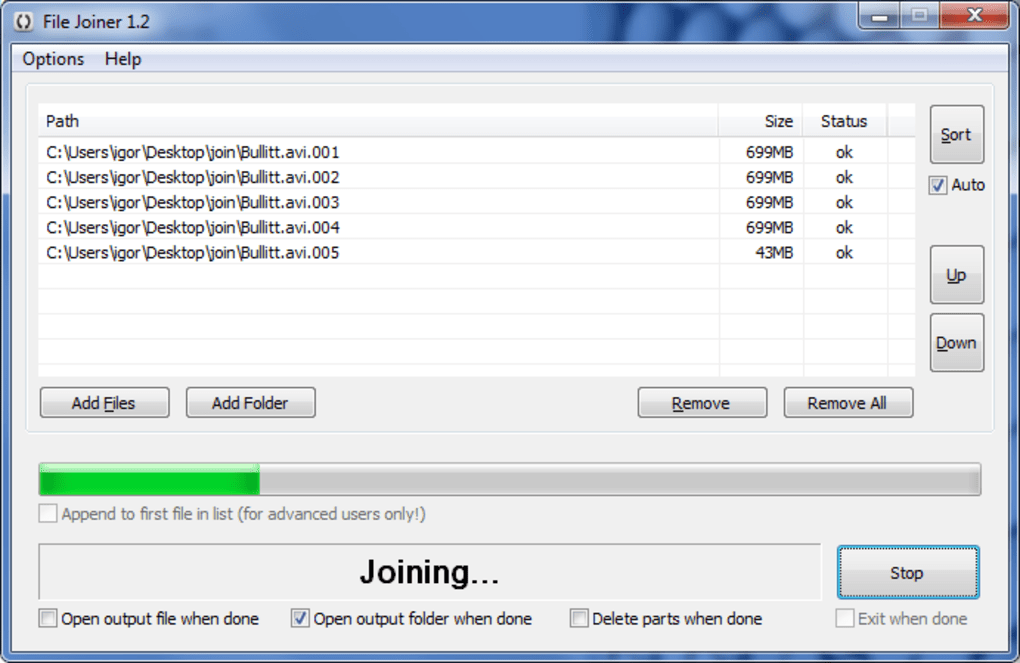
The application’s straightforward approach is its greatest advantage. Users who simply need to combine files quickly and efficiently will find File Joiner to be a user-friendly and effective tool. The minimal interface reduces the learning curve, making it ideal for those unfamiliar with more complex file management utilities. The absence of advanced features ensures a streamlined workflow, focusing solely on the core function of file concatenation.
User Interface and Experience
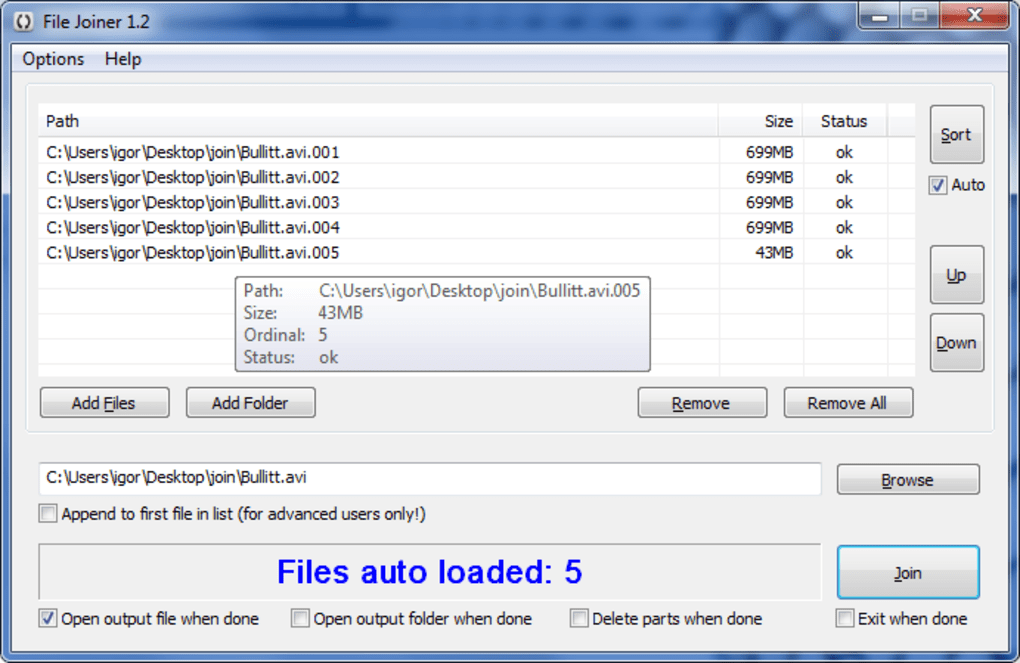
File Joiner’s user interface (UI) is remarkably simple and uncluttered. It presents a clean and intuitive design, making it easy for users to navigate and use the software, even without prior experience with similar applications. The lack of extraneous features contributes to this simplicity. The main window consists of a few essential elements: a file selection area, an output file path designation, and a “Join” button. The overall design prioritizes ease of use over extensive customization options.
The intuitive design minimizes the time required to learn and utilize the software. The straightforward layout enables users to quickly locate the necessary controls and perform the file joining operation without any significant learning curve. The software’s reliance on a simple “point and click” interface ensures a smooth and efficient user experience.
While simplicity is a benefit, a more advanced UI might have included features like a progress bar to monitor the joining process or more detailed feedback on the operation’s status. These additions could enhance the user experience, providing greater transparency and reassurance during larger file operations. However, for its intended purpose – quick and simple file joining – the existing UI serves its function admirably.
Performance and Efficiency
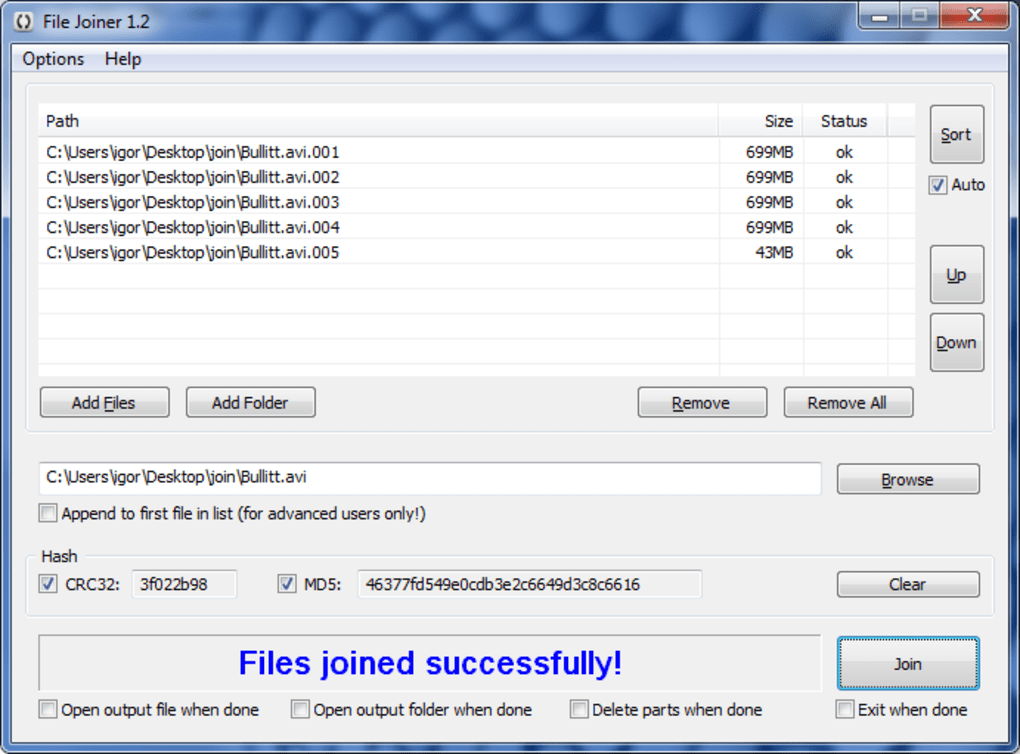
File Joiner’s performance is generally efficient, especially when dealing with smaller files. The software processes the joining operation relatively quickly. However, its speed can decrease noticeably when handling larger files, especially those exceeding several hundred megabytes. This is largely due to the software’s lack of advanced optimization techniques common in more resource-intensive applications. The absence of parallel processing or other sophisticated techniques to speed up the process is a limitation, particularly for those routinely working with large files.
While performance is adequate for most casual users, it may prove insufficient for those who need to regularly merge large quantities of large files. For users in this category, a more robust and optimized solution would be preferable. However, for quick joining tasks with relatively small files, the software’s performance is satisfactory.
The overall speed and efficiency of File Joiner are tied to the size and type of files being joined. While it efficiently handles smaller files, the performance significantly degrades with larger file sizes, highlighting a potential bottleneck in the software’s architecture.
Limitations and Alternatives
Despite its ease of use, File Joiner has limitations. The most significant is the lack of advanced features, such as selective merging, format conversion, or batch processing. It’s strictly limited to concatenating files as they are, without allowing for any alterations or transformations. This limits its usefulness for tasks beyond simple file joining.
Moreover, File Joiner’s support is limited to only the Windows operating system. Users on other platforms such as macOS or Linux cannot utilize this software. This platform exclusivity restricts its reach and utility for a broader user base.
Several alternative applications offer more extensive functionality for file joining and manipulation. These alternatives might provide features such as:
- Support for multiple file formats: Some applications can seamlessly merge files of different formats without requiring manual conversion.
- Advanced merging options: These applications might offer features like selective merging, allowing users to choose specific sections of files to include in the output.
- Batch processing: This allows users to merge multiple sets of files simultaneously, significantly increasing efficiency.
- Cross-platform compatibility: Several applications offer support for Windows, macOS, and Linux, broadening their appeal and applicability.
Examples of such alternatives include HJSplit, a popular open-source file splitter and joiner with more advanced features. Other commercial and free applications provide similar or enhanced functionalities. The choice of alternative will depend on the user’s specific requirements and preferences.
Conclusion
File Joiner serves as a simple and effective solution for users with basic file merging needs. Its intuitive interface and straightforward functionality make it easy to use, particularly for those unfamiliar with file management software. However, its limitations, including a lack of advanced features, limited platform support, and performance issues with large files, might deter users seeking more comprehensive file manipulation capabilities. For users with simple, infrequent file joining requirements, File Joiner is a suitable choice. However, users with more complex or frequent needs should explore alternative applications offering more robust functionality and features.
File Information
- License: “Free”
- Version: “2.0.6”
- Latest update: “June 18, 2012”
- Platform: “Windows”
- OS: “Windows 8”
- Language: “English”
- Downloads: “5.5K”
- Size: “63.18 KB”


