
FileLocator Pro is a robust file search utility designed for Windows users seeking a comprehensive and efficient way to locate any file on their system, regardless of size or type. Unlike many other search tools that may overlook smaller or less significant files, FileLocator Pro provides an exhaustive search capability, ensuring that no relevant file is missed. This in-depth guide explores the features, functionalities, and benefits of FileLocator Pro, making it an invaluable tool for managing and organizing digital assets.
Unmatched Search Capabilities: Finding What You Need, When You Need It
FileLocator Pro stands out for its ability to thoroughly scour your computer system for files matching specified criteria. It doesn’t limit its search to file names; instead, it delves into file contents, utilizing advanced search techniques to ensure comprehensive results. This makes it particularly useful when searching for specific information within documents or other file types, where a simple filename search might fall short.
Key features that enhance FileLocator Pro’s search capabilities include:
-
Support for a Wide Range of File Types: FileLocator Pro isn’t confined to a limited set of file extensions. It can effectively search within various formats, including ZIP, RAR, and CAB archives; PDF documents; and basic Word documents. This broad compatibility makes it exceptionally versatile for locating data irrespective of its packaging or format.
-
Advanced Search Operators: The application incorporates sophisticated search operators, including regular expressions and Boolean logic. Regular expressions empower users to create complex search patterns that can match subtle variations in file names or contents. Boolean logic allows for the precise combination of search terms using operators like AND, OR, and NOT, providing fine-grained control over the search process. This empowers users to narrow down their search results with remarkable precision.
-
Network Search Functionality: FileLocator Pro’s search capabilities extend beyond the confines of a single computer. Its support for LAN/WAN network drives (UNC support) allows users to search across multiple computers and shared drives within a network. This greatly enhances efficiency in enterprise settings or for users working with multiple networked devices.
-
Customization Options: The application provides extensive customization options to tailor the search process to specific needs. Users can specify the directories to be searched, choose specific file types, and define advanced search parameters for granular control. This flexible approach enables users to optimize the search based on their particular requirements and data structure.
Advanced Features: Beyond Basic File Searching
While the core functionality of FileLocator Pro centers around robust file searching, the application offers several advanced features that further enhance its utility and user experience:
-
Active Scripting Support: FileLocator Pro’s support for active scripting opens avenues for significant customization. Users can leverage scripting languages to automate complex search tasks, define custom search algorithms, or integrate FileLocator Pro into workflows involving other applications. This extensibility makes the software highly adaptable for advanced users and specific scenarios.
-
Versatile Export Options: Once a search is completed, the results can be exported in several common formats, including text, CSV, HTML, and XML. This allows for seamless integration with other applications, such as spreadsheets or databases, making the analysis and manipulation of search results considerably easier.
-
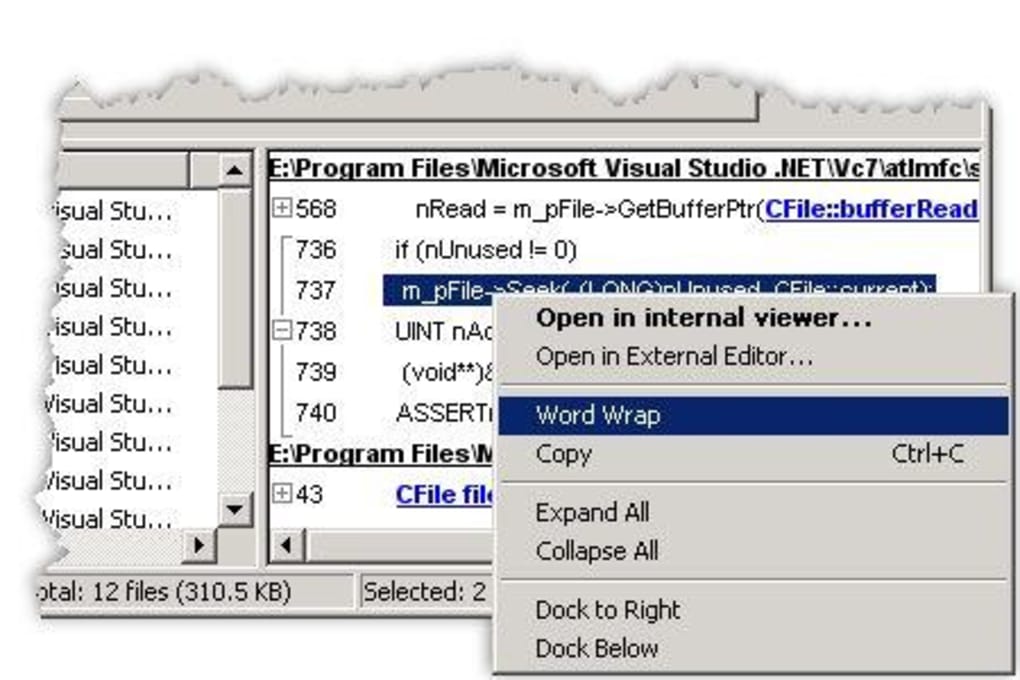
Integrated File Viewer: The application includes a built-in file viewer, eliminating the need to open files in separate programs for previewing. This streamlined workflow saves time and effort, enabling users to quickly assess search results without disrupting their workflow.
-
External Editor Integration: Users can configure FileLocator Pro to launch an external editor at a specific line within a found file. This functionality is especially beneficial for developers or those working with code, enabling them to jump directly to the relevant section of a file without navigating manually.
User-Friendly Interface and Ease of Use
Despite its powerful features and advanced capabilities, FileLocator Pro is designed with user-friendliness in mind. Its intuitive interface requires minimal learning curve, making it accessible to users of all technical levels. The simple drag-and-drop functionality further enhances usability. The application effectively balances advanced features with an accessible design, enabling users of all skill sets to effectively leverage its power.
Comparison with Alternative File Search Tools
Numerous alternative file search tools exist, each with its strengths and weaknesses. While some may offer specific features or focus on a particular niche, FileLocator Pro distinguishes itself through its unique combination of features, particularly its exhaustive search capabilities and support for advanced search operators. Direct comparisons reveal that FileLocator Pro often surpasses alternatives in its ability to find files that other tools might miss, providing a more complete and accurate search experience.
Some notable alternatives include:
-
Everything: A popular and fast file search tool that indexes the entire hard drive for rapid searches. However, it might lack the advanced search features and file content searching found in FileLocator Pro.
-
Wise JetSearch: Another fast local file search tool. While efficient, it may not match FileLocator Pro’s depth of customization and advanced search functionalities.
-
Agent Ransack: A freeware utility that offers robust search capabilities, but it may not have the same range of file type support or network searching abilities as FileLocator Pro.
These are merely examples, and the choice of file search tool ultimately depends on individual needs and preferences. However, FileLocator Pro consistently provides a higher degree of comprehensiveness and customization, making it a compelling choice for many users.
FileLocator Pro’s Role in Data Management and Organization
In today’s digital world, efficient data management is paramount. FileLocator Pro contributes significantly to this by providing a powerful tool for locating and organizing digital assets. The application’s ability to search across networks, various file types, and within file contents makes it an invaluable resource for individuals and organizations seeking to streamline their workflow and maintain order amidst an ever-growing volume of digital information. It facilitates efficient data retrieval, enabling users to quickly find the information they need, whenever they need it.
Conclusion: Empowering Efficient File Management
FileLocator Pro excels as a comprehensive and powerful file search utility for Windows users. Its exhaustive search capabilities, advanced features, and user-friendly interface combine to create a tool that is both versatile and accessible. By leveraging its advanced search operators, scripting capabilities, and versatile export options, users can dramatically improve their ability to manage and organize their digital data, saving time and increasing efficiency. If you are looking for a reliable and powerful file search tool, FileLocator Pro warrants serious consideration. Its unique combination of robustness and user-friendliness makes it a top contender in the field of file search utilities.
File Information
- License: “Trial version”
- Version: “4.0.787”
- Latest update: “February 13, 2019”
- Platform: “Windows”
- OS: “Windows ME”
- Language: “English”
- Downloads: “5.1K”
- Size: “3.32 MB”


