
FileOptimizer is a free and open-source desktop utility designed to recompress and optimize various file types, significantly reducing their size without compromising quality. Developed by independent developer Javier Gutierrez Chamorro, this versatile tool employs several recompression and optimization techniques, making it an invaluable asset for users seeking to streamline their digital workflow and improve file sharing efficiency. This guide delves into the capabilities, user-friendliness, and overall effectiveness of FileOptimizer, exploring its features and benefits in detail.
Streamlining File Sizes: How FileOptimizer Works
FileOptimizer operates by leveraging various compression algorithms and optimization strategies to minimize the file size of supported document formats. Unlike simple archiving tools that merely package files, FileOptimizer directly manipulates the internal structure of the files themselves. This process involves identifying and removing redundant data, optimizing image compression, and streamlining metadata – all without noticeable degradation of the original content. The software achieves this through a combination of techniques similar to those employed by popular compression utilities like UPX, WinRAR, and 7-Zip, but tailored specifically for a wider range of file types. This targeted approach ensures that the reduction in file size is maximized while maintaining the integrity and usability of the documents. The supported file formats include, but are not limited to, BMP, CHM, CHS, DOCM, DOCX, FITS, and XSF. The specific methods applied depend on the file type, allowing for efficient optimization across a diverse range of documents. The core functionality revolves around intelligently identifying areas within a file where space can be saved without sacrificing content or functionality. This makes FileOptimizer a powerful tool for managing large collections of documents or regularly sending large files via email or online platforms.
User-Friendly Interface and Ease of Use
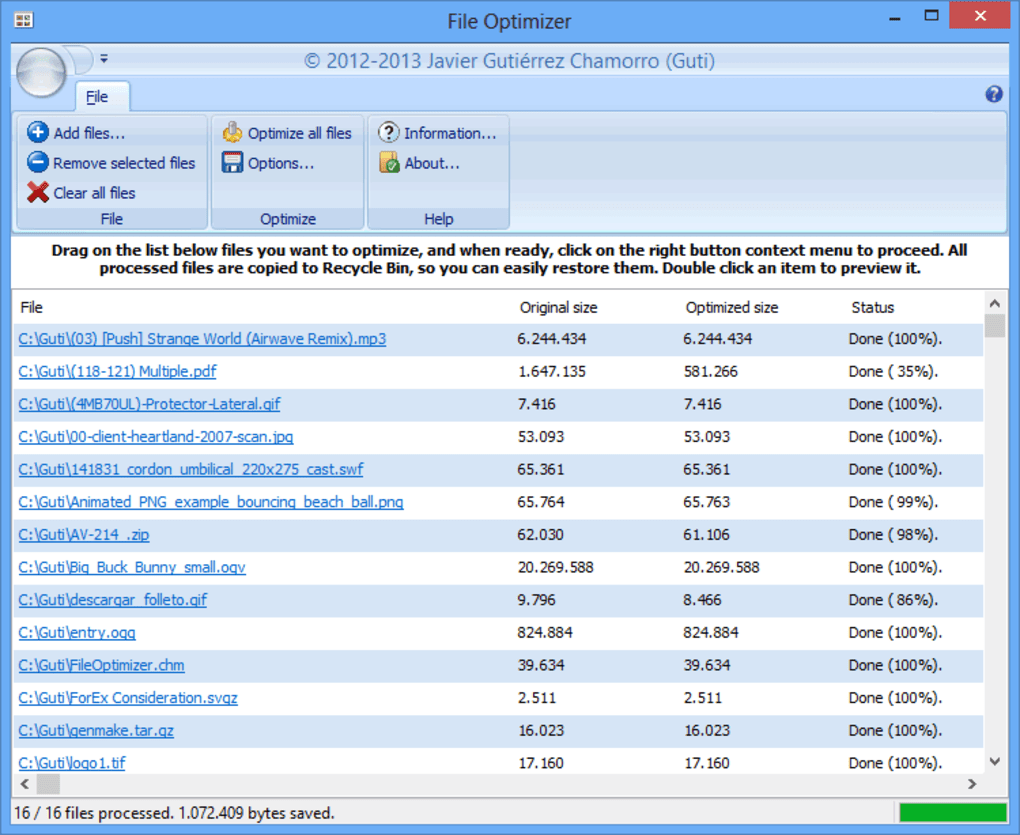
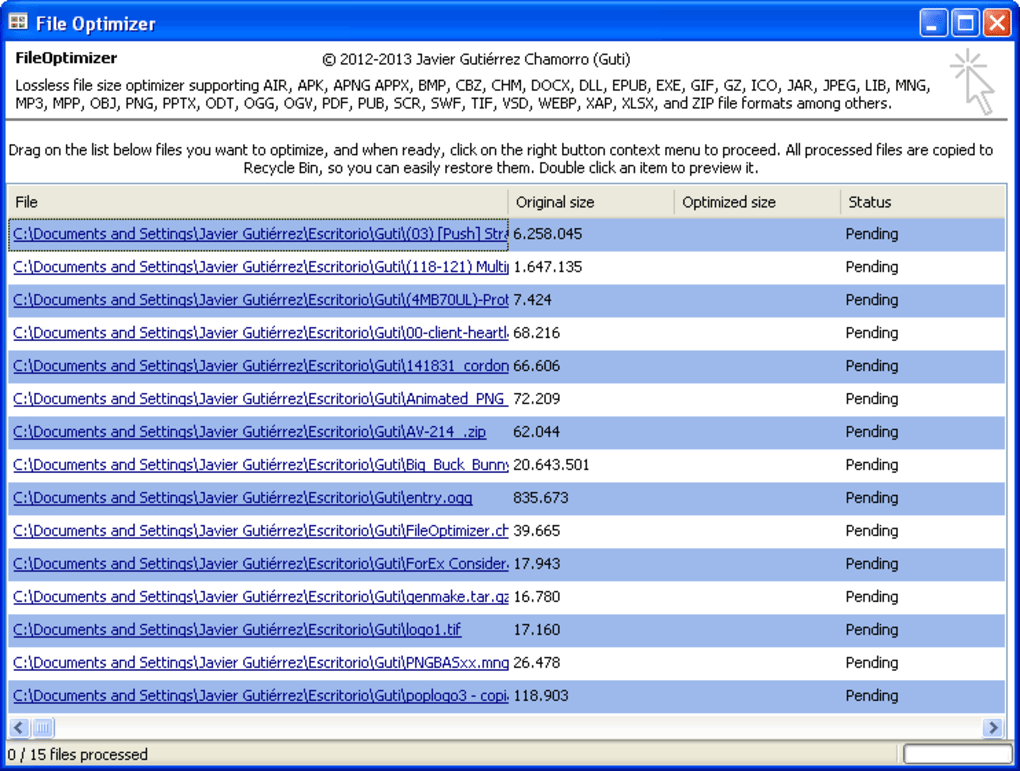
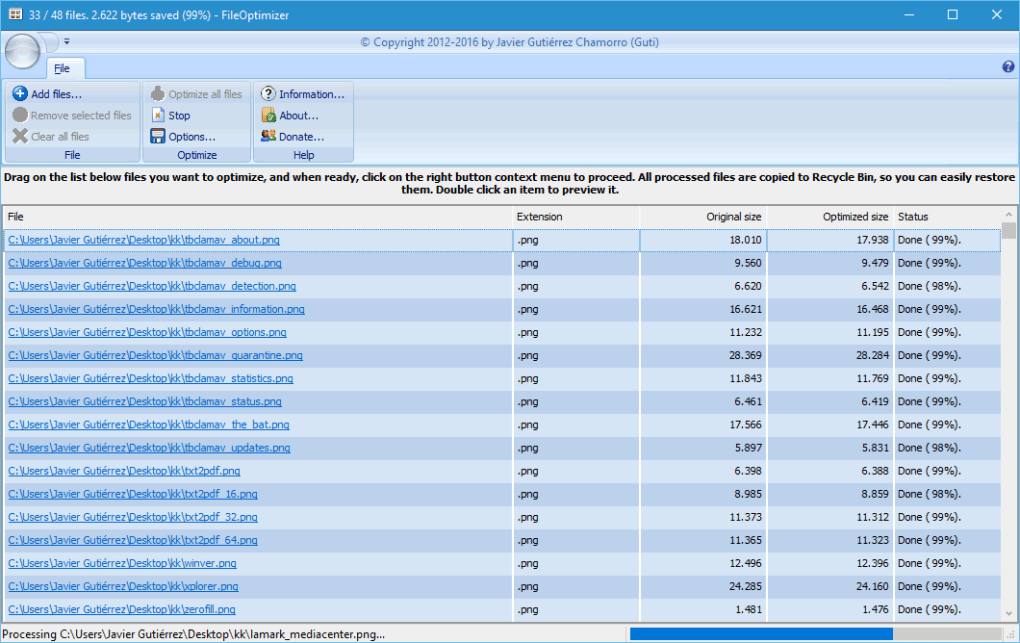
One of FileOptimizer’s greatest strengths is its intuitive and user-friendly interface. Regardless of technical expertise, users can effortlessly leverage the software’s capabilities. The straightforward design eliminates the need for complex configurations or technical understanding. The primary workflow revolves around a simple drag-and-drop mechanism. Users can select multiple files from their computer and directly drag them into the FileOptimizer window. This eliminates the need for navigating file selection dialogues, making the process quick and efficient. Once the desired files are added, a single click on the “Optimize all files” button initiates the compression process. The software then provides a clear overview of the original and optimized file sizes, as well as the status of each file’s optimization. This transparency ensures users are always informed about the progress and results of the compression process.
The software’s simplicity extends beyond the primary optimization function. FileOptimizer also includes an “Options” tab, allowing for customization of several settings. Users can adjust the optimization level, prioritizing either speed or maximum compression, depending on their specific needs. This level of control allows users to balance optimization performance with processing time. Additionally, users can manage metadata, choosing to preserve or remove it from the optimized files. For PDF files, specific profiles are available, allowing users to optimize for printing or eBook readability. These settings cater to a broad spectrum of user needs and preferences, ensuring a high level of flexibility and control over the optimization process. The options are clearly laid out, and their impact is clearly explained, preventing confusion even for novice users.
Advanced Features and Customization Options
Beyond its core file compression capabilities, FileOptimizer offers a range of advanced features that enhance its overall utility and effectiveness. The ability to customize the optimization level allows users to fine-tune the process according to their specific requirements. For instance, selecting a higher optimization level will result in smaller file sizes but may increase processing time, while choosing a lower level provides faster processing with slightly larger file sizes. This flexibility allows users to prioritize speed or maximum compression based on their individual needs and time constraints.
The management of metadata is another noteworthy feature. Users have the option to preserve or remove metadata from the optimized files. Metadata, such as author information, creation date, and other descriptive data, can sometimes contribute to the overall file size. By allowing users to remove unnecessary metadata, FileOptimizer further enhances its compression effectiveness. Furthermore, for PDF files, the software provides specific optimization profiles tailored for printing or eBook readability. These profiles adjust the compression settings to optimize the file for its intended use, ensuring optimal results regardless of how the document is utilized. These customization options significantly extend the software’s versatility, catering to a wide range of file types and usage scenarios.
Benefits and Applications of FileOptimizer
FileOptimizer offers numerous benefits to users across various domains. Its primary benefit is the significant reduction in file size without any perceivable loss in quality. This translates to reduced storage space requirements, faster upload and download speeds, and smoother sharing of documents via email or online platforms. For web developers and webmasters, the ability to reduce the size of website assets, such as images and documents, can lead to improved website performance and faster page load times. This enhancement in website performance directly impacts user experience and search engine optimization (SEO) rankings.
The software’s user-friendly interface and simple workflow make it accessible to users of all technical skill levels. Its straightforward drag-and-drop functionality and clear visual feedback make the optimization process intuitive and easy to manage. The advanced customization options cater to users with more specific requirements, allowing them to fine-tune the optimization process to meet their individual needs. For individuals and businesses that regularly handle large files or exchange documents electronically, FileOptimizer provides a practical solution to reduce file sizes, optimizing efficiency and minimizing storage costs. This makes it a valuable tool for various applications, ranging from personal use to professional workflows.
Limitations and Considerations
While FileOptimizer offers considerable advantages, it’s crucial to acknowledge its limitations. A primary constraint is the inability to restore the original files after optimization. Once a file has been processed, the original version is deleted, and only the optimized version remains. Therefore, users should always create backups of essential files before initiating optimization to prevent potential data loss. While the optimized files are typically compatible with standard applications, there might be rare instances where minor compatibility issues arise depending on the specific file type and the applications used to access them. While unlikely, users should always exercise caution and ensure the optimized files function correctly in the intended applications. It is important to note that FileOptimizer primarily focuses on the compression of documents and other specific file types. It is not a general-purpose compression tool for all file formats. For other file types, other dedicated compression utilities might be more suitable.
Another aspect to consider is the potential impact on file metadata. While users can choose to preserve or remove metadata, the removal of certain metadata might affect the overall functionality or accessibility of the document in certain applications. Therefore, careful consideration should be given to metadata preservation, especially when dealing with files requiring specific metadata for proper functioning. Users should always be cautious and aware of these potential limitations before employing FileOptimizer for critical files or projects.
Conclusion: FileOptimizer – A Powerful Tool for File Optimization
FileOptimizer stands as a robust and user-friendly solution for optimizing file sizes without compromising quality. Its intuitive interface, comprehensive feature set, and support for a wide array of file types make it an invaluable asset for individuals and organizations alike. While limitations regarding the irreversibility of the optimization process and potential metadata impact exist, the significant benefits in terms of reduced storage space, faster data transfer, and improved website performance substantially outweigh these drawbacks. For those seeking a reliable and efficient method to manage and share files more effectively, FileOptimizer presents a highly compelling and readily accessible option. Its open-source nature and continued development suggest a promising future, ensuring that it remains a powerful tool in the ever-evolving landscape of file management and optimization.
File Information
- License: “Free”
- Version: “15.3.0.0”
- Latest update: “January 20, 2022”
- Platform: “Windows”
- OS: “Windows 7”
- Language: “English”
- Downloads: “1.3K”
- Size: “100.95 MB”


