
Film Maker Pro is a free mobile video editing application designed for Android devices. It aims to provide users with professional-grade video editing capabilities without the steep learning curve often associated with such software. Boasting a wide array of features and tools, Film Maker Pro caters to both novice and experienced video editors, offering a user-friendly interface alongside powerful editing options. This review delves into the app’s strengths and weaknesses, providing a comprehensive assessment of its functionality and user experience.
Ease of Use and Interface
Film Maker Pro boasts an intuitive interface that simplifies the video editing process, making it accessible even to those with limited experience. The app’s layout is well-organized, with clearly labeled icons and menus. Navigating the various features is straightforward, and users can easily access the tools they need without extensive searching. The app’s streamlined design prioritizes user-friendliness, allowing users to focus on their creative projects rather than grappling with complex controls. The app offers a comprehensive help section and tutorials that guide users through the editing process, further enhancing its accessibility. These tutorials cover various aspects of video editing, from basic tasks like trimming clips and adding transitions to more advanced features such as text animations and effects.
The intuitive drag-and-drop functionality allows users to seamlessly arrange clips, add transitions, and incorporate other elements into their videos. This ease of use is further enhanced by the app’s clean and uncluttered interface, minimizing distractions and promoting a smooth editing workflow. The availability of pre-designed templates and themes accelerates the editing process, especially for beginners. Users can select from a range of pre-set templates, customizing them to fit their own creative vision. This functionality allows users to create professional-looking videos with minimal effort, significantly reducing the time and effort involved in the video editing process.
Features and Functionality
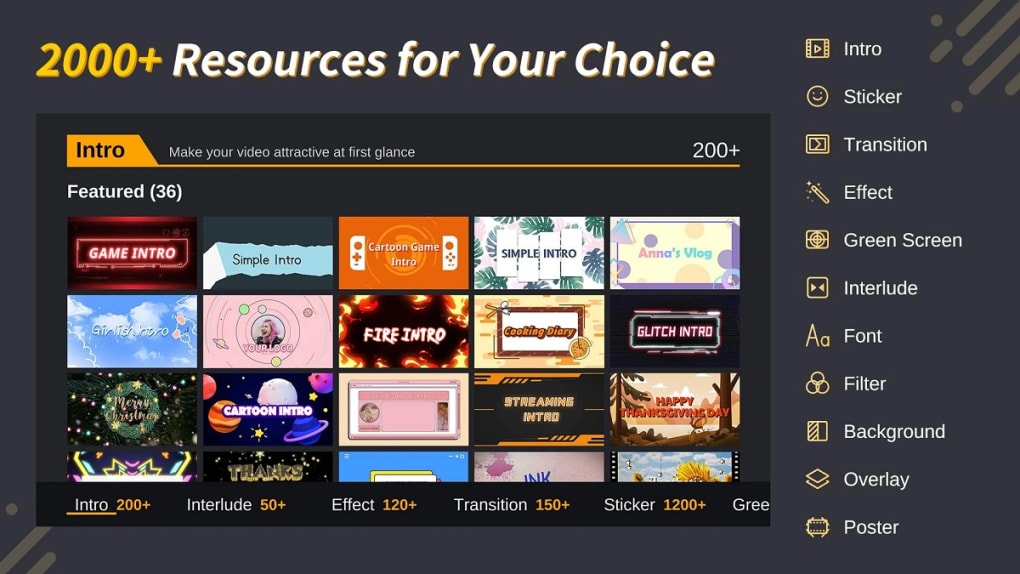
Film Maker Pro packs a surprisingly extensive range of features into its free package. Beyond basic editing functionalities such as trimming, cutting, and merging video clips, the app offers an impressive selection of advanced features that elevate the user experience. The app provides a broad selection of transition effects, enabling users to seamlessly blend clips and create a visually appealing flow within their videos. These transitions range from simple fades and wipes to more dynamic and creative effects.
The inclusion of over 50 text animation presets significantly enhances the app’s versatility. Users can easily add text overlays to their videos, choosing from a variety of animation styles and customizing font, color, and size to match their creative preferences. This feature allows for the seamless integration of titles, subtitles, and other text-based elements into videos, enhancing the overall visual storytelling.
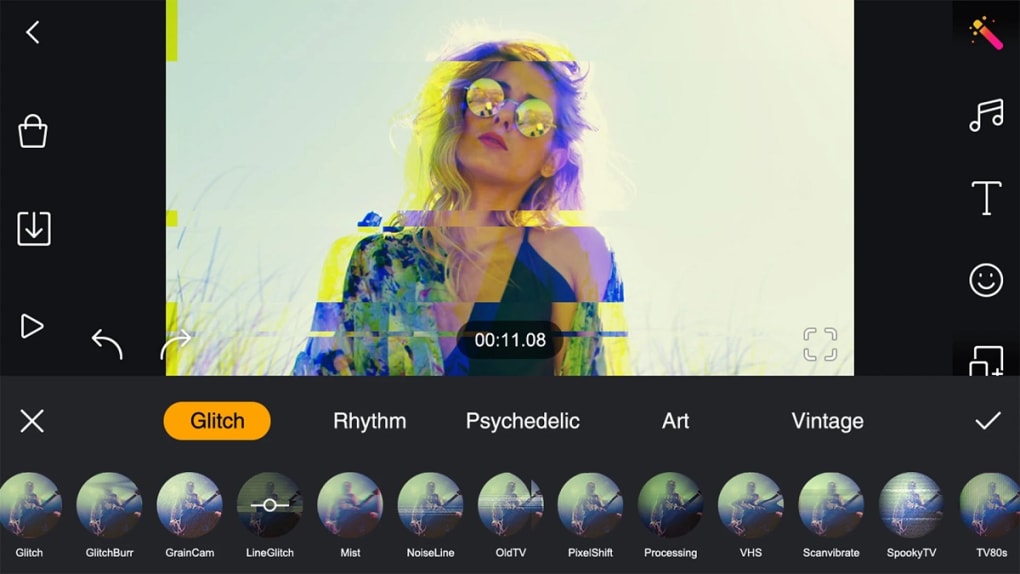
Film Maker Pro also integrates a robust selection of filters and stickers, further expanding the creative possibilities available to users. The available filters allow users to adjust the color palette, contrast, and overall mood of their videos, while stickers provide a fun way to add visual flair and personalization. These features cater to diverse creative styles, ranging from minimalist aesthetics to vibrant, attention-grabbing edits. The app goes further, incorporating over 100 free music tracks into its library, providing users with a diverse range of background music to complement their videos. This selection caters to a wide variety of genres and moods, enabling users to seamlessly integrate audio elements into their projects without the need for external resources.
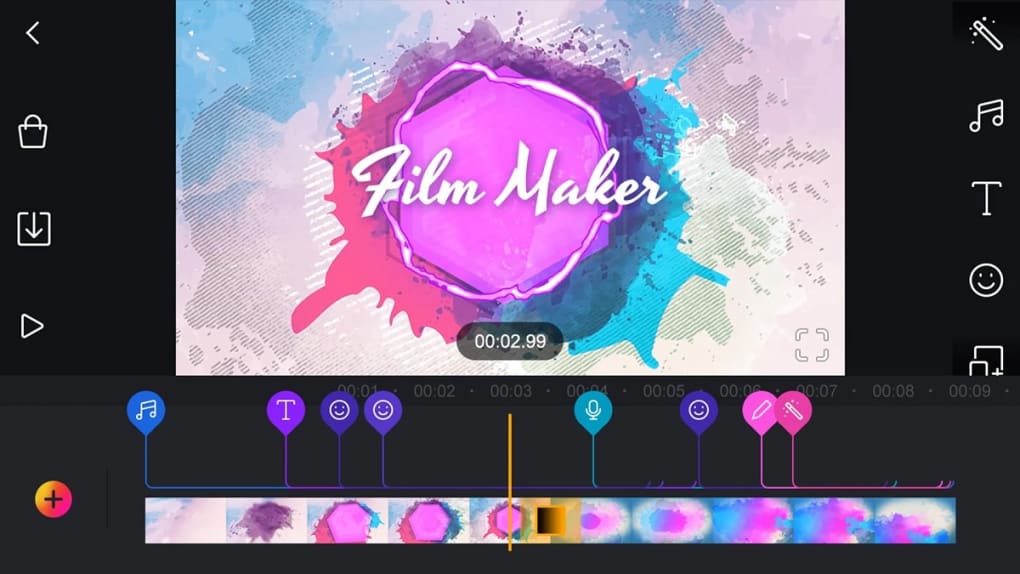
The inclusion of video intro templates provides a convenient way for users to establish a consistent brand identity across their videos. Pre-designed templates can be customized with personal touches, allowing users to create unique intros that match their overall visual style. This feature is particularly beneficial for content creators, as it streamlines the process of adding personalized intros to their YouTube, TikTok, or other social media uploads.
Limitations and Drawbacks
Despite its impressive feature set, Film Maker Pro has limitations. The most notable is the inclusion of a watermark on all exported videos. While the watermark is relatively small, it remains visible and detracts from the professional appearance of the final product. This can be a significant disadvantage for users aiming to produce high-quality videos for professional or commercial purposes. The watermark acts as a constant reminder of the app’s free nature and may limit its applicability in certain contexts.
While the app offers a wide range of features, certain functionalities are limited in their customization options. While users have access to a vast library of transitions, filters, and music tracks, the degree of customization over these elements can sometimes feel restrictive. This limitation may restrict the creativity of users seeking highly personalized effects or precise adjustments.
Additionally, the app’s performance can vary depending on the device and the complexity of the editing project. Users may experience occasional lag or slowdowns, particularly when working with lengthy videos or complex projects that involve numerous layers of effects. These performance issues, while not consistently problematic, can disrupt the workflow and affect the overall user experience.
Comparison with Other Video Editors
Film Maker Pro stands out amongst its competitors in the free video editing app market due to its extensive feature set and user-friendly interface. Compared to other free video editors that may focus solely on basic functionalities, Film Maker Pro provides users with a wide array of advanced options without compromising ease of use. Apps like Windows Video Maker Editor, while offering a clean interface, often lack the diverse range of transitions, effects, and music integration found in Film Maker Pro.
Other free video editing apps may excel in specific areas, such as AI-powered enhancement or specialized filter packs. However, Film Maker Pro’s balanced approach, combining a wide range of features with an intuitive interface, makes it a compelling alternative. It caters to a broader range of users, from casual video editors to those seeking more advanced tools within a free application. While paid video editing software naturally offers more extensive features and customization options, Film Maker Pro provides a strong and surprisingly comprehensive free alternative.
Conclusion
Film Maker Pro is a robust and user-friendly free video editor for Android devices. Its intuitive interface and wide array of features, including various transition effects, text animation presets, filters, stickers, and a substantial music library, make it a powerful tool for both casual and serious video editors. While the presence of a watermark on exported videos and occasional performance limitations are drawbacks, they are outweighed by the app’s considerable strengths, especially for users who are just beginning their journey into video editing. Film Maker Pro offers a compelling blend of accessibility and functionality, making it an excellent choice for anyone looking to create high-quality videos without incurring any costs. The comprehensive tutorials and templates further contribute to its accessibility, making it an excellent entry point for beginners while providing sufficient tools for more experienced users. The app’s overall strength lies in its balanced approach, skillfully combining user-friendliness with a comprehensive suite of professional-grade editing features.
File Information
- License: “Free”
- Latest update: “March 26, 2025”
- Platform: “Android”
- OS: “Android 13.0”
- Downloads: “14.9K”
- Size: “40.54 MB”
- Download Options: “APK, Google Play”
- Filename: “com-cerdillac-filmmaker-145-52982122-502d719e0561998597ae569118326d55.apk”


