
FilmoraHD - Video Creator is a versatile mobile video editing application designed for both novice and professional users. Available on Android, this app boasts a wide array of features, ranging from simple editing tools for quick social media posts to advanced capabilities suitable for creating polished presentations and tutorials. While offering a powerful suite of functionalities, the app’s compact interface presents some usability challenges, especially on smaller screens. This review will delve into the strengths and weaknesses of FilmoraHD - Video Creator, exploring its features, ease of use, and overall value.
Ease of Use and Interface Design
FilmoraHD - Video Creator’s user interface is designed for intuitive operation, prioritizing accessibility for users of all skill levels. The app employs a streamlined workflow, guiding users through the editing process with a logical sequence of steps. The arrangement of tools and features is generally well-organized, making it relatively easy to find the necessary functions. However, the app’s interface is notably compact, resulting in smaller-than-ideal buttons and text, potentially leading to difficulties in navigation, particularly on smaller screen devices. This density can lead to accidental taps and a less comfortable user experience. The small size of the interface elements makes precision editing more challenging, requiring a higher degree of accuracy and potentially increased frustration for users. While the app strives for simplicity, the compact nature of the design could benefit from a more spacious layout to improve usability and reduce errors.
Editing Features and Capabilities
FilmoraHD - Video Creator offers a comprehensive suite of editing tools suitable for a wide range of projects. Users can easily trim and split video clips, adjust playback speed, and apply various transitions between segments. The app includes a substantial library of ready-to-use templates, accelerating the creation process and providing inspiration for users who are less experienced in video editing. These templates offer pre-designed layouts, transitions, and effects, streamlining the production of visually appealing videos with minimal effort. This feature is particularly beneficial for beginners who might be overwhelmed by the sheer number of available options and features.
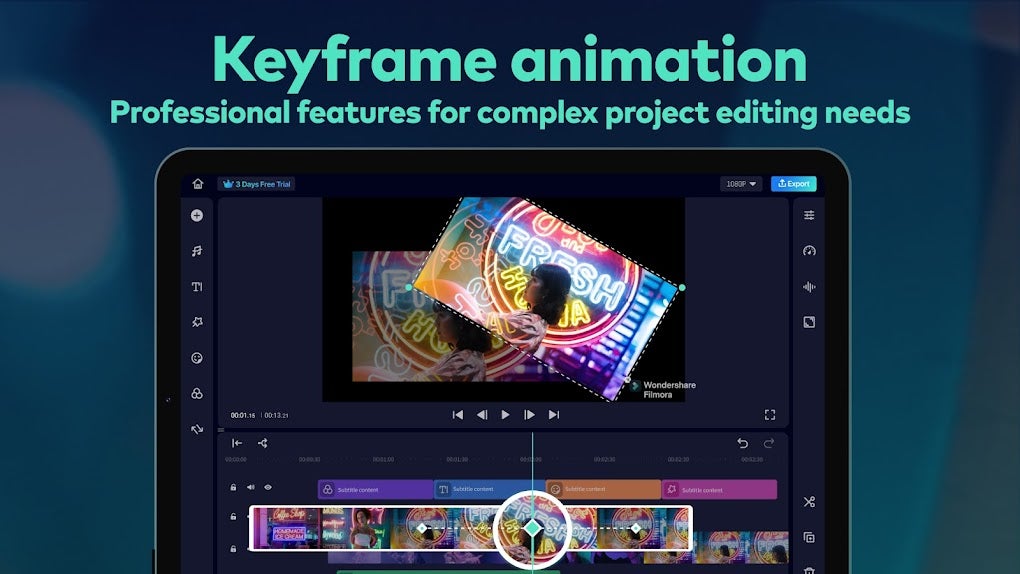
Beyond the basic functionalities, FilmoraHD - Video Creator provides access to advanced editing features, including layering, masking, chroma key, and keyframe animation. These capabilities enable users to create sophisticated effects and achieve a higher level of creative control. Layering allows users to combine multiple video and audio tracks, creating complex compositions with diverse elements. Masking enables precise control over specific areas of a video, allowing for targeted adjustments and effects. Chroma key, or green screen technology, allows for seamless integration of different video backgrounds, while keyframe animation gives users fine-grained control over the movement and transformations of elements throughout a video. These more advanced features cater to experienced video editors who require a high level of control and precision, enhancing the overall flexibility and potential of the app.
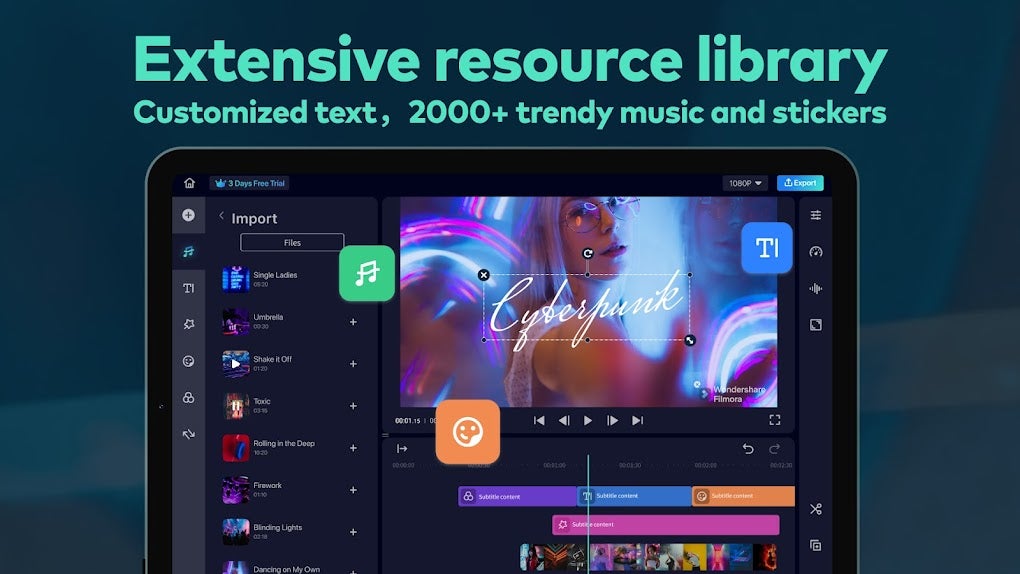
The app’s audio editing capabilities are equally impressive. FilmoraHD - Video Creator features an extensive library of over 2,000 royalty-free music tracks, sound effects, and other audio assets, providing a comprehensive resource for enhancing the auditory experience of any video project. Users can also import their own audio files, allowing for complete customization and integration of personally created soundscapes or existing music collections. The addition of beat detection helps in synchronizing audio with video, ensuring seamless integration and enhancing the overall rhythm and timing of the final product. The multi-track audio editor enables efficient management of complex audio arrangements, allowing for precise adjustments and mixing of multiple sound elements.
Export Options and Sharing
Once the editing is complete, FilmoraHD - Video Creator makes sharing your creations simple. The app provides a variety of export options, allowing users to select the desired video resolution and frame rate. This flexibility ensures compatibility with various platforms and devices, allowing for optimization of the video for different viewing environments. The straightforward export process and multiple options contribute to the app’s ease of use and streamline the final stages of video production. Users can easily share their finished videos directly to various social media platforms, making the distribution of their work quick and convenient.
Free vs. Premium Features and Limitations
While FilmoraHD - Video Creator is free to download and use, many of its advanced features and capabilities are locked behind a premium subscription. The free version includes a watermark on exported videos, a significant limitation for users aiming for a professional or polished final product. The free version also restricts access to certain effects, transitions, and templates, limiting the creative choices available to users. While the free version is sufficient for basic editing tasks, users seeking to unlock the full potential of the app and remove the watermark will need to upgrade to a paid subscription. This pay-to-unlock model presents a trade-off for users; while the app offers a good suite of free functionalities, the limitations imposed by the free version might drive users to consider a premium subscription to access essential features and eliminate the watermark.
The decision to offer a free version with limitations is a common business model for many mobile applications. While it enables widespread adoption, it often incentivizes users to upgrade to a premium subscription to access more advanced features and eliminate the restrictions. In this respect, FilmoraHD - Video Creator adheres to a typical industry practice that allows a degree of experimentation with the free version before committing to a paid subscription.
In summary, FilmoraHD - Video Creator presents a compelling mobile video editing solution with a wide range of capabilities catering to users of diverse skill levels. Its user-friendly interface, extensive features, and convenient sharing options make it a valuable tool for both casual and professional video editing. However, the compact interface and limitations of the free version, specifically the watermark, should be carefully considered. The app’s limitations associated with its free tier should be kept in mind when determining if the software matches your needs and budget. Ultimately, whether the app is suitable for you depends on your specific requirements and budget and whether the premium features are worth the cost for your workflow.
File Information
- License: “Free”
- Latest update: “March 24, 2025”
- Platform: “Android”
- OS: “Android 13.0”
- Language: “English”
- Downloads: “127.7K”
- Download Options: “Google Play”


