
FilmoraGo has quickly become a popular choice for mobile video editing, offering a surprisingly robust feature set for a free application. This review delves into its capabilities, ease of use, strengths, and weaknesses, helping you decide if it’s the right video editor for your needs.
Ease of Use and Interface Design
FilmoraGo boasts an intuitive interface designed for ease of use, even for beginners. The app’s clean and modern design makes navigating its features straightforward. The learning curve is minimal, allowing users to quickly grasp the basics and start creating videos without extensive tutorials or prior video editing experience. The app’s layout is well-organized, placing frequently used tools and options within easy reach. The streamlined workflow encourages a quick editing process, from importing footage to exporting the finished product. Whether you’re trimming clips, adding transitions, or applying filters, the actions are intuitive and responsive. The overall experience is smooth and enjoyable, making the entire video creation process less daunting and more accessible to a wider range of users. This simplicity doesn’t compromise functionality; the app provides ample control over various aspects of video editing while maintaining a user-friendly approach.
Feature Set and Editing Capabilities
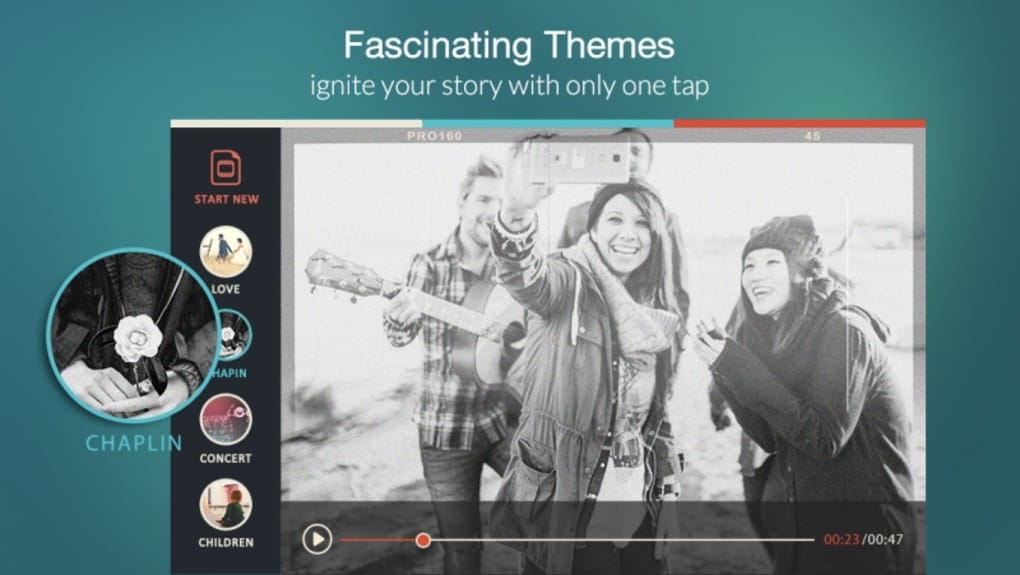
Despite being a free app, FilmoraGo packs a comprehensive array of editing features. Users can import video clips and photos from their device’s gallery, as well as from social media platforms like Facebook and Instagram. The app offers a wide selection of pre-set themes, which automatically apply filters, music, and transitions to give videos a cohesive look and feel. These themes provide a great starting point for beginners or those who want to quickly create a polished video. However, FilmoraGo doesn’t limit users to these pre-sets. Detailed editing options allow for granular control over various aspects of the video. This includes the ability to:
- Trim and cut clips: Precisely adjust the length of your clips to remove unwanted sections or create smoother transitions.
- Add text and titles: Customize text overlays with various fonts, colors, and styles to enhance the visual appeal and convey information.
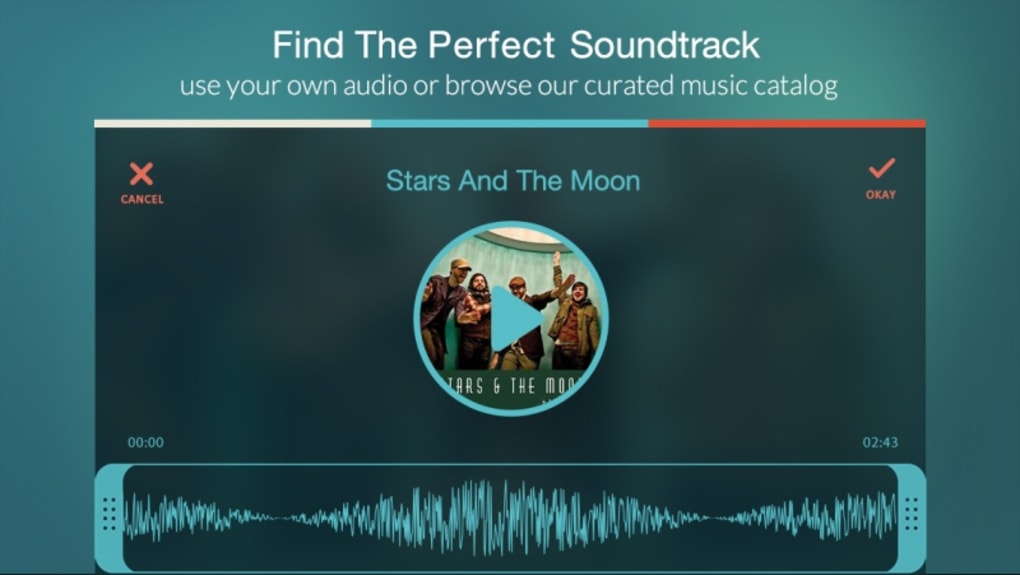
- Incorporate music and sound effects: Import your own audio tracks or choose from FilmoraGo’s library of royalty-free music and sound effects to set the mood and enhance the storytelling.
- Apply filters and effects: Experiment with a variety of filters to adjust the color grading, mood, and overall aesthetic of your videos.
- Use transitions: Seamlessly connect different clips with a variety of professional-looking transitions.
- Adjust speed and playback: Create slow-motion or fast-motion effects to add dynamism and visual interest to your footage.
- Reverse clips: Add a creative touch by reversing the playback direction of selected clips.
- Rotate and adjust aspect ratio: Correct camera angles or adjust the aspect ratio to match various platforms.
- Add overlays and stickers: Enrich videos with additional visuals and elements, providing additional expressive capabilities.
The app also supports various aspect ratios, allowing users to optimize their videos for different platforms like Instagram, YouTube, and TikTok. The absence of watermarks in the free version is a significant advantage, ensuring that your creations maintain a professional and polished appearance. This feature sets FilmoraGo apart from many other free video editing apps that often impose watermarks or time limits on their free tier.
Sharing and Export Options
Once your video is edited to your satisfaction, FilmoraGo provides multiple options for sharing your creations. You can easily save the finished video to your device’s gallery or directly share it to various social media platforms, including Instagram, Facebook, Vimeo, WhatsApp, and YouTube. The export process is generally quick and efficient, although the rendering time may vary depending on the length and complexity of the video, as well as the processing power of your mobile device. The app offers different resolution options for export, allowing users to balance video quality and file size according to their needs and platform requirements. The ability to share directly to social media platforms simplifies the process, making it easy to showcase your videos to a wider audience.
Monetization and In-App Purchases
FilmoraGo employs a freemium model, which means the core editing features are available for free. However, additional themes, filters, and effects are offered as in-app purchases. This strategy allows the developers to maintain the app’s free availability while generating revenue to support its ongoing development and maintenance. While the free version provides a robust feature set, the in-app purchases offer users the opportunity to expand their creative options and access a wider range of stylistic choices. The decision to purchase these additional elements is entirely optional, and users can still create high-quality videos using only the free features provided. The app does not impose limitations or restrictions based on whether a user chooses to purchase additional content.
Performance and Limitations
FilmoraGo generally performs well on most modern mobile devices, providing a smooth and responsive editing experience. However, users with older or less powerful devices may encounter some performance issues, particularly when working with longer videos or complex edits. Rendering times may be significantly longer on less capable hardware, causing potential delays in the workflow. These performance limitations are not inherent flaws in the app itself, but rather reflect the technical constraints of lower-spec devices. It is advisable to manage project complexity and optimize videos for the capabilities of your device to ensure efficient workflow.
Comparison to Alternative Apps
FilmoraGo stands out among its competitors due to its intuitive interface and comprehensive feature set available even in the free version. Compared to other free video editors, it offers a more polished and user-friendly experience without compromising on functionality. While some competitors may offer a similar range of features, they often incorporate watermarks, time limits, or other restrictions in their free versions. FilmoraGo’s clean interface, absence of watermarks, and extensive editing options make it a compelling choice for both casual and more serious video creators. Consider the specific features and priorities you need when selecting among available options, and note the potential performance differences on different devices.
Conclusion
FilmoraGo is an excellent free video editor for mobile devices. Its intuitive interface, extensive feature set, and lack of watermarks in the free version make it a highly competitive option. While some performance limitations may affect users with older devices, the overall user experience is positive, making the app suitable for a wide range of users, from beginners to those seeking a powerful yet user-friendly mobile video editing tool. The app’s straightforward design and comprehensive capabilities make it an excellent choice for anyone looking to easily create and share compelling videos.
File Information
- License: “Free”
- Latest update: “March 13, 2025”
- Platform: “Android”
- OS: “Android 13.0”
- Downloads: “200.6K”
- Download Options: “Google Play”


