
Final Cut Pro X, Apple’s flagship video editing software, stands as a testament to the company’s commitment to intuitive design and powerful functionality. This comprehensive review explores the software’s strengths and weaknesses, helping you determine if it’s the right video editing solution for your needs, regardless of your skill level.
Core Features and Functionality
Final Cut Pro X isn’t just a video editor; it’s a complete post-production ecosystem. Its capabilities extend far beyond basic trimming and cutting, offering a robust suite of tools for professionals and hobbyists alike. Let’s delve into some of its key features:
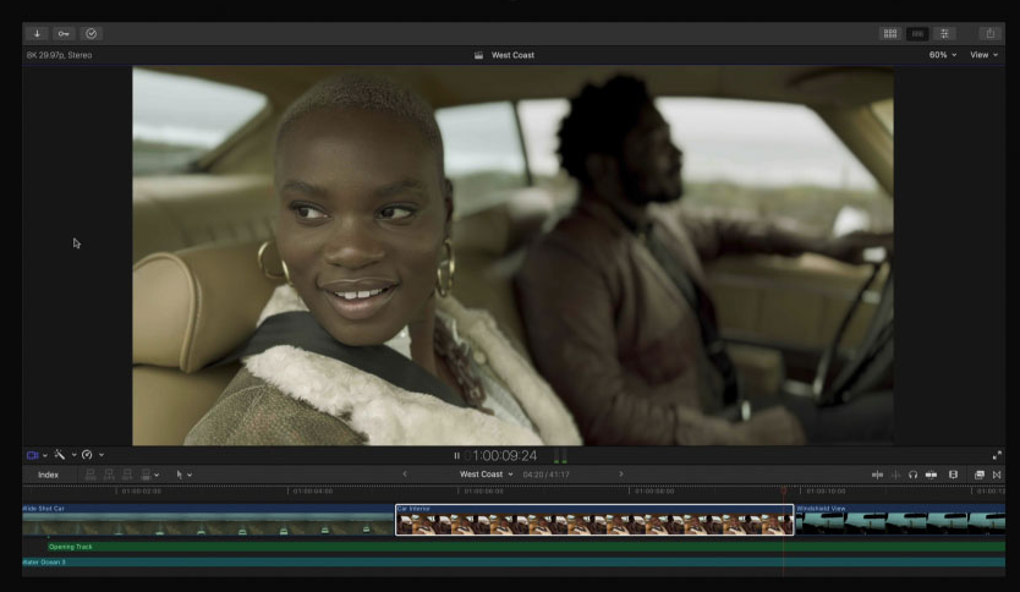
Intuitive Interface and Workflow: Apple’s design philosophy shines through in Final Cut Pro X’s user interface. The software boasts a clean, modern aesthetic, prioritizing ease of use without sacrificing power. Even beginners can quickly grasp the fundamental editing processes, while experienced editors will appreciate the efficient workflow. The intuitive iconography and logical layout minimize the learning curve, allowing users to focus on creativity rather than navigating complex menus.
Magnetic Timeline: This revolutionary feature sets Final Cut Pro X apart. The Magnetic Timeline dynamically adjusts clips as you edit, eliminating the tedious manual alignment required in traditional editing software. Clips “magnetically” snap together, closing gaps and preventing overlaps, significantly streamlining the editing process. For those who prefer more control, a Position tool allows for traditional, non-rippling editing behavior. The visual feedback provided by interactive animations ensures that users always understand the effects of their edits.
Multicam Editing: Final Cut Pro X excels in multicam editing, supporting up to 64 angles simultaneously. This feature is invaluable for projects involving multiple camera feeds, such as live events or interviews. The software effortlessly syncs various angles, allowing for seamless switching between perspectives. The Angle Editor provides granular control over individual clips within a Multicam Clip, enabling precise synchronization and editing. The customizable Angle Viewer facilitates real-time monitoring during editing, and keyboard shortcuts enable fluid transitions between angles. Combining audio channels from multiple cameras is a simple, one-click process.

Advanced Audio Editing: Audio editing is a crucial aspect of video production, and Final Cut Pro X delivers exceptional multichannel audio capabilities. Users can expand audio files directly within the timeline to access and manipulate individual channels. This allows for precise volume adjustments, timing corrections, and seamless fades. The Inspector provides complete control over channel names and visibility, while Multicam Clips enable straightforward switching and combination of audio sources.
Clip Connections: This ingenious feature simplifies the management of complex projects. Clip Connections automatically link secondary elements, such as B-roll footage, sound effects, and music, to primary clips. As a result, all connected elements move together when edits are made, maintaining consistency throughout the project. This greatly simplifies the organization and modification of even the most intricate timelines. Moving sections of a project becomes a single, streamlined operation, and modifier keys allow for precise control over connected clips.
Compound Clips: Final Cut Pro X’s Compound Clips offer a flexible method for organizing and reusing sequences. These clips are automatically saved to the Library, making them readily available for future projects. They function similarly to Multicam Clips, ensuring changes made in the Browser ripple across all instances of the Compound Clip.
Inline Precision Editor: The Magnetic Timeline simplifies many aspects of trimming, but for users who require more precise control, the Inline Precision Editor provides a magnified view of edit points. This allows for extremely accurate adjustments, and the ability to skim entire clips and adjust points with a single click enhances efficiency.
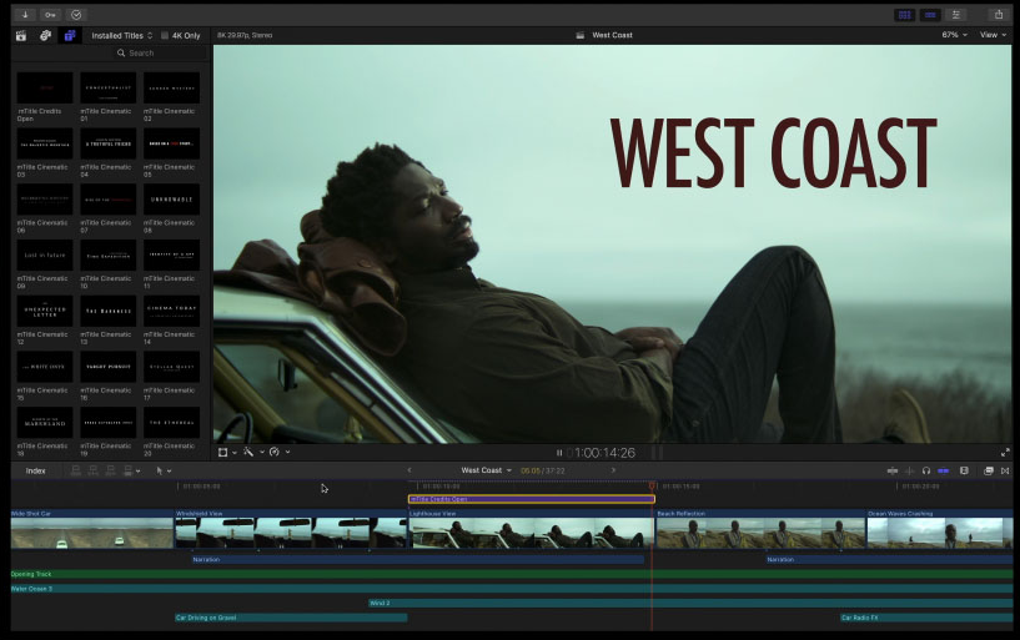
Auditions: This unique feature revolutionizes the process of comparing alternative takes. Users can place multiple shots at the same location on the timeline, creating an Audition. This enables rapid cycling through different versions of a shot, facilitating quick comparisons and informed decision-making. Whether comparing different B-roll shots, takes of dialogue, color grades, or effects, Auditions maintain synchronization through the Magnetic Timeline.
3D Titles: Final Cut Pro X offers a range of impressive 3D title templates, from simple animations to cinematic creations with integrated backgrounds. Users can customize these titles with a vast array of materials, lighting options, and text styles. Seamless integration with Motion provides full control over title design and animation.
Color Grading and Masking: The Color Correction effect allows for efficient color grading, with simultaneous viewing of up to four separate scopes. Shape, Color, and custom Draw masks enable pinpoint application of effects to specific areas of the frame. Saving effects as presets streamlines the workflow and ensures consistency.
Background Rendering: A significant advantage is the background rendering capability. This allows users to continue editing while the software renders the project in the background, maximizing productivity.
Direct YouTube Export: This feature offers a significant advantage for content creators. The ability to directly export finished videos to YouTube simplifies the distribution process, saving valuable time and effort.
Strengths of Final Cut Pro X
Final Cut Pro X’s strengths are numerous and impactful, making it a compelling choice for a wide range of users:
- Intuitive Interface: Its user-friendly design is a major draw, allowing both novices and seasoned professionals to quickly become productive.
- Powerful Features: The range of features, from the Magnetic Timeline to Multicam editing and advanced audio tools, caters to diverse needs.
- Performance: Final Cut Pro X offers excellent performance, particularly when handling high-resolution footage. Background rendering further enhances workflow efficiency.
- Integration: Its integration with other Apple products and services, such as iMovie, Motion, and Compressor, streamlines the entire post-production process.
- Direct YouTube Export: Directly uploading to YouTube is a considerable time-saver for content creators.
- Regular Updates: Apple consistently updates Final Cut Pro X with new features and improvements, ensuring it remains a cutting-edge video editing solution.
Weaknesses of Final Cut Pro X
While Final Cut Pro X offers an impressive array of features, certain aspects could be improved:
- MacOS Exclusivity: The software’s exclusive availability for macOS limits its accessibility to users of other operating systems. While this is a significant limitation for those invested in Windows or Linux ecosystems, the power and efficiency it offers to Mac users make this a trade-off that many are willing to accept.
- 3D Text Limitations: The 3D text capabilities, while innovative, can sometimes produce results that appear less polished and professional than desired, particularly in contexts requiring a more serious or corporate aesthetic.
- Audio Transition Issues: Occasional inconsistencies can occur with audio transitions, particularly concerning precision and seamless blending.
- Learning Curve (Despite Intuitive Interface): While the overall interface is intuitive, mastering all the advanced features requires time and dedication, especially for users unfamiliar with professional-level video editing software.
- Cost: Final Cut Pro X is a paid software with a relatively high price point. While the features justify the expense for many, it could be a deterrent for budget-conscious users.
- Limited Plugin Ecosystem: While Apple regularly updates the core application, its plugin ecosystem is smaller than those found in software such as Adobe Premiere Pro, limiting the range of available extensions and customizations.
The Verdict: Is Final Cut Pro X Right for You?
Final Cut Pro X is a powerful and user-friendly video editing software that delivers exceptional performance and a wide array of features. Its intuitive interface, Magnetic Timeline, and advanced capabilities make it an ideal choice for both beginners and seasoned professionals. However, its MacOS exclusivity and higher price point might present limitations for some users.
If you’re a Mac user seeking a powerful, yet accessible video editing solution, Final Cut Pro X is undoubtedly worth considering. The free trial version allows you to test the software and determine if it aligns with your workflow and editing style before committing to a purchase. The balance between ease of use and professional capabilities makes it a highly recommended option for anyone serious about video editing. The direct export to YouTube, background rendering, and regular updates further solidify its position as a leading contender in the video editing market. The drawbacks are largely outweighed by the advantages for the target demographic of Mac users.
File Information
- License: “Trial version”
- Latest update: “May 23, 2025”
- Platform: “Mac”
- OS: “Mac OS X”
- Language: “English”
- Downloads: “588.6K”


