
Finale 2012, a renowned music notation software, caters to composers, music educators, students, and music enthusiasts alike. This comprehensive review delves into its features, strengths, weaknesses, and overall user experience, based on user reviews and product specifications. The software allows users to create musical scores directly on their computers with ease, providing a wide range of tools to support the creative process.
Interface and Functionality: A User-Friendly Approach to Composition
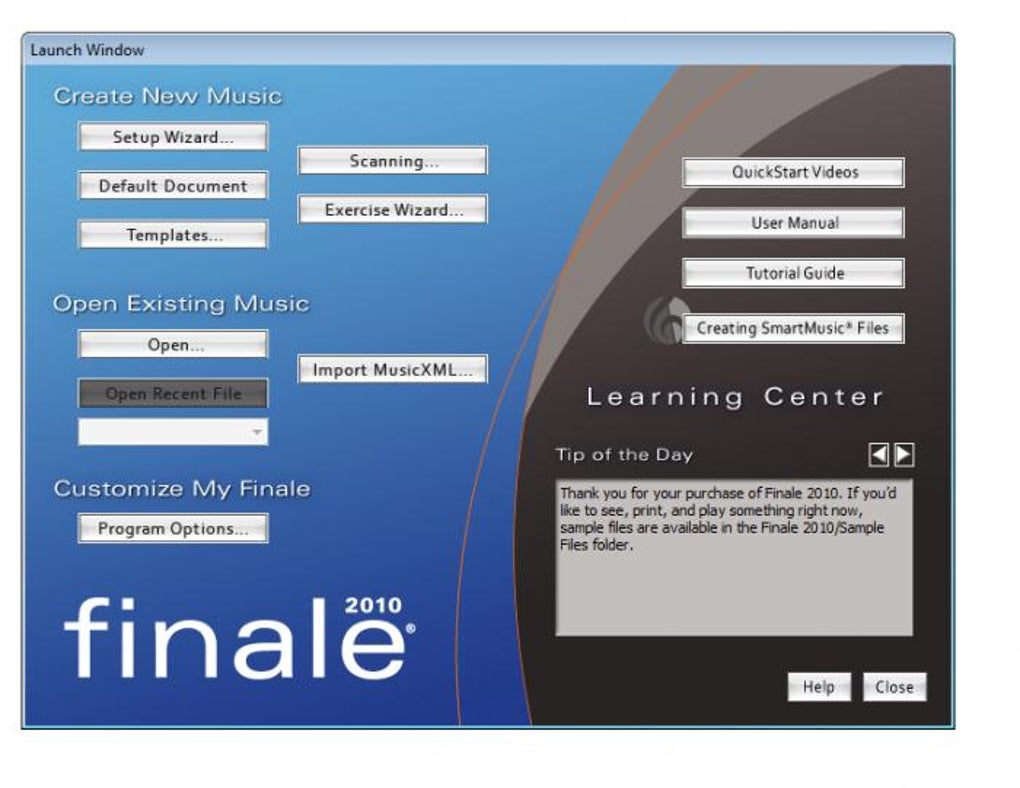
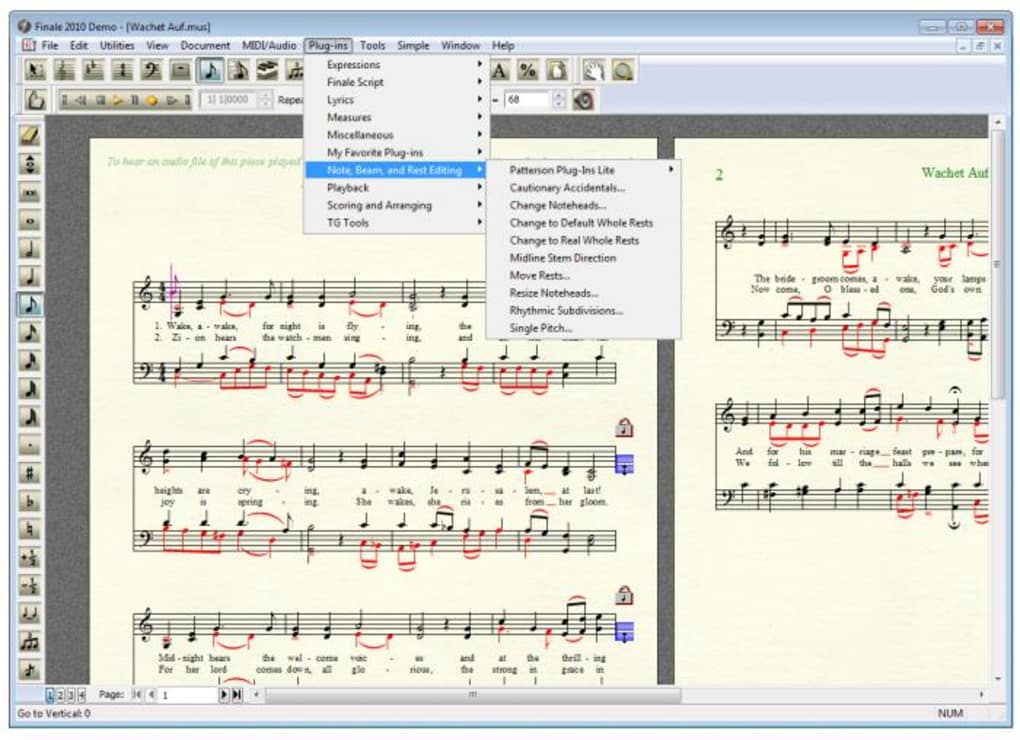
Finale 2012 boasts a comprehensive interface designed for both ease of use and advanced functionality. The intuitive layout ensures a smooth workflow, allowing users to focus on their compositions rather than navigating a complex program. The software’s core strength lies in its ability to seamlessly integrate various compositional tools. Users can input notes, rests, and other musical symbols with precision, making the process of score creation remarkably efficient.
Beyond basic note input, Finale 2012 offers a plethora of features for advanced composition. These include sophisticated tools for creating complex rhythms, articulations, and dynamic markings. The software’s support for various musical styles and notations makes it adaptable to a broad spectrum of musical genres. This flexibility allows users to create scores that are both accurate and expressive, regardless of the musical style they are working with.
One standout feature is the integrated music player, which enables users to listen to their compositions in real-time. This allows for immediate feedback, facilitating iterative refinement and ensuring that the final score accurately reflects the composer’s intention. The inclusion of a built-in player eliminates the need for external software, streamlining the entire composition process and enhancing the user experience.
Furthermore, Finale 2012 offers robust support for MIDI devices, empowering users to input musical ideas using external keyboards and other controllers. This integration expands the software’s capabilities, providing a more expressive and dynamic composition process. The ability to seamlessly integrate hardware input makes the creation process more fluid and allows users to capture their ideas quickly and efficiently.
The software’s export capabilities are also noteworthy. Users can export their compositions in various formats, including WAV, MP3, and AIFF, ensuring compatibility with a wide range of audio players and editing software. This diverse range of export options makes Finale 2012 exceptionally versatile, allowing users to share their creations easily across multiple platforms.
Sound Libraries and Templating: Enhancing the Compositional Experience
Finale 2012 incorporates a substantial library of instrument sounds, enhancing the realism and expressiveness of the playback experience. The inclusion of the Garritan Personal Orchestra, boasting over 350 instrument sounds, significantly enriches the auditory aspect of the composition process. The high-quality sounds contribute significantly to the realism of the playback, providing valuable feedback for the composer and allowing them to fine-tune their creations effectively.
The availability of numerous templates further streamlines the process. Users can choose from a variety of pre-designed templates to create scores for different musical styles, instantly setting the stage for their composition. This feature is particularly helpful for users who are new to the software or for those who prefer a more efficient start to their projects.
The software’s educational resources, including videos and tutorials, are a valuable asset for novice users. These resources provide a structured approach to learning the software, ensuring that users can quickly master the key features and tools. The comprehensiveness of these resources is particularly important for users who may not have prior experience with music notation software. The emphasis on educational materials clearly distinguishes Finale 2012 as a software that aims to empower users at all skill levels.
System Requirements and Limitations: Addressing Potential Challenges
While Finale 2012 offers a wealth of features, it is important to acknowledge its system requirements. The software demands a reasonably powerful computer to function effectively, potentially presenting a hurdle for users with older hardware. This consideration is crucial for potential users to assess compatibility with their existing systems, ensuring a smooth user experience without performance limitations.
One significant limitation cited by some users is the steep learning curve associated with mastering the software’s full functionality. While the included tutorials aid in the learning process, users unfamiliar with music notation software may require considerable time and effort to become proficient. This learning curve is a key consideration for prospective users, especially those who require rapid implementation and may not have the time for extensive learning.
The demo version of the software restricts saving completed projects, forcing users to purchase a full license to retain their work. This limitation, although standard practice for many software applications, necessitates that users fully assess their needs before committing to a purchase. For casual users, the limitations of the demo version may prove to be a significant barrier to adopting the software.
User Reviews and Feedback: A Reflection of Real-World Experience
User reviews reveal a wide spectrum of opinions regarding Finale 2012. Many users praise the software’s comprehensive features, powerful MIDI capabilities, and realistic sound library. They highlight the ability to create professional-quality scores with ease and the intuitive interface that allows for a smooth workflow. These positive assessments solidify Finale 2012’s reputation as a robust and versatile music notation software.
Conversely, some users criticize the software’s steep learning curve and the limitations of the demo version. Users who have limited experience with music notation software have found the interface to be overwhelming, necessitating a significant investment of time to become proficient. These criticisms highlight the necessity for comprehensive tutorials and accessible learning resources to overcome the initial barrier to entry.
Alternatives and Comparisons: Exploring Competing Software
Finale 2012 faces competition from other music notation software packages. Sibelius, another popular choice, offers similar functionality but may have a different user interface and learning curve. MuseScore, a free and open-source option, provides a valuable alternative for users on a budget, although it might lack some of the advanced features of commercial software. These alternative options are essential for users to consider when determining which software best suits their individual needs and budget.
Conclusion: Finale 2012’s Place in the Music Notation Landscape
Finale 2012 remains a powerful and versatile music notation software, catering to a broad range of users, from seasoned composers to enthusiastic students. Its comprehensive feature set, intuitive interface, and extensive sound library make it a compelling choice for anyone seeking to create professional-quality scores. However, the relatively steep learning curve and limitations of the demo version should be carefully considered. Potential users should weigh these factors against the software’s strengths to determine whether Finale 2012 aligns with their specific needs and capabilities. The software’s enduring popularity in the music composition community is a testament to its capabilities and its lasting impact on the landscape of music notation software.


