
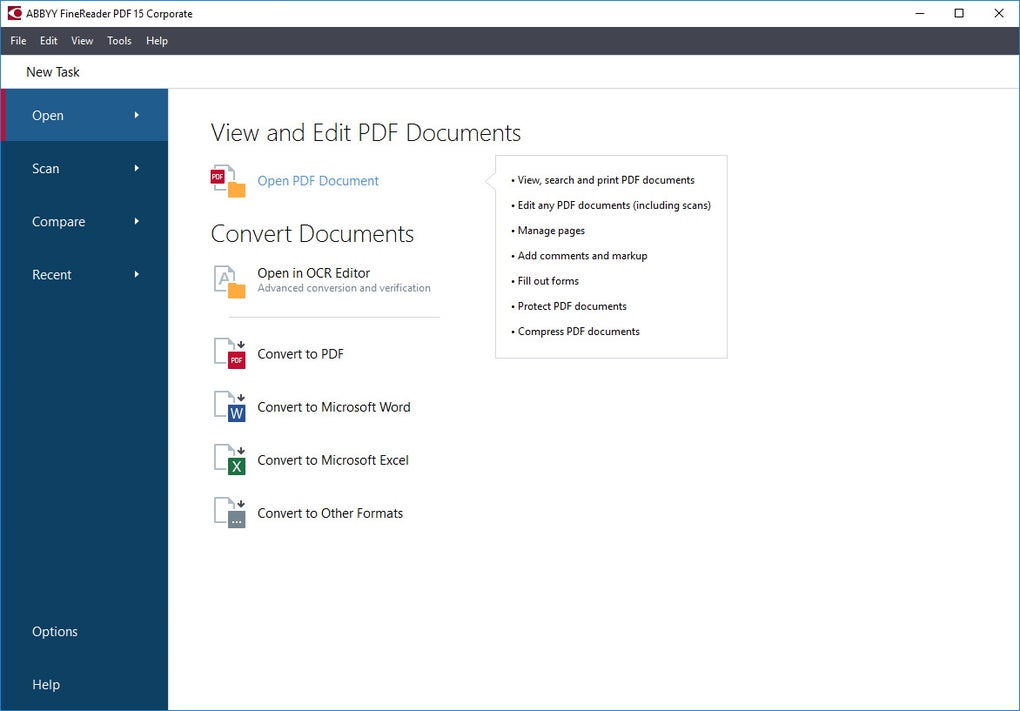
ABBYY FineReader PDF, formerly known simply as ABBYY FineReader, is a powerful and versatile document management software designed to streamline your workflow when dealing with PDF files. This comprehensive program offers a wide array of features, going beyond the capabilities of a standard PDF reader to provide a complete solution for viewing, editing, creating, converting, protecting, and collaborating on digital documents. Its core strength lies in its industry-leading Optical Character Recognition (OCR) technology, accurately converting scanned documents and images into editable text. This detailed guide explores the capabilities, licensing options, and overall value proposition of ABBYY FineReader PDF.
Core Functionality: Beyond Basic PDF Reading
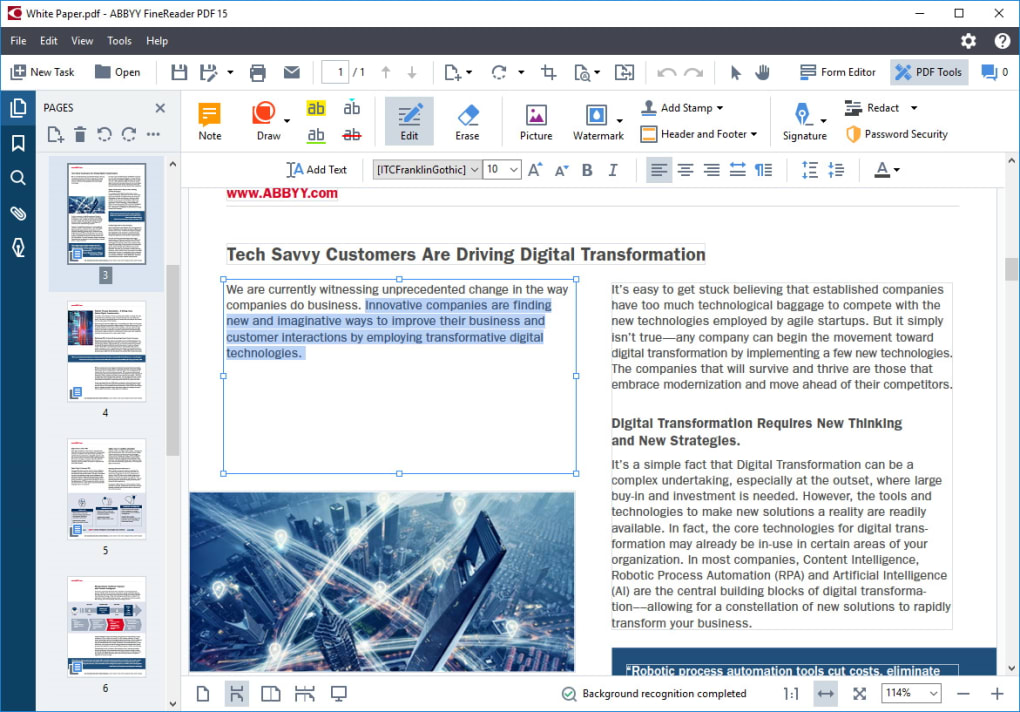
ABBYY FineReader PDF transcends the basic functionality of a simple PDF viewer. While it readily opens and displays PDF files, its true power lies in its extensive editing and manipulation capabilities. Users can effortlessly add comments and annotations, rearrange pages, and even create and fill out interactive forms directly within the application. This eliminates the need to switch between multiple programs, saving time and increasing efficiency.
The software’s editing tools extend to paragraph-level editing, a significant advantage, especially when working with scanned documents. Unlike many other PDF editors that require prior conversion to an editable format, FineReader PDF allows for direct editing of text, images, and formatting within the original PDF, whether it’s a digitally created document or one derived from a scanned paper copy.
Furthermore, the collaborative features of ABBYY FineReader PDF facilitate seamless teamwork. Multiple users can concurrently work on the same document, adding comments, annotations, and markups simultaneously. This real-time collaboration feature streamlines the review and approval processes, accelerating project timelines. The software also incorporates a powerful cross-format document comparison tool, effectively identifying differences between versions of the same document, regardless of their original format (e.g., comparing a scanned PDF with a digitally created version).
Security and Protection Features: Safeguarding Your Documents
Data security is paramount in today’s digital world, and ABBYY FineReader PDF addresses this concern with a robust suite of protection features. Users can implement password protection to restrict access to sensitive documents, ensuring confidentiality. The software also allows for the redaction of sensitive information, removing metadata and other potentially compromising data elements. Digital signatures can be applied and verified, providing authentication and integrity to your documents, thus conforming to the highest standards of digital document security.
FineReader PDF’s commitment to long-term document accessibility and preservation is demonstrated by its support for industry-standard formats such as PDF/A and PDF/UA. This ensures that your documents remain accessible and readable for years to come, regardless of future software or hardware changes, fulfilling archival requirements and ensuring compliance with accessibility standards.
OCR Technology: Bridging the Gap Between Paper and Digital
One of the most compelling features of ABBYY FineReader PDF is its advanced Optical Character Recognition (OCR) technology. This feature is essential for digitizing paper documents, converting scanned images, or images from cameras or mobile phones into searchable and editable PDFs. The software’s powerful AI-powered OCR engine boasts exceptional accuracy, faithfully translating scanned text into a digital format that can be edited, searched, and repurposed. This functionality is crucial for archiving paper documents, converting legacy files into a more manageable digital format, and facilitating information retrieval.
The OCR function is easily accessible, with a dedicated button for initiating the conversion process. The software intelligently handles various document types and image qualities, striving for the highest accuracy even with challenging scans. This capability dramatically enhances productivity by eliminating manual data entry, saving significant time and reducing the potential for errors.
Licensing Options: Catering to Individual and Business Needs
ABBYY FineReader PDF offers a range of licensing options to suit the diverse needs of both individual users and businesses. The Individual version caters to single users, providing two distinct editions: Standard and Corporate. The Standard edition provides a single-user license for local use, offering core functionalities such as editing tools, PDF creation and conversion, and OCR. The Corporate edition expands upon the Standard edition by adding the automation of digitization and conversion routines, as well as the cross-format document comparison feature.
For businesses, ABBYY FineReader PDF provides multiple-user licenses, specifically: Per Seat, Remote User, and Concurrent. The Per Seat license is suitable for local deployment on individual workstations, while the Remote User license caters to virtual machines and cloud environments. The Concurrent license is designed for deployment on an organization’s Local Area Network (LAN), enabling multiple users to access the software simultaneously.
Both the Individual and Business versions offer trial periods, allowing users to explore the software’s capabilities before committing to a purchase. The duration of these trials varies, with the Individual version offering a 7-day trial and the Business version offering a 30-day trial for the Corporate edition. This provides a risk-free way to assess the software’s suitability before making a purchase decision.
Comparison with Alternatives
Several alternative PDF editing and OCR software options exist in the market. However, ABBYY FineReader PDF distinguishes itself through its powerful combination of OCR accuracy, a user-friendly interface, and a comprehensive suite of features, ranging from basic PDF editing to advanced document security and collaboration tools. While other programs may excel in specific areas, FineReader PDF provides a more holistic solution for managing all aspects of digital document workflows.
Competitors may offer free or lower-priced alternatives, but these frequently lack the advanced features, accuracy, and security measures provided by ABBYY FineReader PDF. The investment in FineReader PDF is often justified by the enhanced productivity, improved accuracy, and robust security it offers, making it a cost-effective solution for both individual and enterprise-level users in the long term.
Pros and Cons: A Balanced Perspective
Pros:
- Powerful OCR feature: The AI-powered OCR engine delivers industry-leading accuracy for converting scanned documents and images.
- Seamless collaboration: Real-time collaboration features enable efficient teamwork and accelerate document review processes.
- Easy-to-use document-editing tools: The intuitive interface simplifies complex tasks, enhancing user productivity.
- Flexible licensing options: Various licensing options cater to individual and business needs, ensuring optimal cost-effectiveness.
- Robust security features: Comprehensive security measures safeguard sensitive documents, mitigating data breaches and ensuring compliance with industry standards.
Cons:
- Trial duration discrepancy: The disparity in trial lengths between the Individual and Business versions might be confusing for potential users. A more consistent trial period across all versions would offer a more balanced evaluation opportunity.
- Pricing: While the software is highly capable, the cost might be a barrier for some individual users who only need basic PDF editing capabilities. However, for businesses requiring robust document management solutions, the cost is justifiable considering the return on investment in efficiency and data security.
Conclusion: A Powerful Tool for Digital Document Management
ABBYY FineReader PDF is a sophisticated and comprehensive document management solution ideal for both individual users and businesses. Its strength lies in its seamless integration of advanced OCR, intuitive editing tools, and robust security features. While the pricing may deter some users, the software’s comprehensive capabilities and enhanced productivity justify the investment for those needing a powerful, reliable, and secure tool for managing their digital documents. The flexible licensing options offer tailored solutions to meet various user needs and budgets, establishing ABBYY FineReader PDF as a leading choice in the field of digital document management.
File Information
- License: “Trial version”
- Latest update: “May 23, 2024”
- Platform: “Windows”
- OS: “Windows 7”
- Language: “English”
- Downloads: “816.3K”


