
Firefox Video Downloader was a popular browser extension designed to simplify the process of downloading videos from various online platforms directly within the Firefox browser. This review explores its functionality, strengths, weaknesses, and alternatives, offering a comprehensive overview for potential users.
Functionality and Features
Firefox Video Downloader functioned as a Firefox add-on, seamlessly integrating into the browser environment. Its primary function was to enable users to download videos from a wide array of websites, extending beyond the commonly known video-sharing platforms. The extension supported downloads from sites like YouTube, Google Video, Metacafe, iFilm, and Dailymotion, as well as numerous other online video sources. A key feature was its ability to download not just videos, but also other embedded media objects found on web pages. This included movies, MP3 audio files, Flash animations, QuickTime videos, and other similar content.
The extension’s user interface was minimalistic and unobtrusive. A small icon, discreetly placed in the bottom right corner of the Firefox window’s status bar, served as the primary interaction point. Users simply clicked this icon to initiate the download process for the currently playing video. This straightforward design prioritized ease of use, making the download process quick and efficient. The developer claimed compatibility with over 60 different video websites, highlighting its broad support across various online video platforms.
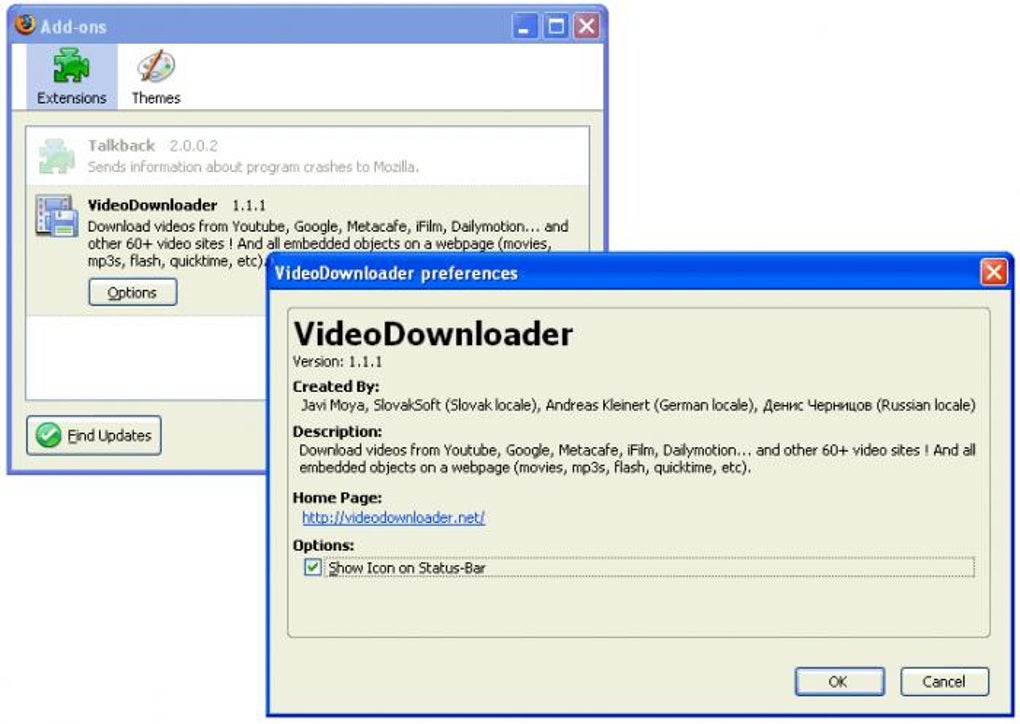
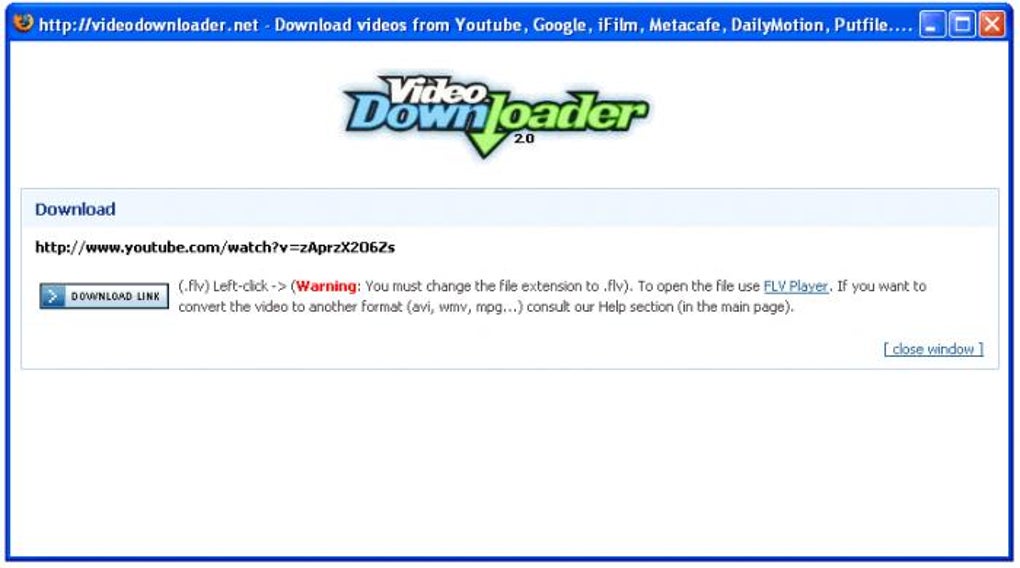
The extension’s simplicity extended to its download management. While it lacked advanced features like download scheduling or batch downloads, its focus on ease of use made it suitable for users seeking a simple and quick method to acquire videos from online sources. The download process was streamlined, eliminating the need for complex configurations or intermediate steps. This direct approach ensured a user-friendly experience, even for those less familiar with technical aspects of video downloading.
Strengths and Weaknesses
One of the most significant advantages of Firefox Video Downloader was its ease of use. The intuitive design and straightforward functionality made it accessible to a wide range of users, regardless of their technical expertise. The unobtrusive icon and simple one-click download process eliminated unnecessary steps, creating a user-friendly experience that focused on efficiency. The wide range of supported websites further enhanced its appeal, allowing users to download videos from diverse online sources.
However, the extension also had limitations. The lack of advanced features, such as download scheduling, batch downloads, or customizable download settings, could be considered a disadvantage for users needing more control over the download process. Furthermore, the absence of features like download resume capability (to restart interrupted downloads) or integration with download managers could prove limiting for users with larger files or unreliable internet connections. The minimalistic design, while contributing to ease of use, also resulted in a limited feature set compared to more comprehensive download managers.
Another potential weakness stemmed from the reliance on a browser extension. Firefox extensions often require updates and can be affected by changes to the Firefox browser itself or updates to the websites from which videos are downloaded. These changes could potentially render the extension incompatible or less effective over time, requiring users to seek alternative solutions or updates. Finally, any reliance on third-party browser extensions carries an inherent risk, requiring users to carefully assess the security and reliability of the extension’s source.
Security and Privacy Considerations
Like all browser extensions, Firefox Video Downloader presented potential security and privacy considerations. Users should always download extensions from reputable sources to mitigate the risk of malware or malicious code. Furthermore, careful consideration should be given to the permissions requested by the extension during installation. It’s essential to understand the information the extension might access and how it might use that data. While the provided information suggests the extension’s function was solely related to video downloading, general caution is always recommended when dealing with browser add-ons. Regular updates from the developer would help ensure the extension remains safe and functions correctly. The absence of a clear privacy policy could be seen as a potential drawback.
Alternatives and Competitors
Several alternatives to Firefox Video Downloader exist, offering comparable functionality and, in some cases, expanded features. These include dedicated video downloaders like 4K Video Downloader, JDownloader, or specialized browser extensions with enhanced features. Some of these alternatives provide more advanced features, such as support for multiple downloads, download scheduling, and better integration with various browsers and operating systems. Some also offer download acceleration and resume functionalities, enhancing reliability and speed. For example, 4K Video Downloader is known for its user-friendly interface and support for various video platforms, including YouTube, Vimeo, and Facebook. JDownloader offers advanced features such as download management and integration with multiple download sources.
Conclusion
Firefox Video Downloader provided a simple and effective solution for downloading videos from a variety of websites within the Firefox browser. Its user-friendly interface and wide compatibility made it appealing for users seeking a quick and easy way to obtain videos. However, its lack of advanced features and reliance on a browser extension presented limitations. Users should carefully weigh the benefits and drawbacks against alternative video downloaders and consider their specific needs and technical expertise when selecting a suitable solution. The availability and ongoing support for the extension should also be considered, as reliance on a potentially unsupported add-on could leave users needing to find replacements. For users prioritizing a simple, straightforward approach, Firefox Video Downloader (if still available and updated) might suffice. However, for those requiring more advanced features or seeking broader compatibility, more comprehensive download managers represent a more robust alternative.
File Information
- License: “Free”
- Version: “1.1.1”
- Latest update: “April 24, 2020”
- Platform: “Windows”
- OS: “Windows 98 SE”
- Language: “English”
- Downloads: “125K”
- Size: “14.74 KB”


