
FixGo, developed by iToolab, is a powerful utility tool designed for Windows PCs to troubleshoot and resolve a wide range of common issues affecting Apple devices running iOS or iPadOS. This comprehensive guide delves into the features, capabilities, and overall user experience of FixGo, helping you understand whether it’s the right solution for your iOS or iPadOS troubleshooting needs.
Understanding FixGo’s Functionality
FixGo serves as a one-stop solution for addressing numerous software-related problems plaguing Apple devices. Unlike many complex troubleshooting methods that require in-depth technical knowledge, FixGo provides a user-friendly interface and over 200 potential fixes for various “iOS stuck” situations. The tool is regularly updated to maintain compatibility with the latest iOS and iPadOS versions, ensuring consistent performance and high success rates. This proactive approach to updates means that even with major operating system releases, FixGo aims to remain a reliable companion for users facing software glitches.
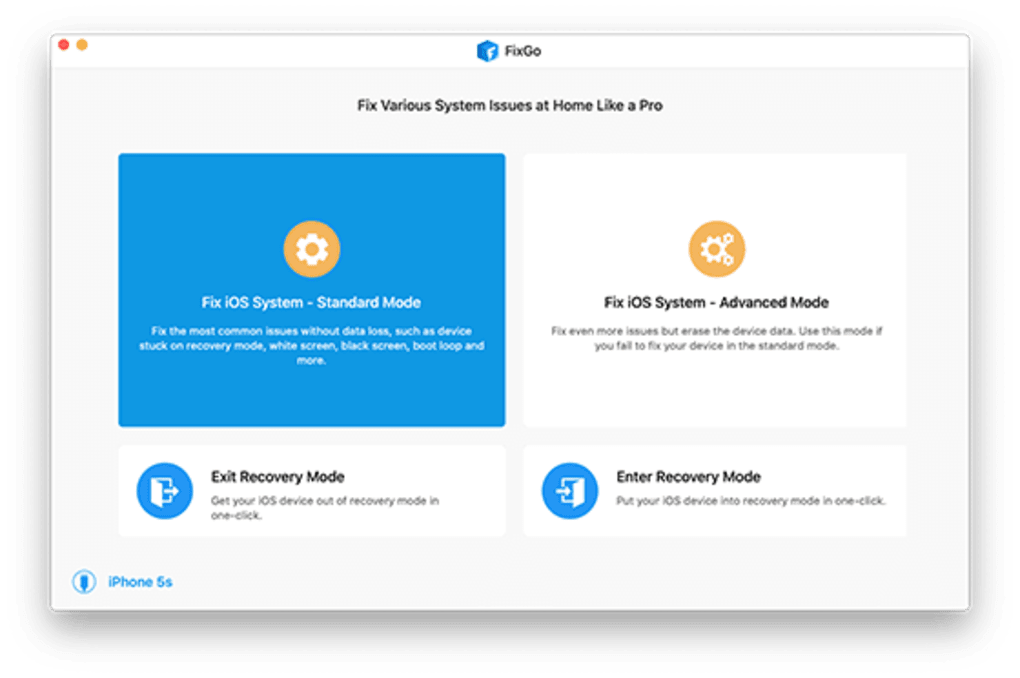
The software’s effectiveness stems from its dual repair modes: Standard Mode and Advanced Mode. Standard Mode tackles common problems with a high success rate while preserving your device’s data. This non-destructive approach is ideal for minor glitches and software issues where data loss is undesirable. On the other hand, Advanced Mode employs more intensive repair methods that resolve more complex problems, but this comes at the cost of a complete data wipe. Therefore, creating a backup before utilizing Advanced Mode is strongly recommended to avoid permanent data loss. Understanding the difference between these two modes is crucial in selecting the appropriate repair method based on the severity of the issue and your data security preferences.
FixGo’s broad compatibility extends to a wide range of Apple devices, including iPhones, iPads, iPods, and even Apple TVs. This versatility makes it a valuable tool for users with diverse Apple ecosystems. However, it’s important to note that FixGo exclusively addresses software-related issues. Hardware malfunctions necessitate physical inspection and professional repair. This clear limitation helps manage user expectations and avoid disappointment when confronting hardware problems that fall outside the software tool’s capabilities.
Easy-to-Use Interface and Extensive Fix Library
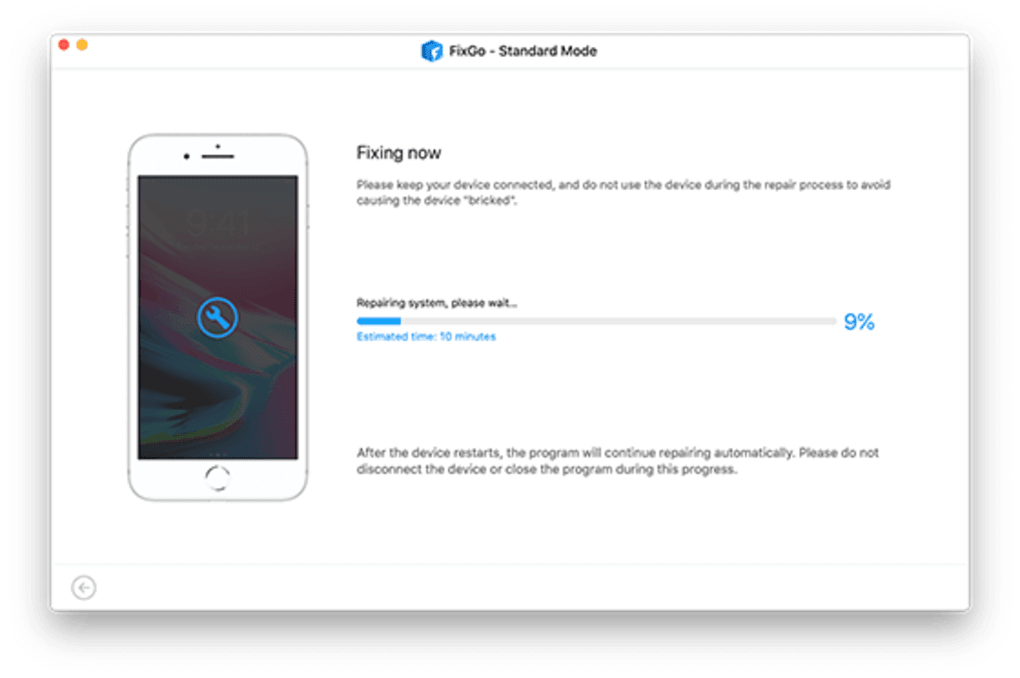
One of FixGo’s key strengths is its user-friendly interface. Designed for accessibility, the software is intuitive and easy to navigate, even for users with minimal technical experience. The straightforward process minimizes the need for extensive technical knowledge, allowing users to easily select the relevant repair option from the extensive library of over 200 fixes. This ease of use sets it apart from complex command-line tools or intricate debugging processes. FixGo simplifies the troubleshooting process, empowering even novice users to effectively address iOS and iPadOS problems.
The comprehensiveness of FixGo’s fix library is another noteworthy feature. It targets various common iOS and iPadOS issues, ranging from minor software glitches to more critical system malfunctions. This comprehensive approach to troubleshooting makes FixGo a valuable asset for resolving a broad spectrum of problems, saving time and effort compared to searching for individual solutions to specific issues. This wide range of fixes reduces the need for extensive online searching for solutions, streamlining the problem-solving process considerably.
FixGo’s Licensing and Pricing Model
FixGo offers a flexible licensing model catering to different user needs and preferences. Users have the option to purchase a one-time license for permanent access to the software or opt for a subscription plan. The availability of a free trial further allows users to test the software’s functionality and efficacy before committing to a purchase. This transparency and choice in licensing models empower users to select the most suitable option based on their individual requirements and budget constraints. The inclusion of a free trial period is a smart strategy that reduces the risk for the user while simultaneously showcasing the software’s capabilities.
Comparison with Alternative Solutions
FixGo stands alongside other notable iOS and iPadOS troubleshooting tools like 3uTools and Wondershare Dr.Fone. While these alternatives also offer solutions to common iOS problems, FixGo differentiates itself through its user-friendly interface, comprehensive fix library, and flexible licensing options. The ease of use and the extensive range of fixes provided by FixGo offers a potentially more efficient and user-friendly experience than some competitors that may present a steeper learning curve or less comprehensive troubleshooting options.
Direct comparisons between these tools highlight the nuanced differences in their approaches and target audiences. 3uTools, for instance, might cater more towards advanced users comfortable with a wider array of functionalities, while Wondershare Dr.Fone often incorporates more advanced data recovery features. FixGo, however, prioritizes simplicity and ease of use, making it a compelling option for users who prefer a straightforward troubleshooting experience.
FixGo’s Strengths and Weaknesses
FixGo, like any software, presents certain strengths and weaknesses. Its strengths lie primarily in its user-friendly interface, extensive fix library, and flexible licensing options. The intuitive design makes it accessible to a broad range of users, irrespective of their technical expertise. The extensive library ensures a high probability of finding a solution for most common iOS and iPadOS issues. Finally, offering both one-time purchase and subscription models caters to diverse user preferences and budgetary considerations.
The primary weakness of FixGo is its limitation to software-related problems. Hardware issues fall beyond its scope, requiring professional physical repair. This constraint is important for users to understand to avoid misunderstandings and unmet expectations. While FixGo excels in software troubleshooting, users expecting to resolve hardware malfunctions through this software will be disappointed.
The information provided in this guide aims to offer a comprehensive overview of FixGo, empowering users to make informed decisions based on their specific needs and technical expertise. The software’s intuitive nature and extensive capabilities make it a strong contender for iOS and iPadOS troubleshooting. However, the limitation to software-only repairs needs clear understanding to ensure realistic expectations.
File Information
- License: “Free”
- Version: “2.1.1”
- Latest update: “July 15, 2022”
- Platform: “Windows”
- OS: “Windows 10”
- Language: “English”
- Downloads: “2.7K”
- Size: “35.70 MB”


