
FlexiHub is a powerful networking utility developed by Electronic Team, Inc., designed to simplify the management and access of USB devices across networks. This software acts as a centralized control panel, allowing users to connect to and control USB peripherals from a single point, regardless of their physical location. Whether it’s a printer in another office, a specialized scanner at home, or a unique input device across the globe, FlexiHub bridges the gap, making remote USB device access seamless and intuitive. This comprehensive guide explores FlexiHub’s capabilities, functionalities, and benefits, examining its role in modern networking and remote device management.
Understanding FlexiHub’s Core Functionality
At its core, FlexiHub addresses a common challenge in networking: the inability to easily share and access USB devices across multiple computers. Unlike traditional methods that often involve complex configurations and limitations, FlexiHub offers a straightforward solution for remote USB access. It achieves this by creating virtual USB ports, allowing users to connect to devices as if they were physically plugged into their local machine. This functionality extends beyond local networks, offering remote access through the internet, eliminating geographical barriers to USB device usage.
The software’s versatility shines in its compatibility with virtually all types of USB peripherals. From printers and scanners to cameras, controllers, and specialized scientific instruments, FlexiHub supports a broad spectrum of devices without the need for additional driver installations. This eliminates the complexities and potential compatibility issues associated with driver management for various devices and operating systems. Furthermore, FlexiHub boasts cross-platform compatibility, meaning users can access and control devices regardless of the operating system (Windows, macOS, Linux) used on either the host or client machine.
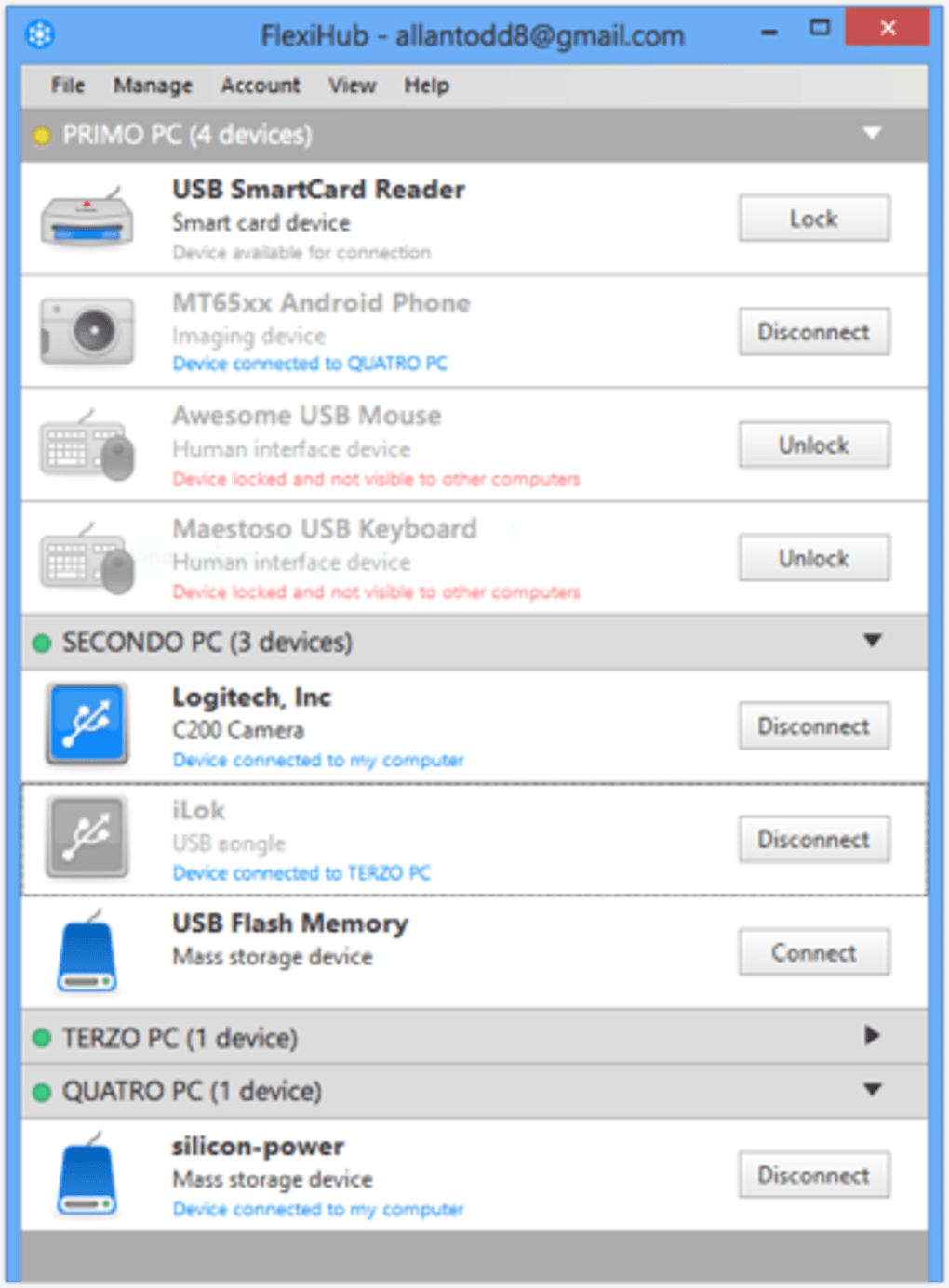
Traditional wireless connectivity options for USB devices often suffer from reliability issues and limited operational range. These methods typically restrict access to a local area network (LAN), hindering wider remote access. FlexiHub circumvents these limitations by utilizing its unique USB Redirector server. This server establishes connections between computers and devices efficiently, circumventing the inherent challenges of directly connecting USB devices over a network. The process is streamlined, requiring minimal setup or configuration, and users can quickly access their devices with minimal technical expertise.
To further enhance performance, FlexiHub incorporates data compression to accelerate data transfer speeds and minimize latency. This feature is particularly beneficial for USB devices that require high bandwidth, ensuring smooth and responsive operation even with substantial data transmission. Moreover, the software prioritizes data security through the implementation of 2048-bit SSL encryption, ensuring that all data transfers are protected and remain confidential.
Using FlexiHub: A Step-by-Step Guide
Utilizing FlexiHub is a straightforward process, even for users with limited technical expertise. The initial steps involve creating an account on the FlexiHub website, which provides access to the software and its various features. Once an account is created, the application can be downloaded and installed on the desired platforms (computers and devices intended to participate in the network). The next step involves registering the account on each installed instance of the software.
After registration, users can begin connecting their USB devices to their computer. From that point on, accessing and using the devices is identical to the standard usage when directly connected. The seamless integration eliminates the need to learn new operational procedures, ensuring a user-friendly experience.
A particularly useful feature of FlexiHub is the ability to generate login tokens. These tokens allow users to grant controlled access to their personal network without sharing their primary login credentials. This security-focused approach promotes safe collaboration by allowing others to connect their devices while maintaining a high level of account security. This feature is exceptionally useful for sharing resources within a team or organization without compromising individual account security.
Subscription Plans and Pricing Considerations
While FlexiHub offers a free trial, the number of simultaneously connectable devices and invitations distributable to other users is directly linked to the selected subscription plan. This is an important consideration for users, as the cost can escalate significantly depending on the number of devices and users requiring access. Users requiring numerous connections or frequent collaboration should carefully review the subscription options to determine the most cost-effective plan that aligns with their specific needs and usage patterns. This is crucial for budgeting and ensuring long-term cost efficiency.
Advantages and Disadvantages of FlexiHub
FlexiHub offers several distinct advantages that make it a compelling solution for remote USB device management. The minimal input latency during operation ensures responsive and efficient interaction with the connected devices, even with substantial data transfer. The inclusion of 2048-bit SSL encryption provides a strong layer of security, protecting data integrity and user privacy. The generation of login tokens for other account users enhances security and facilitates controlled access, addressing concerns about credential sharing.
However, the subscription model’s reliance on connection limits and the associated potential for increased cost represent a primary drawback. Users who anticipate frequent changes to their setup, numerous concurrent devices, or a large number of collaborative users should carefully evaluate the financial implications before committing to a subscription. Understanding the pricing structure and accurately forecasting future needs is critical for optimizing both the cost and efficiency of using FlexiHub.
FlexiHub: A Solution for Modern Networking Challenges
In conclusion, FlexiHub presents a practical and efficient solution for managing and accessing USB devices remotely. Its ease of use, robust feature set, and cross-platform compatibility make it an appealing choice for both individuals and organizations. While the subscription model necessitates a careful consideration of cost, the benefits of reliable remote access, enhanced security features, and simplified device management often outweigh the associated expenses, particularly for users dealing with numerous devices or collaborative environments. FlexiHub’s ability to overcome the limitations of traditional USB device sharing methods makes it a valuable tool in the modern interconnected world. Its streamlined approach, coupled with its focus on security and performance optimization, positions FlexiHub as a leader in remote USB device access technology.
File Information
- License: “Free”
- Latest update: “July 9, 2024”
- Platform: “Windows”
- OS: “Windows 2003”
- Language: “English”
- Downloads: “38.2K”
- Size: “10.91 MB”


