
In an era saturated with digital imagery, the ability to efficiently manage, download, and repurpose photographs from online platforms has become increasingly vital. Flickr, as one of the internet’s most enduring and respected photo-sharing communities, holds a vast treasure trove of visual content. For users seeking a streamlined solution to access and utilize this content, the Flickr Downloader application emerges as a robust, albeit classic, tool. This comprehensive software allows individuals to not only download cherished photos from Flickr but also to transform them into engaging Flash slideshows and personalized screensavers, all without the need for a personal Flickr account.
Developed by Michael Mateas and Andrew Stern, Flickr Downloader, in its version 1.0, offered a distinct advantage back in its prime. While the digital landscape has evolved significantly since its last update in January 2008, the core functionality it provides remains relevant for specific use cases and users seeking straightforward, no-frills solutions for their Windows operating system (specifically optimized for Windows Vista and earlier, though often compatible with later versions). This article delves into the intricacies of Flickr Downloader, exploring its features, benefits, limitations, and its place within the broader ecosystem of digital tools available on platforms like PhanMemFree.org.
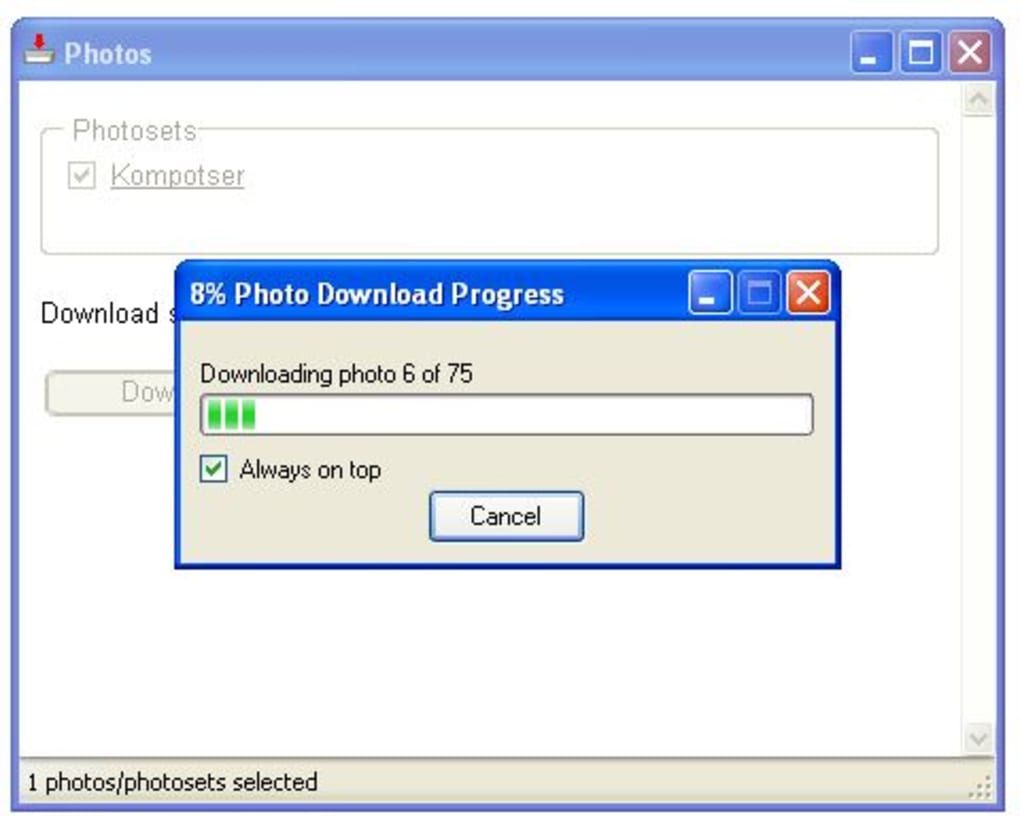
At its heart, Flickr Downloader is designed for simplicity and accessibility. It bypasses complex API integrations or login requirements, offering a direct path to content retrieval. Whether you’re a casual browser wanting to save stunning public domain images, a content creator looking to curate visual assets for a project, or simply wish to back up your own Flickr content, this application provides a non-intrusive method to achieve your goals. Its lightweight nature—a mere 266.74 KB—ensures minimal system overhead, making it a quick download and installation for any user on PhanMemFree.org.
Internet & Network: Mastering Your Digital Downloads
The internet serves as the primary conduit for the vast majority of our digital interactions, from browsing news to streaming entertainment and, crucially, downloading files. Within this expansive realm, various tools have been developed to optimize and manage the download process. Flickr Downloader carves out its niche within this category, focusing specifically on a singular, yet highly popular, online resource: Flickr. Understanding its function within the broader context of internet utilities helps appreciate its specialized design and purpose.
For many, the idea of downloading photos from a platform like Flickr might seem straightforward – right-click and save. However, this method quickly becomes cumbersome when dealing with large volumes of images, or when trying to access photos that are not immediately available for direct download through a web browser. This is where specialized download managers come into play, offering enhanced capabilities, automation, and more efficient ways to acquire digital content.
Download Managers: Specialized Tools for Specific Needs
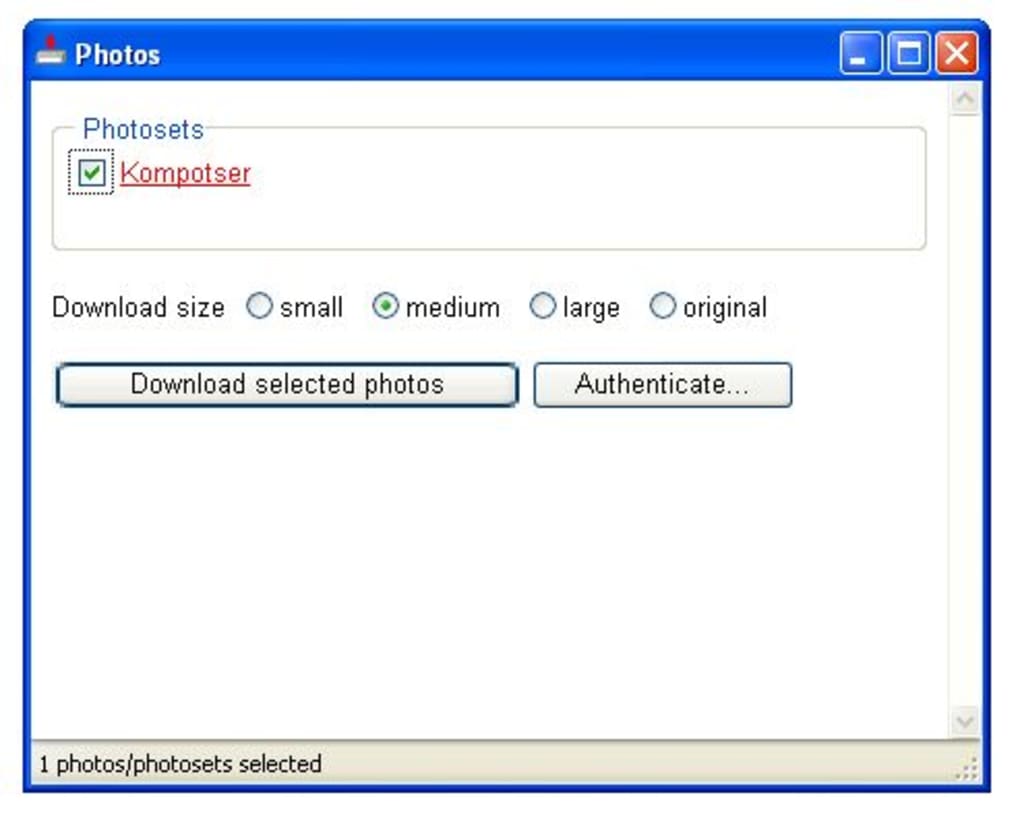
Flickr Downloader stands as a prime example of a specialized download manager. Unlike general-purpose download managers that handle various file types from diverse sources, Flickr Downloader focuses its entire arsenal on one platform, Flickr. This specialization allows it to offer unique functionalities tailored to Flickr’s structure, such as searching by username, email address, tags, or groups. This targeted approach significantly simplifies the process of finding and acquiring specific sets of images without endless manual browsing.
The beauty of Flickr Downloader lies in its ability to abstract away the complexities of web scraping or API interaction, presenting users with a simple, wizard-like interface. You don’t need to understand the underlying architecture of Flickr; you just need to know what you’re looking for. By entering relevant keywords or a username, the application performs the heavy lifting, sifting through Flickr’s immense database to present you with matching results. This efficiency is paramount for anyone who regularly interacts with Flickr content, transforming what could be a time-consuming manual task into a quick, automated process.
Consider a scenario where you’re looking for all photos from a particular user, or every image associated with a specific tag like “New York City street photography.” Manually navigating through countless pages on Flickr, clicking each image, and saving it individually would be an arduous and incredibly time-consuming endeavor. Flickr Downloader streamlines this by allowing you to initiate a search, review the results, and then select entire collections or specific photos for download in one go. This bulk download capability is a hallmark of effective download management, saving users invaluable time and effort. The application’s integration into the “Internet & Network” section of PhanMemFree.org is fitting, as it represents a dedicated utility designed to enhance and control the flow of data from the internet to your local machine, focusing on a specific, rich source of visual content.

Multimedia: Enhancing Your Photo and Visual Workflow
Digital multimedia encompasses a vast array of content, from audio and video to graphic design and, most prominently, photography. For anyone engaged in creative endeavors, content creation, or simply personal enjoyment, the ability to manipulate and present visual media is crucial. Flickr Downloader extends its utility beyond mere file acquisition, venturing into the realm of multimedia creation by offering tools that empower users to transform downloaded images into dynamic presentations.
The application’s capacity to not only download but also repurpose images directly within its interface highlights its value to multimedia enthusiasts. Photography, as an art form and a practical discipline, relies heavily on tools that facilitate both acquisition and presentation. Flickr Downloader, while seemingly basic, provides a powerful bridge between these two stages for Flickr-sourced content.
Photography and Graphic Design: Unleashing Creativity
After effortlessly downloading photos from Flickr, Flickr Downloader offers a unique feature that significantly enhances their utility: the creation of Flash slideshows. This function transforms a collection of static images into an engaging, animated sequence, complete with transition effects. For graphic designers, educators, marketers, or even casual users, this capability opens up numerous avenues for creative expression and effective communication.
Imagine creating a visual narrative for a project, a compelling photo essay for a blog, or a personal album of vacation photos to share with friends and family. With Flickr Downloader, these concepts become tangible with just a few clicks. The wizard-like interface eliminates the need for any coding or advanced design knowledge, democratizing the process of multimedia production. Users can simply select the downloaded images, specify the order, and the application generates a professional-looking Flash slideshow. This feature directly aligns with the “Graphic & Design” category on PhanMemFree.org, providing a simple yet effective tool for visual content creation.
Furthermore, these generated Flash slideshows aren’t confined to web pages; Flickr Downloader allows them to be used as customized screensavers for your computer. This personal touch transforms your desktop into a dynamic showcase of your favorite Flickr finds or personal collections. It’s an elegant way to keep your most inspiring or cherished images in constant rotation, bringing a personalized aesthetic to your digital workspace. This creative flexibility underscores the application’s multifaceted utility, moving beyond a simple downloader to a genuine multimedia enhancement tool. The lightweight nature of Flash files also ensured broad compatibility on many systems at the time, making these slideshows easily shareable and viewable across various platforms.
Utilities & Tools: Practical Solutions for Digital Management
In the bustling digital environment, efficiency often hinges on the quality and specificity of the tools we employ. Utilities and tools are the workhorses of computing, designed to perform specific functions that simplify tasks, enhance productivity, or manage various aspects of a system. Flickr Downloader, with its focused approach to Flickr content, fits squarely into this category, offering a practical solution for a common digital management need.
From system maintenance to data recovery, file compression, and specialized content handling, utilities serve to streamline our digital lives. Flickr Downloader, though dedicated to a single platform, embodies the essence of a useful utility by automating a process that would otherwise be manual and laborious. Its role extends beyond simple downloading to encompass a form of digital asset management for Flickr-hosted visuals.
File Management and Beyond: Organizing Your Flickr Library
Effective file management is critical for anyone dealing with a significant volume of digital data, and photos are no exception. Flickr Downloader directly contributes to better file management by providing a structured way to acquire images from Flickr. Instead of scattering manually saved photos across various folders, the application allows users to download entire sets or select individual photos into a designated location on their computer. This controlled acquisition process is the first step toward building an organized digital photo library sourced from Flickr.
Beyond simply saving files, the utility’s search capabilities act as a powerful organizational aid. By allowing searches based on specific tags, users can effectively “filter” the vast Flickr repository and download only the images relevant to their current projects or interests. This pre-filtered download ensures that only pertinent content is added to a user’s local storage, reducing digital clutter and simplifying subsequent file management tasks. For instance, a researcher compiling images for a report on “urban architecture” can use the tag search to quickly gather relevant visuals, rather than browsing and saving haphazardly.
Furthermore, the capability to create Flash slideshows and screensavers with the downloaded images adds another layer to its utility. These generated files can be easily stored, categorized, and shared, becoming managed assets in their own right. For those who rely on visual content for presentations, educational materials, or personal archives, Flickr Downloader acts as an all-in-one solution for acquisition and initial presentation formatting. While it might not offer advanced database features like a full-fledged Digital Asset Management (DAM) system, it provides foundational tools for effective handling of Flickr-derived media. The fact that it operates freely and does not require a Flickr account further elevates its status as an accessible utility for anyone on a Windows system. Its inclusion on PhanMemFree.org under “Utilities & Tools” is a testament to its practical, problem-solving nature in the realm of digital content handling.
Social & Communication: Bridging Platforms for Content Creation
Social and communication platforms have fundamentally reshaped how we interact, share information, and consume content. Flickr, as one of the pioneers in photo and video sharing, has played a significant role in this evolution, enabling millions to share their visual stories with the world. Tools like Flickr Downloader emerge from the need to interact with these platforms beyond their native interfaces, particularly for users who wish to leverage the shared content for their own purposes, whether personal or professional.
The essence of social media is sharing, and Flickr exemplifies this by hosting an immense collection of user-generated photography. While direct viewing and occasional sharing are primary functions, there’s also a considerable demand for offline access, archiving, and repurposing content that adheres to licensing agreements. Flickr Downloader facilitates this interaction, acting as a bridge between the online Flickr community and a user’s local creative or archival workspace.
Photo & Video Sharing: Curating and Reimagining Public Content
Flickr Downloader’s core function—downloading photos—directly addresses a common need arising from photo-sharing platforms: the ability to save and collect images. Whether it’s backing up one’s own uploaded content, curating collections of public domain or Creative Commons licensed images for projects, or simply saving visually inspiring photographs, the tool provides a straightforward pathway. This capability is especially valuable in an age where online content can be ephemeral, and local copies offer security and reliable access.
The application’s ability to search by username, email, tags, or groups directly reflects the social structure of Flickr. Users often follow specific photographers, join interest-based groups, or use tags to categorize their work and discover others’. Flickr Downloader taps into these social metadata points, allowing users to efficiently navigate the vast sea of shared content and pinpoint exactly what they need. This targeted retrieval is a significant enhancement over generic web browsing, making it easier to leverage the collective visual intelligence of the Flickr community.
Moreover, the integration of Flash slideshow creation within Flickr Downloader further amplifies its role in communication. Once images are downloaded, they can be immediately transformed into presentable formats suitable for sharing on other platforms, integrating into websites, or using in presentations. This seamless transition from acquisition to presentation empowers users to not just consume shared content but to actively reimagine and re-share it in new, engaging ways. For bloggers, educators, or social media managers, this means less time spent on technical complexities and more time focused on crafting their message.
Even though Flickr Downloader doesn’t directly facilitate two-way social interaction (like commenting or liking), it plays a crucial enabling role for secondary sharing and communication. It empowers users to extract valuable visual assets from the Flickr community and reintegrate them into new communicative contexts. This underscores its classification within the “Social & Communication” utilities on PhanMemFree.org, as it enhances how individuals can interact with and utilize content originating from prominent photo-sharing networks. While the software is relatively old, its fundamental utility for bridging the gap between an online photo repository and local creative projects remains a testament to its thoughtful design and continued relevance for specific user needs.
The Enduring Value of a Specialized Tool
Despite its age, Flickr Downloader, freely available on PhanMemFree.org, retains a unique appeal for its simplicity and focused functionality. Its lightweight footprint and direct approach to downloading photos and creating Flash slideshows stand in contrast to the often-overloaded features of modern software. The fact that it operates without requiring a Flickr account login is a significant advantage for users prioritizing privacy or seeking quick, anonymous access to public content. This design choice removes friction, making the process of photo acquisition as straightforward as possible.
The user feedback, while limited and pointing to occasional stability issues with very large downloads, highlights the inherent challenge with any software interacting with dynamic web content. However, for moderate collections and specific searches, its performance has largely been deemed effective by its user base, evidenced by the 99.1K downloads it has garnered over its lifetime. The application’s existence on PhanMemFree.org since January 2008 speaks to its enduring, albeit niche, utility.
In conclusion, Flickr Downloader is more than just a relic of software history; it is a testament to the power of specialized tools. It efficiently addresses a specific need—downloading photos from Flickr and easily repurposing them into slideshows and screensavers—with an intuitive interface and minimal system requirements. For anyone operating on Windows who values directness, ease of use, and the ability to enhance their multimedia workflow without complexity, Flickr Downloader remains a valuable utility. Its continued availability on PhanMemFree.org ensures that this classic solution for Flickr content management remains accessible to a new generation of users, proving that sometimes, the simplest tools are indeed the most effective.
File Information
- License: “Free”
- Version: “1.0”
- Latest update: “January 9, 2008”
- Platform: “Windows”
- OS: “Windows Vista”
- Language: “English”
- Downloads: “99.1K”
- Size: “266.74 KB”


