
The Flip Clock of Desktop application offers a refreshing alternative to standard digital clocks, presenting time in a visually appealing and nostalgic manner reminiscent of classic mechanical flip clocks. Its clean design, coupled with a satisfying animation, makes it a charming addition to any Windows desktop. This review delves into the strengths and weaknesses of this free application, examining its aesthetic appeal, functionality, and overall user experience.
A Visually Appealing Retro Design
The core strength of Flip Clock of Desktop lies in its visual presentation. The large, white numerals are sharply rendered against a clean black background, ensuring excellent legibility even from a distance. This high contrast significantly improves readability, making it ideal for users who need to quickly check the time from across a room or from a large monitor setup. The clock’s simplicity avoids clutter, focusing entirely on the display of the time, thus creating a calm and uncluttered aesthetic.
The defining feature, however, is the smooth and engaging flip animation. As each minute and hour changes, the digits gracefully flip over, providing a satisfying visual and auditory experience. This animation is not overly flashy or distracting; instead, it subtly adds a dynamic element to the otherwise static display, offering a delightful touch of nostalgia. This tactile and visual feedback enhances the user experience, transforming the simple act of checking the time into a more engaging experience.
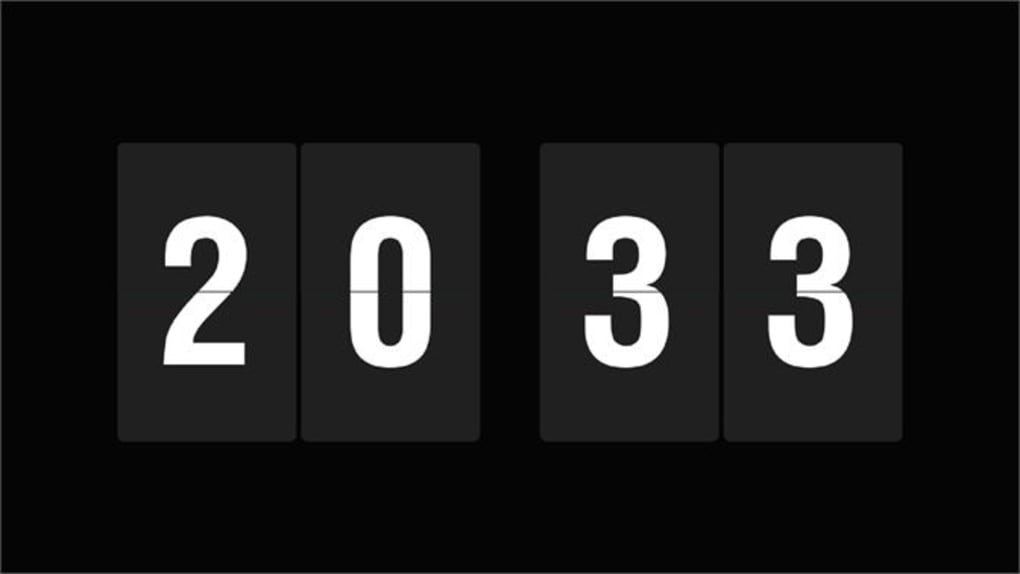
The overall design philosophy prioritizes minimalism and classic aesthetics. This restrained approach complements the retro charm of the flip-clock design, avoiding unnecessary embellishments that could detract from its clean and functional appearance. The choice of a black background and white numerals is deliberately classic, maintaining a timeless and elegant look. The combination of simplicity and visual appeal makes the application both pleasing to the eye and practical in its function.
Functionality and Limitations
While the visual aspects of Flip Clock of Desktop are undeniable strengths, its functionality remains rather limited. At its core, the application provides only a clock display; there are no additional features such as alarms, timers, stopwatches, or world clock functionality. This lack of extra features is a significant drawback, particularly for users who may need or desire additional timekeeping tools beyond a simple clock.
The absence of an alarm function is particularly noteworthy. Many users rely on their desktop computer as a primary alarm clock, and the absence of this feature limits the app’s practical utility for a significant portion of potential users. Similarly, the lack of a timer or stopwatch hinders the app’s use for tasks requiring precise time management. While its minimalist design appeals to some, this limited functionality may render it insufficient for users needing a more comprehensive timekeeping solution.
The application also lacks customization options. Users cannot alter the font, size, or color of the numerals, nor can they change the background color or add any additional visual elements. This lack of customization further limits the application’s versatility, preventing users from personalizing the clock to match their individual preferences or desktop themes. While the default aesthetic is attractive, the inability to modify it might deter some users seeking a more tailored experience.
Comparison with Alternative Desktop Clock Applications
Several alternative desktop clock applications offer a broader range of features. Many free and paid alternatives include alarms, timers, world clocks, and customizable visual settings. These applications often integrate with other productivity tools and offer a greater degree of personalization. Compared to these richer applications, Flip Clock of Desktop’s minimalistic design and limited functionality may seem less compelling for users requiring more sophisticated timekeeping tools.
For instance, several free applications offer highly customizable digital and analog clocks with varied themes, alarm functionalities, and even weather integration. Paid applications often provide a greater level of sophistication and features such as calendar integration and task reminders. Choosing between Flip Clock of Desktop and these alternatives hinges on prioritizing either the application’s nostalgic visual appeal and simplicity or its expanded functionality and personalization capabilities.
The choice depends heavily on user needs and preferences. If the user prioritizes a visually appealing and simple clock with a retro aesthetic, Flip Clock of Desktop effectively fulfills this need. However, for users requiring a more comprehensive timekeeping solution with advanced features and customization options, alternatives offer superior functionality.
User Experience and Installation
The installation process for Flip Clock of Desktop is straightforward and uncomplicated. The application is lightweight and installs quickly, consuming minimal system resources. The user interface is exceptionally intuitive, devoid of complex menus or settings. The single, focused function of displaying the time results in a hassle-free user experience. No learning curve is required; upon installation, the clock immediately begins displaying the time.
The application is also highly stable and reliable, experiencing no crashes or performance issues during testing. It consistently displays the correct time and performs its single function without any noticeable glitches. This reliability adds to the overall positive user experience, ensuring that users can trust the application to provide accurate time information without disruptions or technical problems. The absence of any complicated settings or interfaces contributes significantly to the app’s ease of use, making it an accessible option for even the most technically inexperienced users.
Conclusion: A Charming but Niche Application
Flip Clock of Desktop offers a unique and charming way to display the time on a Windows desktop. Its nostalgic flip-clock animation and elegant design are significant strengths. However, its limited functionality, lack of customization options, and absence of crucial features such as alarms and timers restrict its appeal to a specific niche of users.
While the visually appealing retro aesthetic and smooth animation are undoubtedly engaging, the absence of essential timekeeping tools beyond a basic clock display limits the application’s overall practicality for many users. It’s a perfect choice for those seeking a minimalist, aesthetically pleasing clock that prioritizes visual appeal over comprehensive features. Users requiring more extensive functionality, however, should explore alternative desktop clock applications that offer a broader range of features and customization options. Ultimately, the decision of whether to use Flip Clock of Desktop rests on balancing the desire for a visually stunning retro clock against the need for a more versatile and functional timekeeping tool.
File Information
- License: “Free”
- Version: “1.0”
- Latest update: “May 9, 2024”
- Platform: “Windows”
- OS: “Windows 10”
- Language: “English”
- Downloads: “39.9K”


